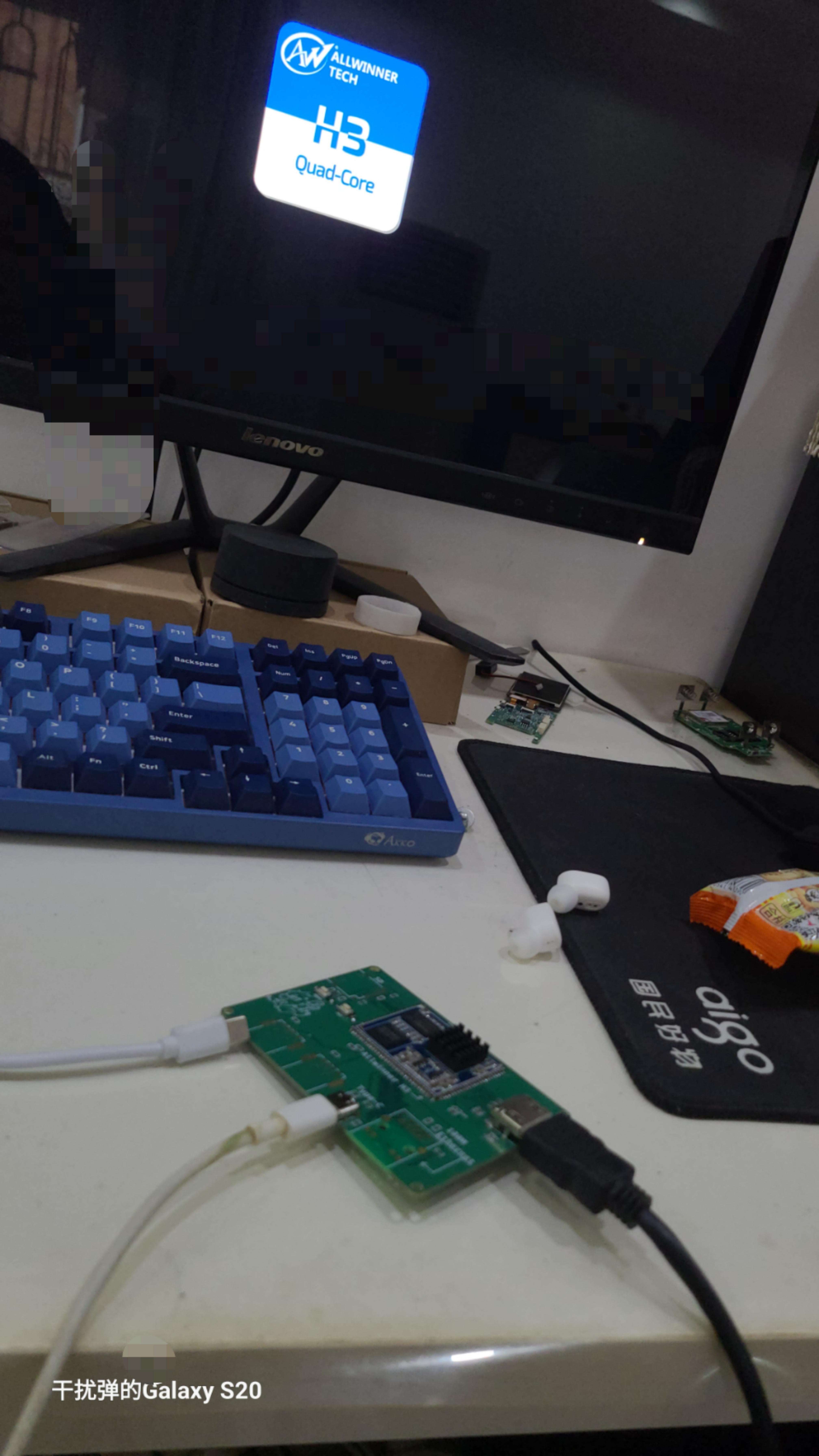
Cheap core boards from Xianyu (a second-hand marketplace) are often reused. There's not much to introduce here
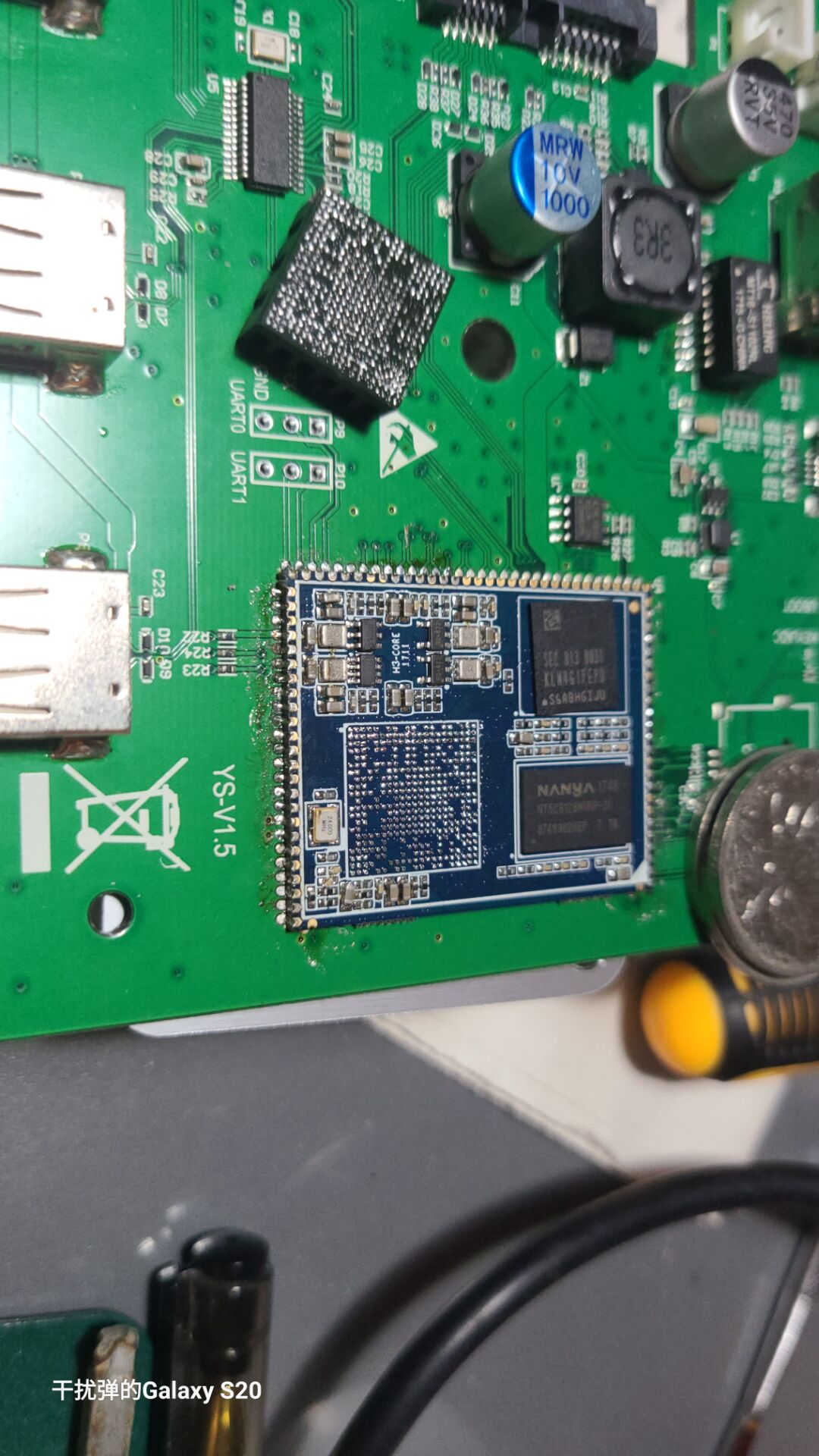
. It's worth noting that before disassembling the core board, remember to apply a layer of low-temperature solder and then heat it with a heating pad. Never use a hot air gun,
as it will cause the solder to burst.
and lack of wide voltage support.
ESP32 PZEM004 is a power sensor for monitoring temperature, humidity, and human presence.
This project involves high-voltage electricity; operation by any non-professionals is strictly prohibited, and I assume no responsibility whatsoever.
This project is planned to be implemented through Home Assistant integration with ESPHome, reducing code complexity to zero.
No extensive editing of source code is required, making it more suitable for beginners.
This project involves high-voltage electricity and is strictly prohibited for any non-professionals. I assume no responsibility for any damage.
This project includes:
a JLCPCB PCB (0 yuan),
a PZEM module (24.3 yuan),
a temperature and humidity sensor (9.9 yuan) ,
and an AC-DC converter (6.8 yuan)
, totaling approximately 42 yuan. With a coupon on Taobao, it can be completed for around 30 yuan. I paid 5.5 yuan for the 3D casing shipping; the rest were purchased previously. You don't need the 3D casing; just put it inside any casing, as long as it doesn't short-circuit.
I think if it's not practical, it's basically meaningless. Don't do it just for the sake of doing it; it's about reducing the burden on my life. I don't want to pay for charging during power outages, I don't want to check the thermometer and hygrometer, and I don't want to press switches. It's better to have Xiao Ai (Xiaomi's AI assistant) remind me when the electricity is low, or ask Xiao Ai for the indoor temperature and it will tell me, or turn on the lights when I'm on the toilet or at the computer (and turn them off when I leave).
The project plans to use ESP32 modules to reduce soldering burden, and Peizheng PZEM-004T V3 modules to monitor power consumption (current, voltage, power consumption, power factor, apparent power, frequency, etc.) for daily, monthly, and yearly power consumption statistics. A Sensory SHT40 temperature and humidity module (leftover from a temperature and humidity training camp) will be used to monitor temperature and humidity, as the pins would otherwise be wasted. The ESP32's Bluetooth function will also be used as a Bluetooth gateway for Home Assistant, connecting a HI-LINK LD2410 to Home Assistant to enable lights to turn on when someone is present and turn off when they leave (unlike infrared sensors, this only detects presence). A natural gas module was initially planned, but it was decided that since the electrical box and kitchen are not located together, it should be practical rather than added just for the sake of adding it.
A 220VAC to 5VDC module (which I already have, no need to purchase a new one)
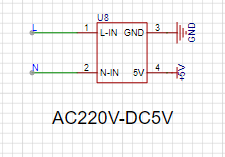
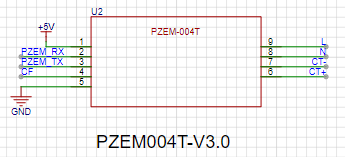
and a Peizheng PZEM004T-V3.0 module will be used. This module can monitor AC power, including voltage, current, power factor, and power consumption. Daily, month, and year power consumption can be recorded via software.
I also have this. I previously built one similar to this project using an ESP-01S. I'll
post a picture
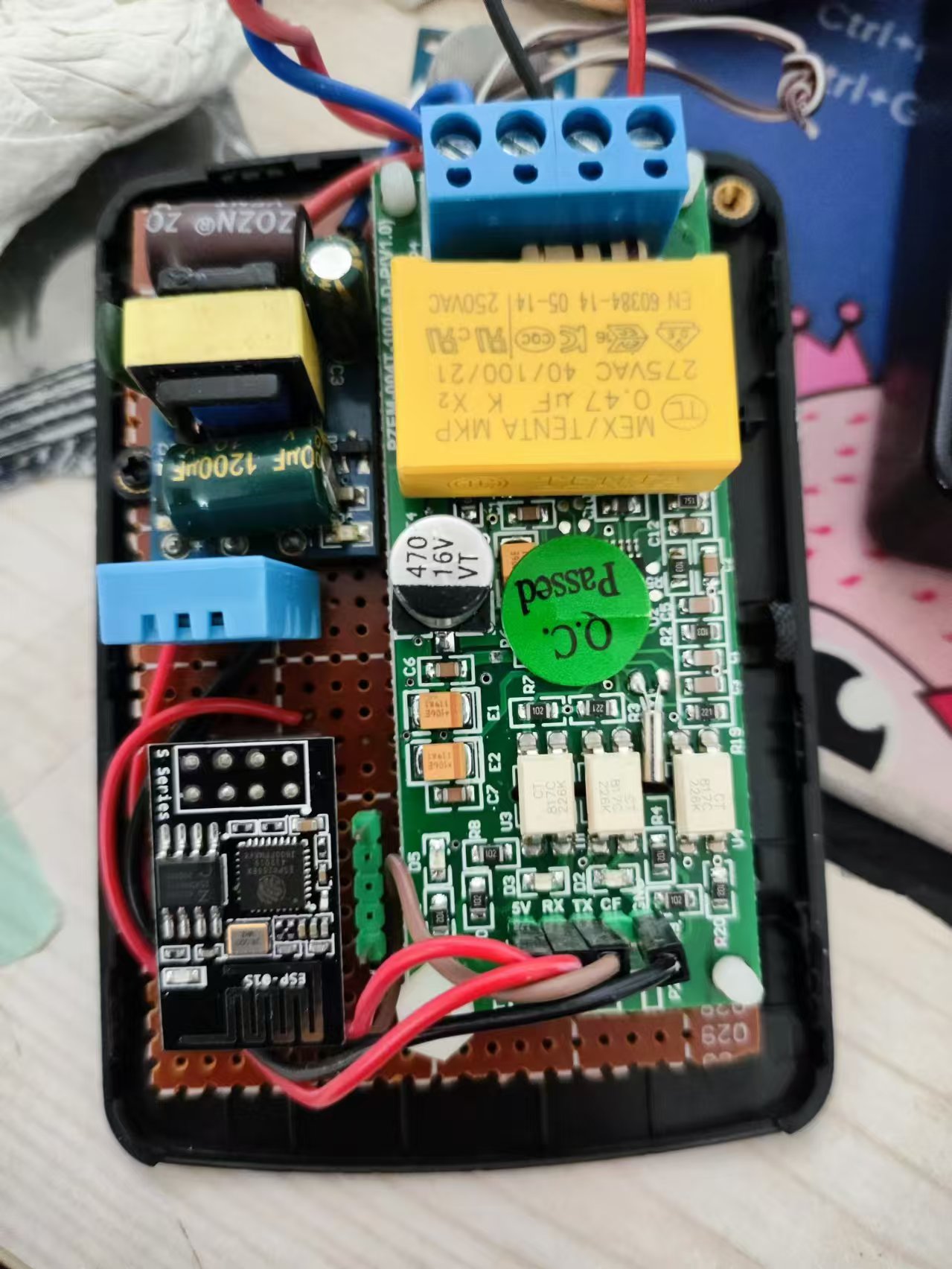
. The Sensirui temperature and humidity module was leftover from a temperature and humidity training camp; I won't say much, just add it.
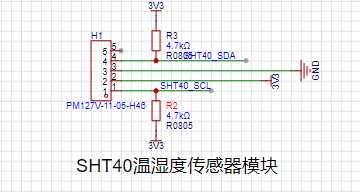
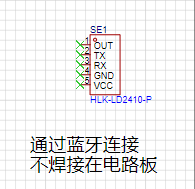
I also have a HI-LINK LD2410 human presence sensor, which is quite different from a typical human presence sensor. I bought it as a hobby, and I've included that too. It connects via Bluetooth, so this part doesn't require circuitry; just supply it with 5V where it's used.
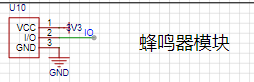
The buzzer is passive and can actually play music. Active buzzers can't play music.
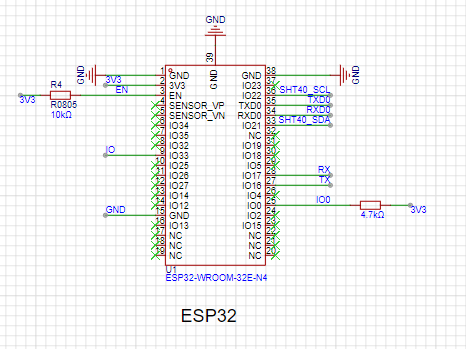
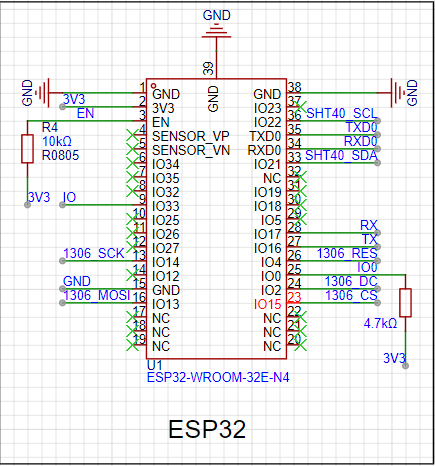
The main controller is a simple ESP32; I couldn't use anything else, so I chose a module for easier soldering. Using a chip would result in a QFN package, which most people probably can't solder.
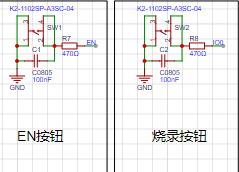
EN and GPIO0 are absolutely essential! Absolutely essential! Absolutely essential! Pull-up switches are necessary for the module to start properly; don't forget them.
Don't forget the EN and GPIO0 buttons. You need to press the GPIO0 button during programming, and the EN button restarts the module.
It's convenient for programming, but after using esphome for online upgrades, it's basically unnecessary. The 3D casing doesn't have button windows anymore.
Originally, it was designed with a screen, but later I felt it was hidden in the electrical box and wasted power, so I removed it. However, I'm posting the wiring diagram here for my own record and to help those who don't know how. You can use it with confidence; it's been tested and works without problems. It's
the 1306 series, using SPI communication, but I2C can also be used.
The key is to select the correct pins for SCK, MOSI, and CS; for the rest, just choose any usable GPIO.
Of course, you can change the pins on the ESP32 for pin mapping, but it's slow and not beginner-friendly, so let's stick to the standard usage.
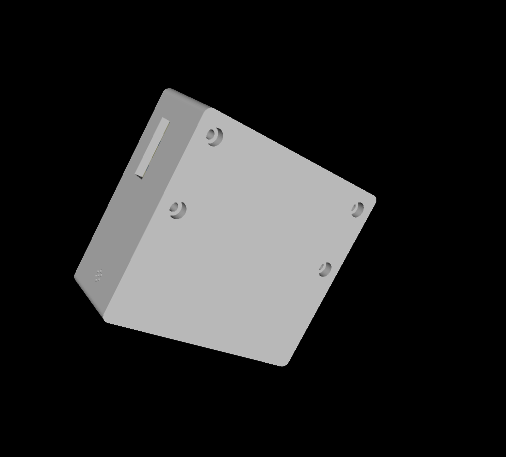
The 3D casing isn't particularly designed; it just needs to fit inside. Putting it inside the electrical box is like putting a beautifully designed 3D casing inside a colored screen—it's all for naught.
The programming is even simpler; esphome solves everything. Beginner-friendly!!!
It does feel a bit like a Frankenstein's monster, mainly because it uses what I already have, but it's still very practical. It allows you to track your household's electricity usage, and the charts in Home Assistant are very intuitive. For
those who don't have an AC-to-DC module, you can find other AC-to-DC modules designed by other developers on the LCSC Open Source Platform. I have several, so I'm just posting the modules here; they're not expensive, much cheaper than building one myself.
Also, Home Assistant is really great. You can click on a user-defined image to turn on lights. It can control the air conditioner (though I usually ask Xiao Ai to turn it on...).
Through settings, Xiao Ai can also report voltage, current, and other sensor values designed for this project.
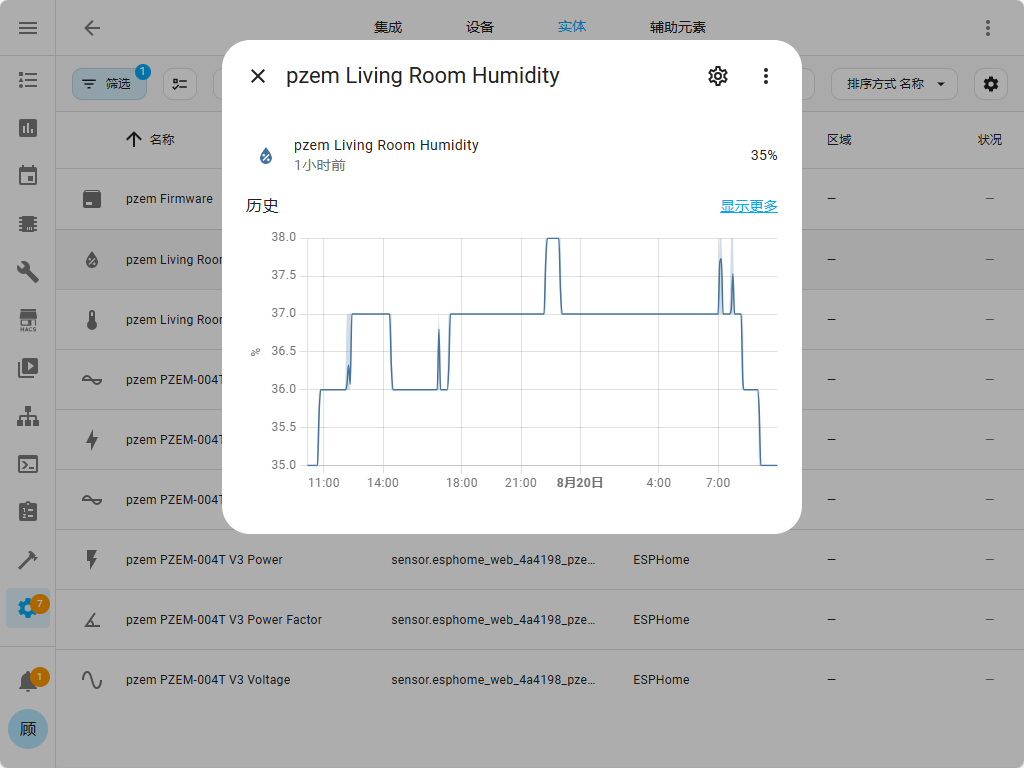
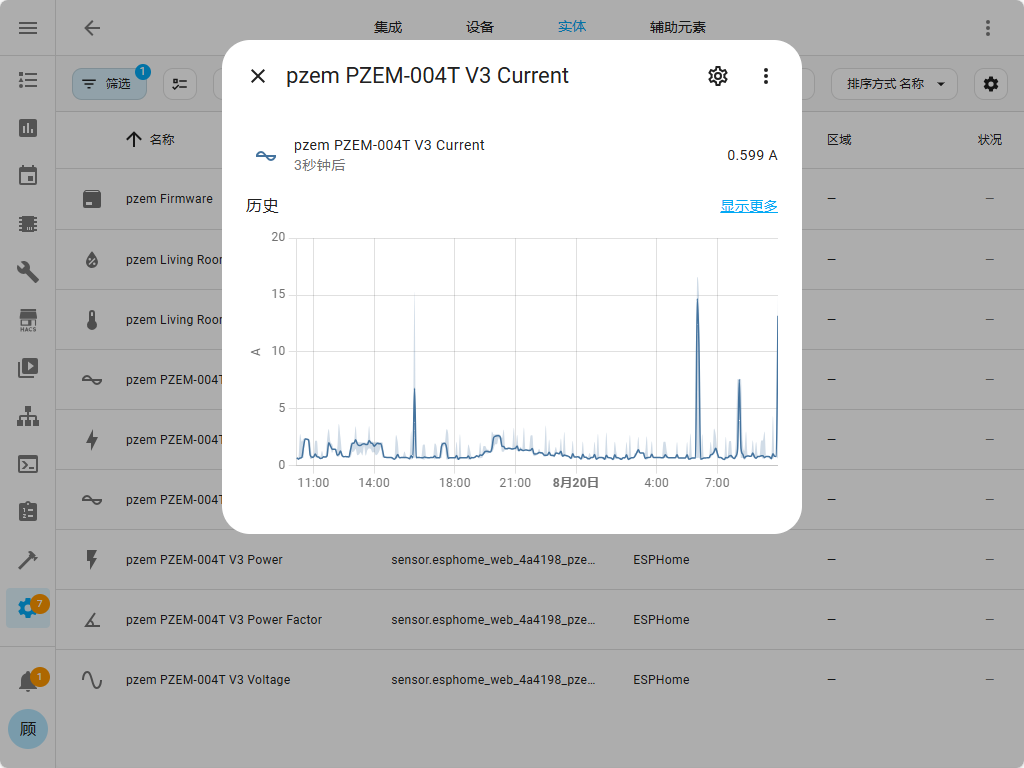
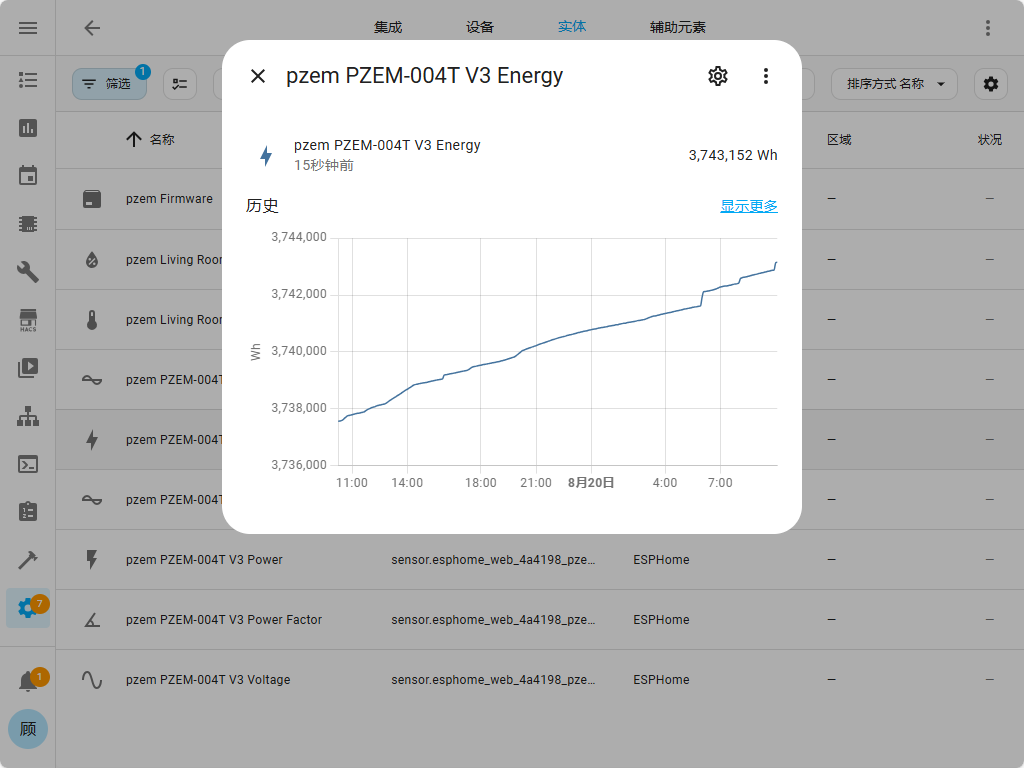
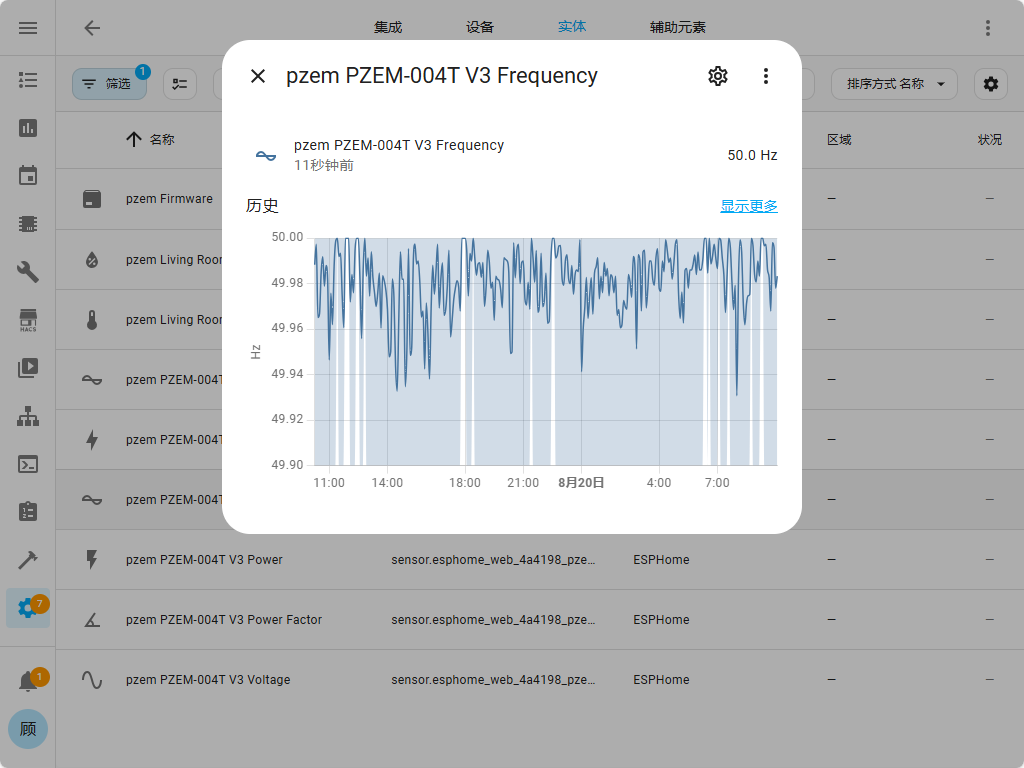
Below is a demonstration of the data obtained from Home Assistant for this project, mainly voltage, current, temperature, humidity, and a specific area. The charts include
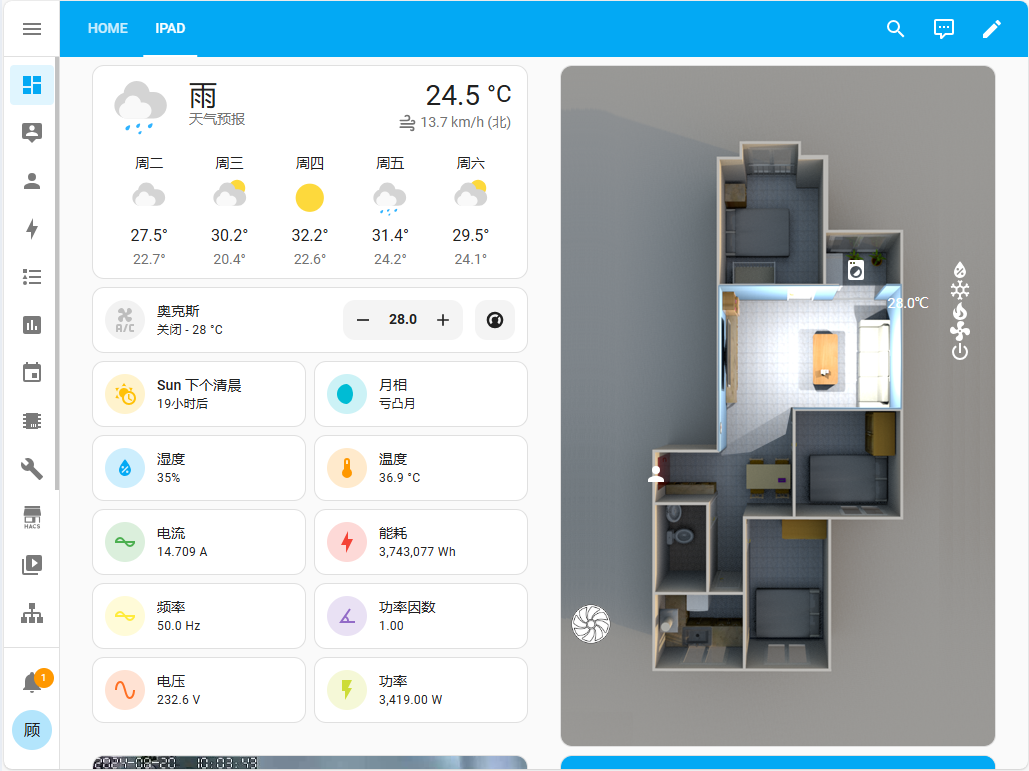
humidity,
temperature, current
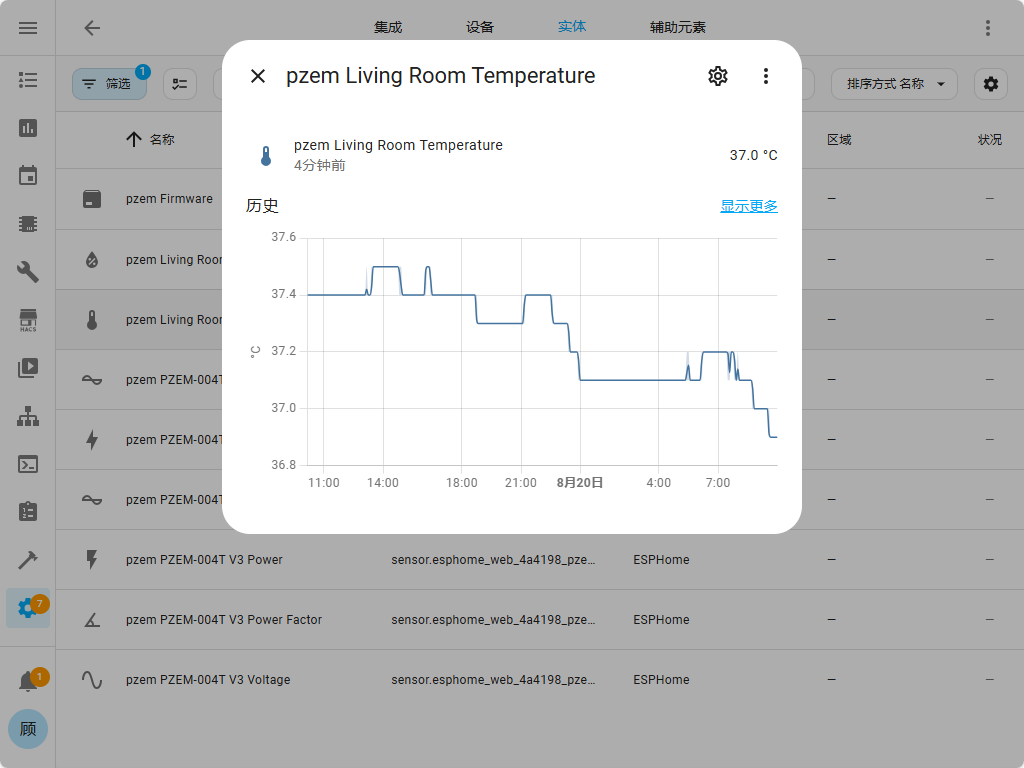
,
energy consumption,
frequency ,
current power consumption, and
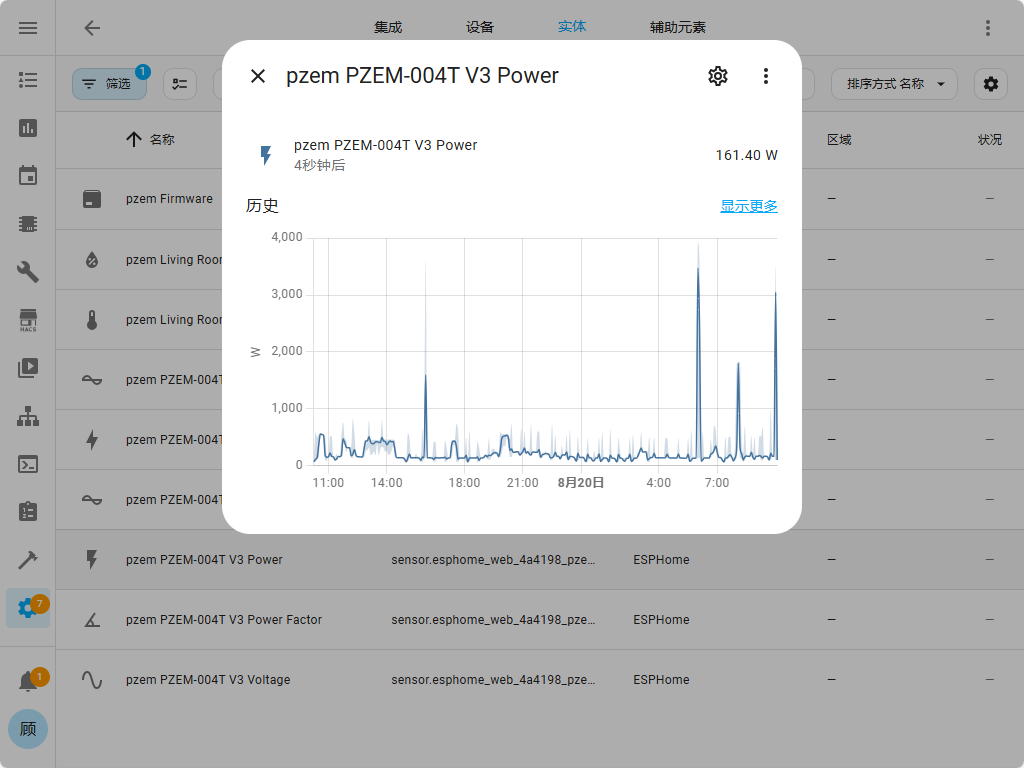
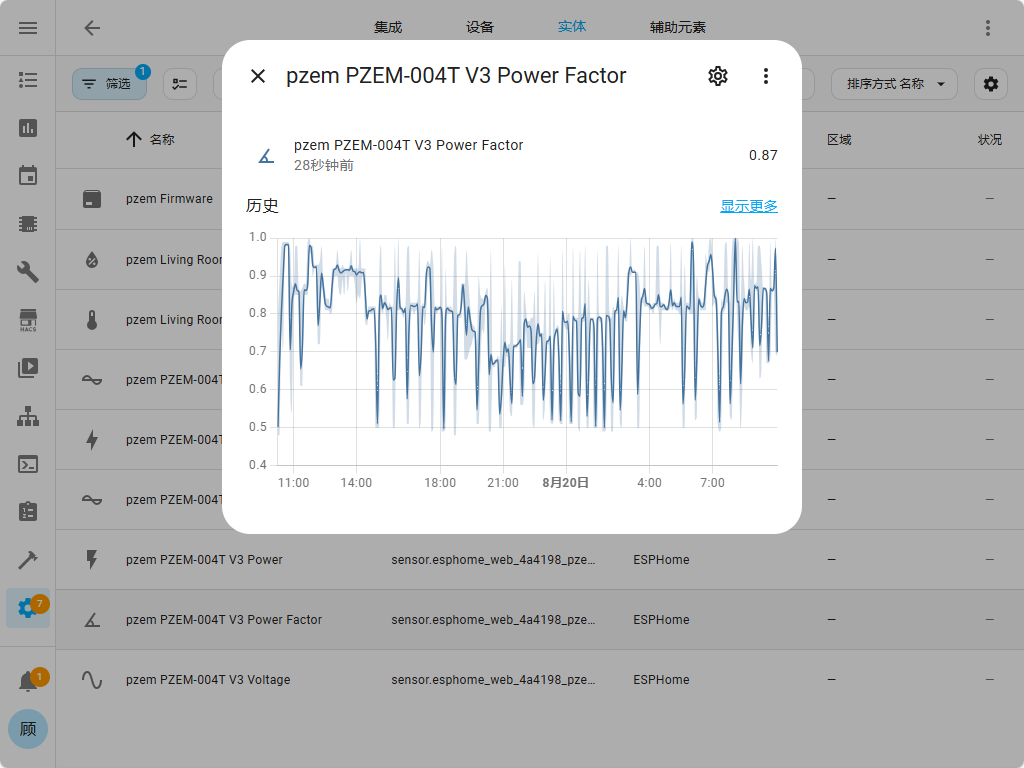
power factor (which reminds me of those fraudulent "energy-saving devices"—the better ones use capacitors to compensate for some power factor, the worse ones just use an LED, hahaha, I wonder if LCSC Open Source Plaza has any energy-saving devices, hahaha, I really want to laugh... Residential electricity doesn't need power factor compensation, but factories and other commercial users do).
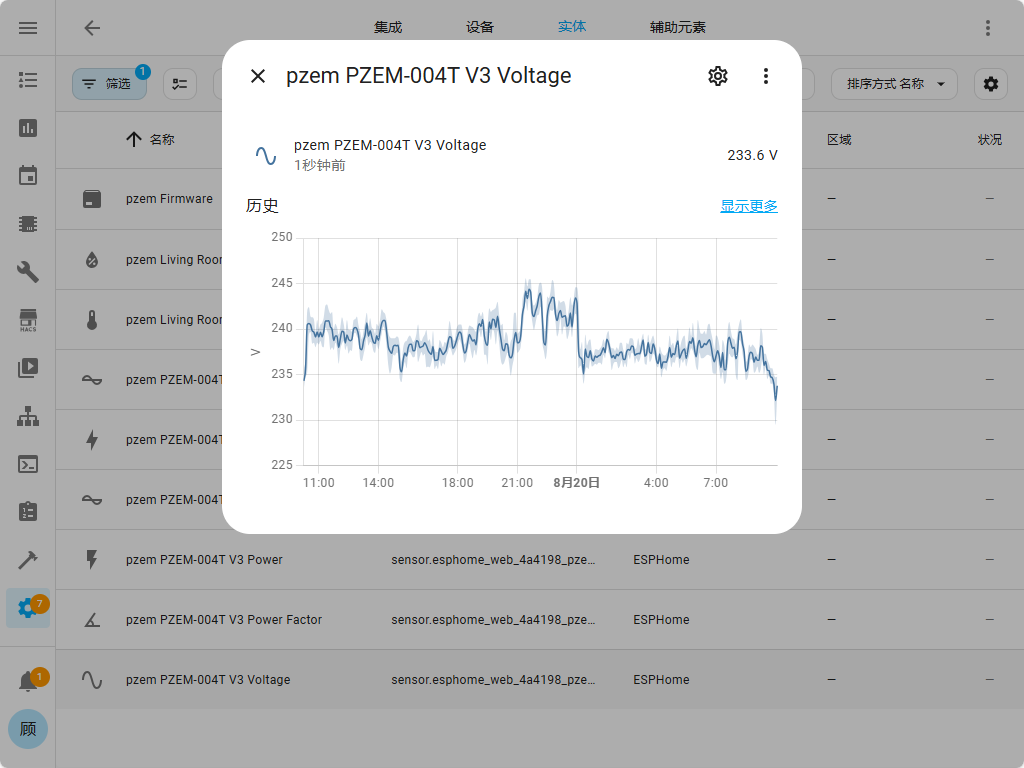
The voltage chart is also included
. Most importantly, it automatically calculates electricity consumption by date and time, down to the hour.
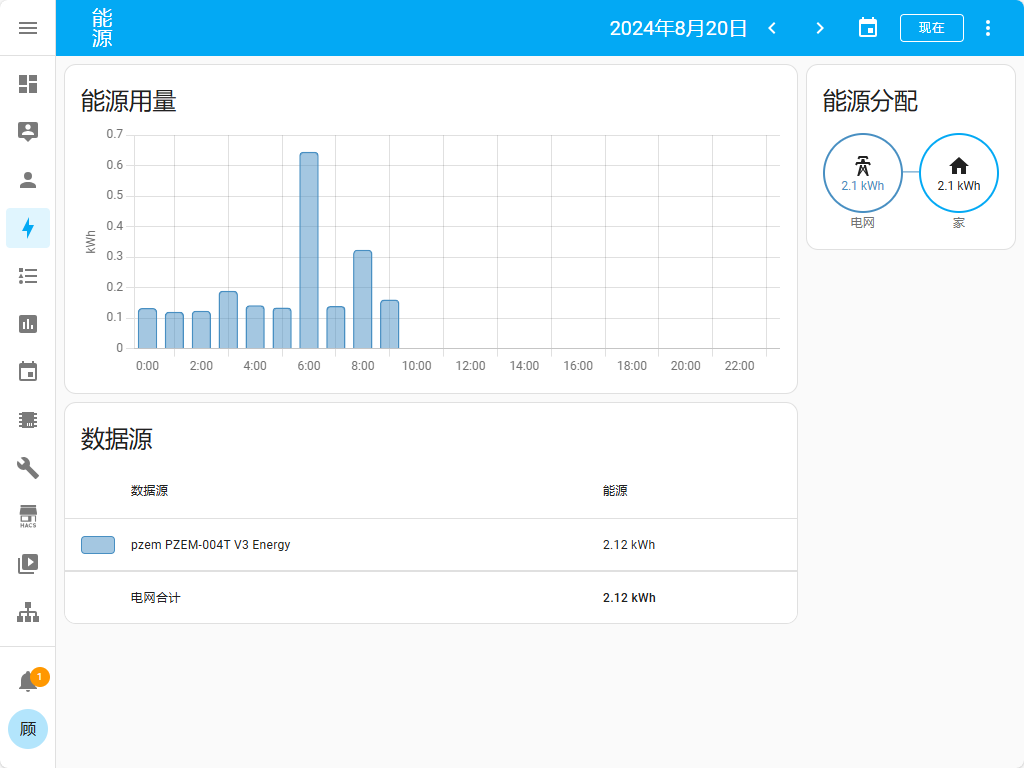
You can find tutorials online on how to set these up. If you really can't figure it out, leave a message and I'll tell you.
The YAML file is in the attachment's pasting section.
Altium_esp32 pzem004 Power Monitoring Temperature, Humidity, and Human Sensing Sensor.zip
PADS_esp32 pzem004 Power Monitoring Temperature, Humidity, and Human Sensing Sensor.zip
BOM_esp32 pzem004 Power Monitoring Temperature, Humidity, and Human Sensing Sensor.xlsx
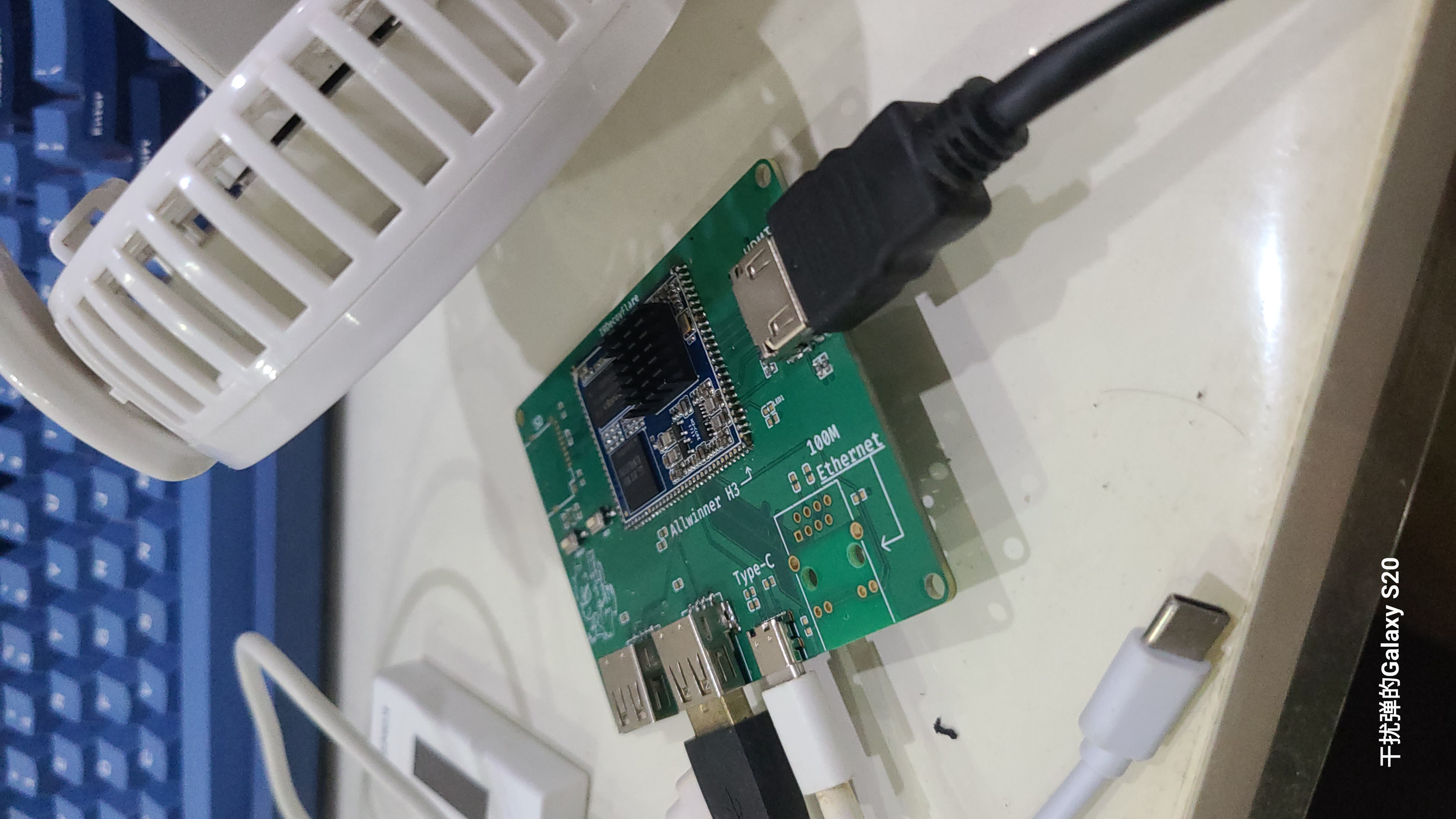
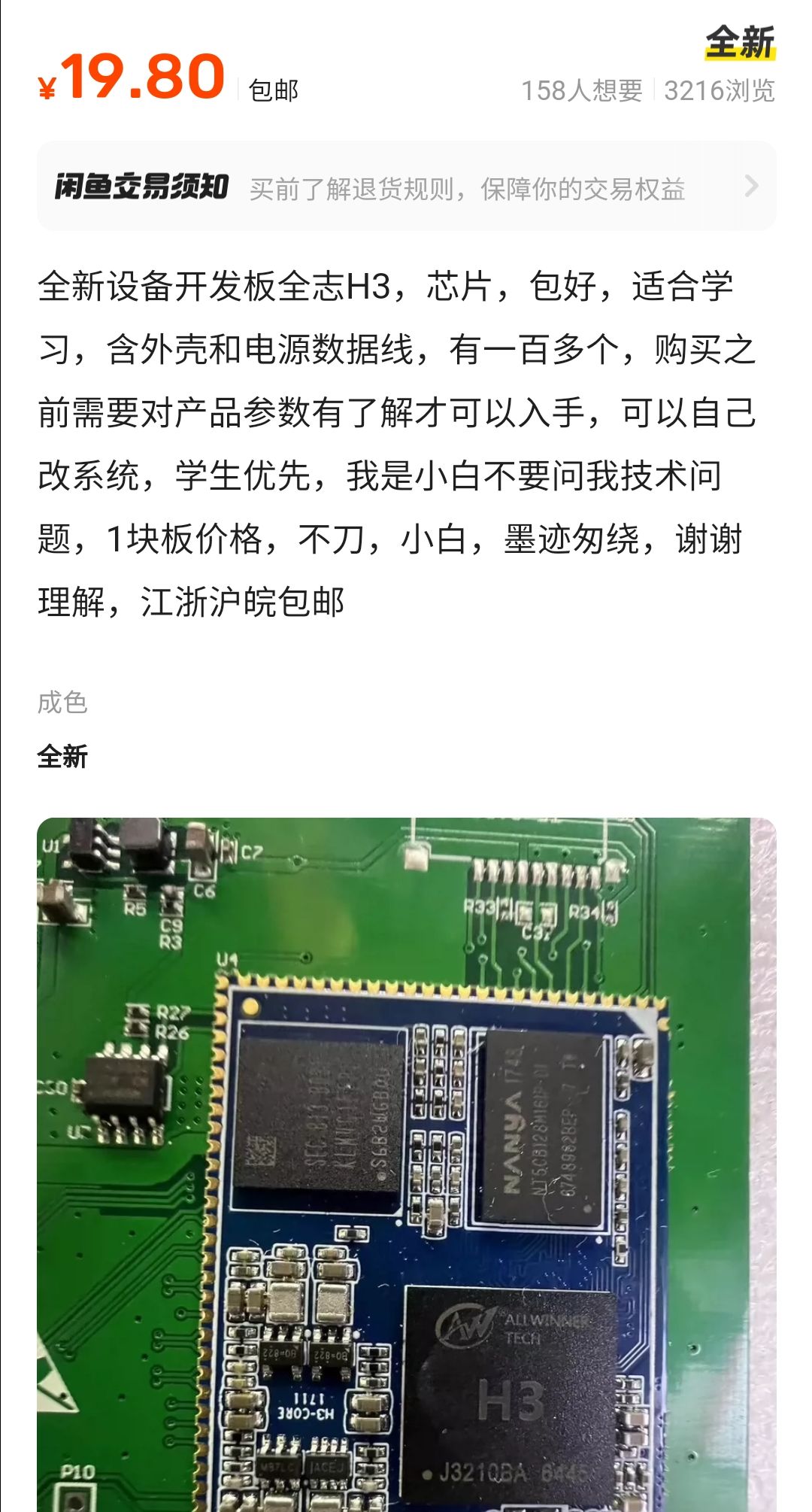 . It's worth noting that before disassembling the core board, remember to apply a layer of low-temperature solder and then heat it with a heating pad. Never use a hot air gun,
  Defects include: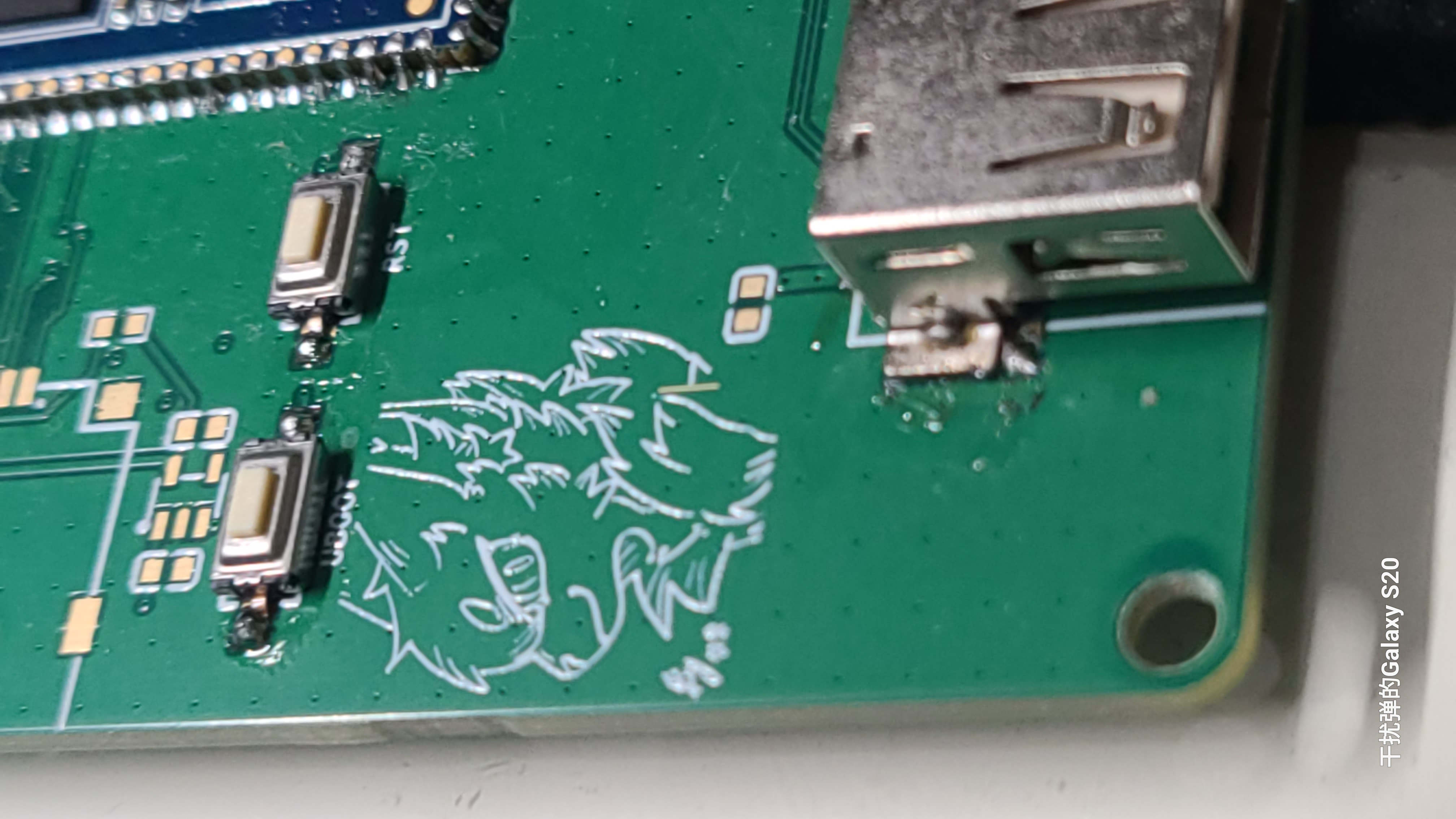








 京公网安备 11010802033920号


 SC2D221KT



