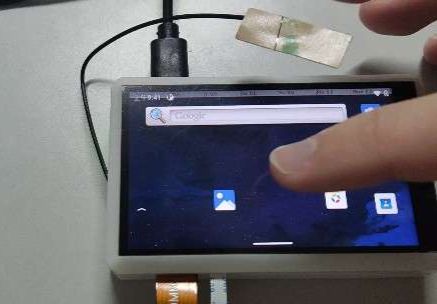
The tablet hardware mainly consists of the Taishanpai development board and a screen expansion board. Here, we'll primarily analyze the design principles and thought process behind this expansion board. The expansion board mainly comprises an interface conversion circuit, a backlight circuit, and an audio circuit. The most ingenious circuit design is the clever use of metal pins for the microphone and speaker. These two pins connect to the Taishanpai development board; the speaker has two pins, the microphone has one, and both share a common ground. Initially, I wondered how to handle these components, what wiring was involved, but after assembling it, I was astonished to find that the tablet could actually produce sound. Returning to the schematic and PCB, I discovered that the two interfaces overlapped, which explained the sound. Overall, the PCB expansion board simply converts interfaces and wire sequences. However, the soldering process was fraught with difficulties. I ruined four components with a soldering iron, and the last one that worked was fixed with a hot air gun. The process was quite bumpy. I'm grateful to LCSC for giving me this training camp opportunity to try it out and experience using a hot air gun for the first time, watching the solder paste gradually transform into solder joints – it was very rewarding.
Onboard Backlight Circuit: This 3.1-inch screen's backlight current can only support a maximum of 25mA. Directly connecting it to the screen risks burning it or causing it to overheat. In actual testing, using the Taishanpai backlight power supply resulted in the screen becoming extremely hot. Therefore, we default to not mounting (R103 and R104) and instead mounting (R105 and R106) using the onboard backlight driver power supply.
Since the display screen is composed of a bunch of LEDs emitting light, we need an LED driver to drive it, mainly used to control and adjust the brightness of the LEDs. The SY7201ABC ensures the consistency and stability of LED light emission by providing a constant current, thereby improving the lifespan and efficiency of the LEDs.
Backlight Adjustment Circuit: The Taishanpai does not have a PWM pin connected to the 3.1-inch expansion board, but the touch interface has an I2C1 pin connected to the 3.1-inch expansion screen. I2C can be connected to multiple devices, so to achieve the backlight adjustment function, we use a GP7101 I2C to PWM chip to implement PWM adjustment. The GP7101 and the touch interface are connected to the I2C1 pin.
After soldering the circuit board, remember to check for short circuits. I once forgot to check and almost burned out my computer's USB port. The computer kept issuing warnings about excessive surge current. Luckily, it was fine after a restart. I almost ruined my computer, which was a huge mistake. Also, you don't need to solder all the resistors on the circuit provided by LCSC. They just give you more options. You can use the development board's output current or the board's current. Some feedback resistors don't need to be soldered on all of them, as they can burn out the chip. The chip's EN enable port uses pull-up resistors, but you can also choose pull-down resistors to easily test whether the PWM function is working.







 京公网安备 11010802033920号


 MOX750231782FE



