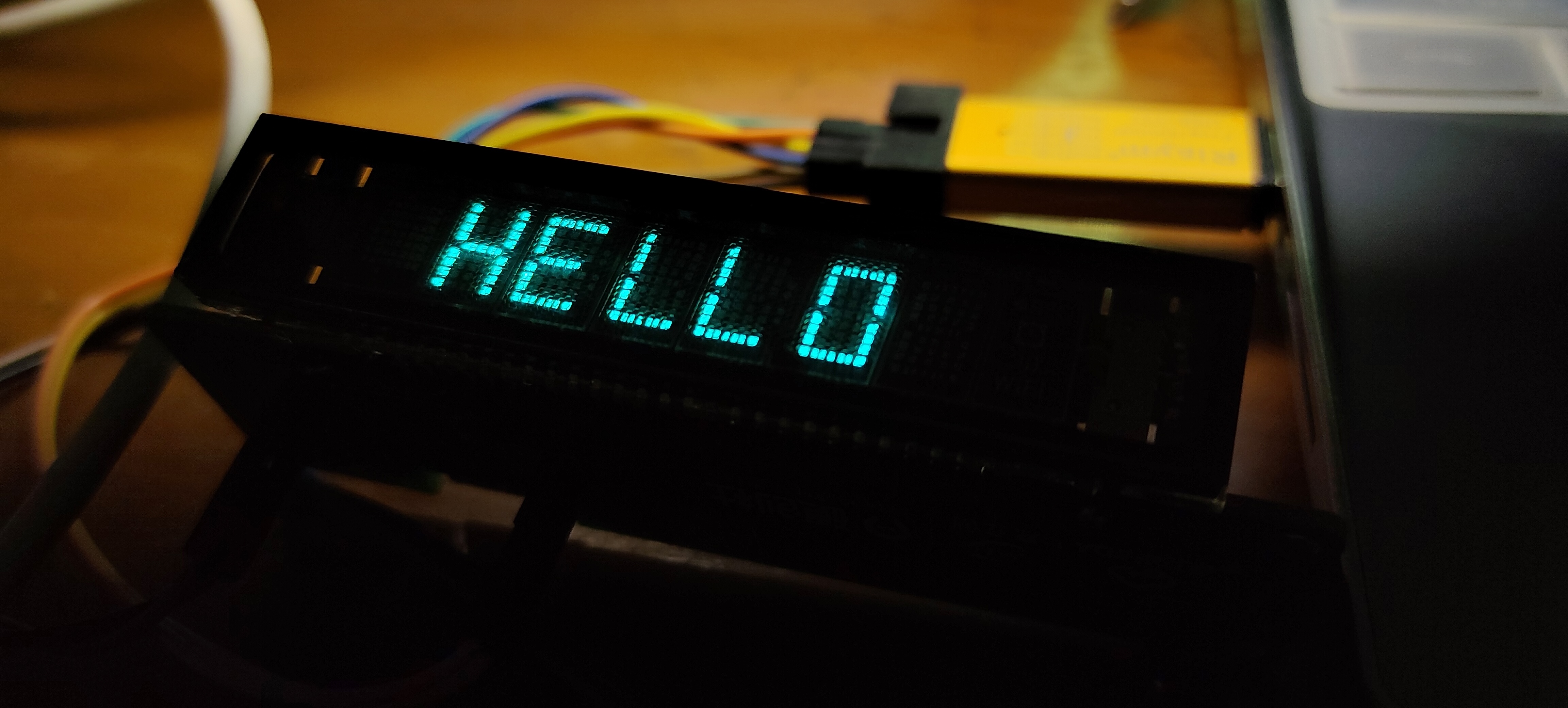
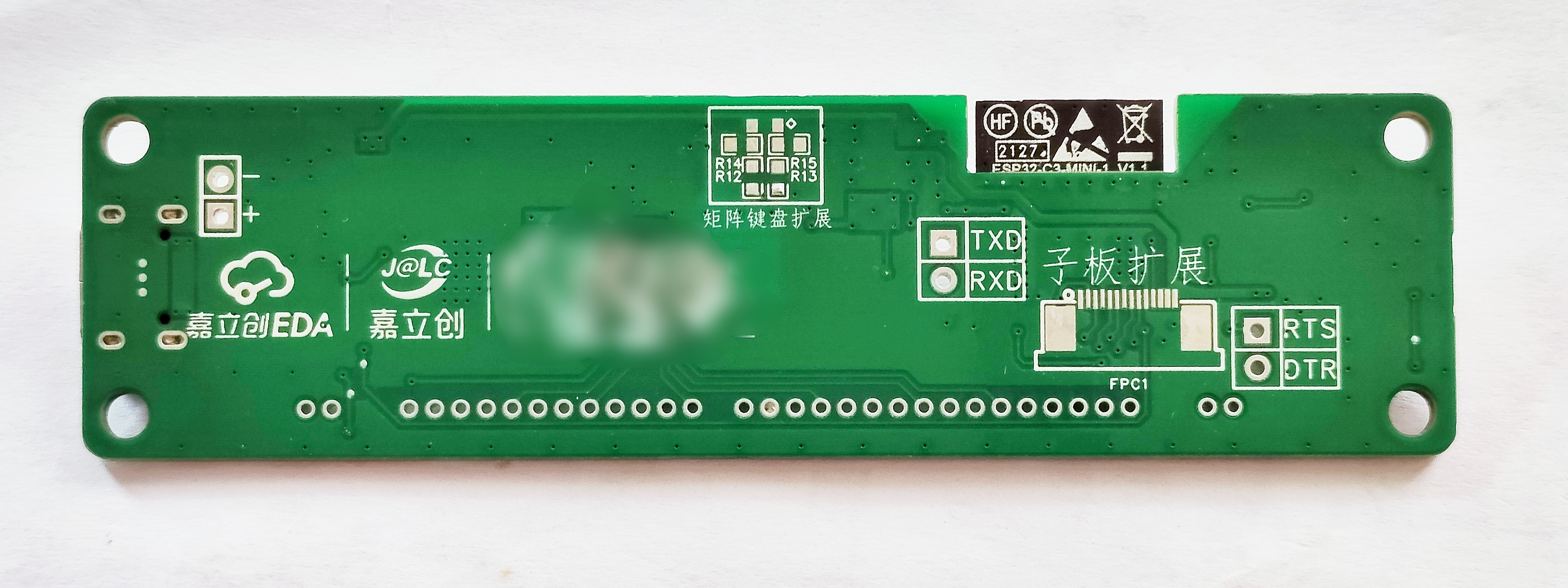
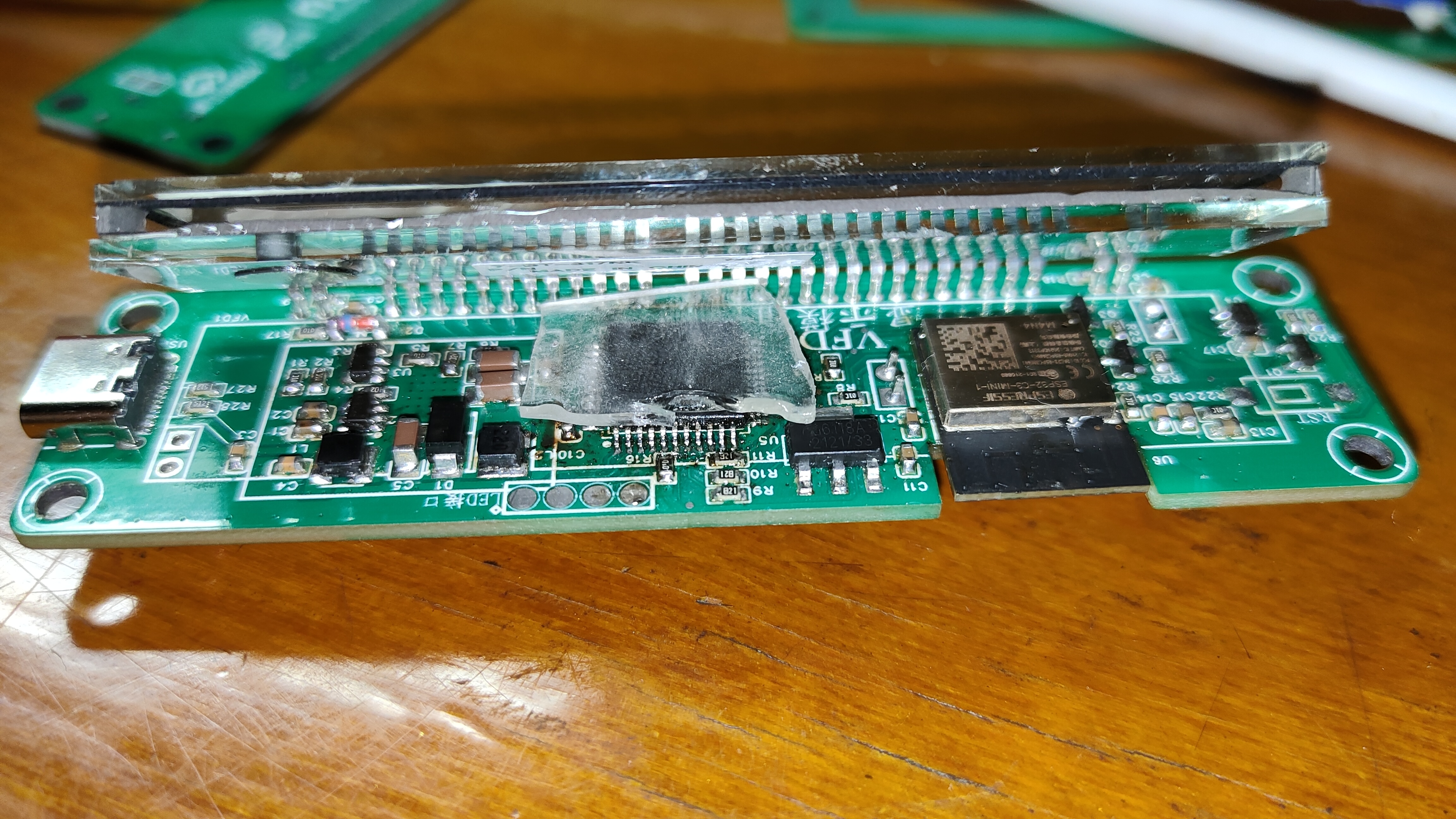
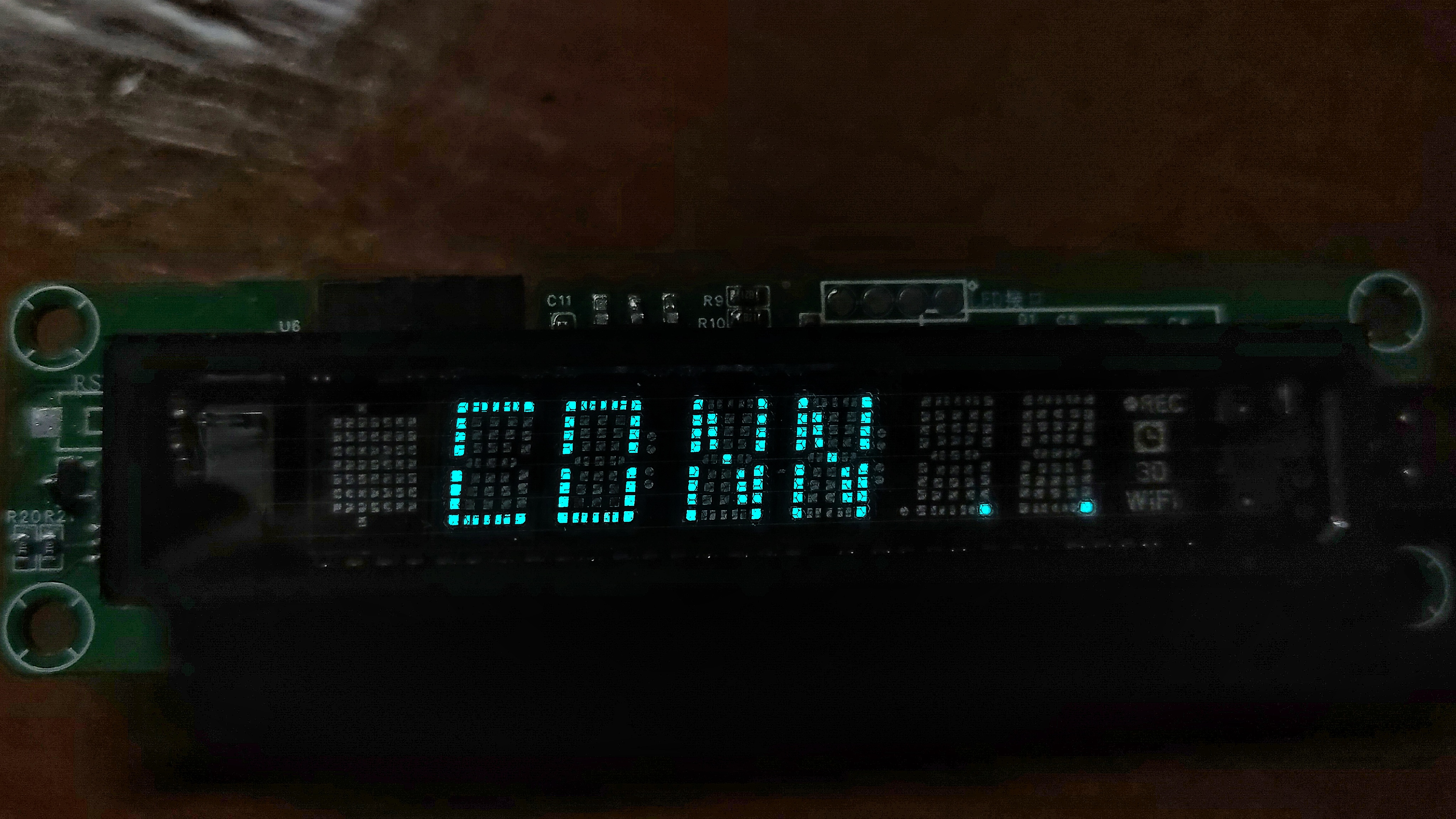
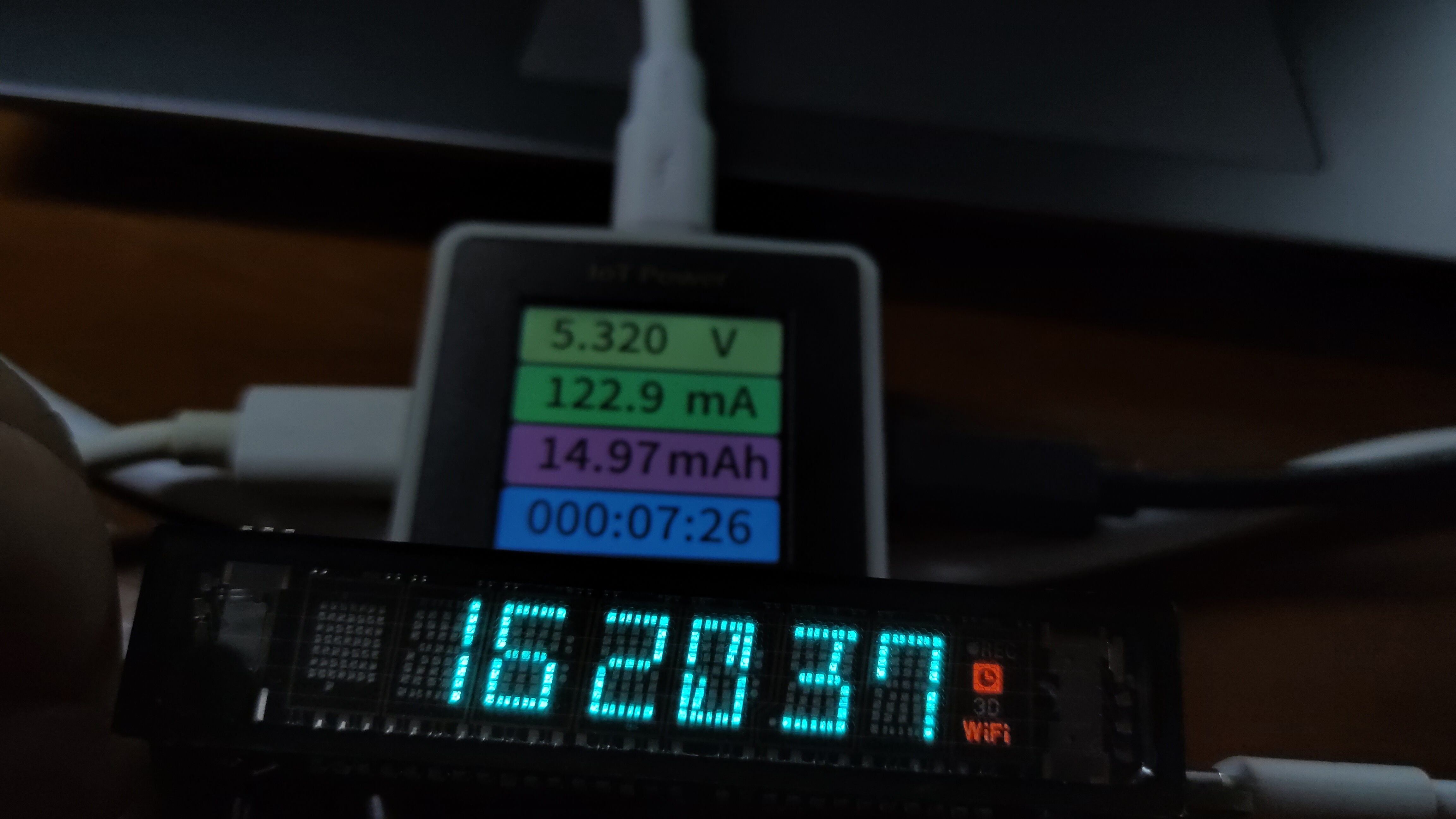
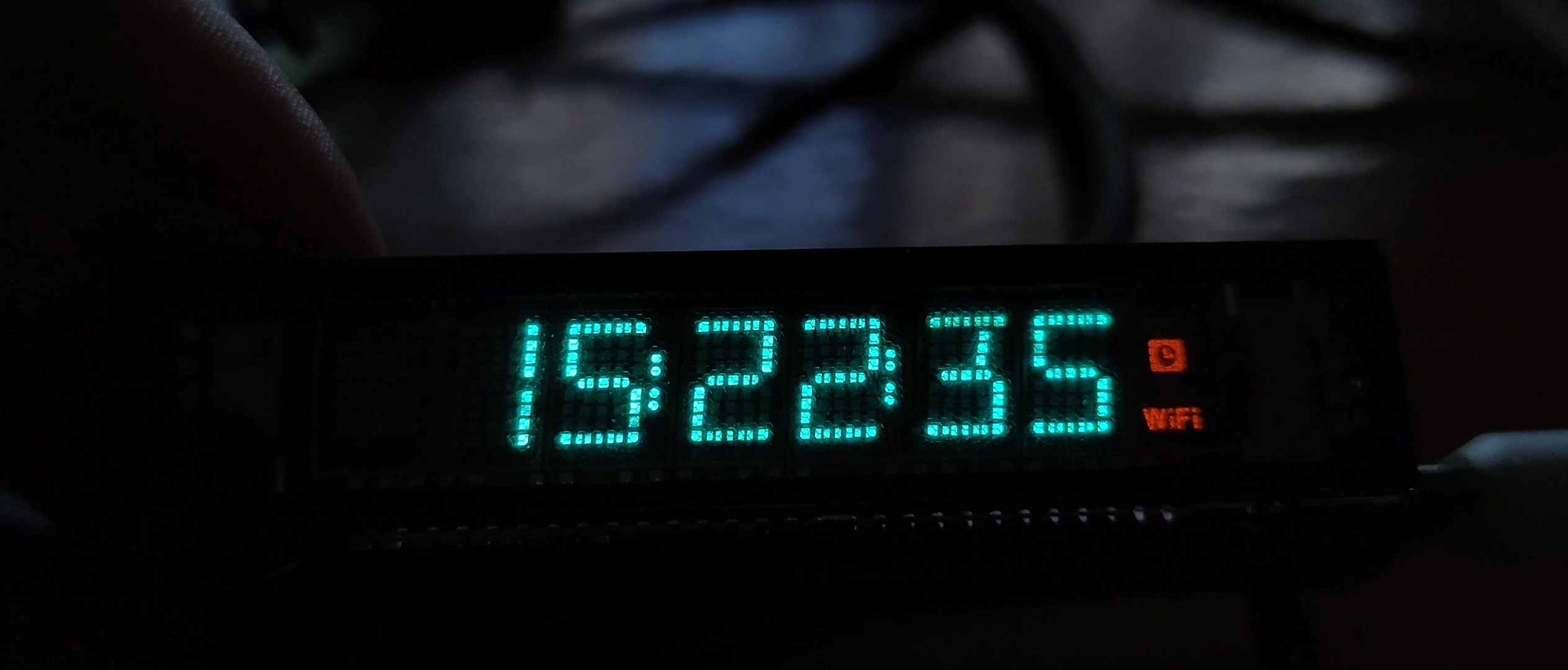
This project implements a VFD display module. The module supports basic WiFi clock functions and also exposes remaining I/O and a matrix keyboard interface, allowing interested users to use it as a display screen + ESP32 development board for secondary development.
The VFD used in this project is a cheap FUTABA_7-BT-317NK that was sold off on Taobao a few months ago; there are still some available on the market.
CC-BY 3.0, commercial use and secondary development are allowed, but the source must be cited, i.e., the link to this project.
This project is being publicly disclosed for the first time and is my original work. This project has not won any awards in other competitions.
I. Main Board Part
1. Using the ESP32-C3-MINI1 module, its price and pin count are suitable for this project, its performance is stronger than the ESP8266, and I am more familiar with it.
2. Two S8050s form an automatic download circuit, which is common in many development boards. This circuit is reserved for easy burning and debugging.
This is the VFD driver chip PT6315.
Similar to a digital tube chip, it writes data to its display memory via a three-wire interface (DIN, CLK, STB), and then continuously scans the display level at each segment and digit selection pin.
This type of chip usually also has keyboard scanning functionality, and the PT6315 is no exception; it can scan a 16*2 matrix keyboard.
(The keyboard port and LED output port of the PT6315 are shown, making it convenient to use the motherboard as a module elsewhere.)
The PT6315 drives the VFD in a negative voltage manner, therefore it requires a -20V to -28V DC negative voltage.
A negative boost converter for CUK is implemented using MT3608+LMV321; this part is copied from @XACT.
Output voltage calculation: Vout = -0.6 * (1+R6/R7), using the resistors shown in the diagram to output -23V.
The voltage can be set manually using R6 and R7; a higher voltage results in brighter display, but may increase power consumption and reduce the lifespan of the VFD tube.
The VFD_EN_HV label in the circuit diagram is the enable signal input for the negative boost circuit.
The PT6315 datasheet mentions that the negative high voltage requires a power-on delay and an earlier power-off (see diagram below). Although actual testing showed no impact, the datasheet recommendation was followed.
The VFD filament requires AC heating.
If DC power is used, due to the filament's resistance and decreasing potential from the positive to the negative terminal,
the end closer to the positive terminal will attract electrons more easily and become brighter, resulting in uneven brightness across the VFD.
The MX113 motor driver chip is chosen in this circuit because it is inexpensive and small.
Through the microcontroller's PWM and an inverter constructed from AO3400, two complementary PWM signals are obtained.
Therefore, the full-bridge output swing is VCC*2≈10V. By adjusting the PWM duty cycle, Vrms is kept between 2.0 and 2.8V.
Generally, the duty cycle is adjusted to achieve a considerable brightness while maintaining a relatively small duty cycle.
If the duty cycle is too high, the filament will turn red; avoid seeing a noticeably red filament, as this will significantly shorten its lifespan! For
chip, you can place a piece of nano-adhesive or foam tape on top.
open the attached HTML file in your computer browser to help with soldering and positioning the components in the BOM.
refer to the attachment.
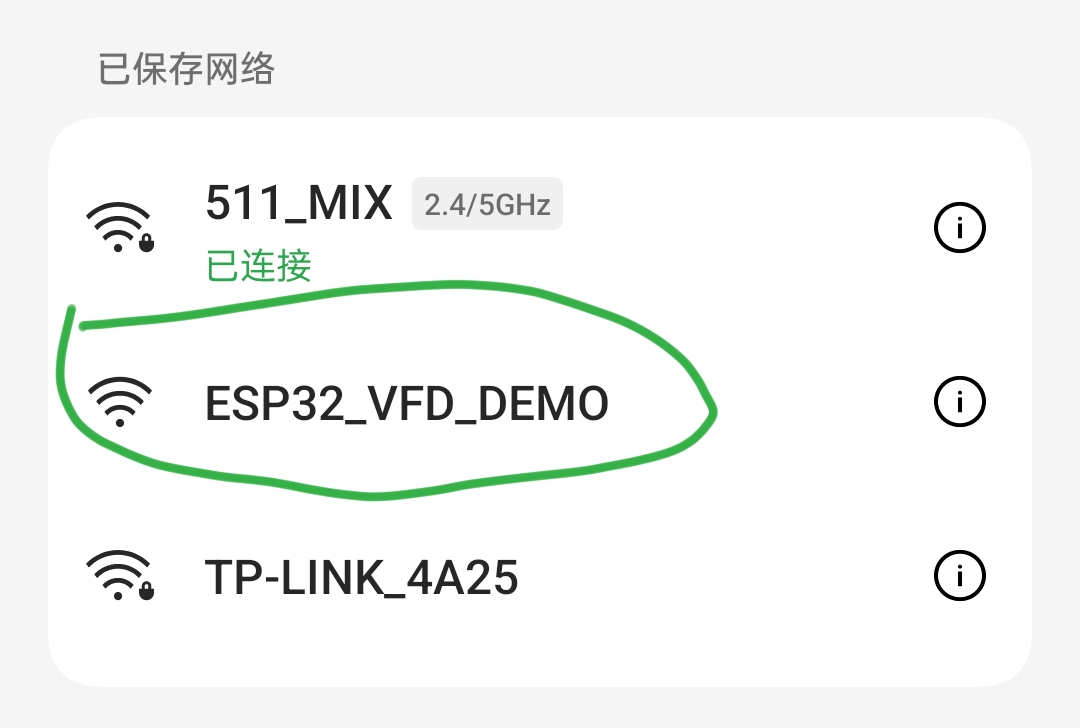
network , after powering on, connect to the WiFi provided by the ESP32. A webpage will automatically pop up; enter the SSID and password and save.
voltmeter and ammeter button. 3mf
voltmeter and ammeter casing_top. 3mf
Voltage and current meter casing_bottom. 3mf
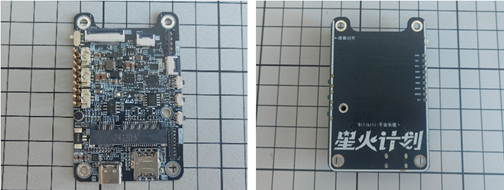
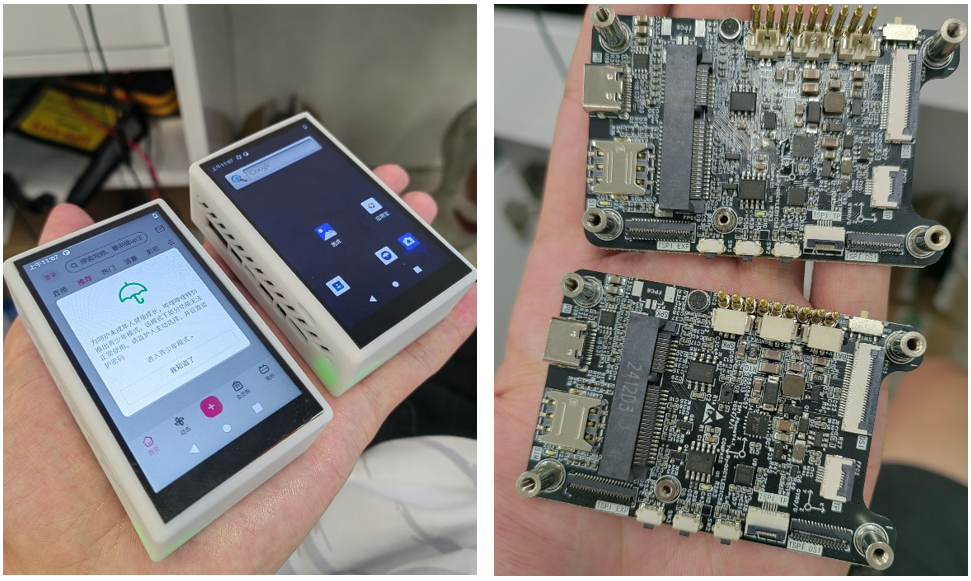
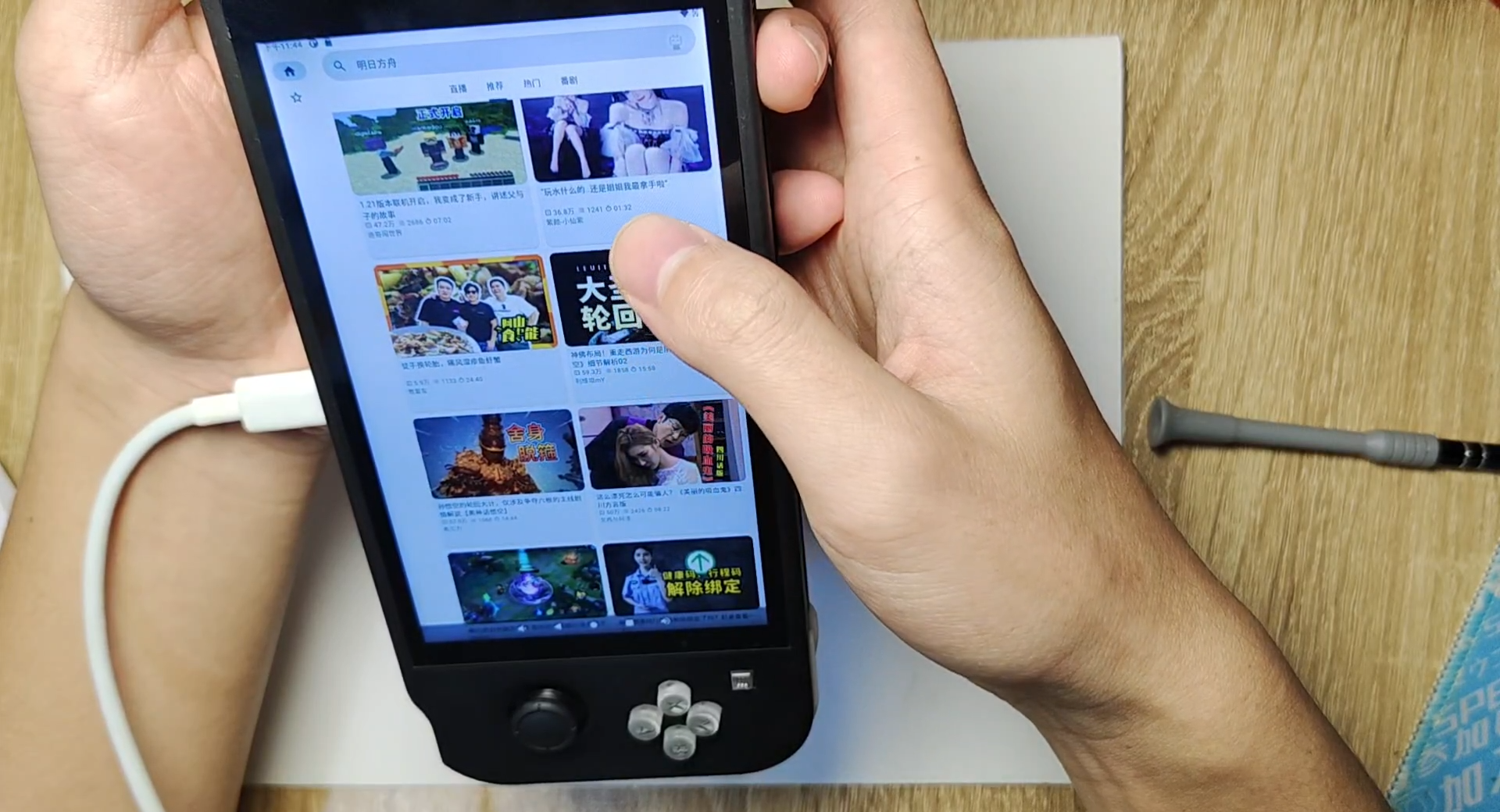
Based on the RK3566 Taishanpai "Little Dolphin" mobile phone design, it has built-in lithium battery management, accelerometer, gyroscope, magnetometer sensor, and EC20 module, realizing most of the phone's functions and enabling users to play everyday games.
1. Introduction
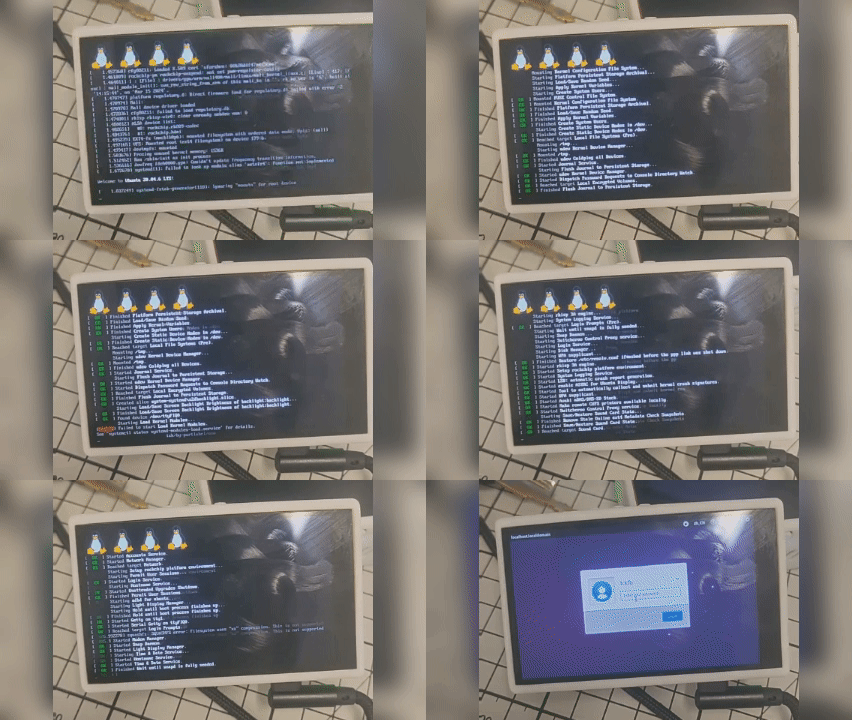
This is a "Little Dolphin" smartphone based on the LCSC Taishanpai Development Board and Android 11/Ubuntu 20.04.
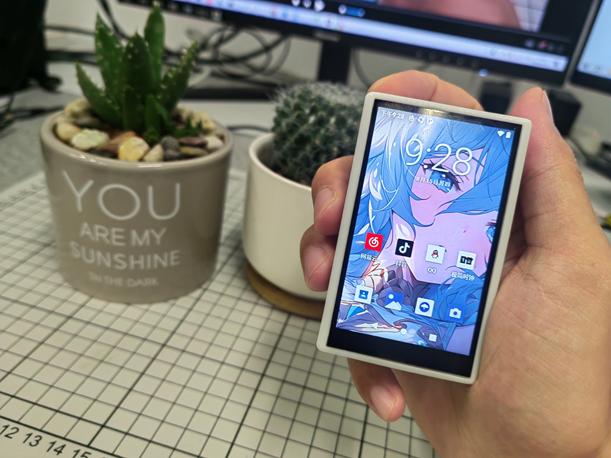
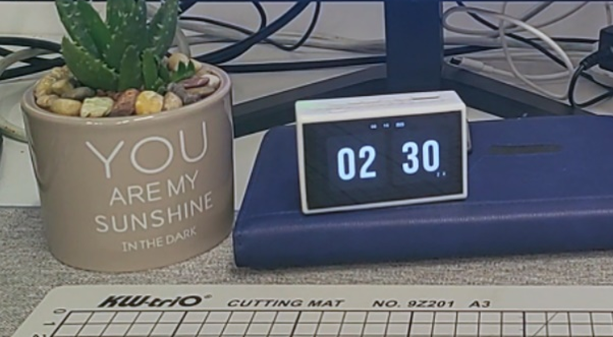
V4 version demonstration video [Bilibili] I made a smartphone!!! Meeting daily needs?
V3 version demonstration video [Bilibili] I made a budget "phone" that can shoot videos? Play Genshin Impact?
2. Project Overview
This
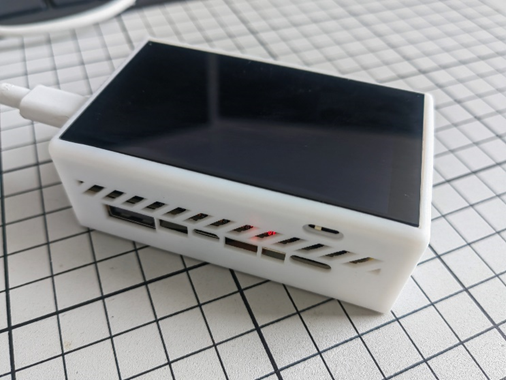
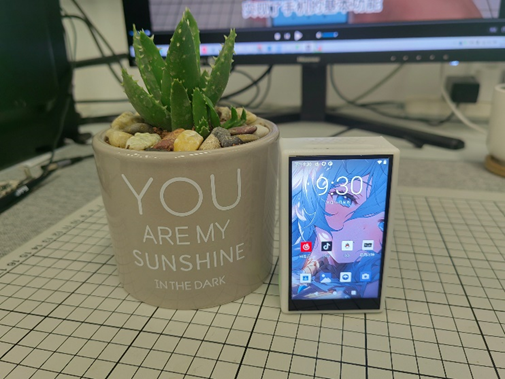
project is a smartphone based on the LCSC Taishanpai Development Board, adapted for Android 11 and Ubuntu 20.04. It features built-in lithium battery management, 4G baseband, 3.1-inch touchscreen, camera, power amplifier, voice input, accelerometer, angular velocity sensor, magnetometer, and touch buttons. It can achieve lithium battery power supply, GNSS positioning, try out motion-sensing games, make calls, send text messages, take photos, videos, play music, and all common Android apps. Smartphones represent the pinnacle of embedded development, yet there are very few open-source smartphones currently available. DIY smartphones are the best project for learning and practicing circuit design, PCB layout, and soldering, enabling customized operating systems and drivers, and developing or modifying application software.
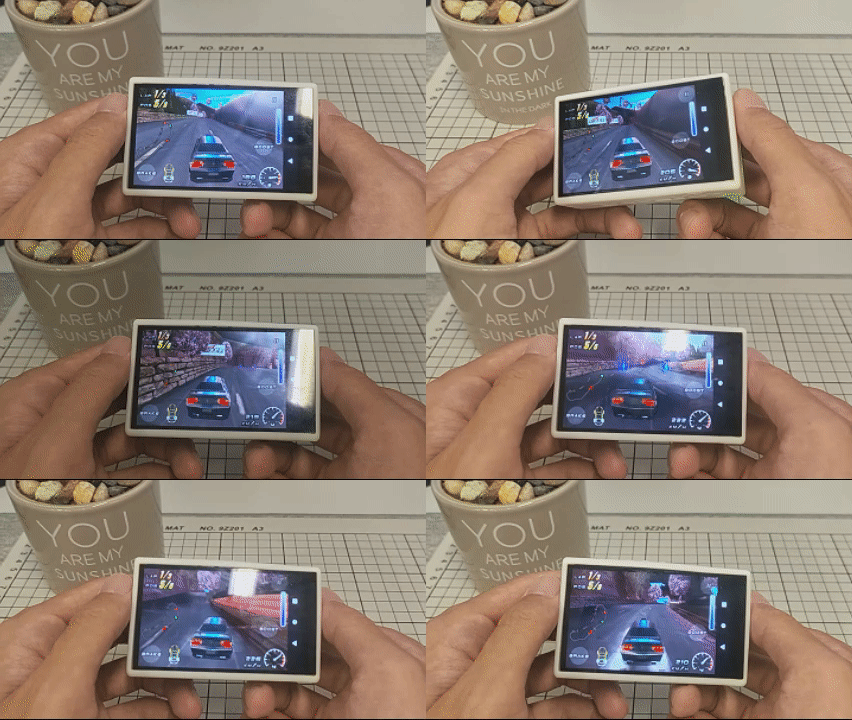
Motion-sensing game demo
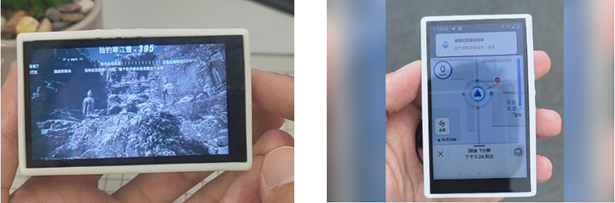
(a) Photography (b) Navigation and positioning
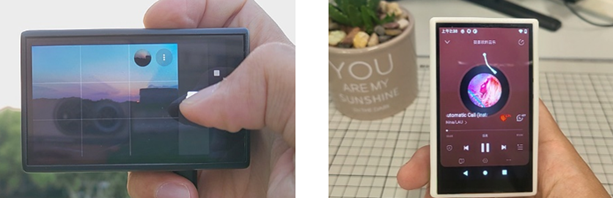
(c) Video playback (d) Music playback
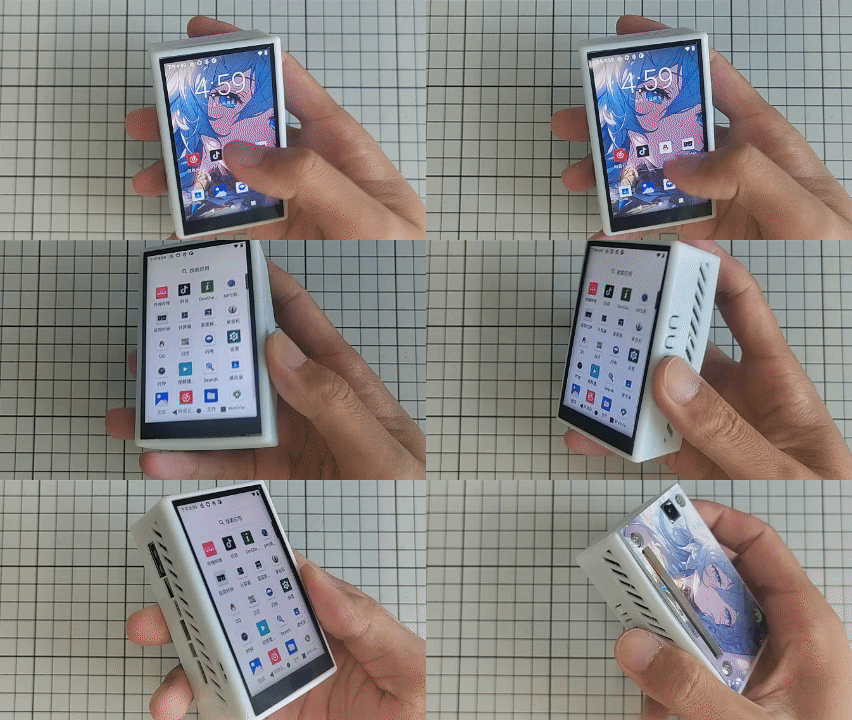
Overall project display
Project link
This project involves BGA package soldering, which is quite difficult for beginners. You can first learn about previous versions of this project. Link: [Little Dolphin Mobile Phone] Taishanpai 4G Internet Mini Phone - LCSC Open Source Hardware Platform (oshwhub.com)
3 Design Scheme
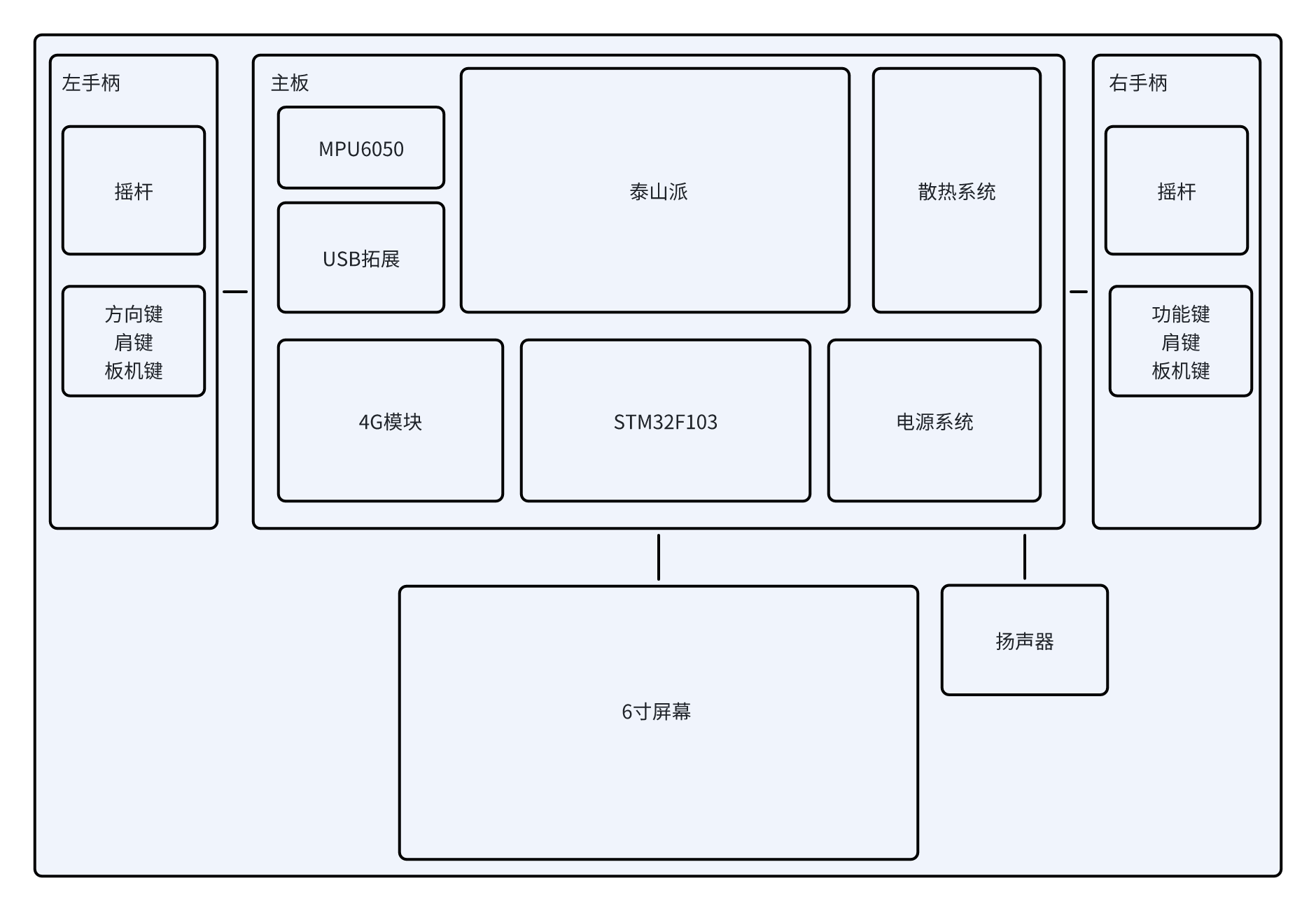
System Composition
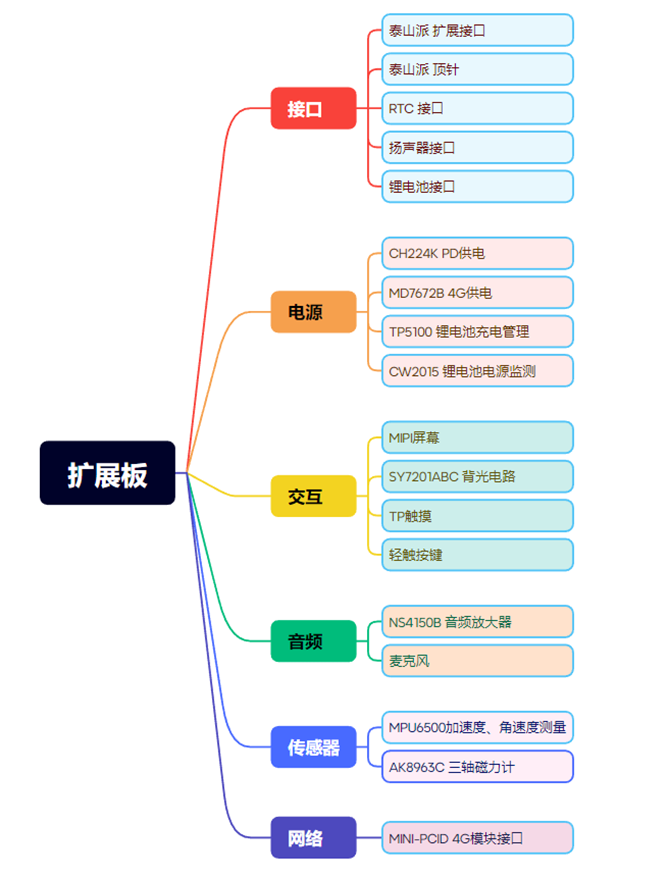
Hardware Label
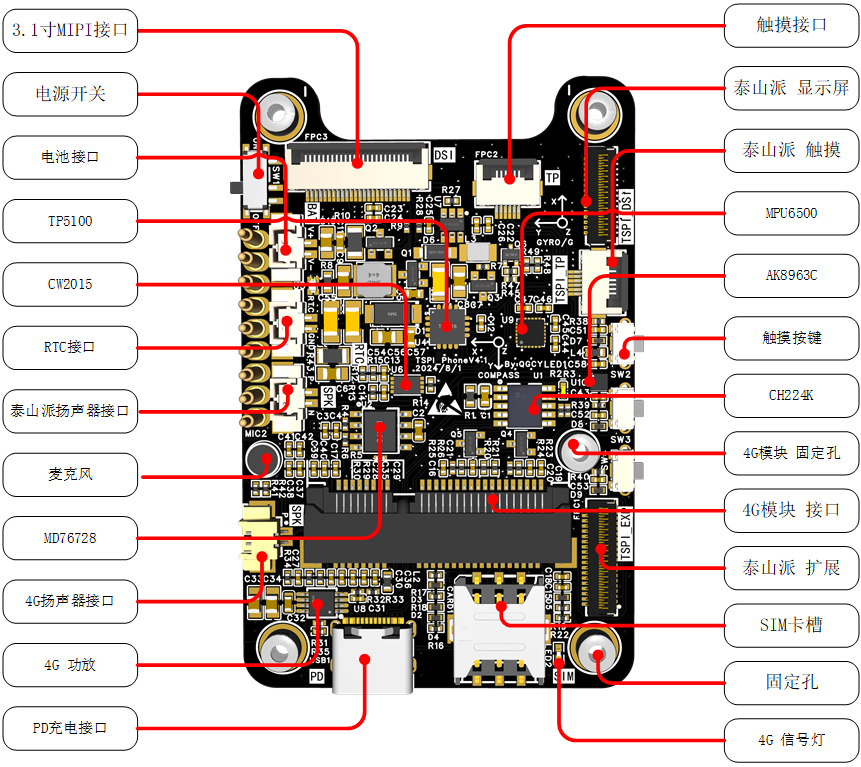
Hardware Design Details
EC20 Module
The EC20 module consumes a lot of power, and the 4G module has an independent power supply output. The 4G module power supply switch is controlled by the 4G_PWREN_H pin, i.e., GPIO0 PA1. When 4G is not needed, this pin can be set to low level to save power.
Lithium battery charging and discharging
The TP5100 lithium battery charging management chip is fragile. If the hardware design is not good, it is easy to burn out. Please strictly refer to its official design manual when designing! 4G
module
has its own voice output. After testing, the microphone can be used with Taishanpai, but the speaker cannot. If you need to use the function, please solder FPC7 and remove R41 and R42. And pull GPIO0 PA0 high within the device tree.
4. Software debugging
code patch download:
千古长夜丶/TSPiTSPiPhoneV4.1 - Gitee.com.
If you have modified the Taishanpai Android SDK, please revert to the original version.
Copy the binary library file lib/gps.default.so to the device/rockchip/rk356x directory.
Copy the Taishanpai Android SDK to the corresponding Git repository patch. For the corresponding hardware version V4.1, navigate to the corresponding Android SDK
directory
:
device/rockchip/common
patch/common.path
, device/rockchip/rk356x
patch/rk356x.patch,
hardware/interfaces
patch/interfaces.patch , and
kernel
patch/kernel.patch .
Then copy the patch files to the corresponding directories and use the following command:
`patch -p1 -N -d . < corresponding patch file.patch`.
Configure the runtime environment:
`source build/envsetup.sh && lunch rk3566_tspi-userdebug`.
Compile (virtual machine memory should ideally be ≥16GB; if not, change to -j8).
`make install clean -j16 && make -j16`
. (Image shown
). Development stage:
2024-03-27 V1 Initial Design.
2024-04-22 V2 Optimized screen interface layout.
2024-05-28 V3 Added screen backlight circuit IC and optimized screen backlight heat dissipation.
2024-07-12 V4 Added lithium battery charging management, sensors, power amplifier, and touch buttons, and optimized details.
2024-08-01 V4.1 Fixed lithium battery charging circuit and optimized details. This is the first time
this open-source
project has been publicly released; it is my original work. This project has not won any awards in other competitions.
This project follows the CC BY-NC-SA 4.0 open-source license; unauthorized reproduction and commercial use are prohibited.
Non-Commercial Use Only – ShareAlike 4.0 International License
8 Discussion Group
QQ Group: 938597687
9 References:
1. [Little Dolphin Phone] Taishanpai 4G Internet Mini Phone - LCSC Open Source Hardware Platform (oshwhub.com)
2. Taishanpai 3.1-inch Screen Expansion Board - Integrated Power Supply, Audio, Serial Port, RTC - LCSC Open Source Hardware Platform (oshwhub.com)
3. LCSC Taishanpai Development Board 39Pin_Hub2.0_Ethernet Expansion Board
Shell V4.STL
PDF_Taishanpai Smartphone Design.zip
Altium_Taishanpai Smartphone Design.zip
PADS_Taishanpai Smartphone Design.zip
BOM_Taishanpai Smartphone Design.xlsx
90668
ESP-Dongle
One-click switching, dual functionality: ESP-Dongle brings you the ultimate experience from wireless network card to USB flash drive.
Project Introduction:
The ESP Dongle is a multi-functional USB device solution developed based on the Espressif ESP32-S3 microcontroller. This project seamlessly integrates the functions of a USB MSC wireless flash drive and a USB wireless network adapter into a single device, switching between these functions via a sliding switch.
In USB MSC wireless flash drive mode, the device acts as a wirelessly accessible USB disk, allowing users to access and manage data on the onboard flash memory or SD card via USB connection. Simultaneously, the device provides a built-in file server via Wi-Fi, supporting file uploads and downloads, thereby improving the flexibility and convenience of data management.
In USB wireless network adapter mode, the device acts as a network adapter, allowing the host to establish a wireless network connection and featuring hot-swapping capability, further enhancing operational flexibility and convenience.
Physical Product Demonstration:
The physical product image
is shown below.
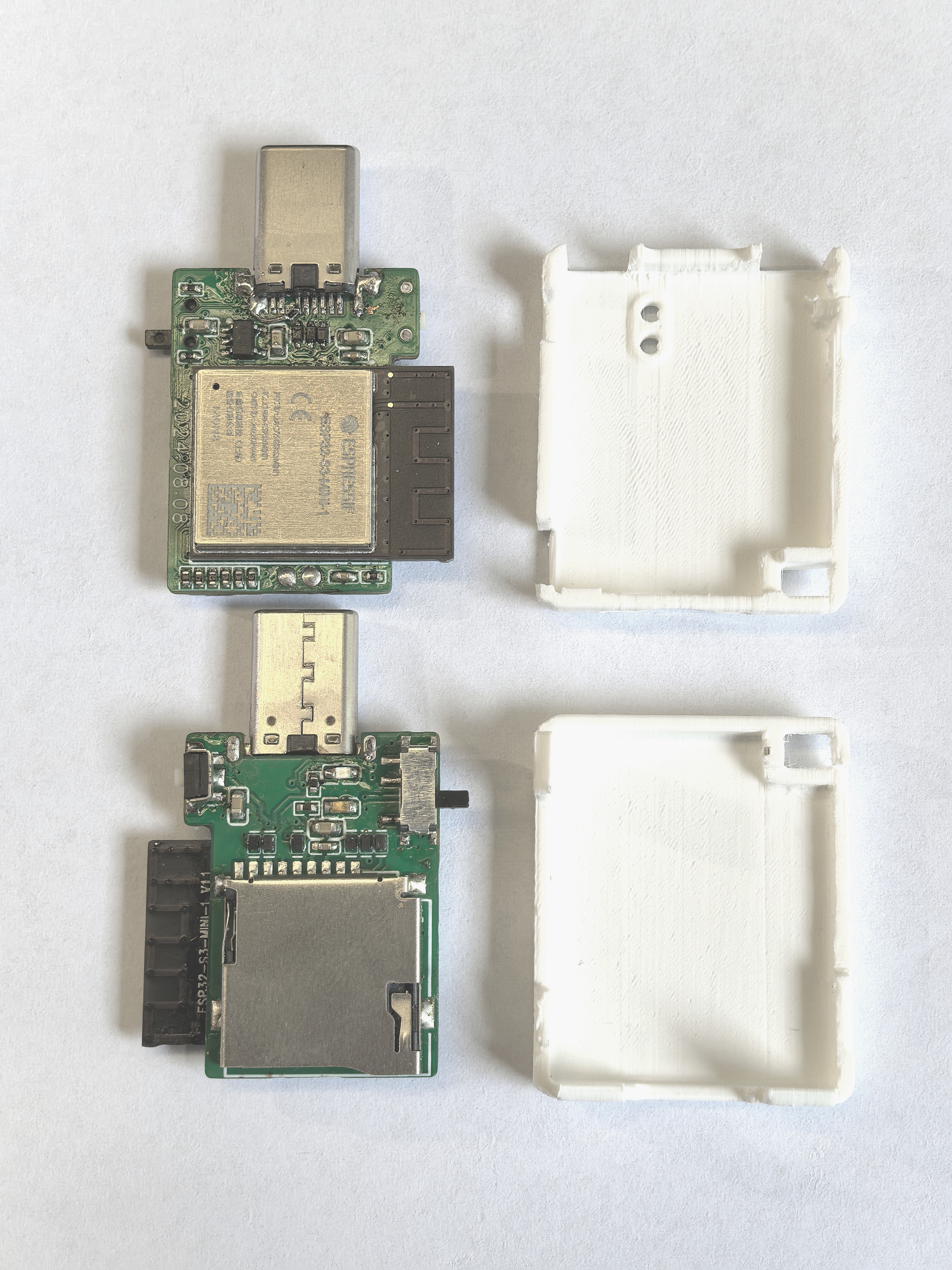
The 3D file of the casing can be downloaded from the attachment!
Video Demonstration:
Building a multi-functional USB Dongle with the ESP32-S3
is not easy, so please like, comment, and subscribe after watching!
Project Related Functions:
The sliding switch allows users to switch between USB MSC wireless flash drive and USB wireless network adapter functions.
In USB MSC wireless network drive mode, ensure the device and ESP32-S3 are on the same local area network. Users can access and manage the SD card content on the ESP32-S3 via a browser by accessing 192.168.4.1.
In USB wireless network adapter mode, the device can be used as a network adapter. Users need to pre-configure the room's Wi-Fi SSID and password. When the device is connected to a computer, the system will automatically connect to the pre-configured Wi-Fi network.
Hardware Description
:
The SD card interface supports 1-wire, 4-wire SDIO mode, and SPI mode. Furthermore, to ensure signal stability, each pin is pulled up with a 10kΩ resistor and uses ESD protection devices to prevent damage from electrostatic discharge.
The HE9073A33M5R low dropout regulator (LDO) chip is used for power supply regulation, stabilizing the input voltage range from 3.3V to 7V and outputting it to 3.3V, ensuring system power supply stability.
The two ends of the slider switch are pulled up and pulled down respectively. The current on/off state of the switch is determined by reading the level status through GPIO4.
The differential signal lines D- and D+ of the USB Type-C interface are directly connected to the USB interface of the ESP32-S3. The D-, D+, and VUSB pins are protected against electrostatic discharge (ESD) to prevent damage to the circuit. Note that the CC pin needs to be pulled down with a 5.1K resistor; otherwise, it will not be recognized by the host.
Hardware Components
: The hardware system consists of the following components:
Main controller: ESP32-S3-MINI-1-N8;
Type-C interface
; SD card slot
; voltage regulator circuit;
slide switch;
tactile switch
; LED indicator
; power option ; powered
via Type-C interface.
Software Description:
Version information:
ESP-IDF
chip
Flash
release/v5.2;
ESP32-S3-MINI-1-N8
8 MB.
Programming Instructions:
Download the programming software: Espressif Systems official website - Support - Related Downloads - Tools - Flash Download Tool
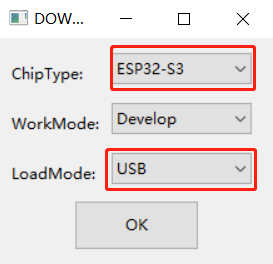
. After downloading, extract the file and find flash_download_tool_3.9.7.exe. Double-click it. Then select ESP32-S3 and USB, and click OK.
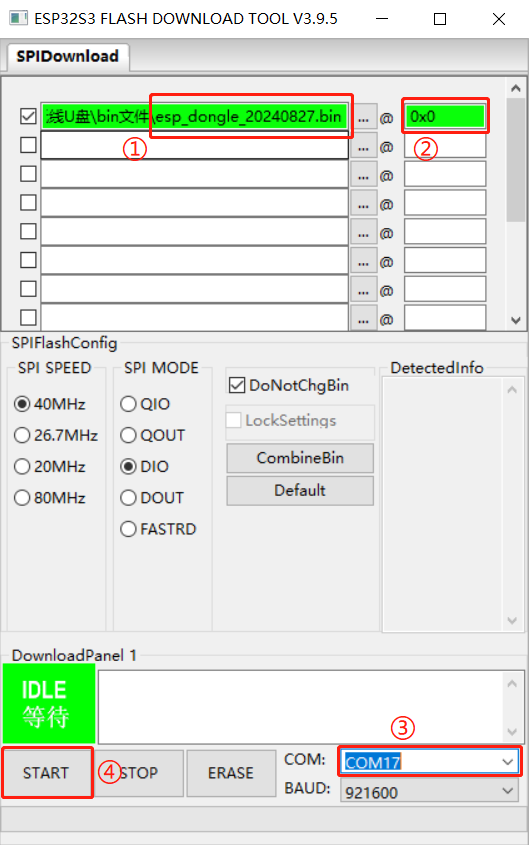
4. Open the software and directly burn the esp_dongle_20240827.bin file from the attachment into address 0x0. The steps are as follows.
User Instructions for ESP-Dongle
Wireless Disk
: After plugging in the device, your phone needs to connect to a Wi-Fi hotspot named "ESP-Wireless-Disk". Then, open your browser and access 192.168.4.1 to transfer files. Network Adapter:
When using the network adapter's function, the firmware (i.e., the bin file) sets the Wi-Fi hotspot username and password to esp_dongle. Therefore, users need to manually create a Wi-Fi hotspot (both username and password must be: esp_dongle). The ESP-Dongle will then automatically connect to this hotspot.
Card reader case top 20240816.STL
Card reader case btm 20240815.STL
esp_dongle_20240827.bin
PDF_ESP-Dongle.zip
Altium_ESP-Dongle.zip
PADS_ESP-Dongle.zip
BOM_ESP-Dongle.xlsx
90669
Cyber Wand_STM32 Convolutional Neural Network
This project is the Cyberry Potter Electromagic Wand, using an STM32 microcontroller as the main control chip. It employs a convolutional neural network for motion recognition and features a modular design with extremely high scalability.
Video Tutorial Link:
Bilibili Video -- Function Demonstration and Introduction
Project Introduction
This project is the Cyberry Potter Electromagic Wand, which uses convolutional neural networks for action recognition and adopts a modular design with high scalability. You can use the files in this project to create a cybernetic wand. If you have sufficient skills, you can also modify the wand's spells (functions). The wand adopts a modular design, with different modules corresponding to different execution functions. You can create new modules and add new functions according to your needs. You can also modify the action of activating spells; you only need to recollect data and train the model.
Physical Demonstration
Assembled Status
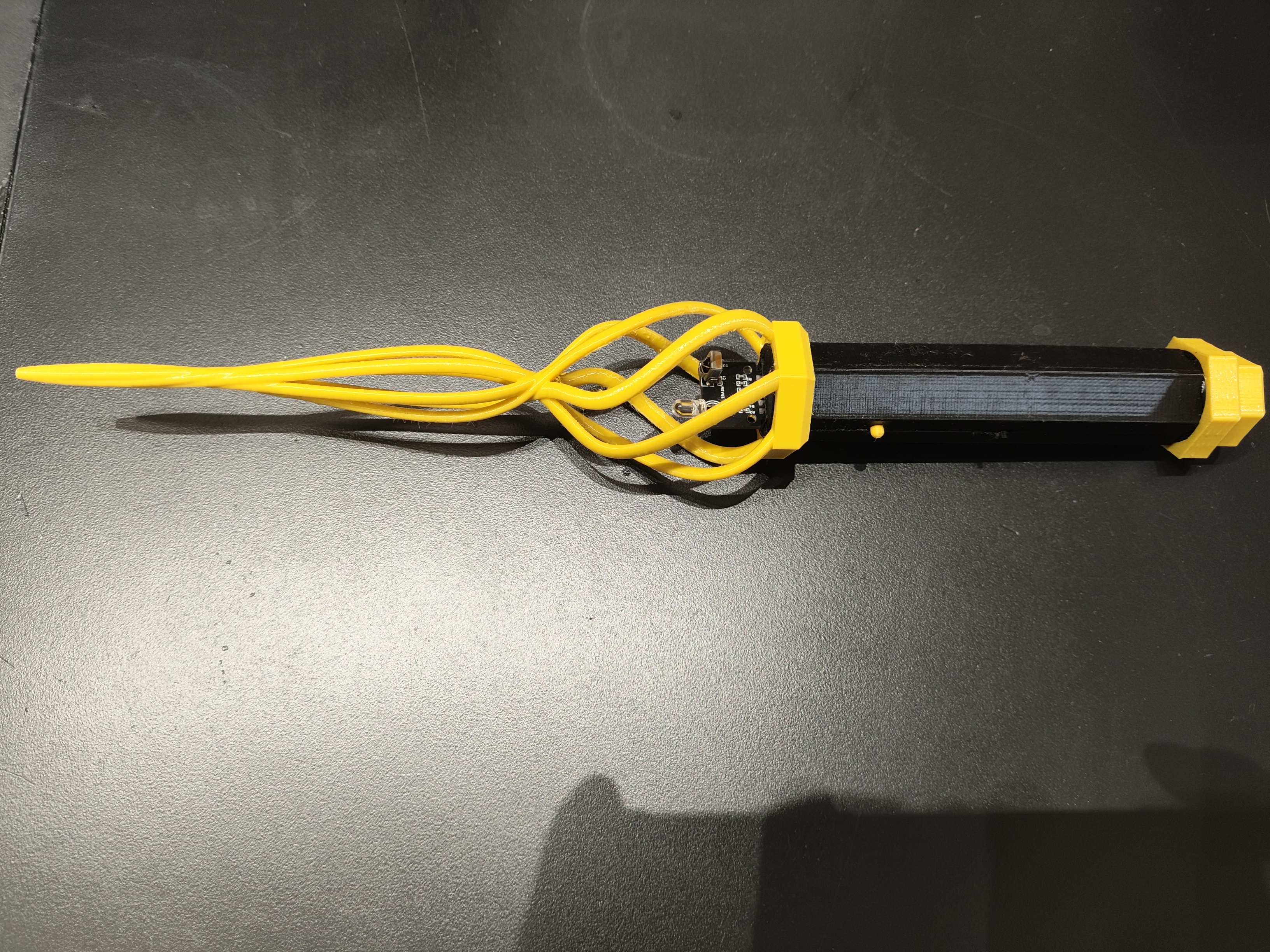
Disassembly Status
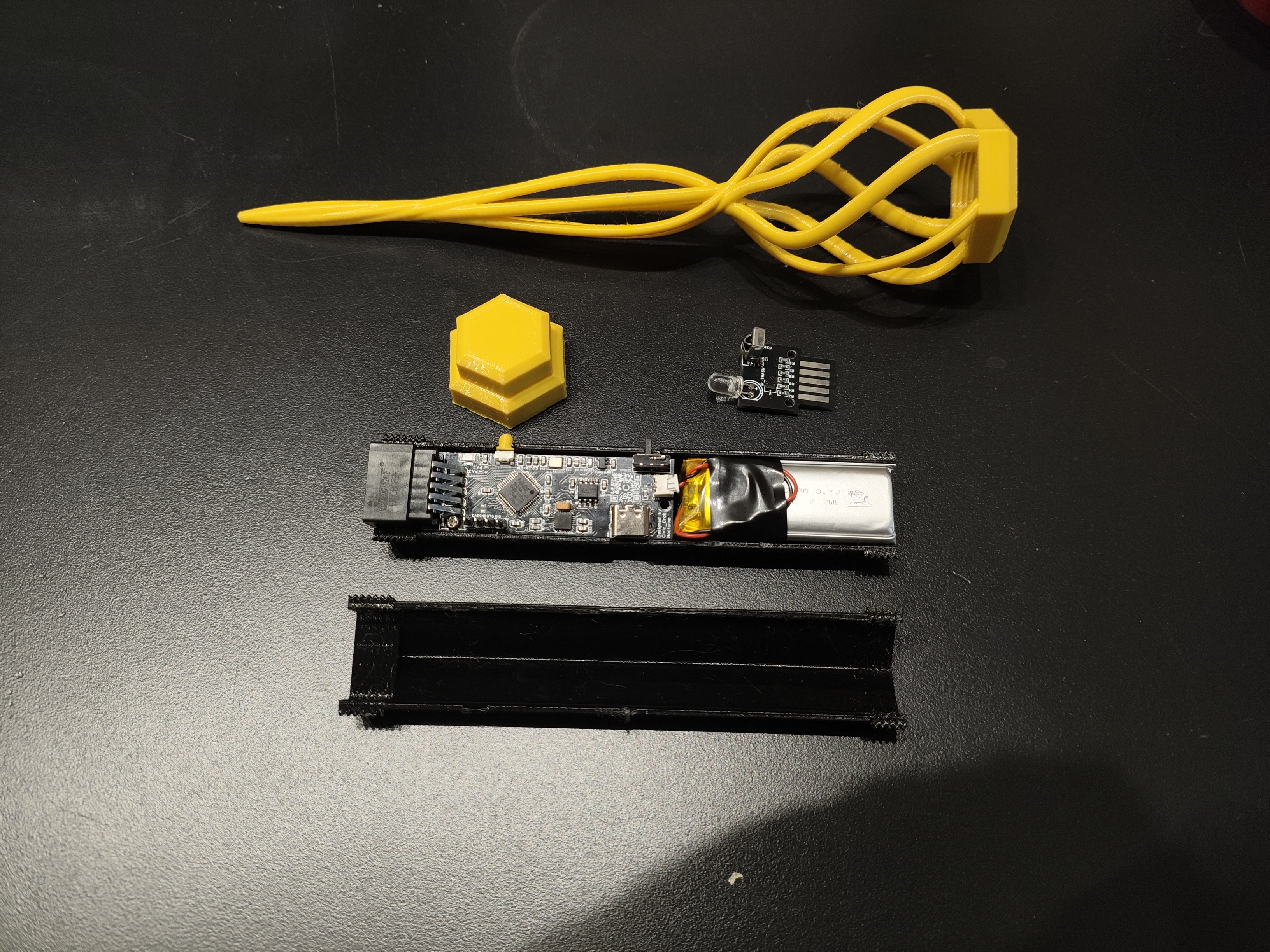
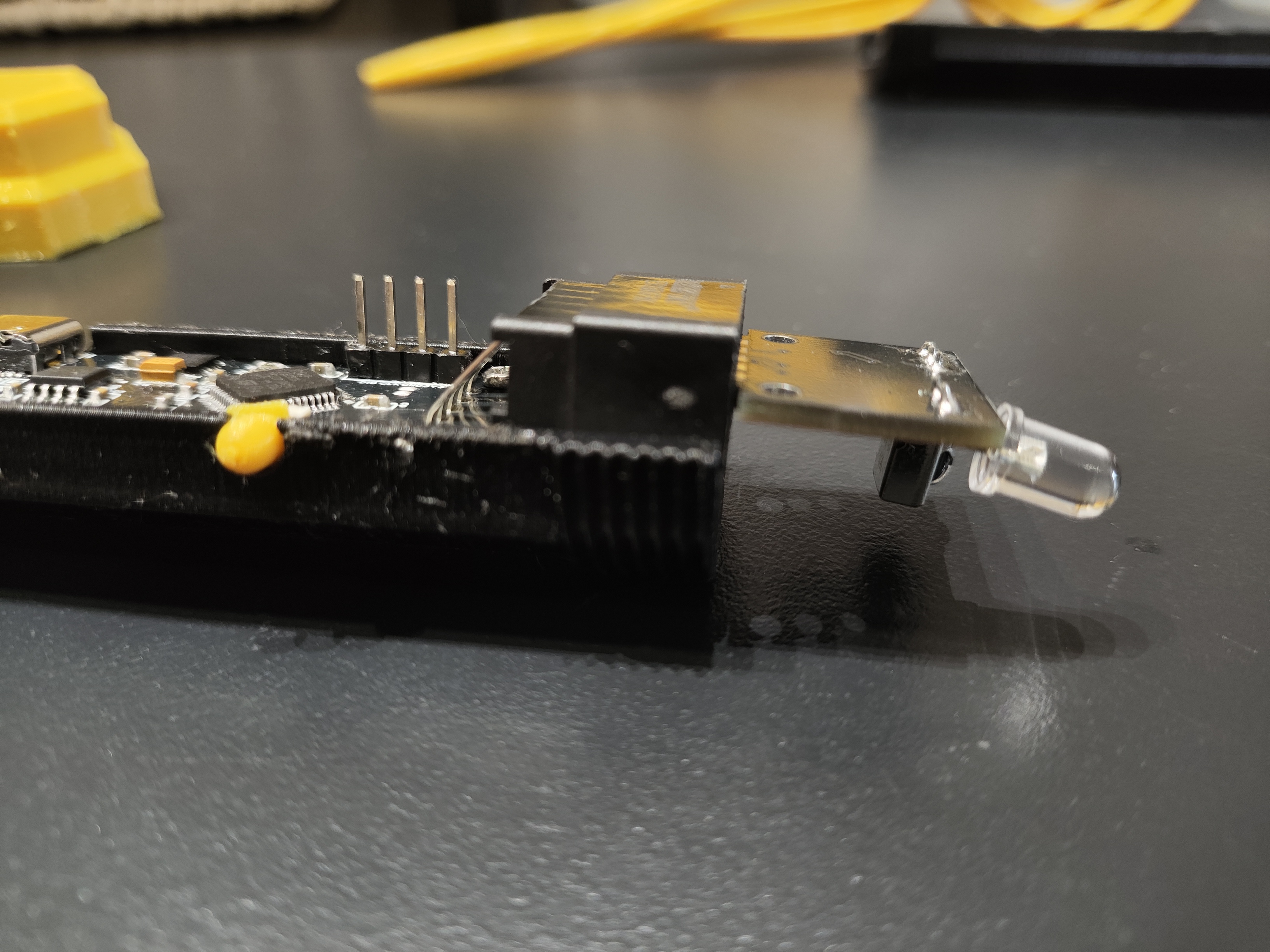
Module Insertion Direction: Front Face Down
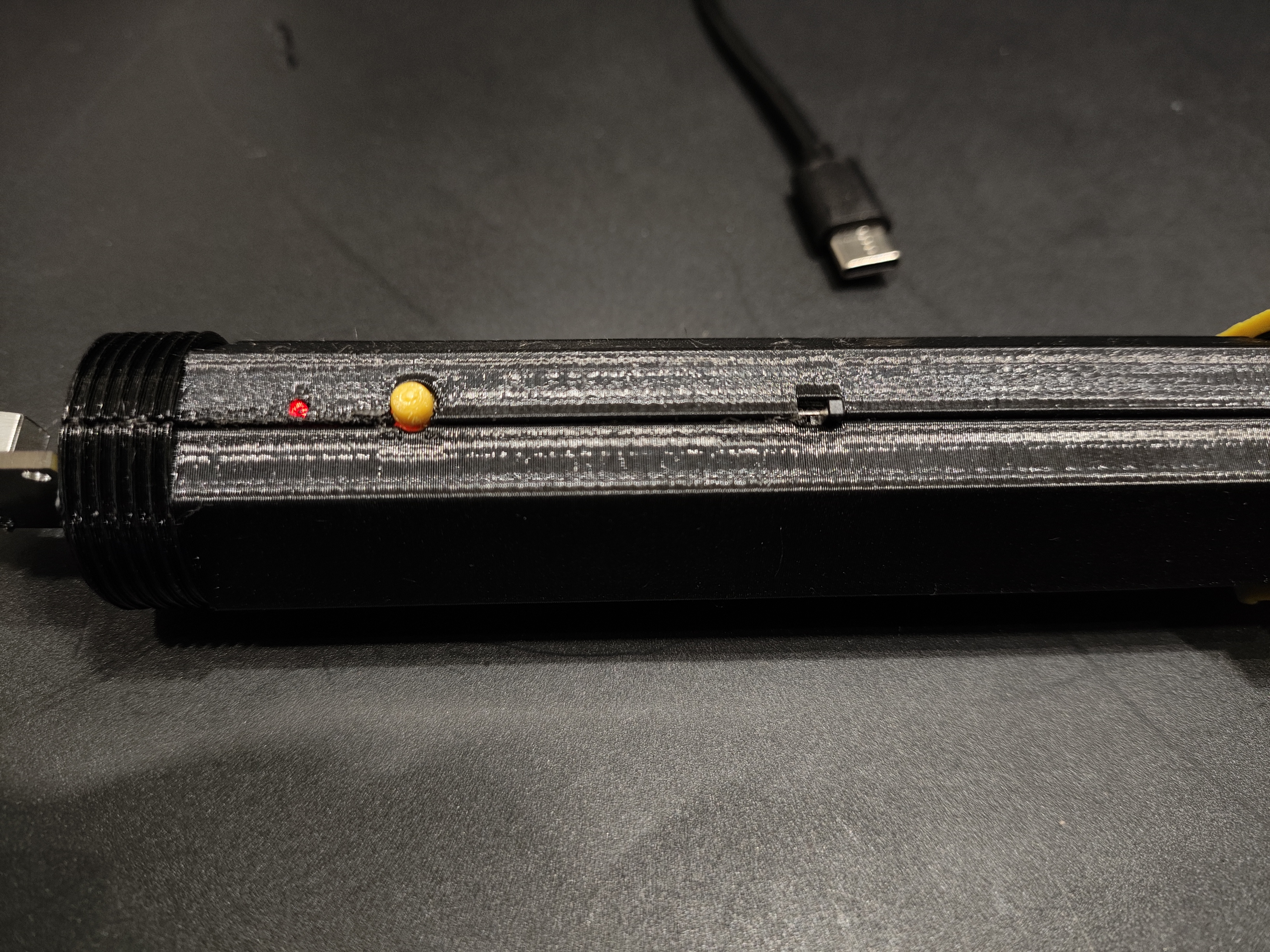
The Type-C port can be used for charging and serial port debugging. The red light is on when charging, and the green light is on when fully charged
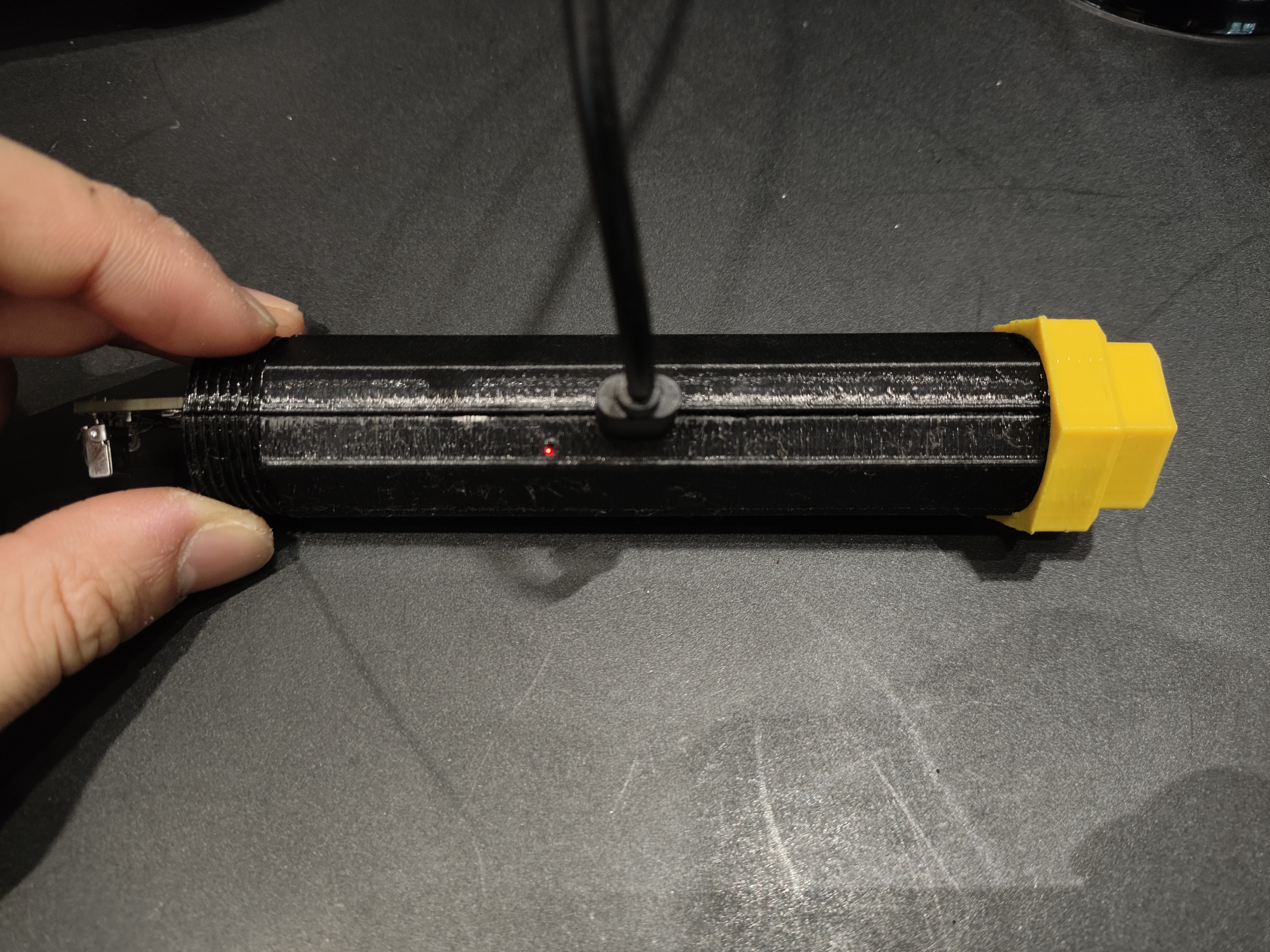
. From left to right: status indicator, interactive button, power switch
Project Function Introduction
After the motherboard is powered on, it will enter mode 0. Press and hold the button for 0.5 seconds and then release to enter mode 1.
Short press and release the button in any mode: Sample the IMU for 1.5 seconds, input the data into the model to obtain the action recognition output. Different modules will execute different functions after obtaining the action recognition result.
When an infrared module is inserted, infrared signals of any protocol can be copied, such as air conditioner and NEC.
Mode 0: After obtaining the action recognition output, the module will send the recorded infrared signal according to the recognized action.
Mode 1: After obtaining the action recognition output, the module will wait and record the infrared signal according to the recognized action.
The operations performed in Mode 0 and Mode 1 can be different depending on the inserted module (code writing is required).
Function of Type-C port: It can be used for serial port debugging and battery charging. When there is a Type-C connection, the device will use Type-C instead of battery power.
Power switch: The power switch is responsible for turning the 3.3V power supply on or off. When the power switch is not turned on, battery charging can proceed normally, but STM32 and gyroscope will not be powered on. Working
button: The button has two control methods: long press and release (release after more than 0.5 seconds) and short press and release (release within 0.5 seconds).
The LED in front of the button is a system status indicator, with five states: 10Hz flashing, 5Hz flashing, 2Hz flashing, constant light, and off.
(Hardware Description)
This design uses the STM32F103CBT6 as the main control chip. Neural network inference and main functions run on the STM32. Currently, it can recognize 12 types of movements.
Data can be collected on a computer and the model can be retrained to add new movements or adapt to individual waving habits.
The neural network model occupies less than 8kb of memory, saving significant resources.
Inference time is around 100 milliseconds; inference occurs immediately after sampling, with no noticeable delay.
This design uses the MPU6050 as the motion information acquisition chip
. A red... The external module and RF module have recording and transmission/reception functions.
Recording by the infrared and RF modules does not require decoding, meaning any signal can be recorded (except encrypted signals).
Infrared and RF signals are stored through an external W25Q16 memory, which retains the data even when power is off.
Module detection uses an ADC to sample the voltage values of the voltage divider resistors on the module to identify it.
The ADC uses variance checking to detect if any modules have been inserted.
The
complete wand code and shell are available on GitHub.
The software code is located in the Software directory, containing a Keil project. The model training scripts, data collection scripts, and spell action cards are located in the ./Software/CNN directory.
Please refer to the readme document in GitHub for development environment configuration.
You can also download the 3D shell files and spell cards below.
3D shell file Step.zip
3D shell file STL.zip
Spell Cards.zip
PDF_Cyber Wand_STM32 Convolutional Neural Network.zip
Altium_Cyber Wand_STM32 Convolutional Neural Network.zip
PADS_Cyber Wand_STM32 Convolutional Neural Network.zip
BOM_Cyber Wand_STM32 Convolutional Neural Network.xlsx
90670
[Autonomous Driving] Liguanxi Smart Car
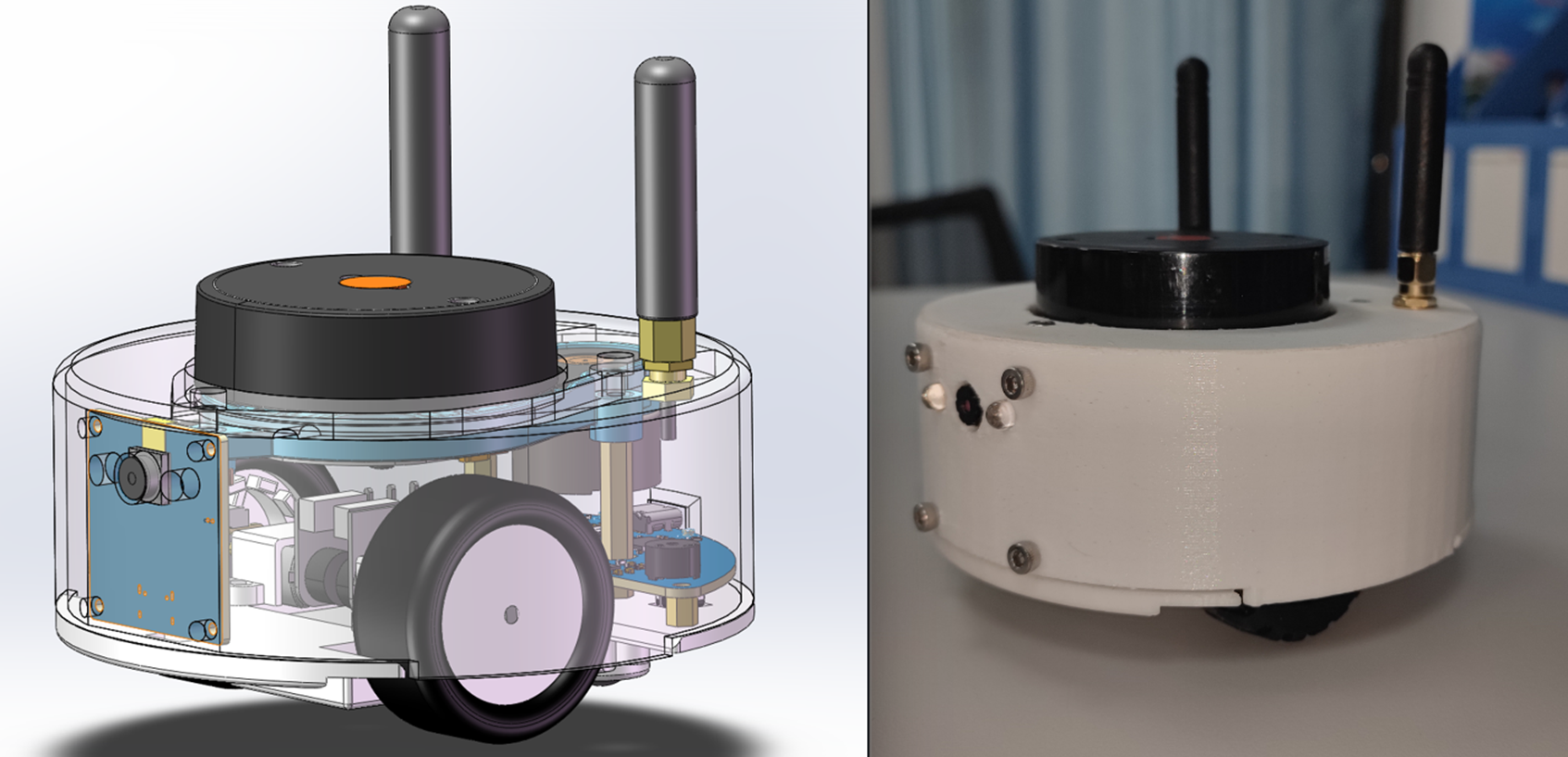
This is a smart car, only the size of a palm, running the ROS1 robot system. It can perform basic LiDAR 2D mapping and navigation functions, and can be controlled with the assistance of a mobile APP. It also has extended functions such as radar tracking, visual recognition and tracking.
Project Description:
The Idea's Origin
In 2021, the Bilibili influencer "Zhihuijun" created a bicycle. I noticed he used the ROS system, enabling 2D map creation, path planning, and image recognition.
Zhejiang University's Fast-Lab also used the ROS robot system for its flying machine, performing various intelligent operations.
I initially thought ROS was extremely complex and difficult to understand. However, after some study, I discovered that ROS is like a slightly more advanced version of "Lego bricks." Experts encapsulate the code into various "function packages," much like Arduino's "libraries." I don't need to write navigation or mapping algorithms; I just need to download the corresponding code package from the official website, modify some parameters, and connect these packages to perform seemingly sophisticated operations like mapping and navigation.
Of course, there are still some differences between theory and practice.
To put this into practice, I considered buying a ready-made bicycle to learn ROS, but found the price too high… Even basic mapping functionality would cost over a thousand yuan. In the end, I still spent over 2400 yuan to buy one and studied it for a month.
After completing the basic learning, I found that the toy car was basically useless and was gathering dust on the side.

So, I had another idea!
I wondered if I could replicate what I had learned in the past month? Could I also make a low-cost and relatively compact smart car?
With this idea in mind, I started this project. In the end, the project was about the size of a palm, and the cost was controlled at around 260 yuan. The appearance was made more exquisite, so the shell had to be complete.
The
open-source license
is GPL 3.0.
This is the GNU General Public License. If a product under the GPL license is used in a project, then the project must also adopt the GPL license, which means it must be open source and free.
The starting point of GPL is the open source and free use of code, and the open source and free use of reference, modification, and derivative code, but it does not allow modified and derived code to be released and sold as closed-source commercial software.
The most significant characteristics of GPL are "viral distribution" and "disallowing closed-source commercial distribution". Linux, which we are familiar with, uses the GPL license.
Project-related functions:
main function completion status (7)
The car can be manually controlled by the mobile APP (completed)
Specific function: Two remote controls can be used to control the front and back and left and right independently, which has a better control effect and can also provide some simple data feedback.
Use LiDAR for 2D mapping. Use RVIZ visualization tool to display (completed)
Specific function: Manually control the car to move and explore unknown locations, use LiDAR to draw the surrounding contours, and draw a 2D plane map.
Use LiDAR for navigation and use RVIZ visualization tool to display (completed)
Specific function: After running, the map drawn by the previous function will be opened. Mark any point in rviz, and the car will automatically plan the route and drive to the corresponding point. If an obstacle suddenly appears in the middle, it will automatically detour.
Use radar to track the target (completed)
Specific function: After running the function package, it will automatically follow the nearest object. It is still a bit useless and can only be used in relatively wide places, otherwise it is easy to lose track.
Use camera for HSV color block tracking (completed)
Specific function: This can only track color blocks. The main function is to convert the image to HSV. Each color has a different HSV value. The color block area is determined by the lookup value, and then the coordinates are output. Finally,
the target feature is identified by the camera based on the coordinates. (Completed)
The find_object_2d function package is used. After running, the screen and the generated feature points appear. The corresponding object is selected and identified. It can be
charged and discharged via USB. (Completed)
It can be charged via USB interface. Otherwise, it is more troublesome to remove the battery.
Additional functions are discarded. (3)
The mobile phone displays the mapping results and video screen. (Discarded)
Reason: The URL can only be read by one device at a time. Multiple forwarding will cause the screen to be severely laggy. (No solution found)
Simple obstacle avoidance is performed by relying on its own computing power without using a computer. (Discarded)
Reason: The data packet structure of the newly compatible X2 radar cannot be found and cannot be intercepted. It is read and forwarded directly to the host computer. This is more universal. One program can be compatible with multiple radars without switching programs.
RRT autonomous exploration mapping. (Discarded)
Reason: The exploration effect is poor. (No solution found)
Project attributes
This project is the first time it has been made public. It is my original project.
The chassis code framework is modified from the Liguanxi-UAV aircraft code, and the coding style is the same as the previous project.
Most of the knowledge used in this project was obtained from the Internet, and most of it is open and free information. The links are as follows:
CSDN Forum
JoystickView: Creating a Custom Game Controller Android Library - CSDN Blog
Implementing LiDAR-Based Target Following in ROS_Multi-Target Tracking Function Package in ROS - CSDN Blog
CMOS Debugging Experience_ov2640 Driver Initialization Imaging Blur - CSDN Blog
ROS-Machine Vision: Specific Object Recognition (find_object_2d Package)_Object Detection and Tracking ROS Function Package - CSDN Blog
ESP32 Arduino Learning (Part 1). Setting a Static IP_esp32 Static IP - CSDN Blog
ROS Publish and Subscribe to Images_ROS Subscribe to Images - CSDN Blog
Raspberry Pi Learning: Learning OpenCV + Using OpenCV to Get Raspberry Pi Mjpg Camera Video Stream_Raspberry Pi Video Stream - CSDN Blog
ESP32-CAM on Web Taking pictures and displaying images on a server - How to take pictures with ESP32Cam - CSDN Blog;
ESP32Cam camera + host computer OpenCV face recognition - OpenCV.js ESP32-Cam - CSDN Blog;
Mapping a serial port to a TCP server port using socat under Linux - Socat serial port - CSDN Blog;
Detecting seven colors in an image with OpenCV, distinguishing colors and corresponding positions - Color location in an image (CBCC) - CSDN Blog;
Mutual conversion between RGB and HSL colors - HSL to RGB - CSDN Blog
; [OpenCV] Common HSV color upper and lower limits - Threshold ranges for red, yellow, blue, and green colors - CSDN Blog;
Usage of HSV color space table and cv2.inRange() - HSV range - CSDN Blog;
OpenCV - Python extraction of laser images using corresponding HSV values - HSV hue extraction steps - CSDN Blog;
OpenCV tutorial: CV2 module - Image processing, HSV, hue, and brightness adjustment - cv2 hsv - CSDN Blog
Python: Color Block Detection, Tracking, and Printing Center Coordinates_Python Get Geolocation Color Block Center Point - CSDN Blog
Solidworks Export Two-DOF Servo Platform URDF for Gazebo Simulation_SW2022 Import Gazebo - CSDN Blog
Move Base Parameters and Global Planner, Local Planner Settings_MoveBase Local Cost Map Settings - CSDN Blog
DWA Parameter Adjustment 2_DWA Parameter Tuning - CSDN Blog
Github
https://github.com/YDLIDAR/YDLidar-SDK/blob/master/doc/howto/how_to_build_and_install.md
https://github.com/rauwuckl/ros_simple_follower
GitHub - ros/solidworks_urdf_exporter: SolidWorks to URDF Exporter
Bilibili Video Website
Robot Operating System ROS Quick Start Tutorial_Bilibili_bilibili
LCSC EDA Drawing 2.4GHz RF Double-Layer Board Fabrication - NanoVNA Debugging and Impedance Matching_Bilibili_bilibili
Books
"ROS Educational Robot Training Tutorial"
"Linux from Beginner to Expert 2nd Edition"
Project Progress
Overall project progress, application for project consumable costs is required!
January 15, 2024 - February 3, 2024: Project initiation and supplementation of basic knowledge in ROS and network communication.
February 4, 2024 - February 8, 2024: Building models using Soliworks, confirming the shape and component structure.
February 9, 2024 - February 12, 2024: Creating a new virtual machine to set up the ROS system and related compilation environment.
February 12, 2024 - February 17, 2024: Building the basic prototype of ESP32 code, peripheral code, and mobile APP remote control (first version, using the Arduino code editor and the DianDeng Technology APP).
February 18, 2024 - February 18, 2024: Determining specific component models, specific implementation direction, and establishing a J
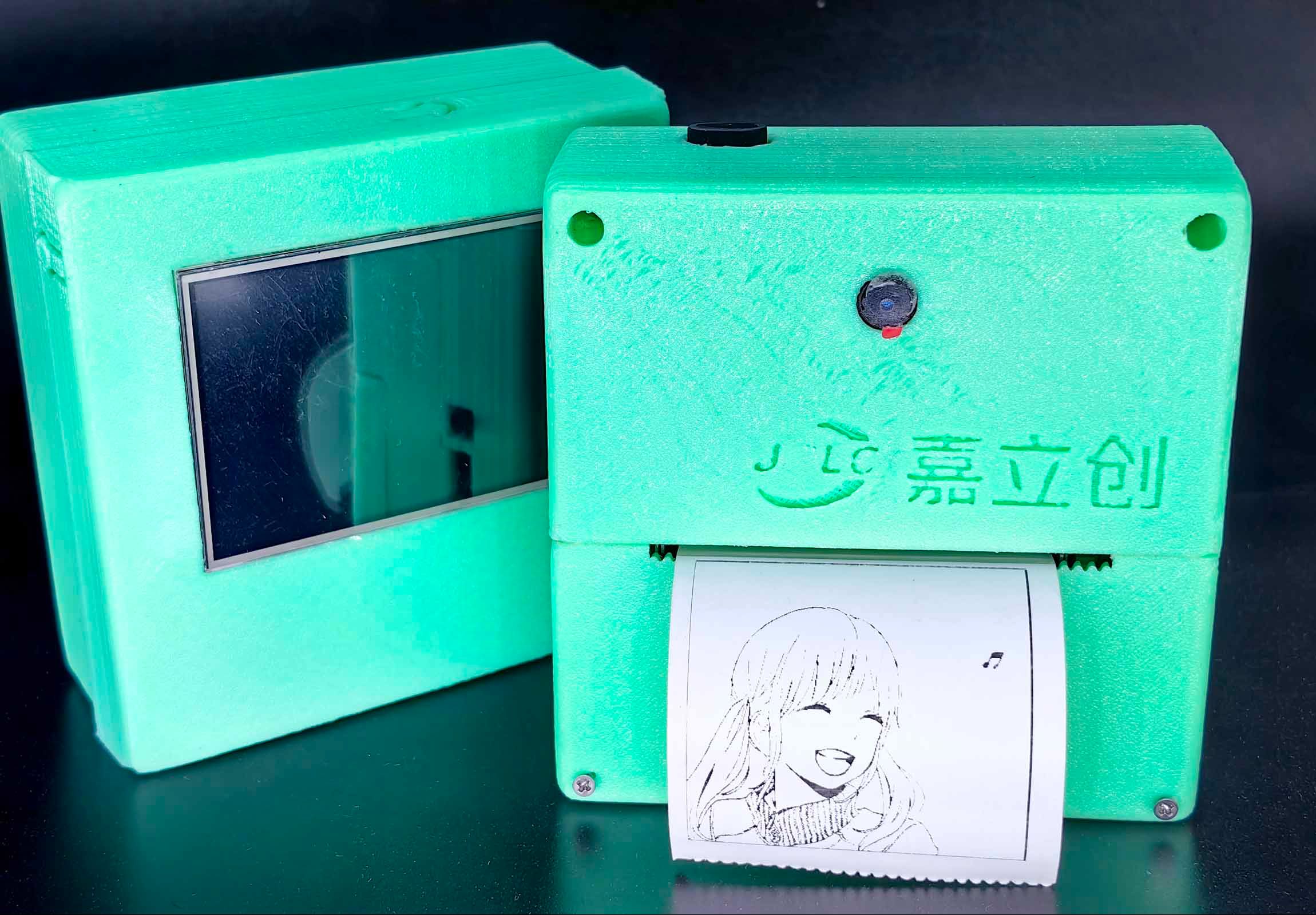
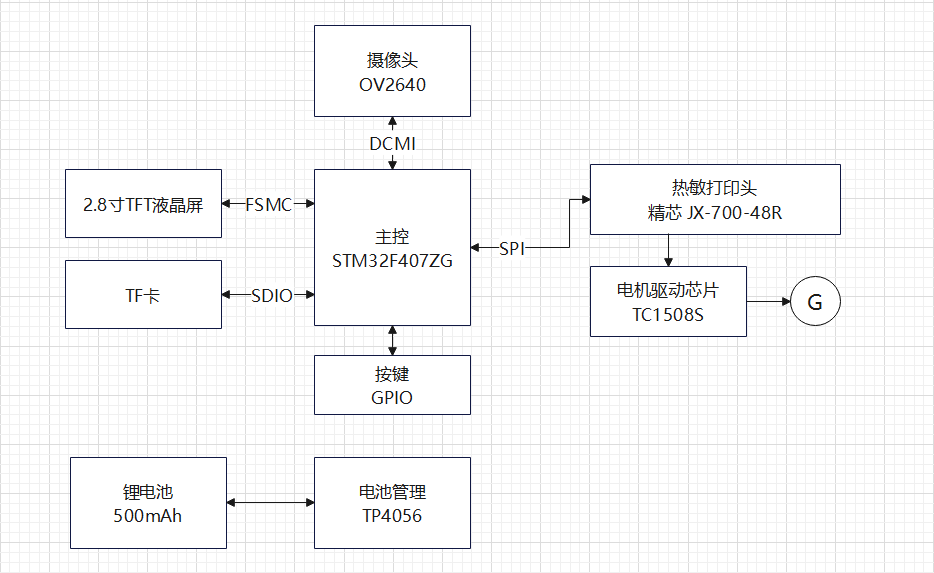 : Main controller: STM32F407ZG.
  Due to space limitations, only some key code snippets are explained here.
 physical demonstration
 and material procurement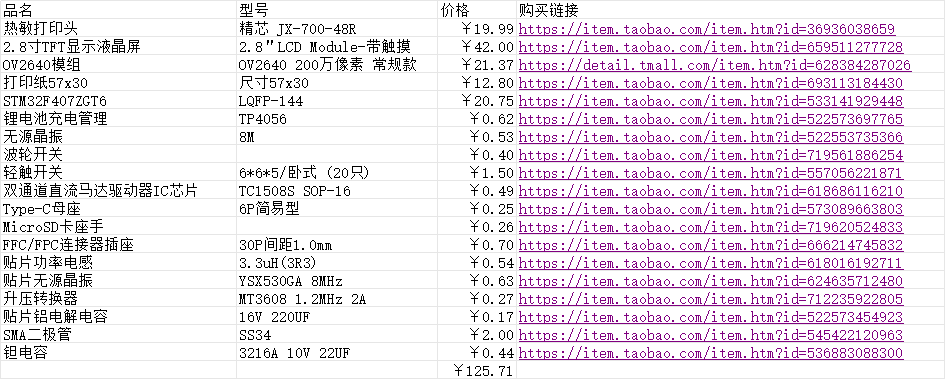
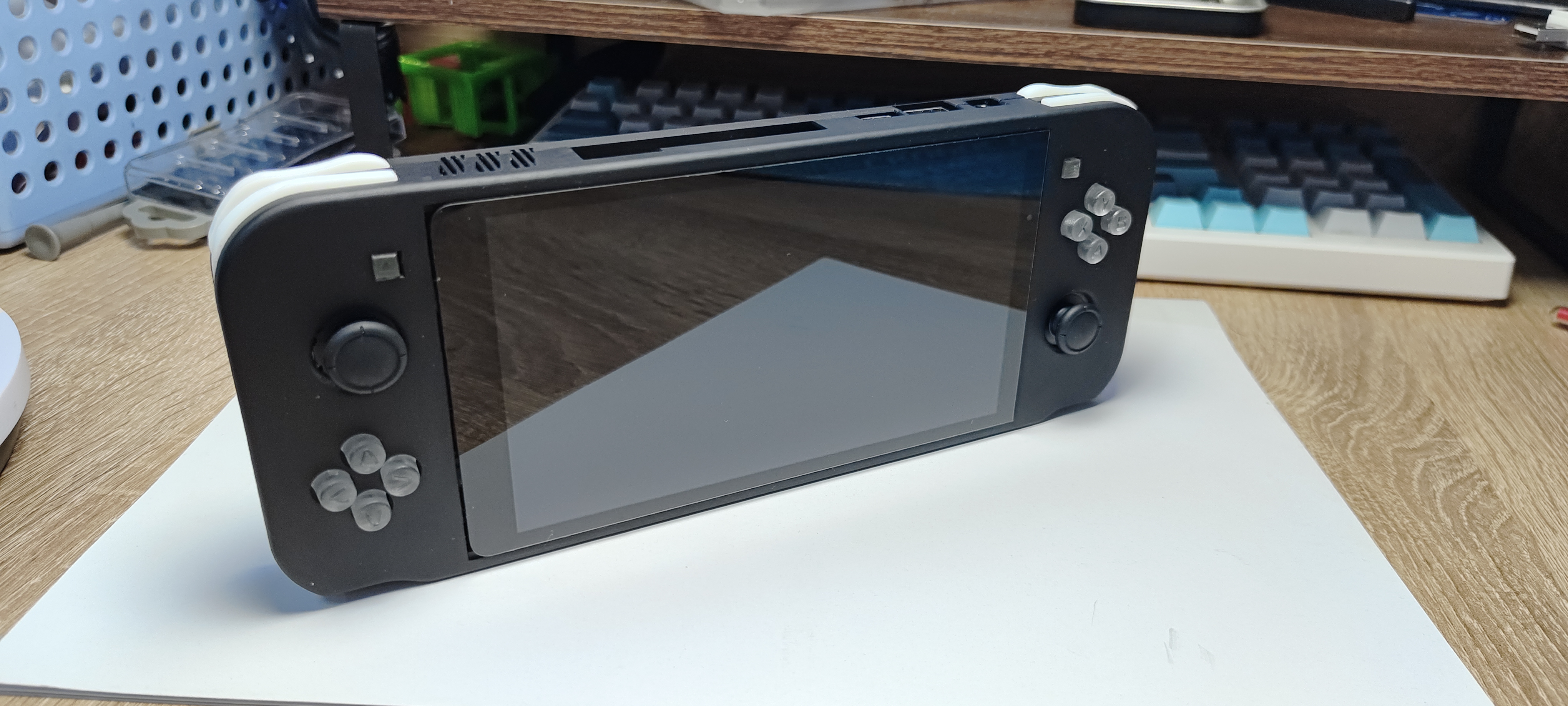
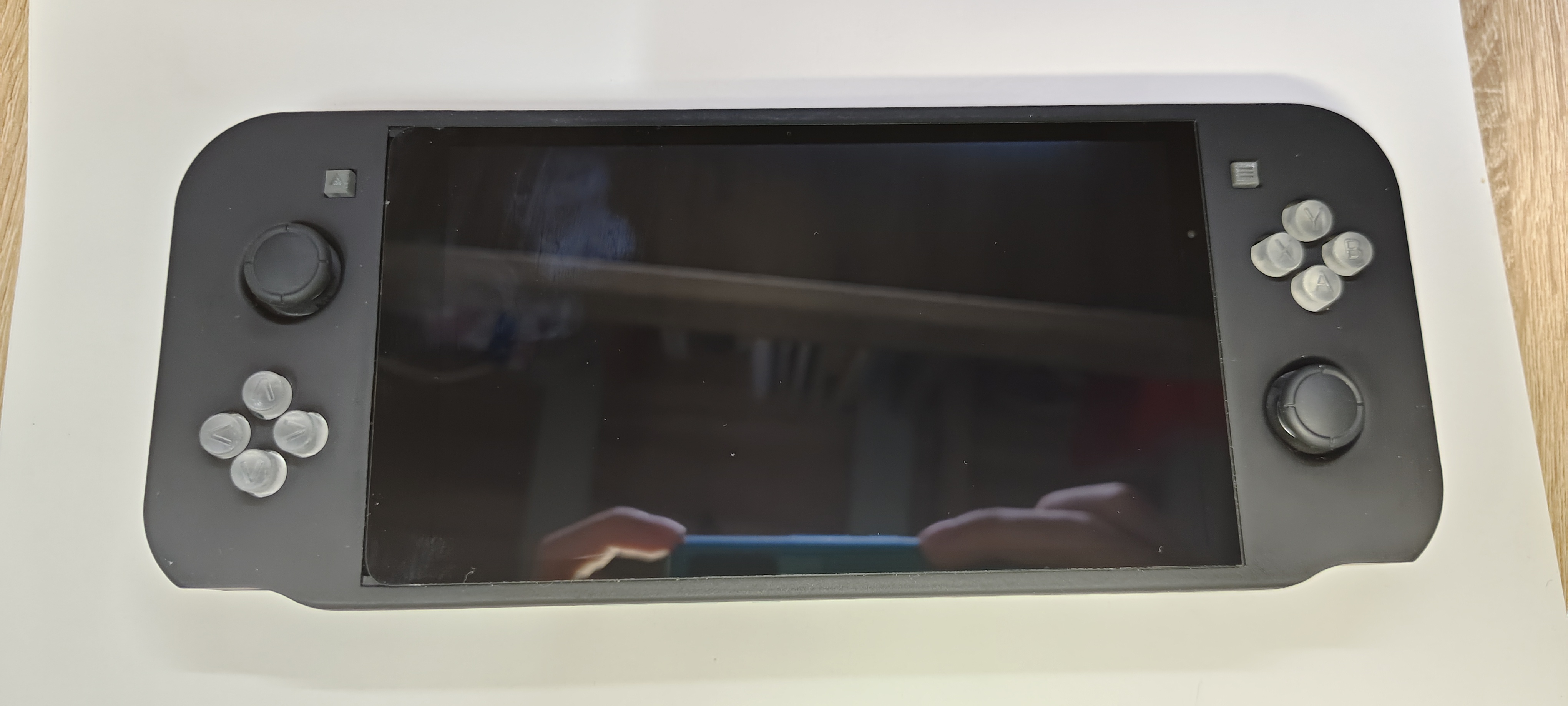
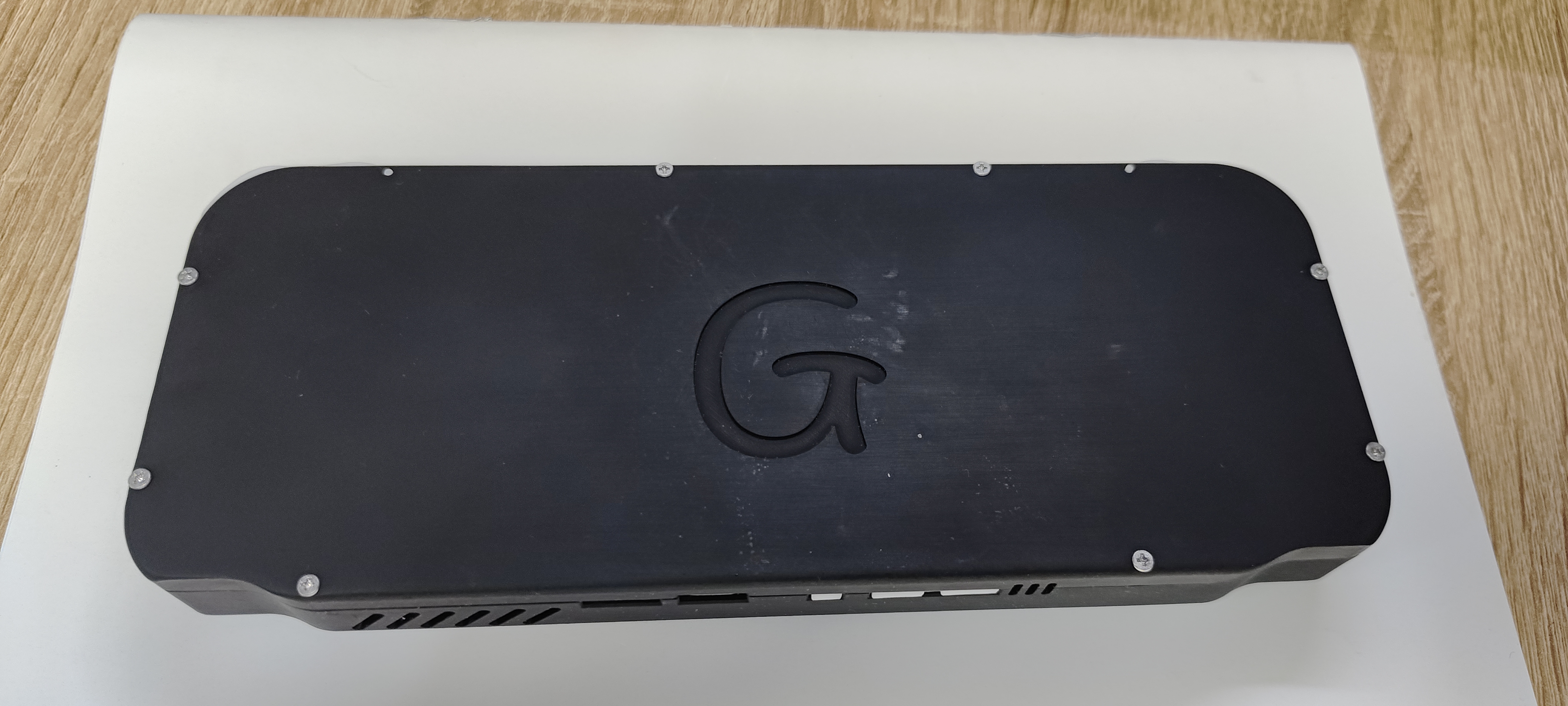
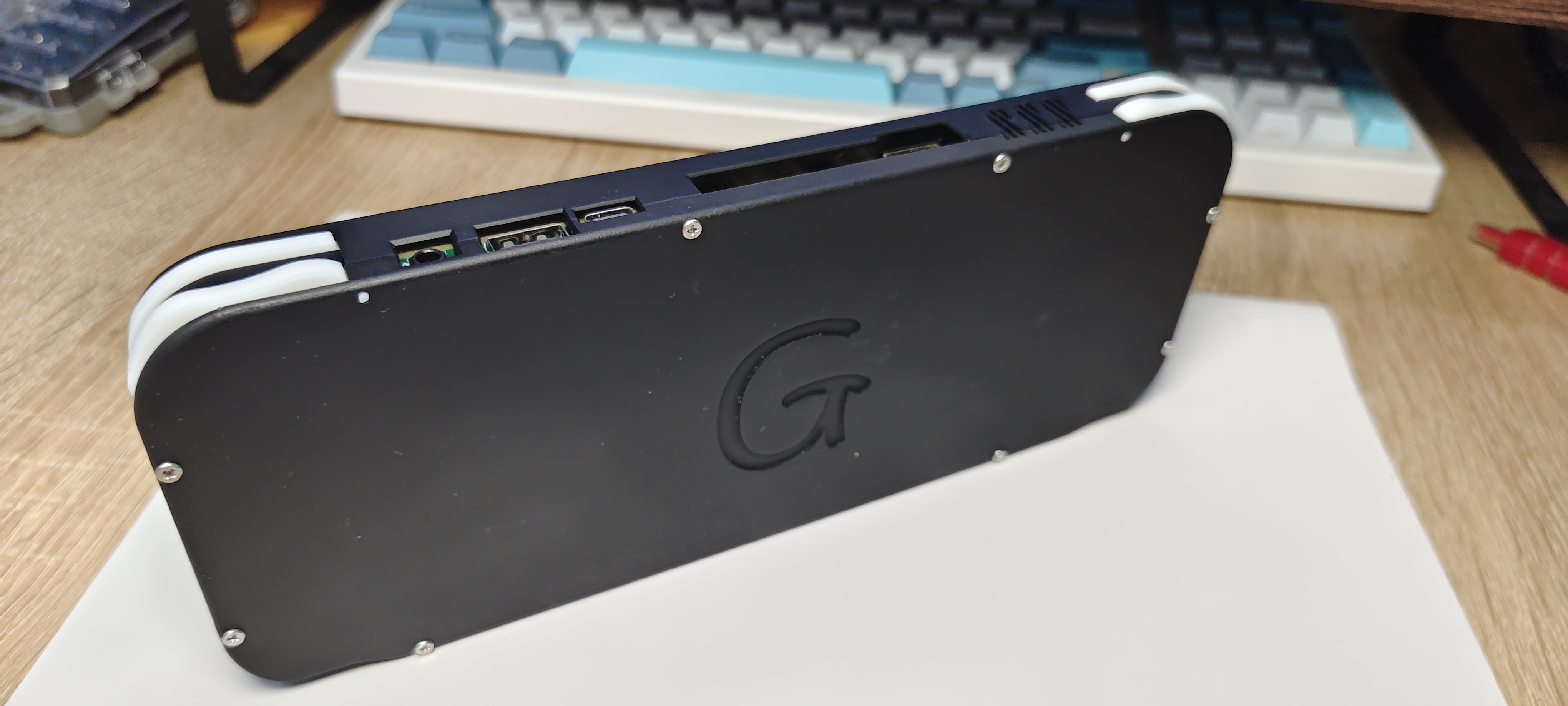
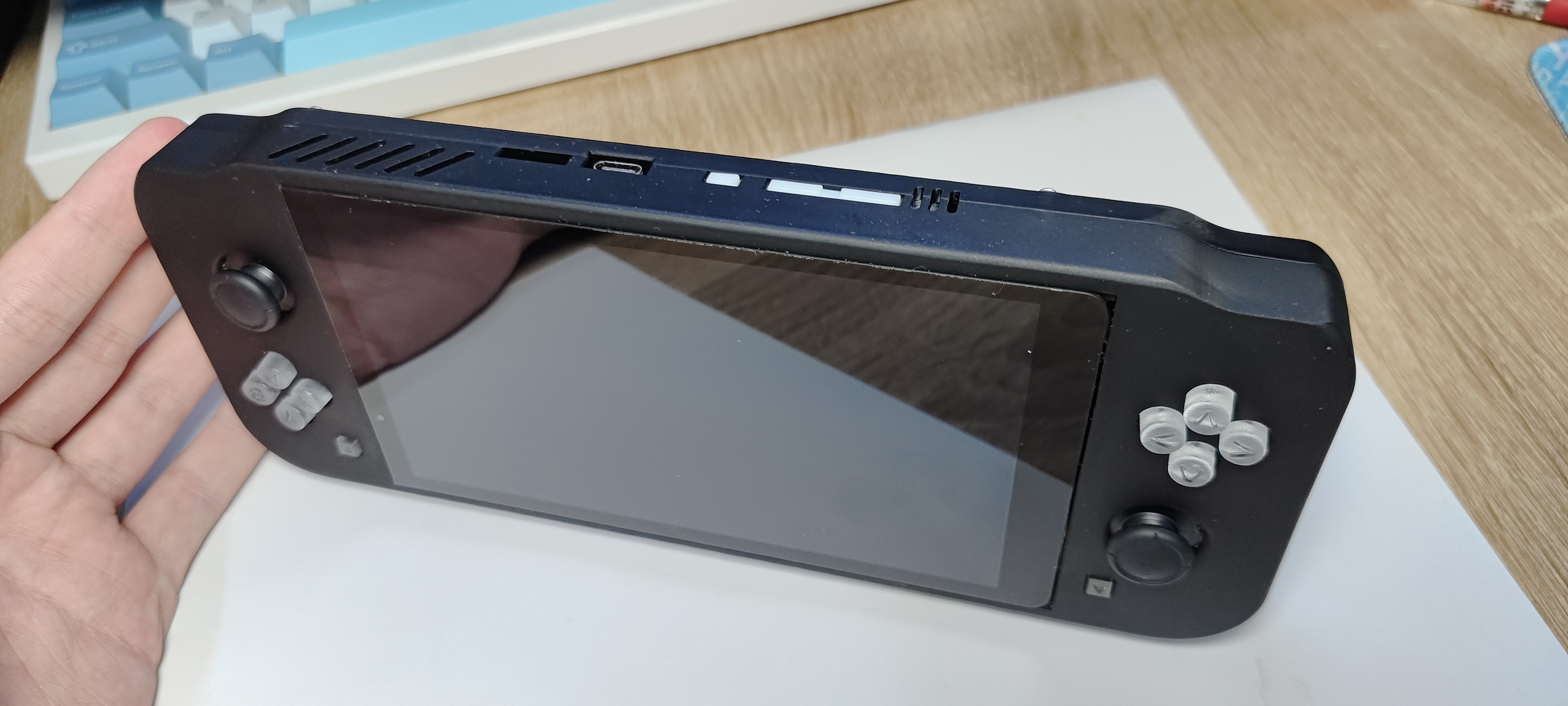
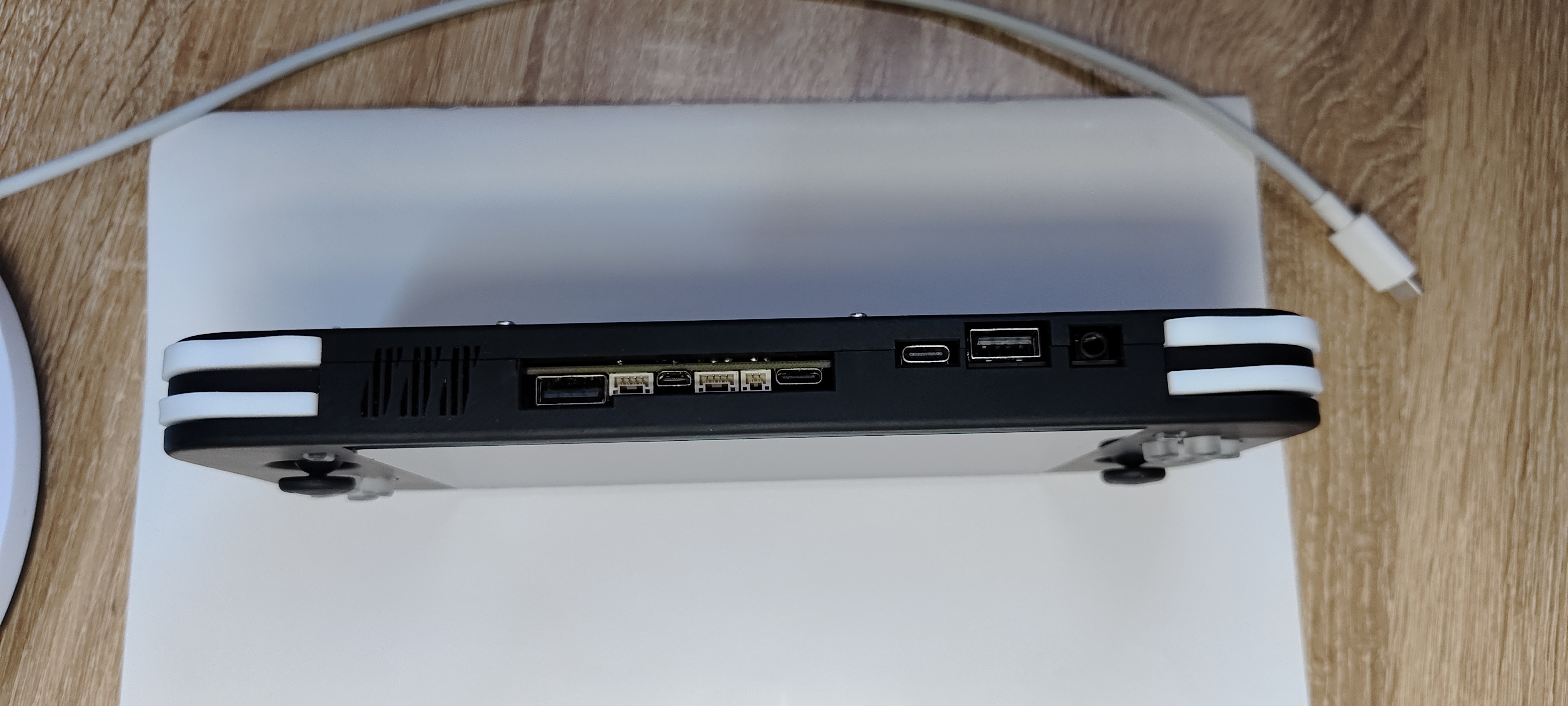
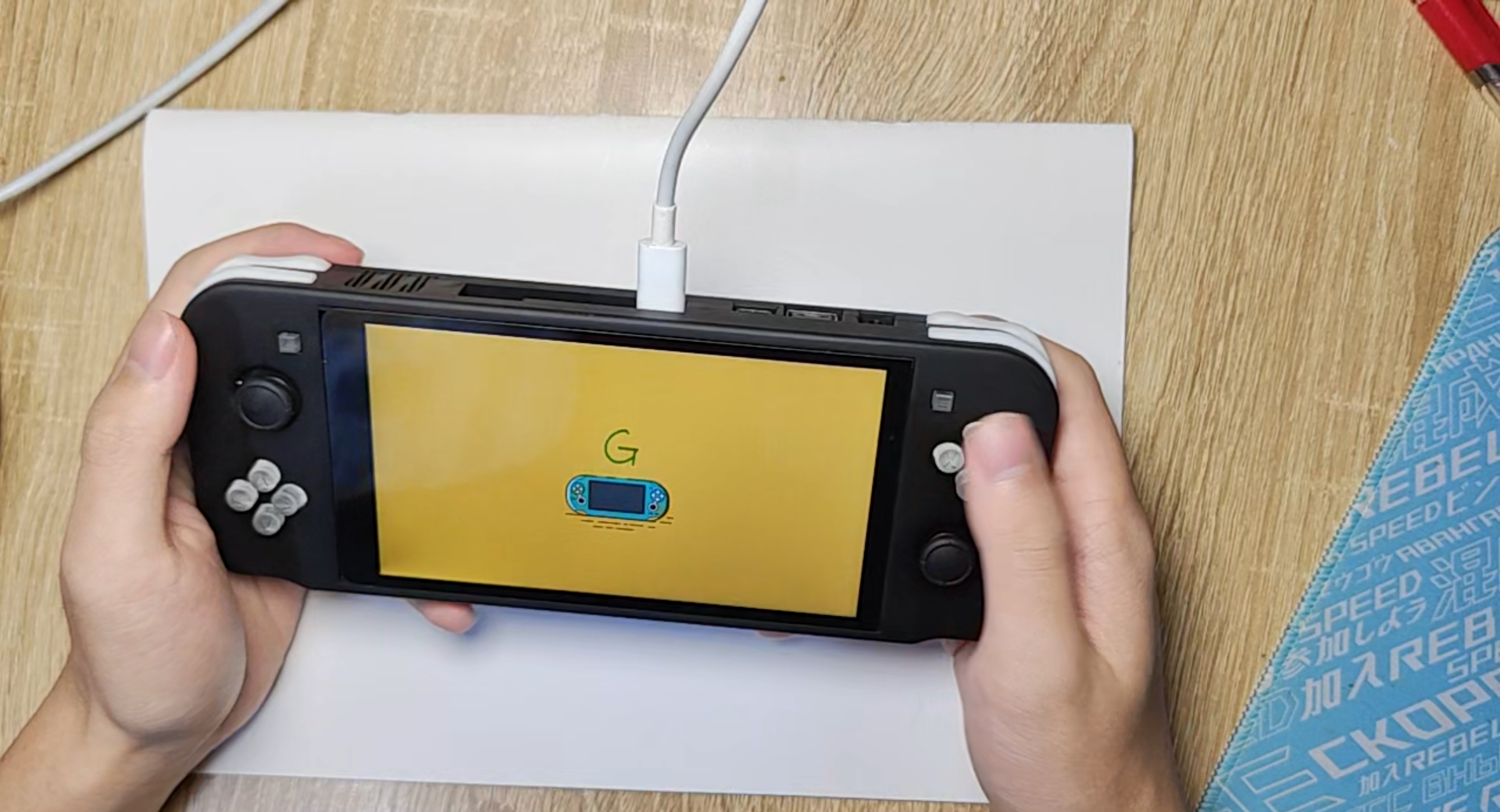
 Hardware Design
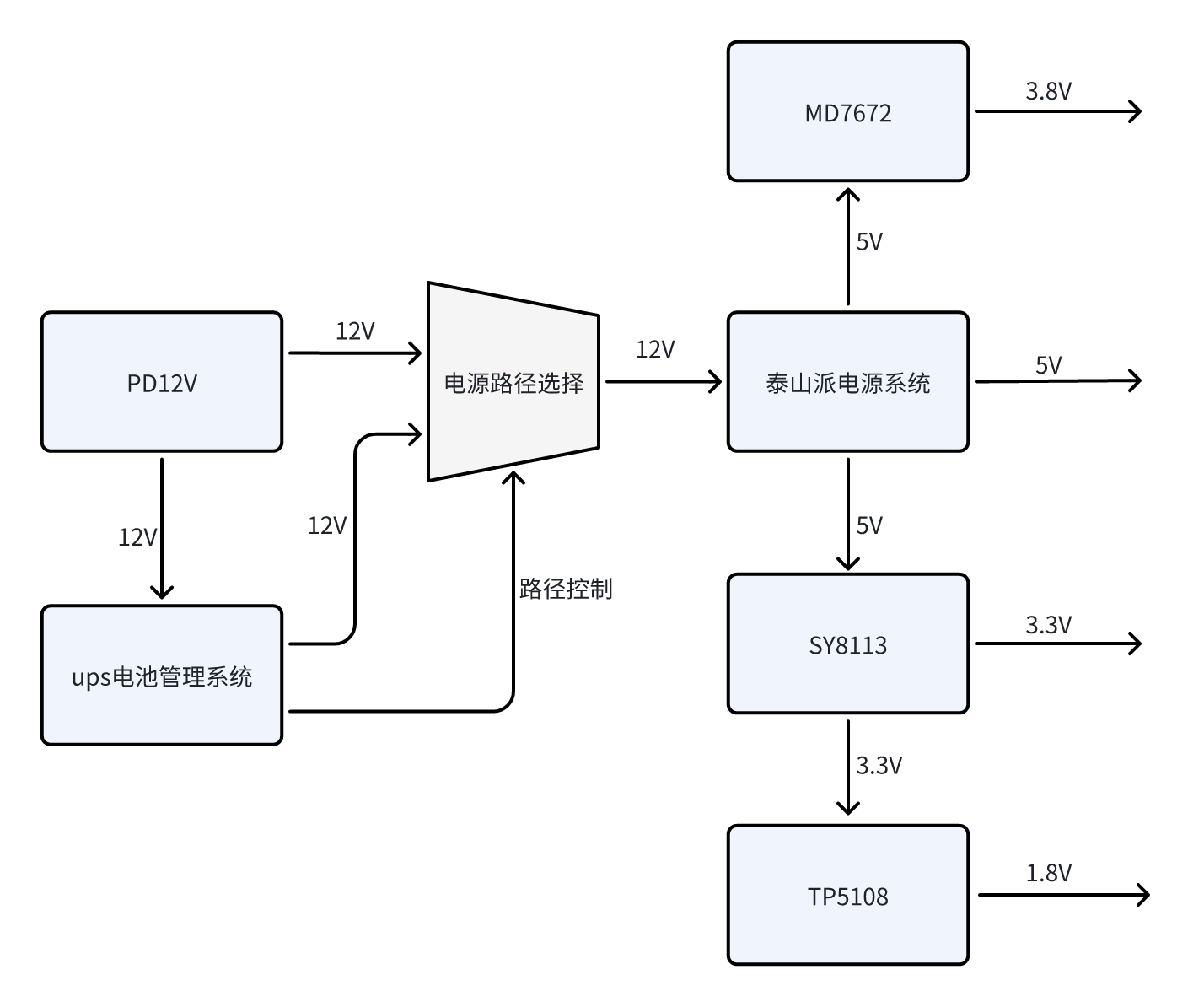
  Power Supply:
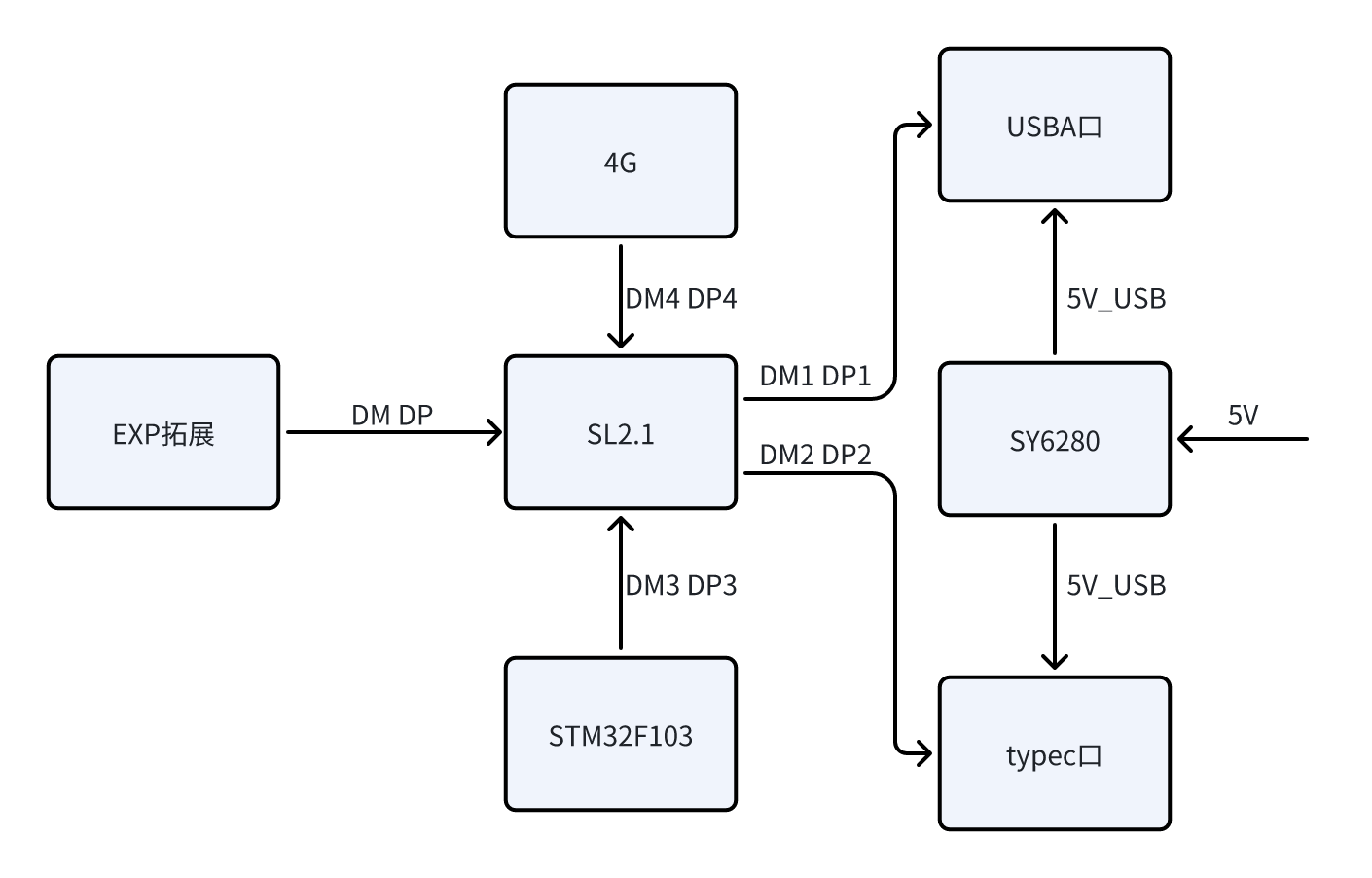
  USB Expansion:
  4G:
4G: 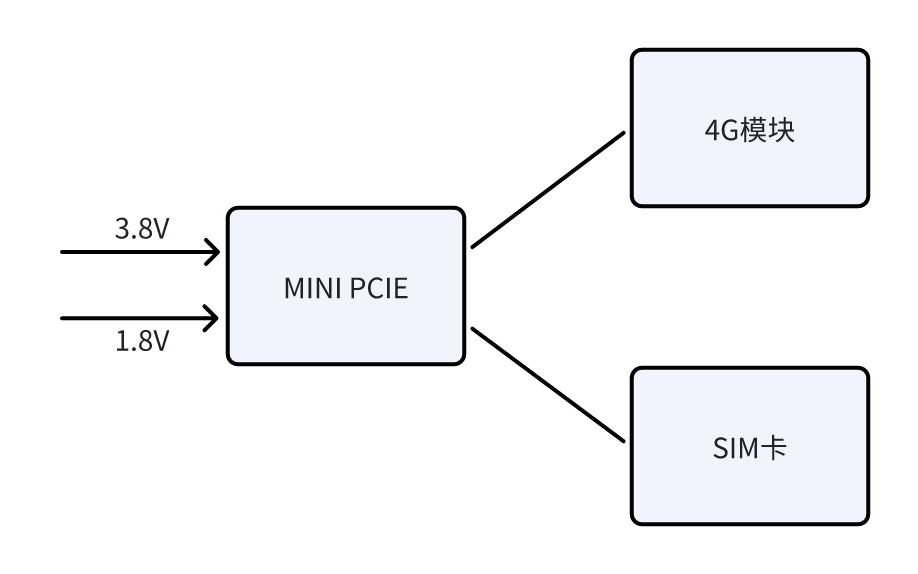 Functional Peripherals:
 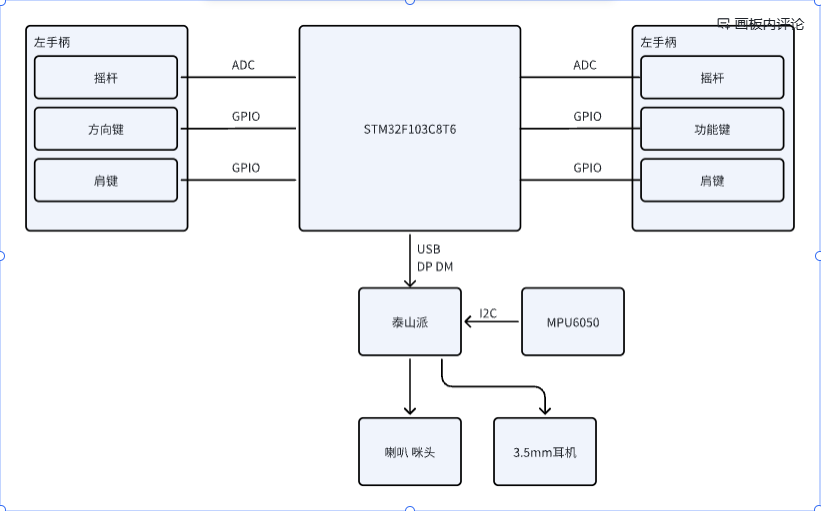 Software Design
 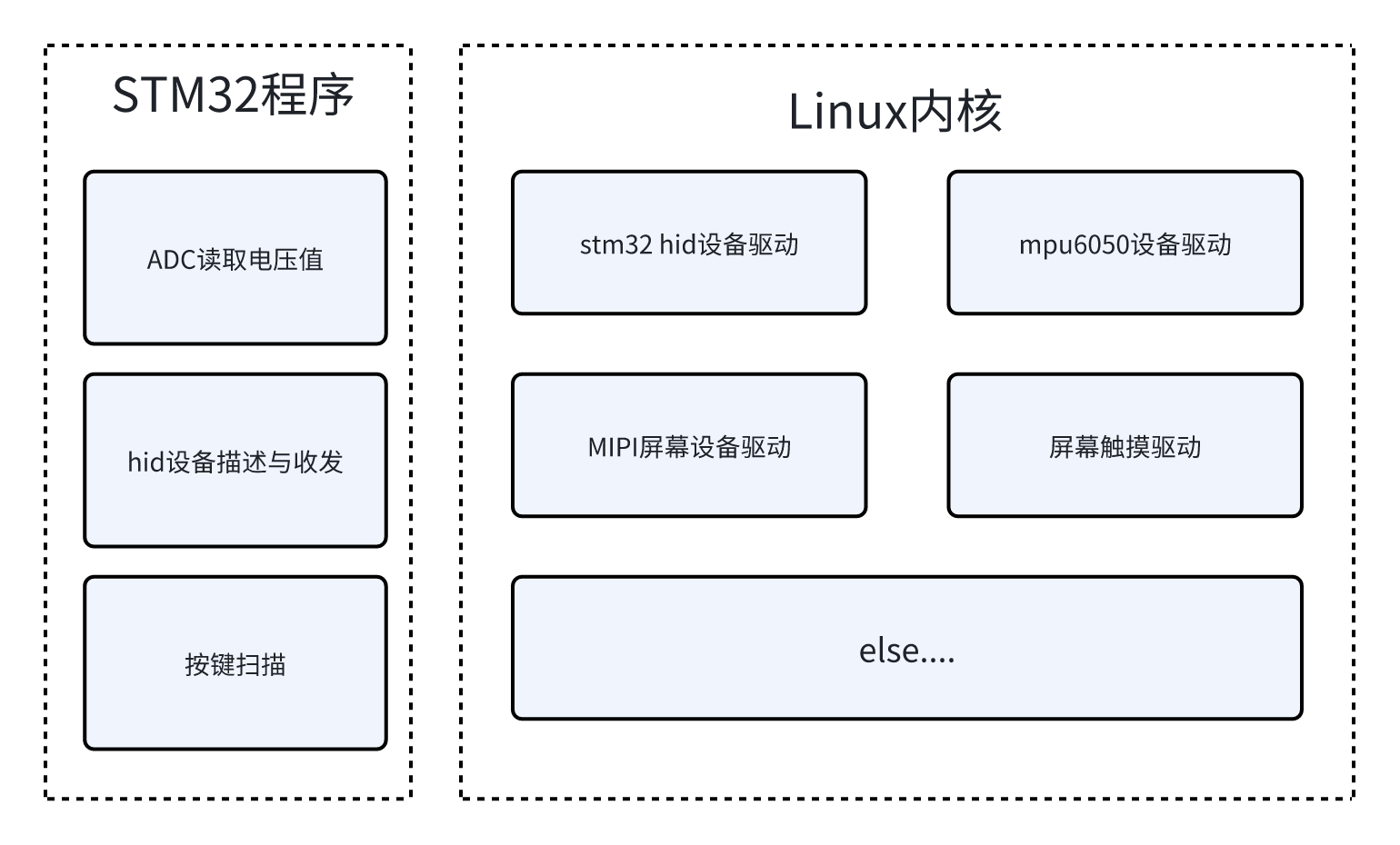 Shell Design: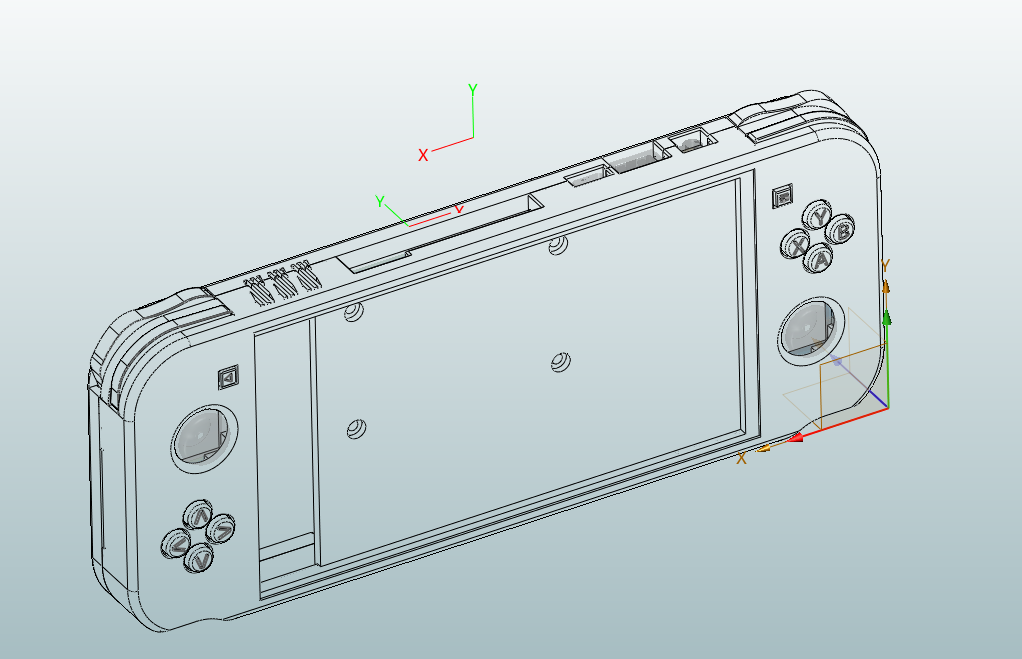
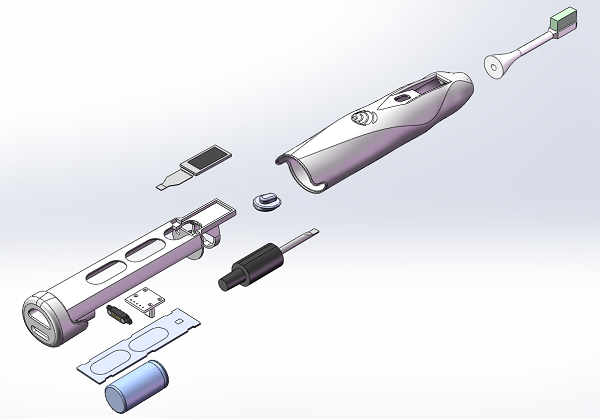
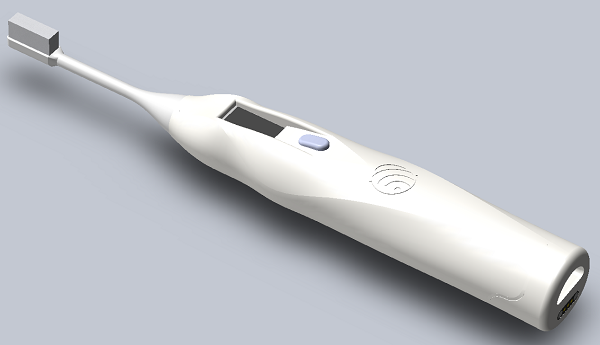
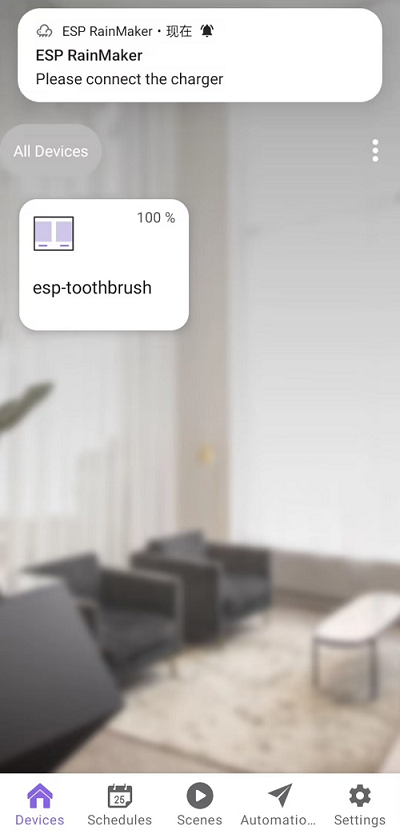
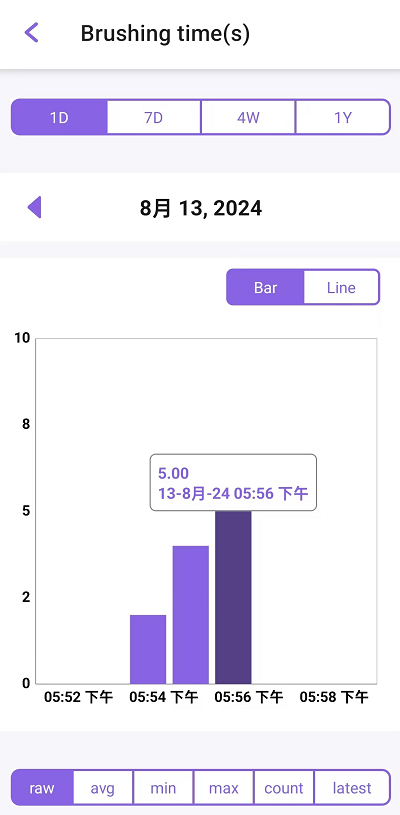
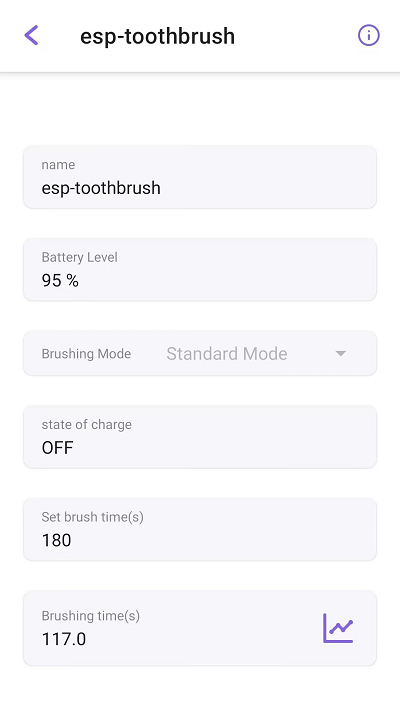
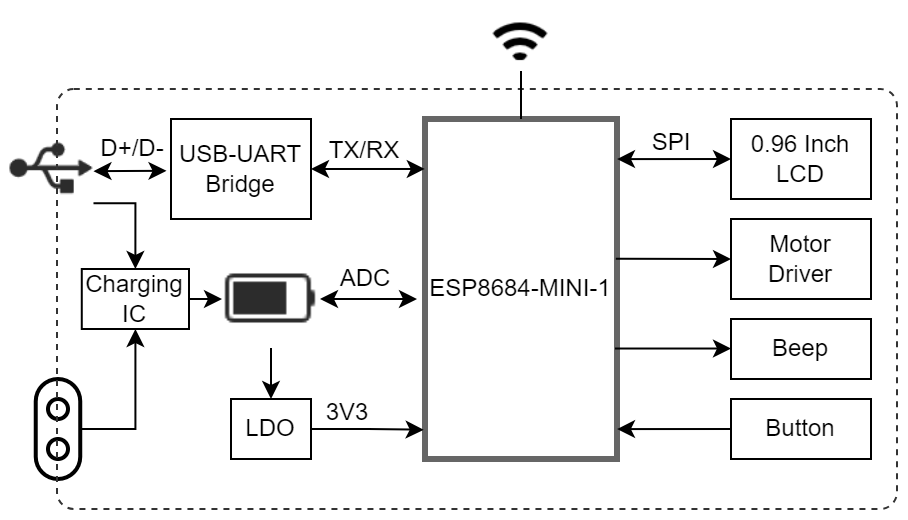
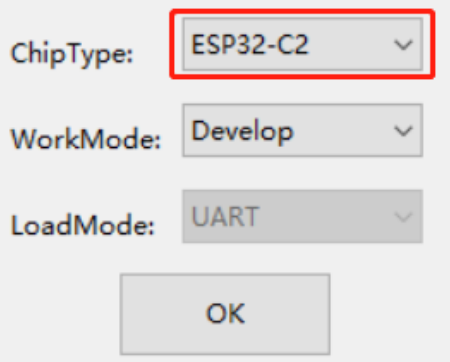
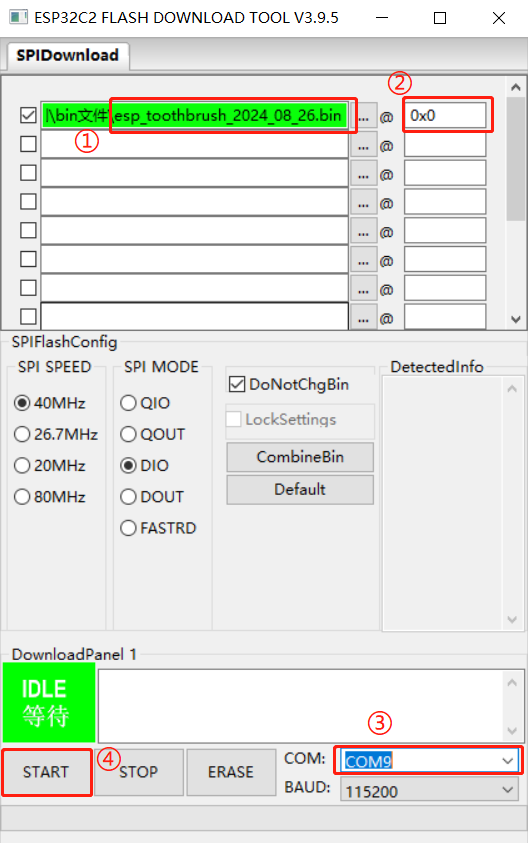
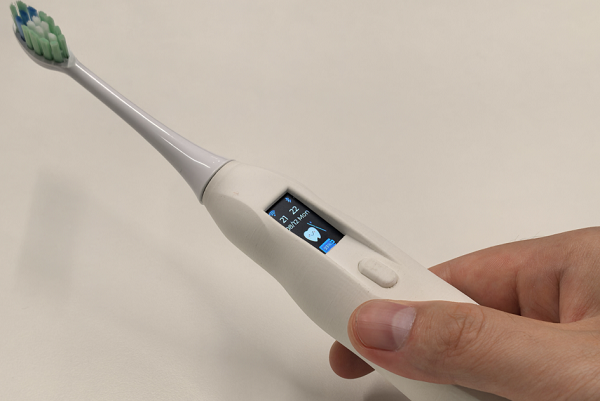 [Image 19] [Image 10] [Image 11] [Image 12] [Image 11] [Image 12] [Image 13] [Image 14] [Image 15] [Image 16] [Image 17] [Image 18] [ Image 19] [Image 19] [Image 12] [Image 19] [Image 11] [Image 12] [Image 19] [Image 11] [Image 12] [Image 13] [Image 14] [Image 15] [Image 16] [Image 17] [Image 18] [Image 19] [Image 19] [Image 11] [Image 19] [Image 12] [Image 19] [Image 11] [Image 12] [Image 19] [Image ESP RainMaker Interface ESP RainMaker is a lightweight IoT cloud computing software deeply integrated with Amazon Web Services' serverless architecture. Based on this serverless architecture, ESP RainMaker offers significant flexibility in data storage and transmission capabilities, dynamically allocating tasks to cloud servers based on actual data traffic, effectively reducing the pressure on the cloud for data storage. For more information about ESP RainMaker, please refer to ESP RainMaker. Using ESP RainMaker, you can achieve the following interface effects: The following are the low battery warning pop-up and main page effects created using RainMaker. The following is the brushing time recording information. The following is the ESP Toothbrush control interface. Video Demonstration ESP-Toothbrush | DIY an ESP32-C2 Smart Electric Toothbrush Making this wasn't easy, so please watch, like, and share! Project Function Description Press and hold the button on the toothbrush to turn it on or off. The device features a 0.96-inch LCD screen with display capabilities and supports various display animations. The device offers four different brushing modes, selectable by double-clicking the button on the brushing interface. Once connected to the internet, the ESP-ToothBrush's brushing mode, duration, and device name can be controlled via ESP RainMaker. The ESP-ToothBrush also synchronizes with the current time. Battery information is uploaded to the ESP RainMaker app; a low battery warning will appear when the battery level drops below 20%. After brushing, the time is recorded in ESP RainMaker, and brushing time and duration data are compiled for one month. The hardware circuit design utilizes a TP4056 chip for battery management, enabling charging while preventing overcharging and over-discharging, and providing reverse connection protection. The CHRG pin of the charging chip is pulled up by a 10K resistor. When the battery is charging, the CHRG pin is low; otherwise, it is high. The CHRG pin is connected to GPIO5 of the ESP32-C2 chip, and the battery charging status can be identified by detecting the level of this pin. Since the maximum range of the ESP32-C2 ADC is 0-3.3V, while the voltage of an 18350 lithium battery can reach up to 4.2V, exceeding 3.3V, two equal-value resistors are used to divide the battery voltage. The battery voltage is then obtained through the ESP32-C2 ADC (GPIO4 corresponds to channel 4). Multiplying the measured voltage value by 2 gives the actual battery voltage, thus enabling battery level monitoring. The HE9073A33M5R LDO chip, with a wide input voltage range, is used for voltage regulation to stabilize the lithium battery voltage to 3.3V, powering the chip and other peripherals. The TC118S DC motor driver chip drives the ultrasonic vibration motor, offering advantages such as low power consumption and low cost. A passive buzzer provides audible alerts. The CP2102N USB-to-UART chip facilitates programming and debugging via the USB Type-C port. Power Options: The ESP-ToothBrush can be powered in either of the following ways: 18350 lithium battery (default power supply, recommended); or via the ESP32-C2's USB port, simultaneously charging the 18350 lithium battery. Software Version Information: ESP-IDF RainMaker chip Flash release/v5.2 1.3.0 ESP32-C2 (ESP8684-MINI-1) 4 MB. Program Download : Download the program from Espressif Systems' official website - Support - Related Downloads - Tools - Flash Download Tool . After downloading, extract the files and find flash_download_tool_3.9.7.exe. Double-click it. Then select ESP32-C2. Open the software and directly burn the esp_toothbrush_2024_08_26.bin file from the attachment into address 0x0. The steps are as follows. Additional Bill of Materials (BOM ) : 3.7V SL18350 Flat Head 850 mAh Lithium Battery, 0.96-inch TFT LCD Ultrasonic Electric Toothbrush Motor, Magnetic Connector, Spring Pin Male/Female Socket, Gold-plated Charging Contacts, Pogo Pin Probe, Pogo Pin Surface Mount, TC118S SOP-8 Single Channel DC Motor Driver IC Chip, FFC/FPC Connector, 0.5MM Bottom Connector Vertical TYPE-C Female Adapter Board, 14P to 2.54 5P Straight-Through Circuit Board, Compatible with Fupai Electric Toothbrush Head Replacement, Universal Revision Notes. Version Revision Notes V1.1 : Added lithium battery overcharge and over-discharge protection circuit.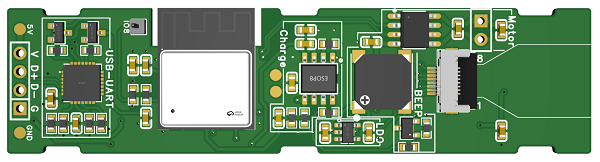
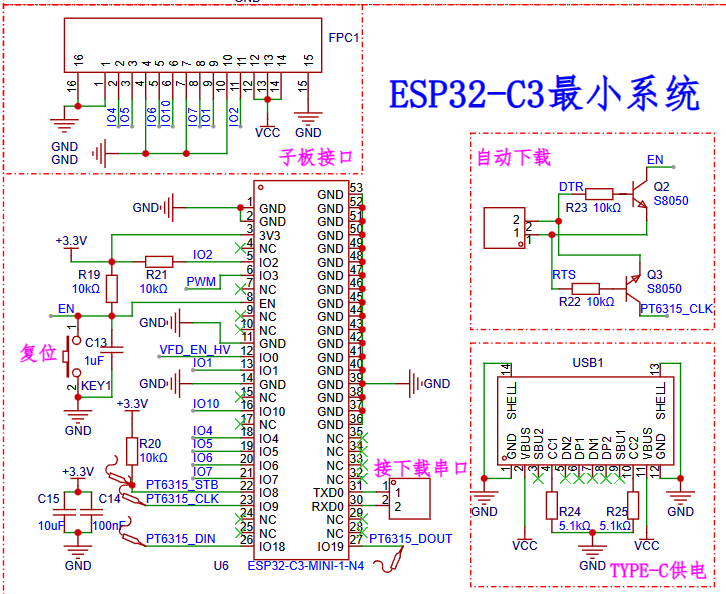 1. Using the ESP32-C3-MINI1 module, its price and pin count are suitable for this project, its performance is stronger than the ESP8266, and I am more familiar with it.
 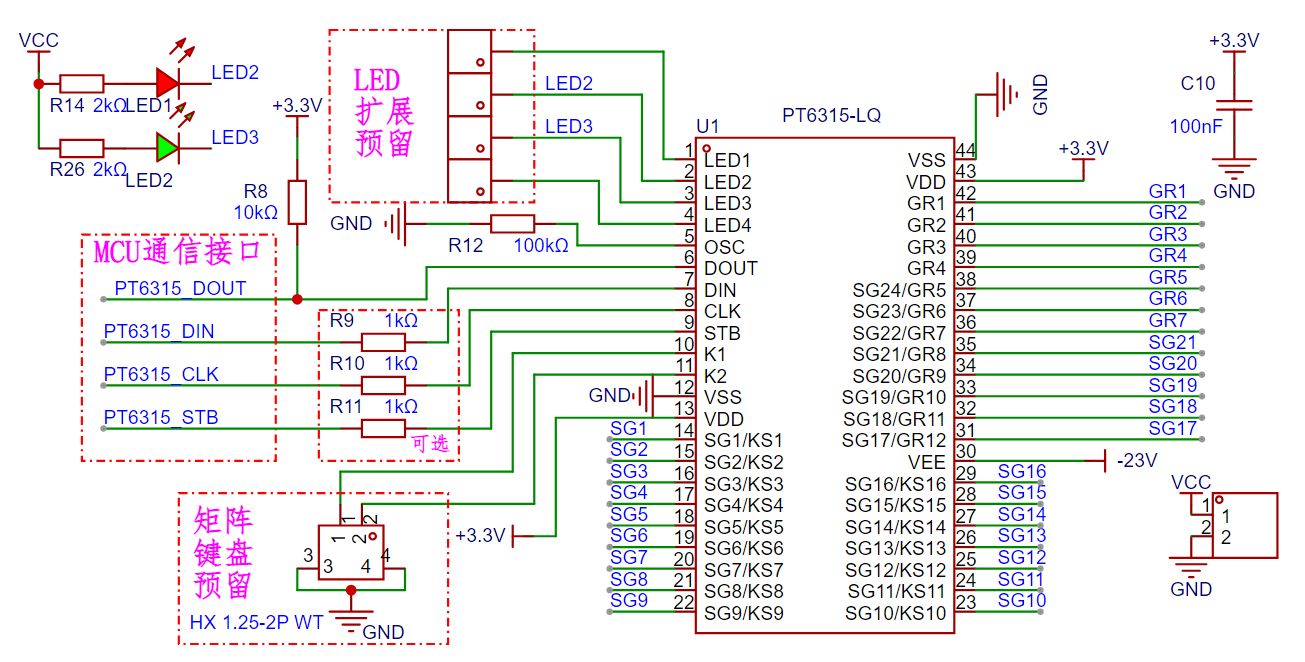 This is the VFD driver chip PT6315.
 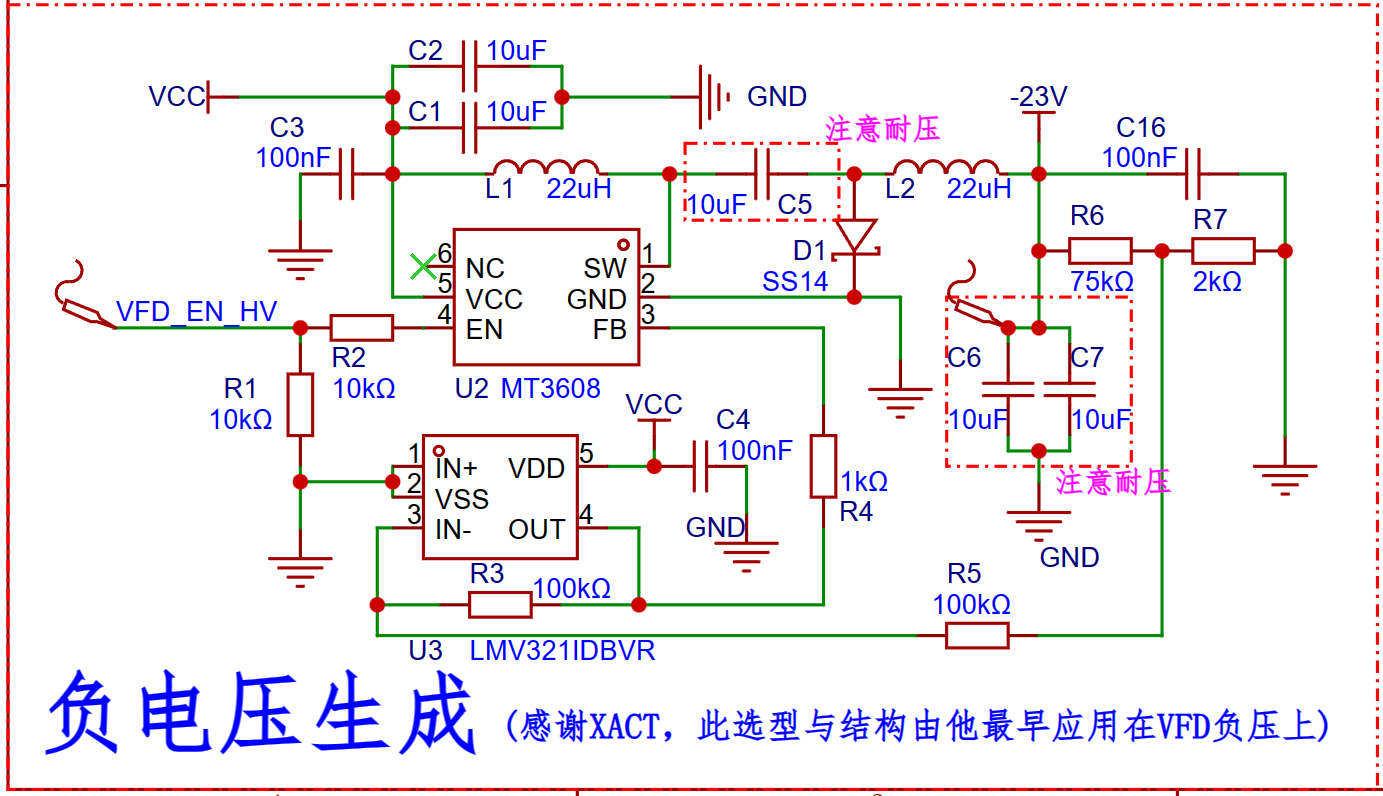 The PT6315 drives the VFD in a negative voltage manner, therefore it requires a -20V to -28V DC negative voltage.
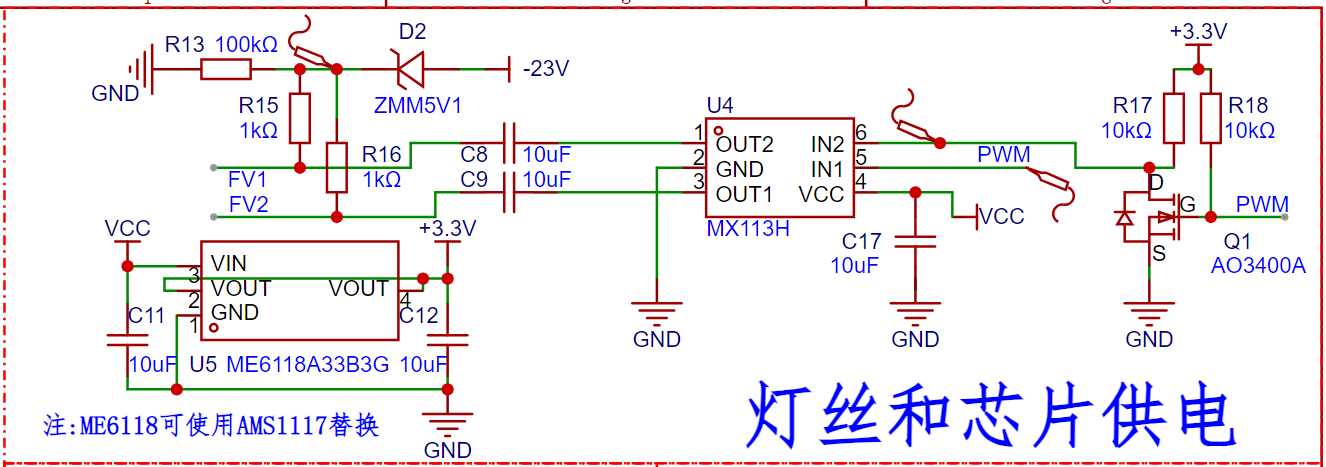 The VFD filament requires AC heating.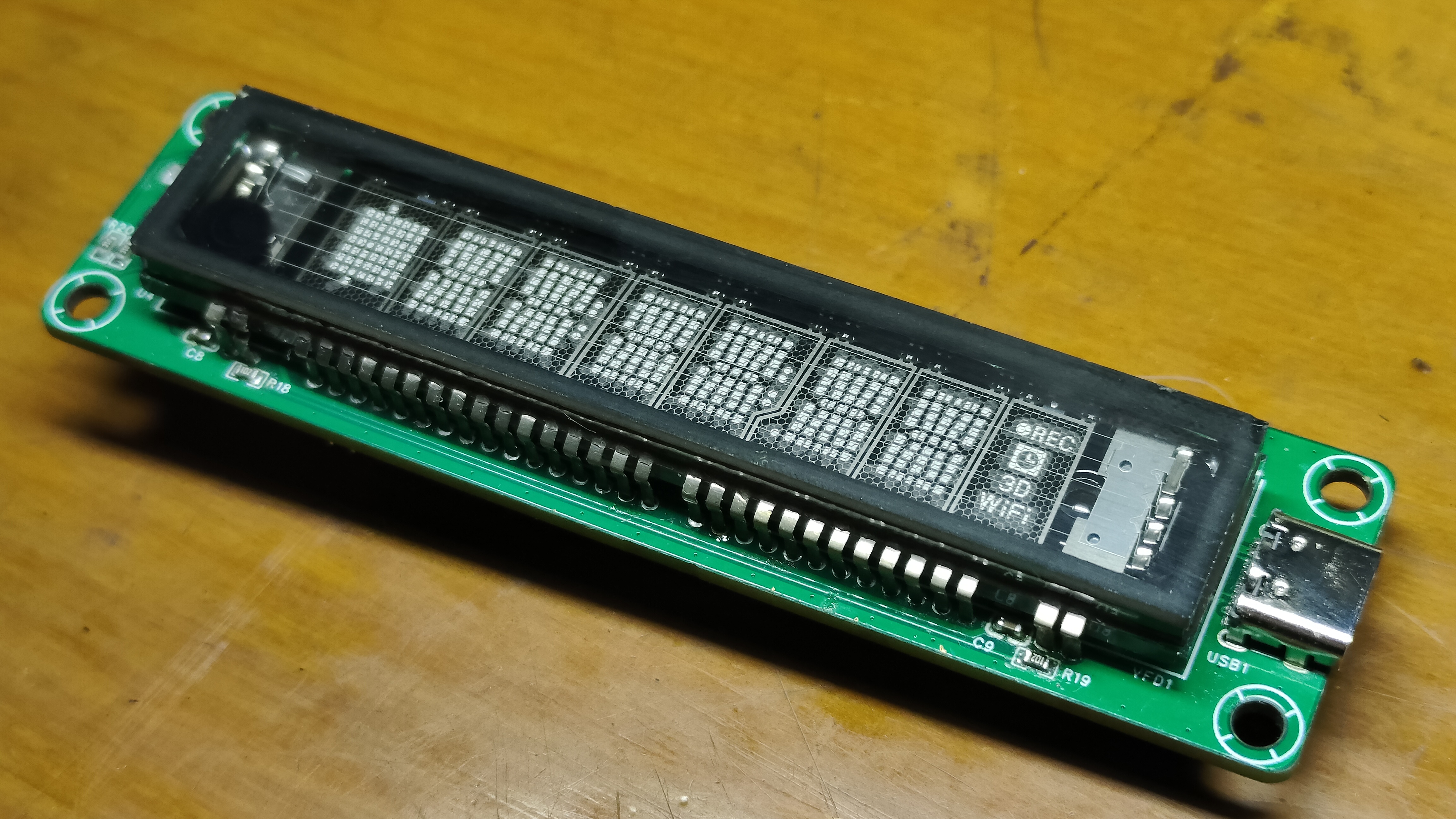







 京公网安备 11010802033920号


 HD74HC1G32CME



