I3DrGxUHf

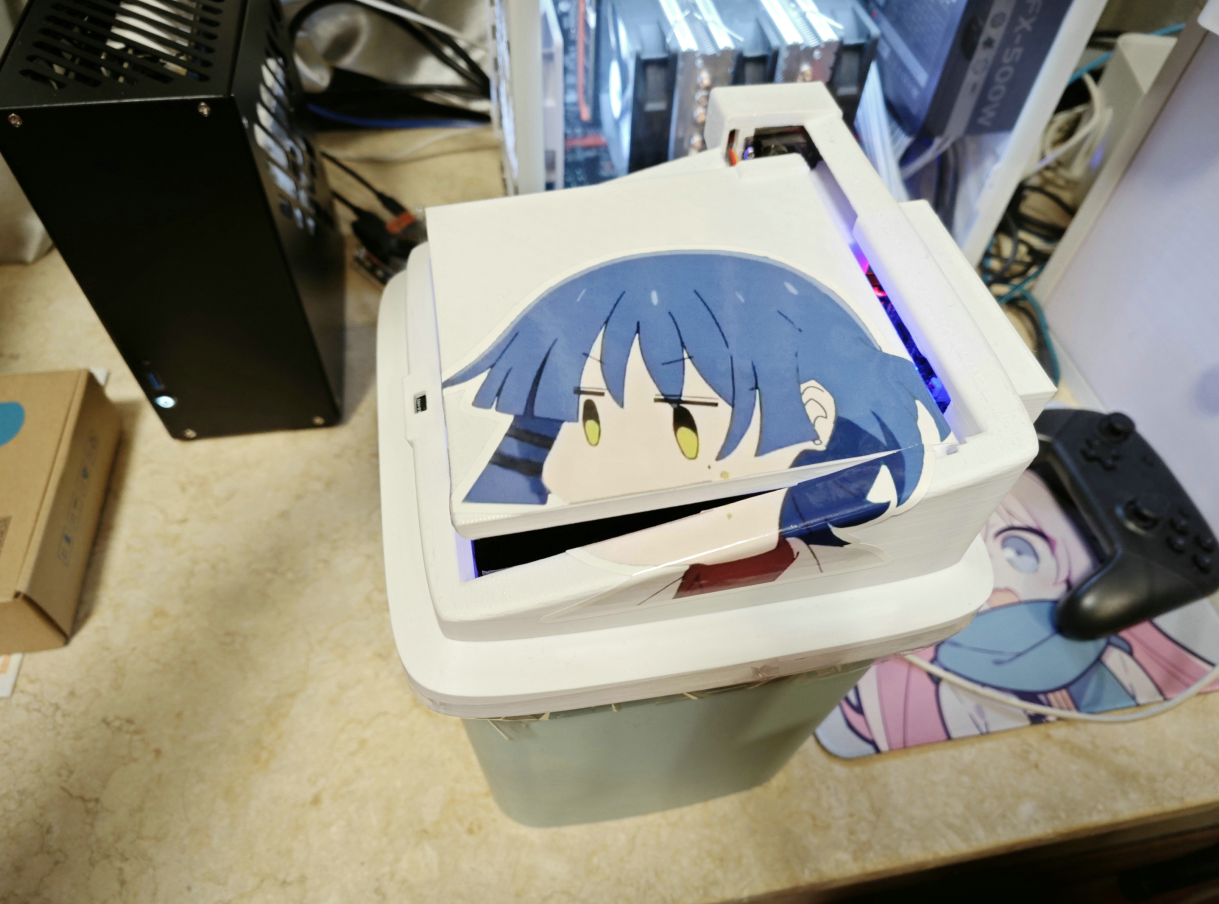
Fully Automatic Cold Senior Feeder

 
Overview
Fully Automatic Cool Senior Feeder
1. Video
on Bilibili: https://www.bilibili.com/video/BV12F4m1u7s5/
2. Introduction: This system
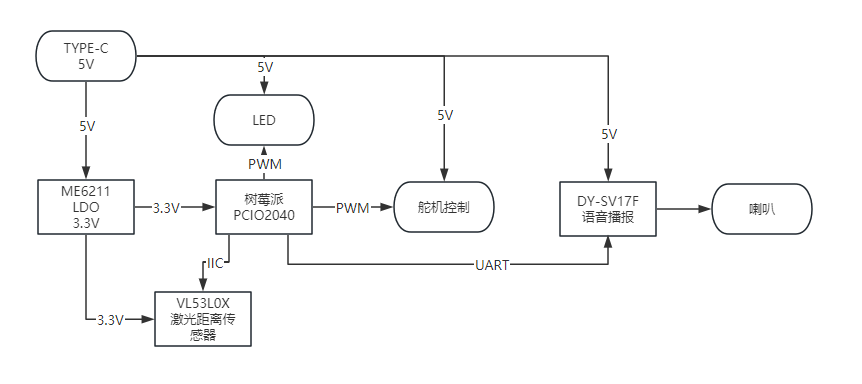
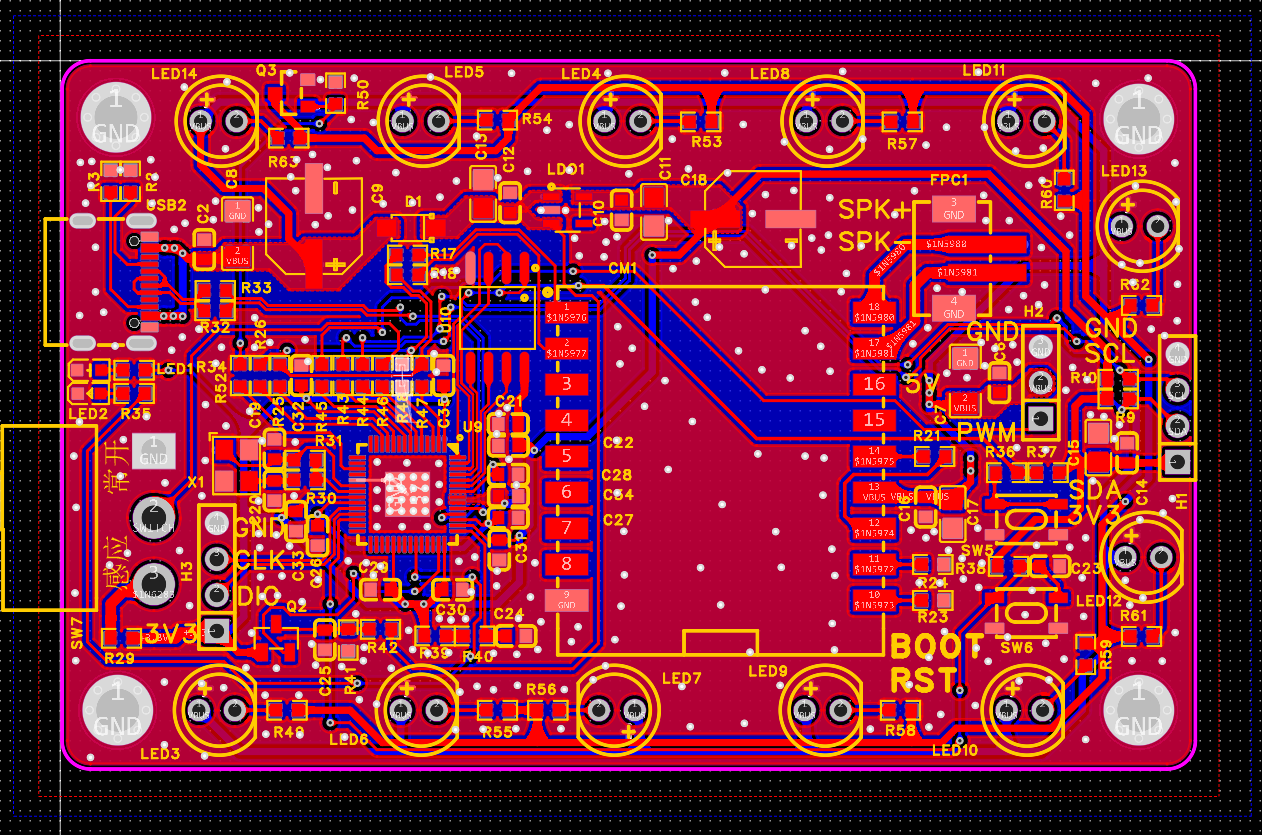
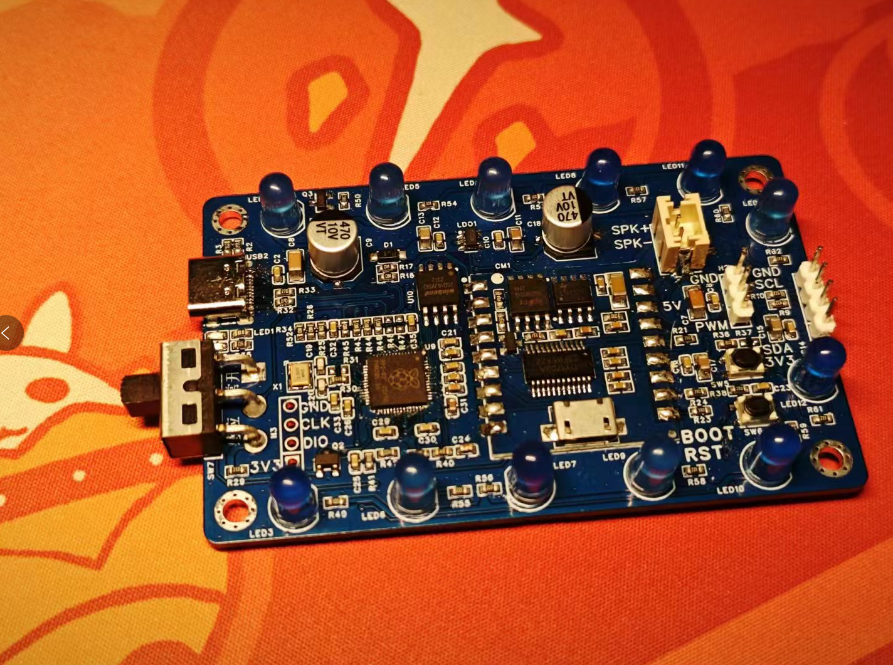
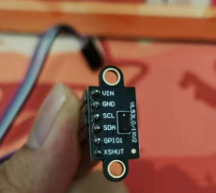
uses a Raspberry Pi PCIO2040 as the main controller, a servo motor to control the trash can lid, a VL53L0X as the distance sensor, and a DY-SV17F for voice announcements. It's a fully automatic trash can dispenser (basically a smart trash can lid).
Various miscellaneous materials are attached. The block
diagram is roughly as follows.
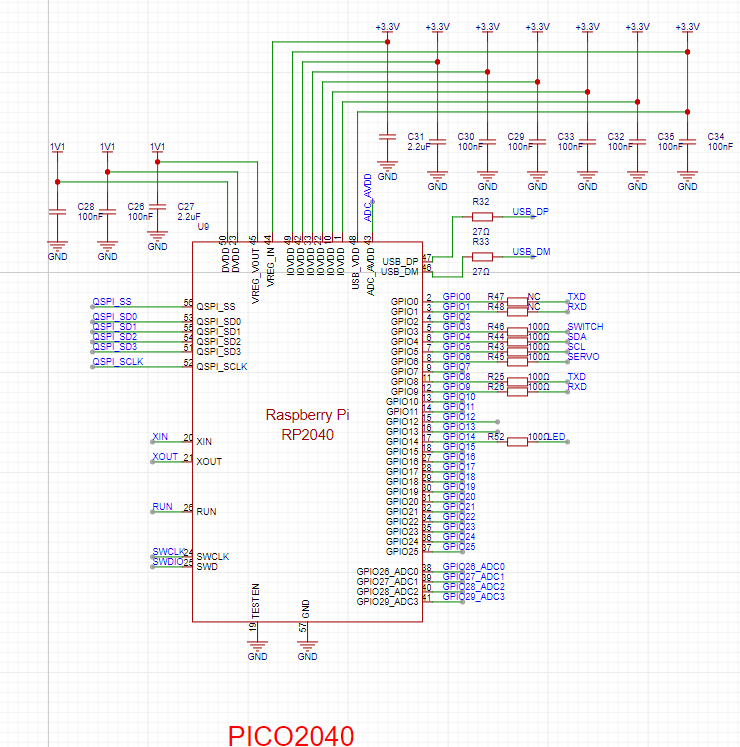
3. Circuit: The main
controller is a PICO2040.
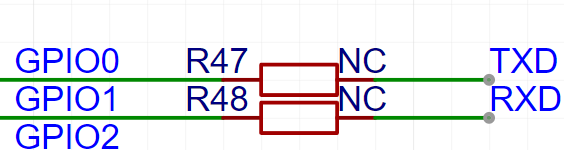
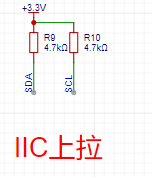
The TXRX resistors are not connected
to IICs; pull-up resistors are used.
Other components are standard circuits and will not be discussed further.
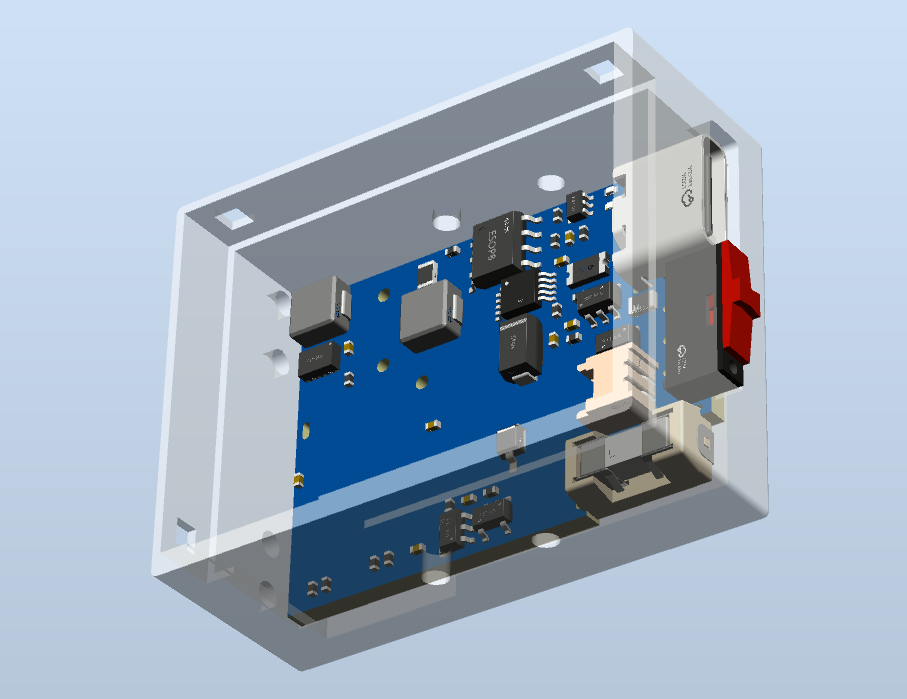
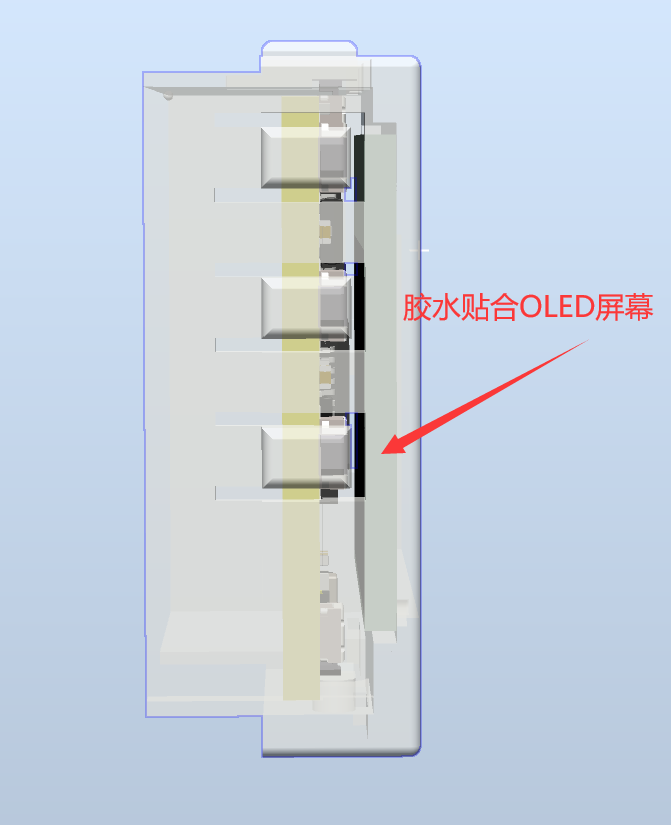
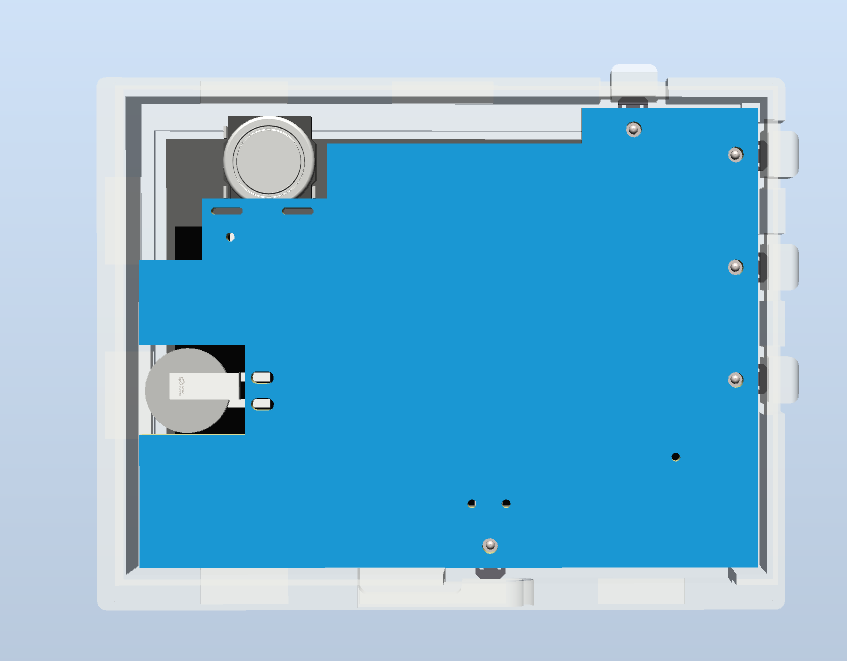
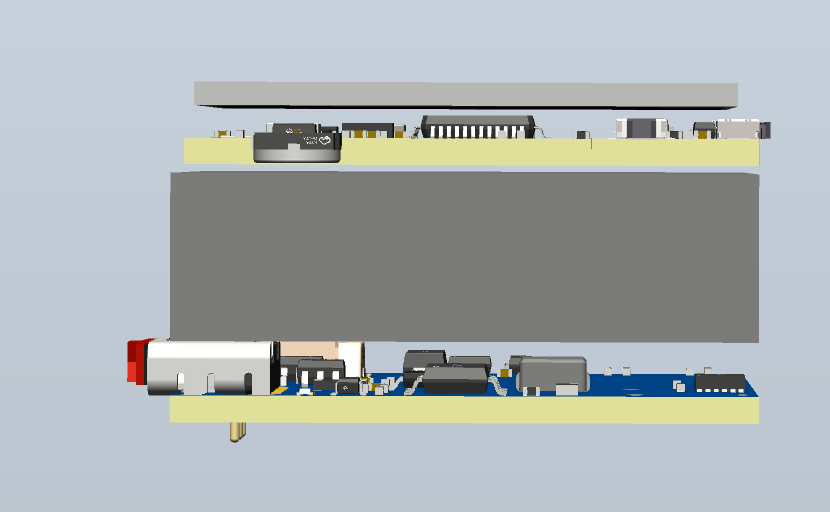
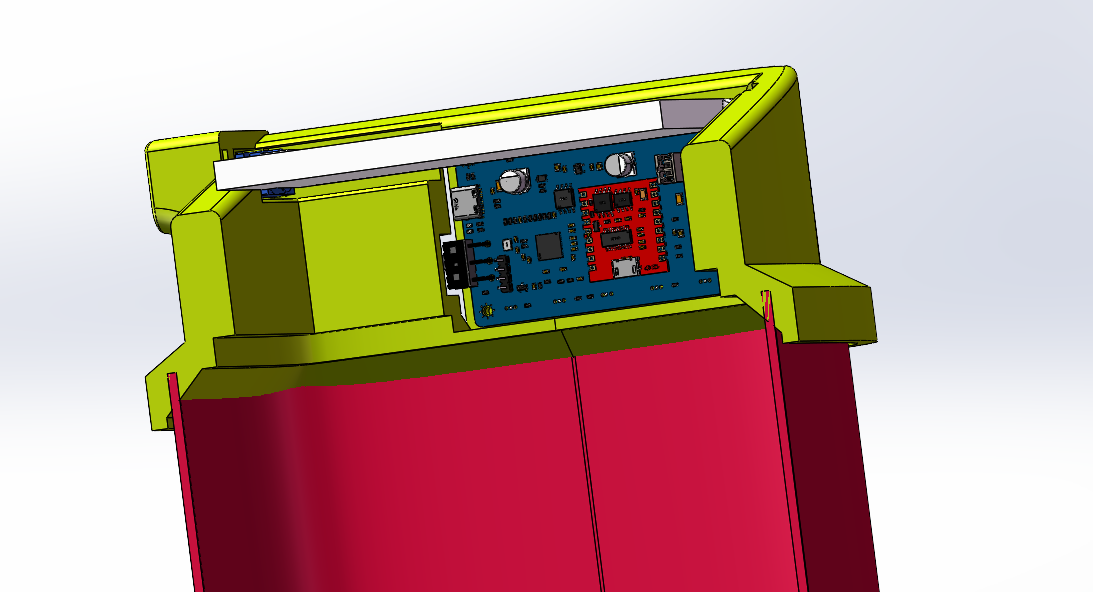
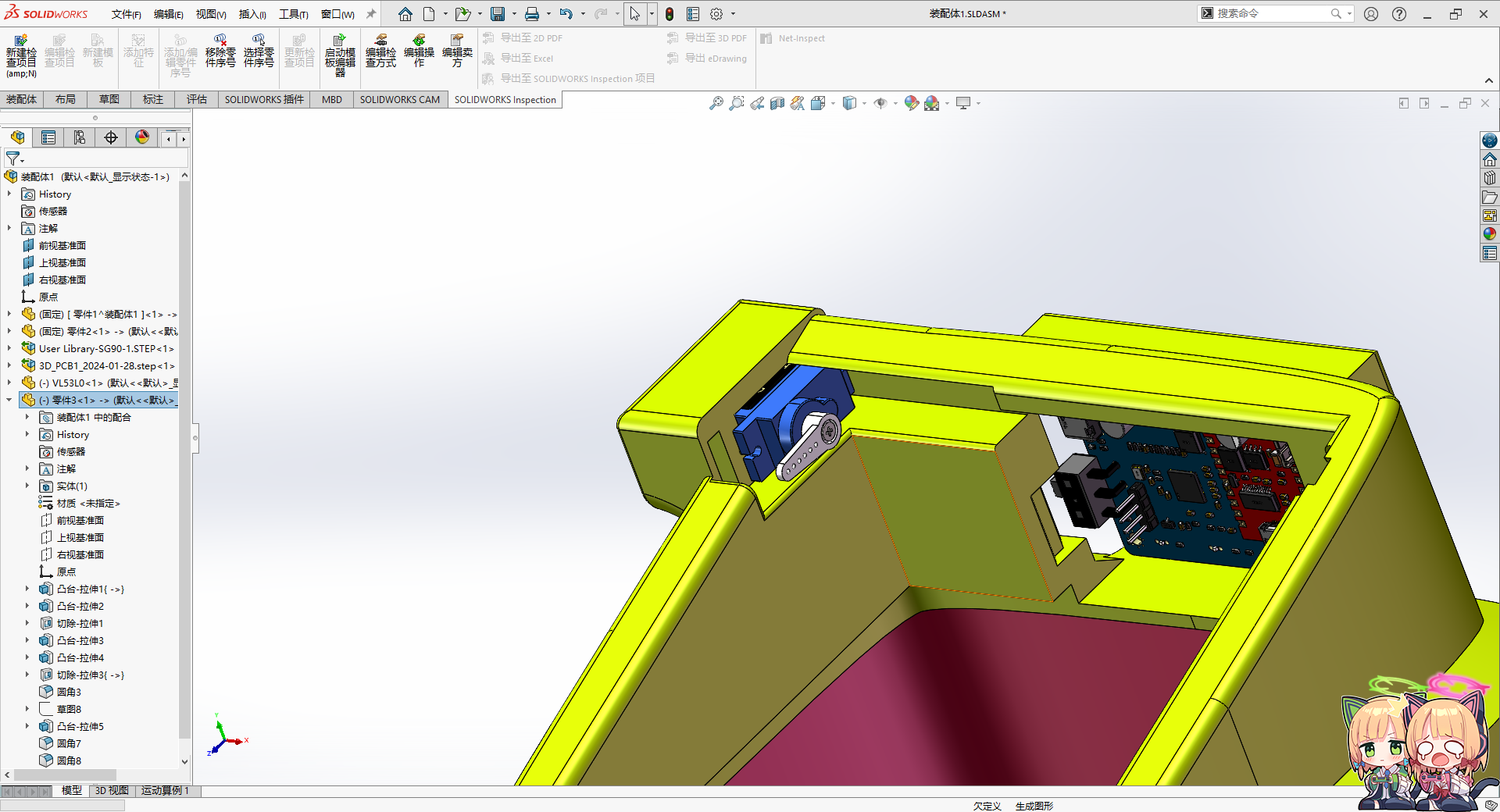
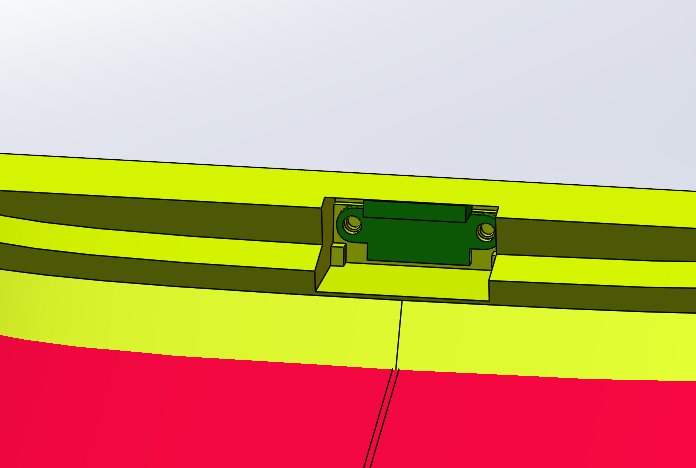
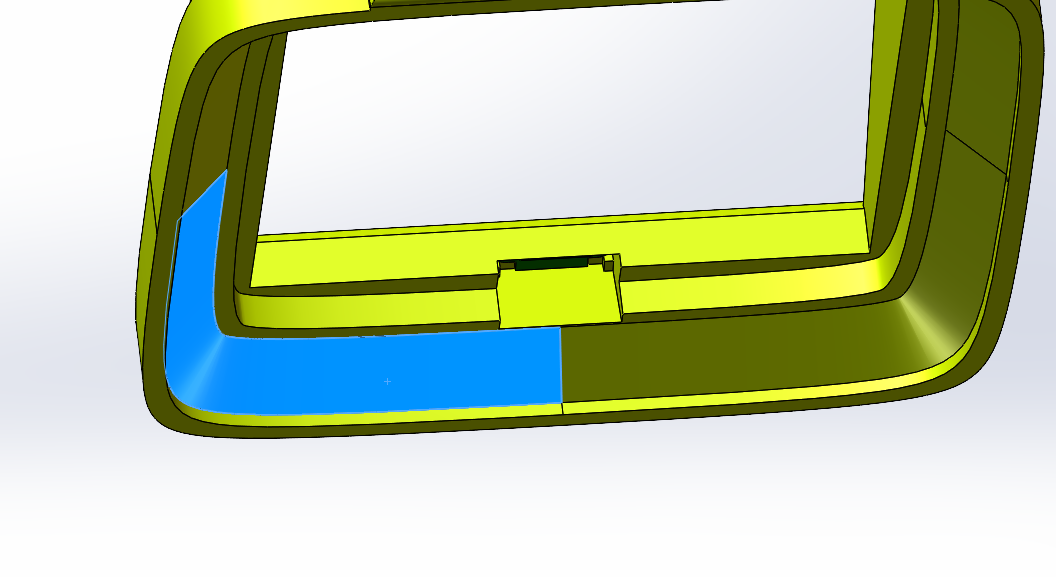
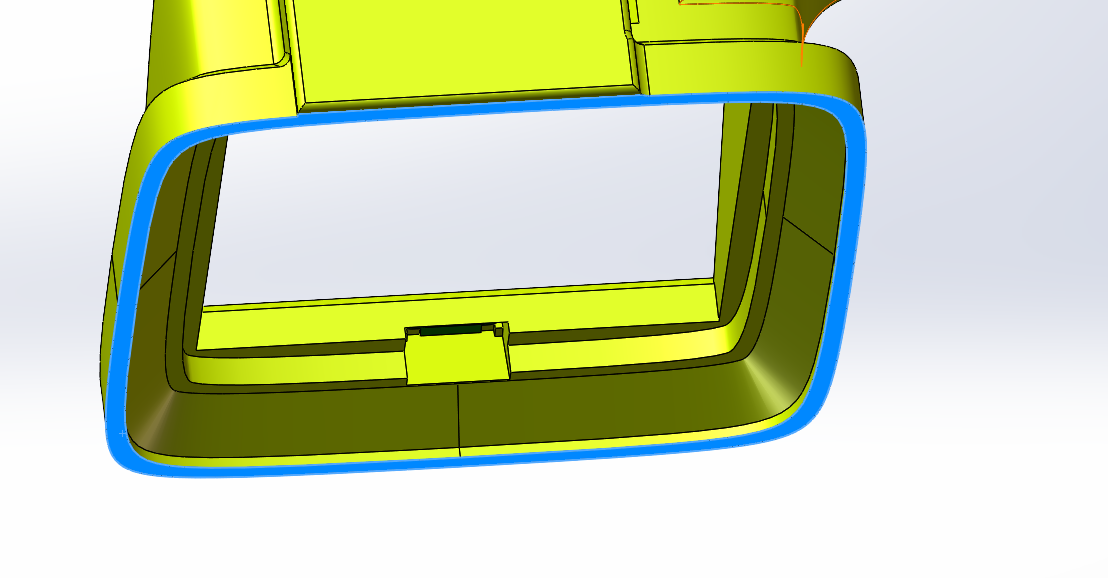
4. Modeling: The PCB is
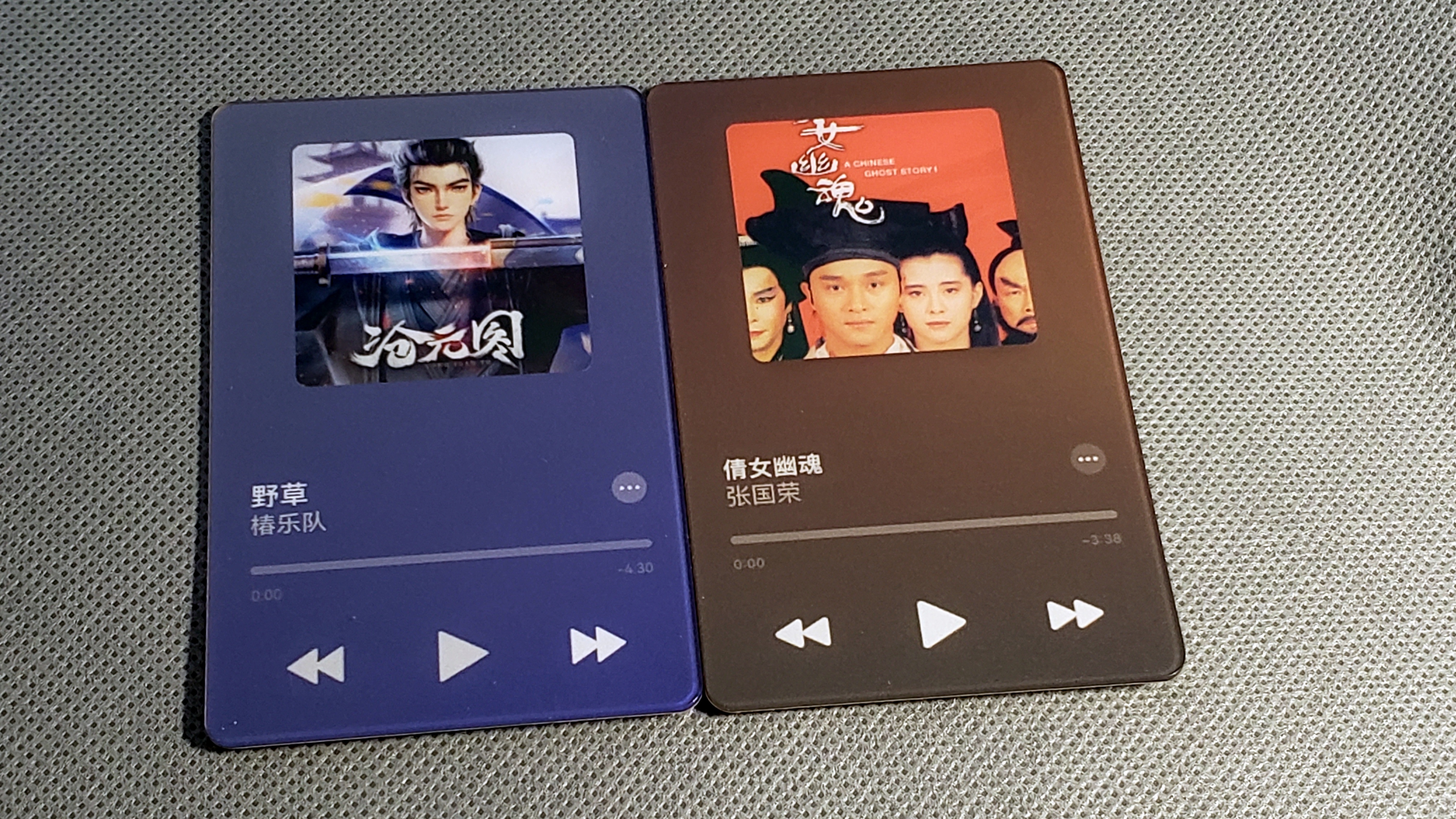
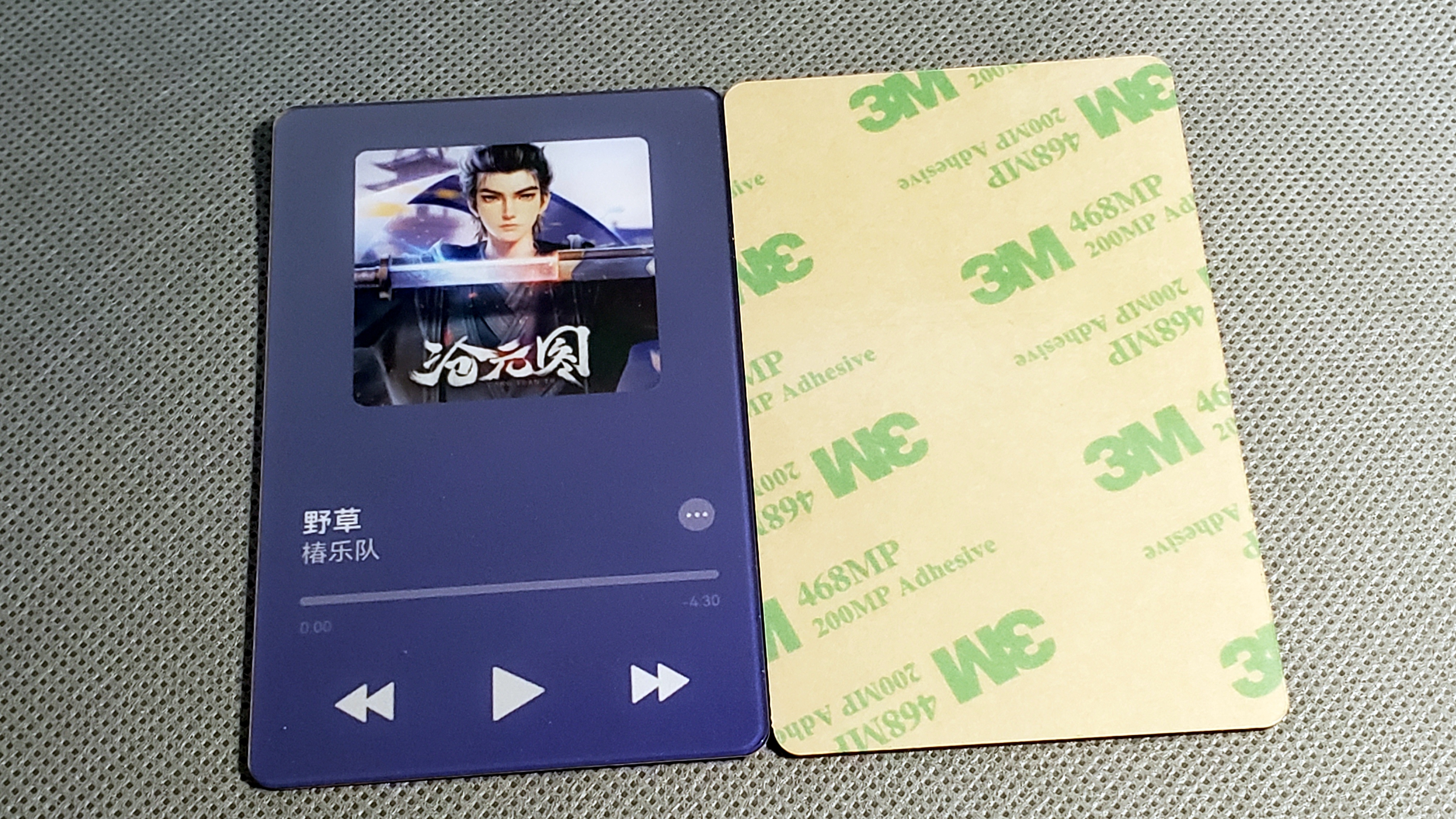
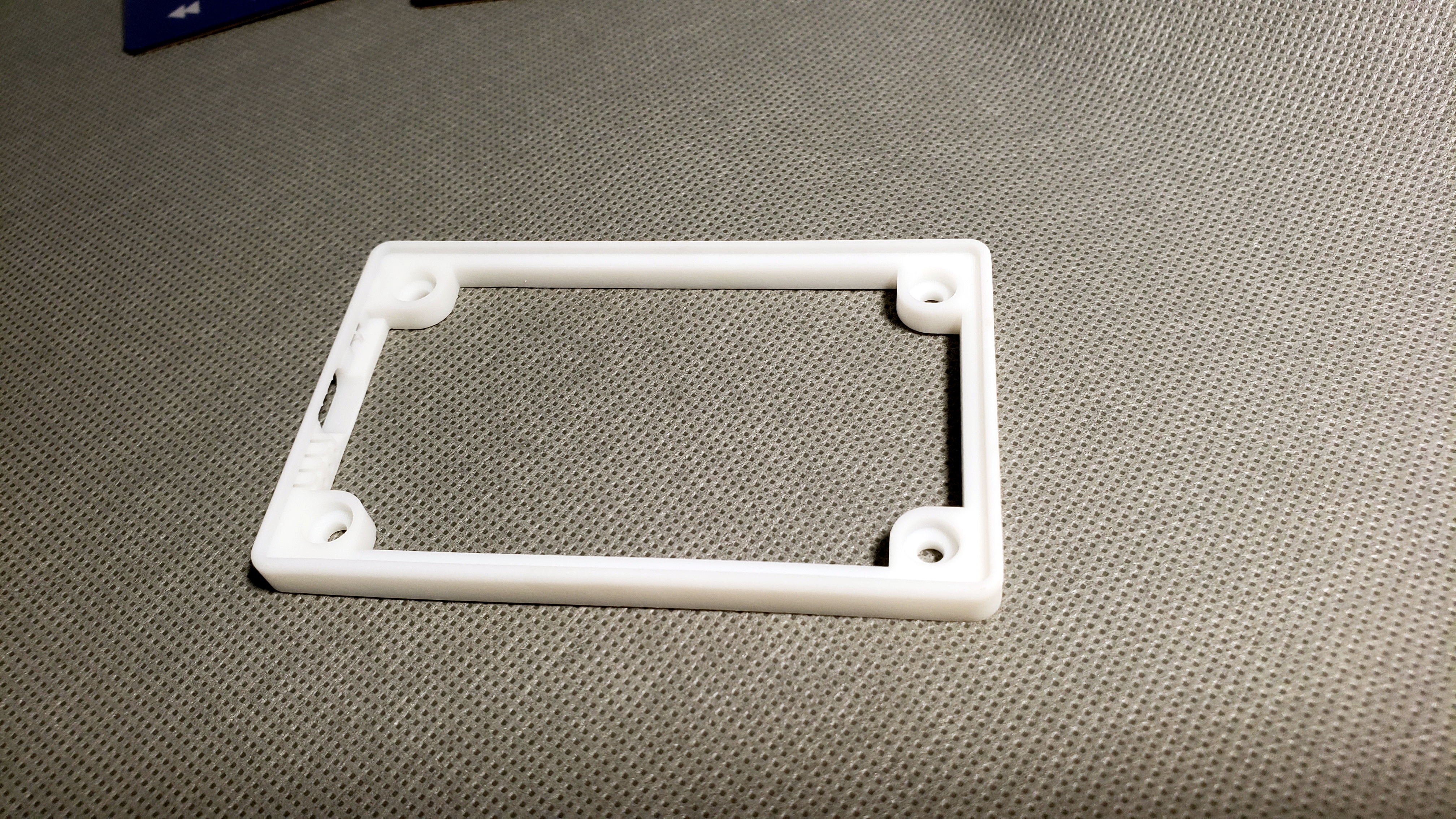
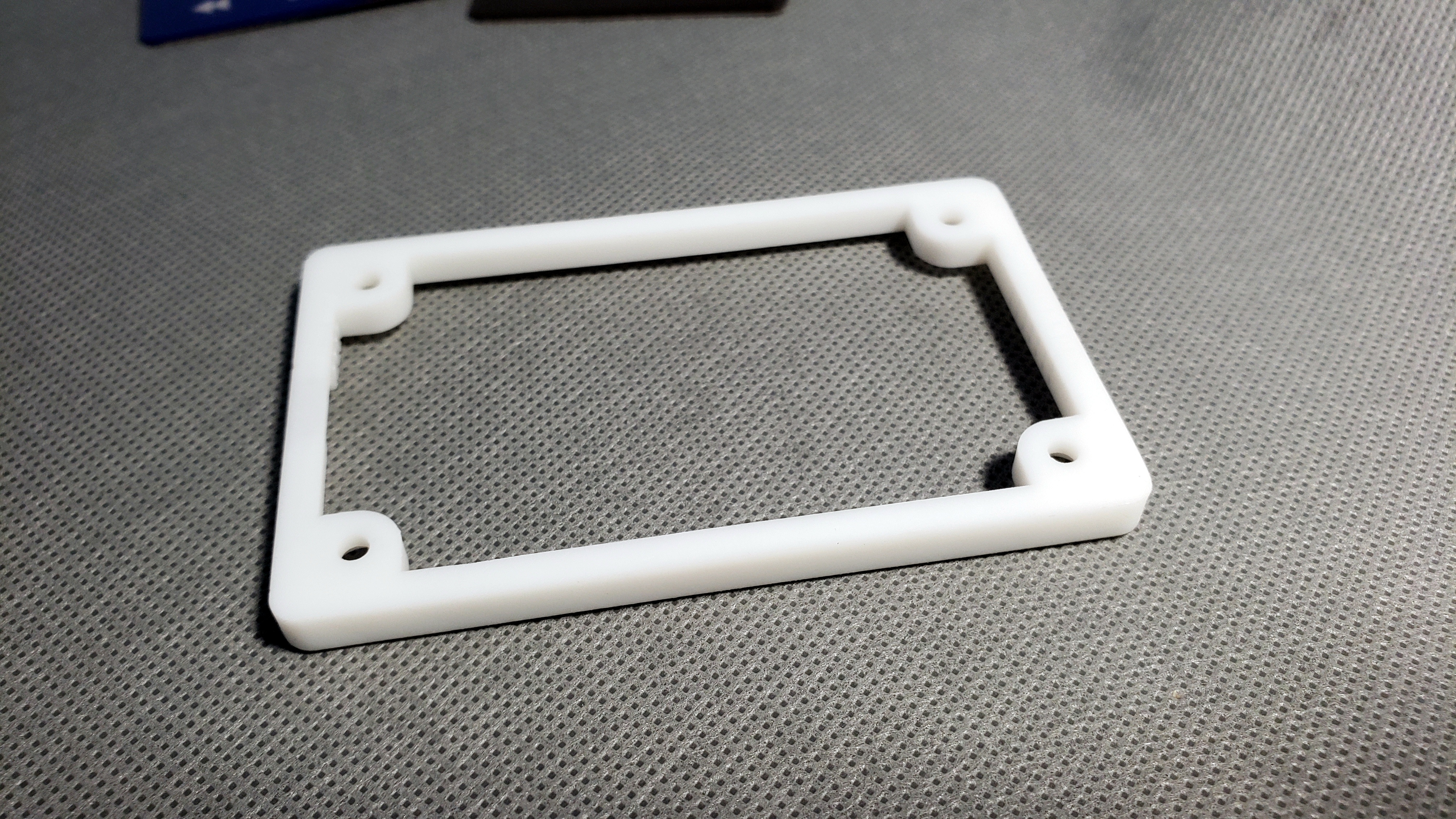
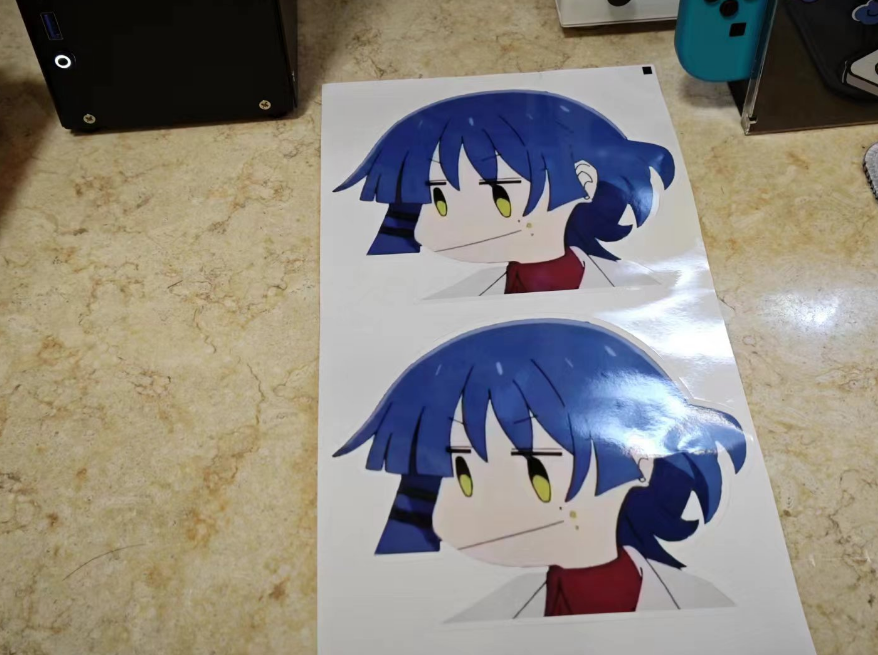
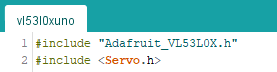
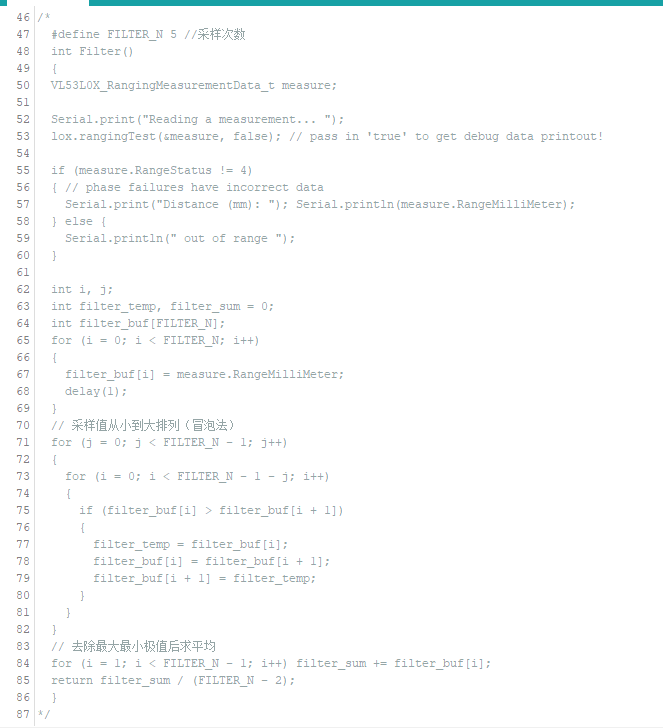
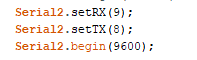
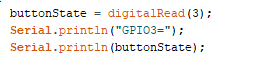
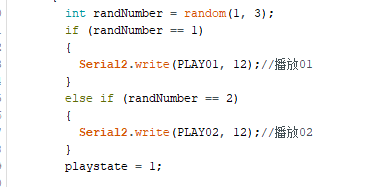
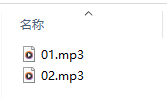
drawn on the back. The servo motor is on the left , and the distance sensor is located in the front, inside. Due to the chamfered edges, the depth at the edge of the trash can may not be ideal, resulting in some displacement. Therefore, it is recommended to increase the depth of this edge. You can buy a ready-made trash can body: https://item.taobao.com/item.htm?_u=tqavhl81084&id=622023310234&spm=a1z0 9.2.0.0.73642e8d2TIQ4e Light Blue Large Size 5. Stickers This project does not provide art materials, please make them yourself using Photoshop. Production requirements: Digital printing self-adhesive, 150*130mm, coated paper, single-sided glossy film. If possible, make the following die-cut lines. The result is as follows. If you have made die-cut lines, you don't need to trim the edges, just cut the opening. 6. Code Using the Arduino platform First, install the PICO2040 Arduino development environment. The code is modified from the Adafruit_VL53L0X demo. The distance sensor has sampling jitter, so multiple filtering algorithms are given here. Adding filtering may cause the servo to become unresponsive. Please note that these arrays are commands for serial communication with DY-SV17F. The pico2040 is a special usage, and you need to declare the serial port 1 and serial port 2 ports and baud rate in advance. Here, GPIO8 is used. GPIO9, so the circuit diagram previously had an unused detection switch state to determine whether it was in automatic or always-on mode , randomly playing two voice clips. The voice clip is taken from episode 9 of the anime "Lonely Rock," between 12 minutes and 8 seconds and 18 seconds.


code.7z
Trash Can 3D.zip
audio.zip
Cool.png
PDF_Fully Automatic Cool Senior Feeder.zip
Altium_Fully Automatic Cold Senior Feeder.zip
PADS_Fully Automatic Cold Senior Feeder.zip
BOM_Fully Automatic Cold Senior Feeder.xlsx
91319
Weather and time keypad based on ESP32 Bluetooth/Wi-Fi
It connects to Alibaba Cloud servers via Wi-Fi to update the time; it also connects to Xinzhi Weather to get weather and lifestyle indices.
Bluetooth allows connection to PCs and mobile phones.
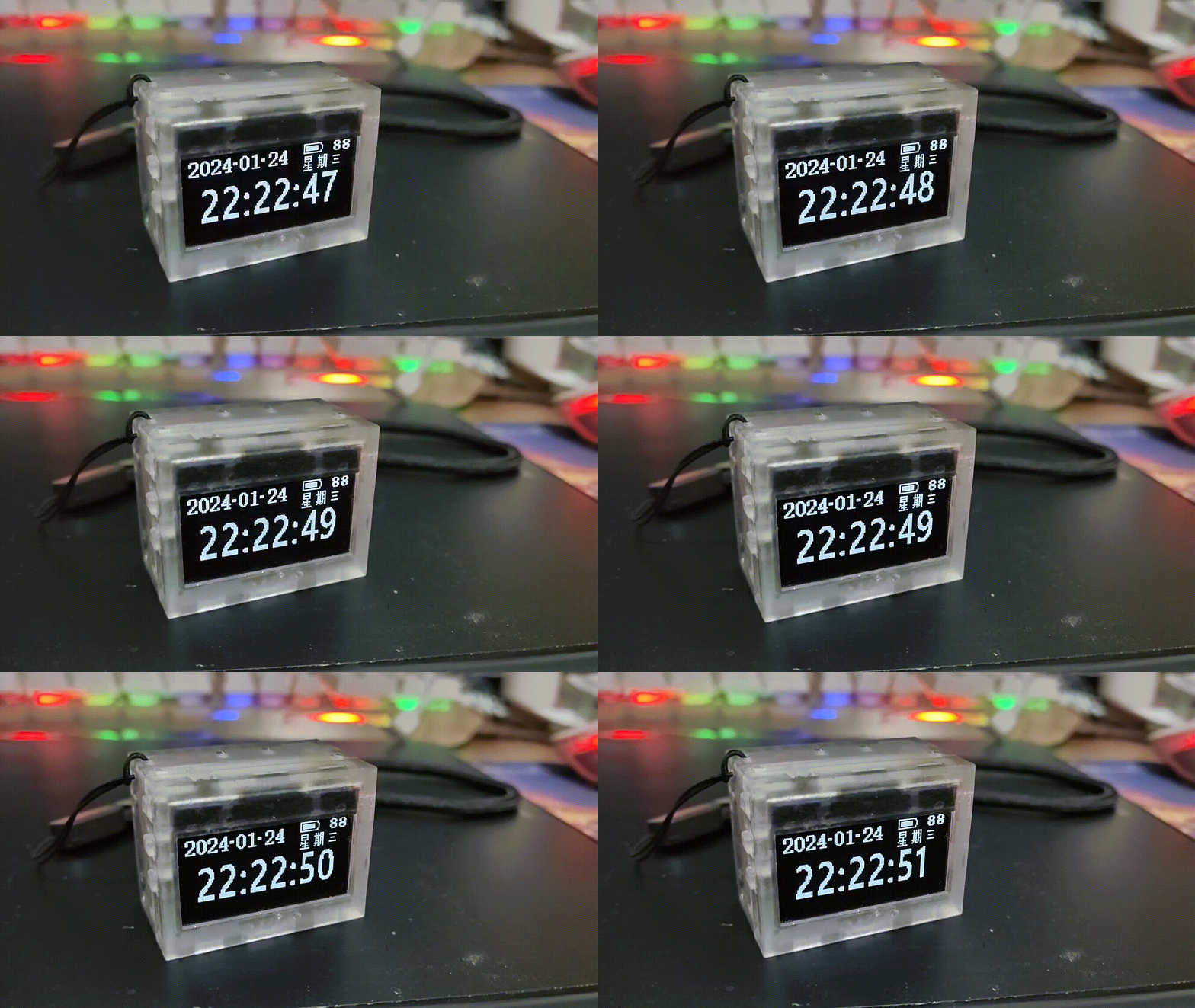
The casing is made of layered acrylic.
It can occasionally function as a keypad for convenient number input; most of the time, it serves as a decorative clock.
I'm using a leftover ESP32-WROOM-32D from a previous project to make a simple Bluetooth keyboard.
Only a little hands-on skill is required :)
[Process]


Keyboard Layout: Create the keyboard layout at www.keyboard-layout-editor.com.
Positioning Board: Copy the keyboard layout to builder.swillkb.com to create the positioning board. This directly generates the entire keyboard's stacked file. Since it's a DIY project and includes a screen, I only used it to create a DXF file for the positioning board.
Schematic: I was lazy, so I didn't use an array for the keys; the number of I/O ports is sufficient for direct connection (ignore the knob presses, as I didn't plan to include a menu).
PCBA Layout: Import the positioning board's DXF into the layout.
Acrylic Stack-up: Convert the PCBA to a STEP file and import it into Solidworks. The keyboard has a sandwich structure, requiring five layers: top layer, bottom layer, frame, positioning board, base plate, and baffle. Make extra prototypes to make the overall thickness more stable for use as a clock/weather display on a desktop (the numeric keypad isn't used very often). Secured with four 2mm Allen screws. The actual DIY project used 28mm black screws.
Code: Arduino framework. No RTOS used, direct polling. Compilation & programming environment: VSCODE Platformio. Mainly used libraries:

Backlight control
Wi-Fi library,
screen display,
weather JSON text parsing
library, 
lightweight Bluetooth library. Important! Otherwise, the heap space for HTTP will be insufficient, and HTTP will not function properly. Note that
USE_NIMBLE must be defined in the Bluetooth library header file BleKeyboard.h. The following comments are provided in the code:
The left side of the screen displays the year, month, day, and time. The upper right corner displays Wi-Fi, Bluetooth, battery/charging indicator, below which are the weather, weather symbols, and temperature. The life tips are scrolling and can be swapped with the temperature symbols below.
The code is a bit rough, feel free to criticize ;-)  


Prepare other materials while PCB design:


Switches: Kailh hot-swappable switches; 
Switches: Kailh Zhixia switches (I like the sound and color) + Changrun satellite stabilizers;
Battery: Zhongshunxin 402764 portable instrument polymer lithium battery 3.7V 1000mAh + DF57 connector cable; 
Keycaps: Five Star eSports PBT frosted translucent gray-black 21-key NumPad keycaps;
Rotary caps: Handoo aluminum alloy mechanical keyboard knob caps;
Display: Zhongjingyuan 2.08-inch OLED display 25664 sh1122 white; SPI interface module [pin headers are not soldered by default] 2.54 pin header length needs to be adjusted; 
RGB LEDs: WS2812B LED chips (any one will do);
 
[Assembly and Network Configuration]


First, solder the PCBA (RGB chips, switches)
. Assemble the switches, positioning plate, and PCBA. Be especially careful not to break the satellite stabilizers, as acrylic is brittle. Small local breaks are okay.
Arrange the acrylic layers roughly in the following order: top layer, bottom layer, frame * n, positioning plate, frame * n, bottom plate; insert the baffle between the bottom plate and bottom layer. Trim the screen pin length and adjust the number of layers used. Plug in the screen, keeping it as close as possible to the top and bottom layers. Secure the end furthest from the screen socket with foam.
Tighten the four 2mm Allen screws.
Power on; the first time connecting to the network requires downloading the Esptouch app on your phone and connecting to the same Wi-Fi network for pairing. Subsequent power-ups will automatically connect.


[To be optimized]


Low power consumption is not implemented. A 1000mAh battery with Wi-Fi and Bluetooth fully enabled only lasts about five to six hours. It's mainly used as a clock via USB.
Changing the city string in the weather API settings to "ip" will automatically connect to the current city.


String url_weather = "https://api.seniverse.com/v3/weather/now.json"; String url_life = "https://api.seniverse.com/v3/life/suggestion.json";
String city = "Jiangsu Suzhou"; //This could be changed to "ip" to automatically obtain the current city . The


knob may cause errors when turned up and down quickly; this could be optimized.
Modify the buttons to an array, allowing for combination. Then, add a menu in the code, allowing adjustment of RGB colors, displayed content, etc.
The USB port is at the top, causing light to leak onto the screen. The PCBA and frame could be modified to allow the USB port and switch to come out from the side.


3D_PCB_ESP32KB_2024-01-16.SLDASM
myESP32NumPad
platformio.ini
IMG_4800.Mp4
PDF_Weather and Time Keyboard Based on ESP32 Bluetooth-Wi-Fi.zip
Altium-based ESP32 Bluetooth/Wi-Fi weather and time keypad.zip
PADS_ESP32-based Bluetooth_Wi-Fi weather and time keypad.zip
BOM_ESP32-based Bluetooth/Wi-Fi weather and time keypad.xlsx
91320
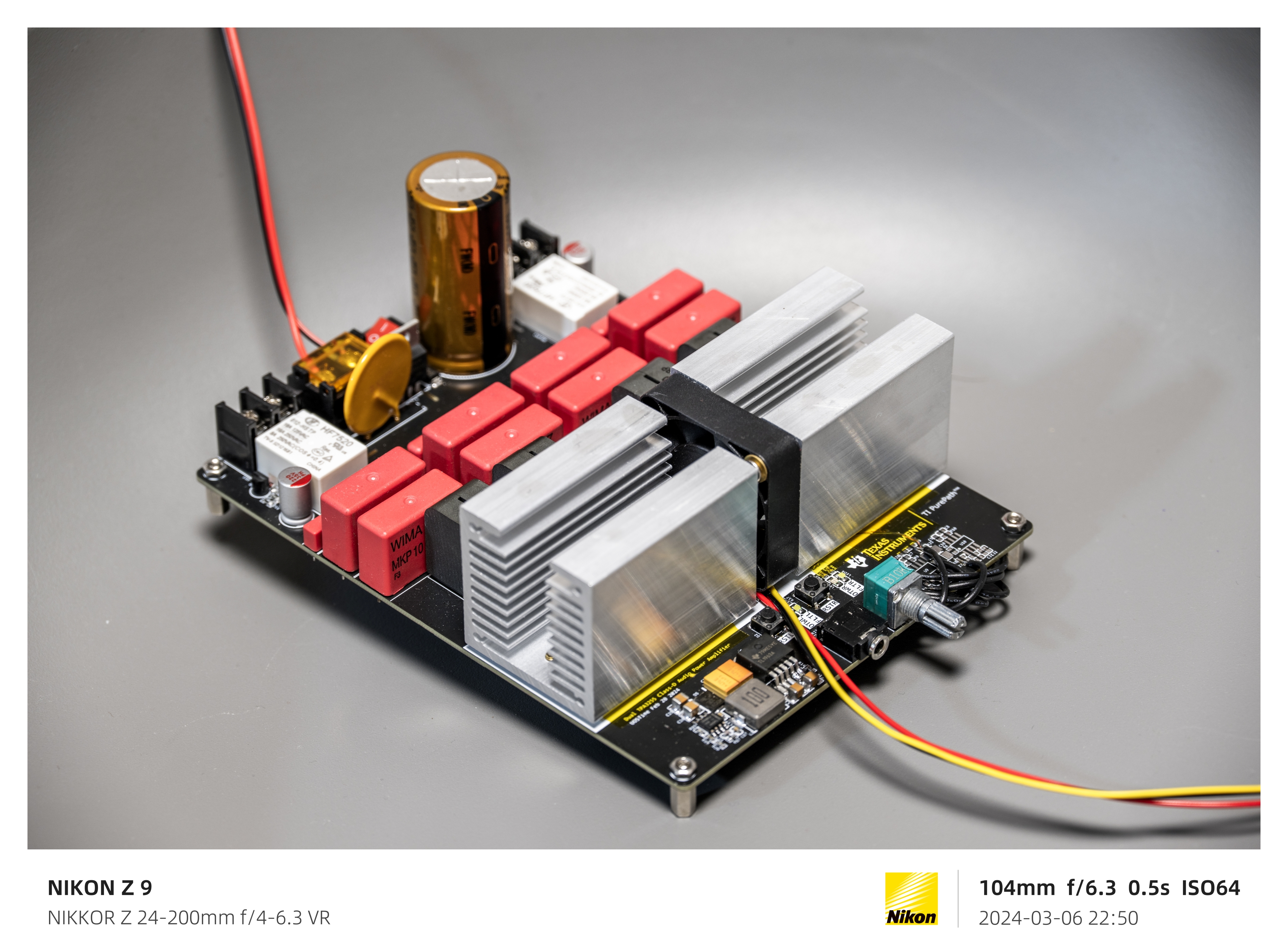
Dual TPA3255 "1200W" Class D Audio Power Amplifier
High-performance, high-power audio amplifier based on TPA3255, with speaker protection.
Since the MAX II project was cancelled, I'm making a dual TPA3255 design as a temporary solution. There aren't many people on this site who have done this before, and only two open-source projects exist (both are quite abstract).
This design is a continuation of the previous 1794 project, completely filling the gaps in audio functionality. I've already done decoding and power amplifier work, so I won't be venturing into audio again unless absolutely necessary.
Enough rambling, let's get to the introduction.
 
All materials and documents for this design (schematics, datasheets, layout, heatsink CAD files, etc.) are included in the attached compressed file; please download and use them.
The design uses two TPA3255 chips, similar to the PCM1794. Each chip is configured in PBTL mode and dedicated to one channel, thus achieving a dual-channel output of 605W*2 (this is a theoretical value; see the datasheet and my video for details).
The audio input is single-ended, but a balanced signal can also be connected after the op-amp preamp as the input (the latter requires custom wiring based on the location).
Onboard power switch, reverse connection protection circuit, resettable fuse, and speaker protection circuit. Power supply DC 24V - DC 48V input (no rectifier bridge, must be a single DC power input!).
Onboard voltage regulator to power the preamplifier circuit and TPA3255 control logic. Except for the VIN - DC 15V channel, all other circuits use TI's ultra-low noise linear regulators.
SAGAMI 7G23B digital amplifier-specific inductors are used, but can be modified to other types. Due to having many spare WIMA capacitors at home, they were also used in the project; these can be replaced to save cost and space.
A dedicated heatsink is designed to accommodate a 4010 cooling fan for active cooling.
 
【Important】Notes:
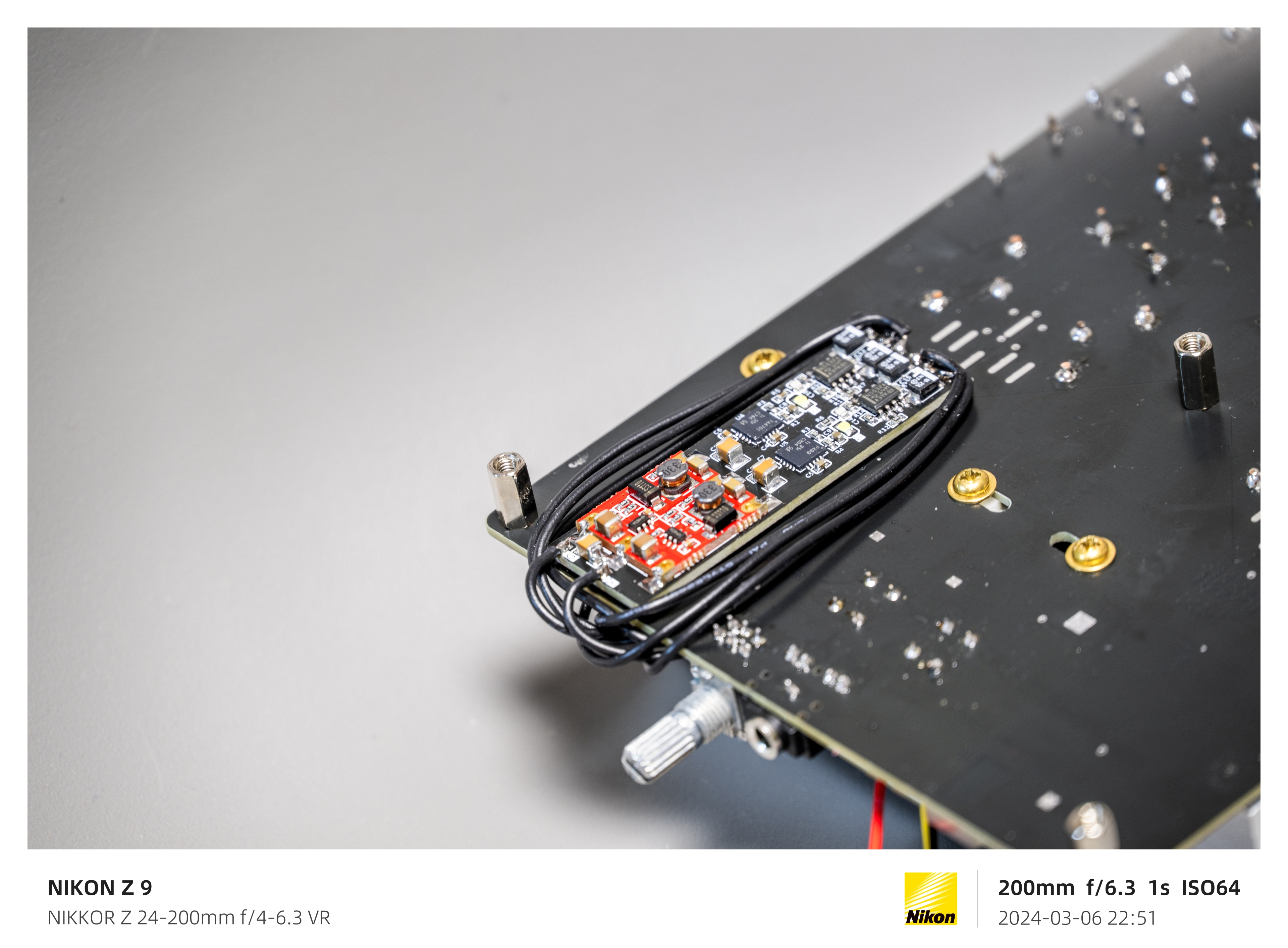
1. Due to an error in the initial PCB design, the "Pre-Amplifier" module in schematic "Board1" has been deprecated; it has been replaced by another board in the project, "Patch," whose circuitry replaces the "Pre-Amplifier" module. Do not solder the corresponding part of the "Pre-Amplifier" module in "PCB1". Construct the circuit in "Patch" according to the network name and connect the jumper wires. Connect the power supply of "Patch" to the output stage of TL1963A. You will also need to purchase a small single-supply to dual-supply module; see the "Patch" schematic for details. If possible, you can directly copy the "Patch" circuit, add it to "Board1", and delete the original "Pre-Amplifier" module. Since the project has been uploaded and locked, I cannot make any changes; please understand.
2. If you find a 10uH inductor on pin 2 "VDD" of the TPA3255 in the "Board1" schematic, please remove it and directly connect +12VL/R to the corresponding pin. According to actual testing, this inductor affects the power supply of the TPA3255 logic circuit and repeatedly triggers a reset.
 
I've uploaded the detailed production process and explanations to Bilibili, link: https://www.bilibili.com/video/BV1pi42197q3/
I will be migrating these projects to GitHub, my GitHub homepage: Your Repositories (github.com).
My videos are also available on YouTube, my YouTube homepage: (1165) UOSTime - YouTube.
For any questions, I suggest asking on Bilibili; the same applies to discussions. I don't check here often.
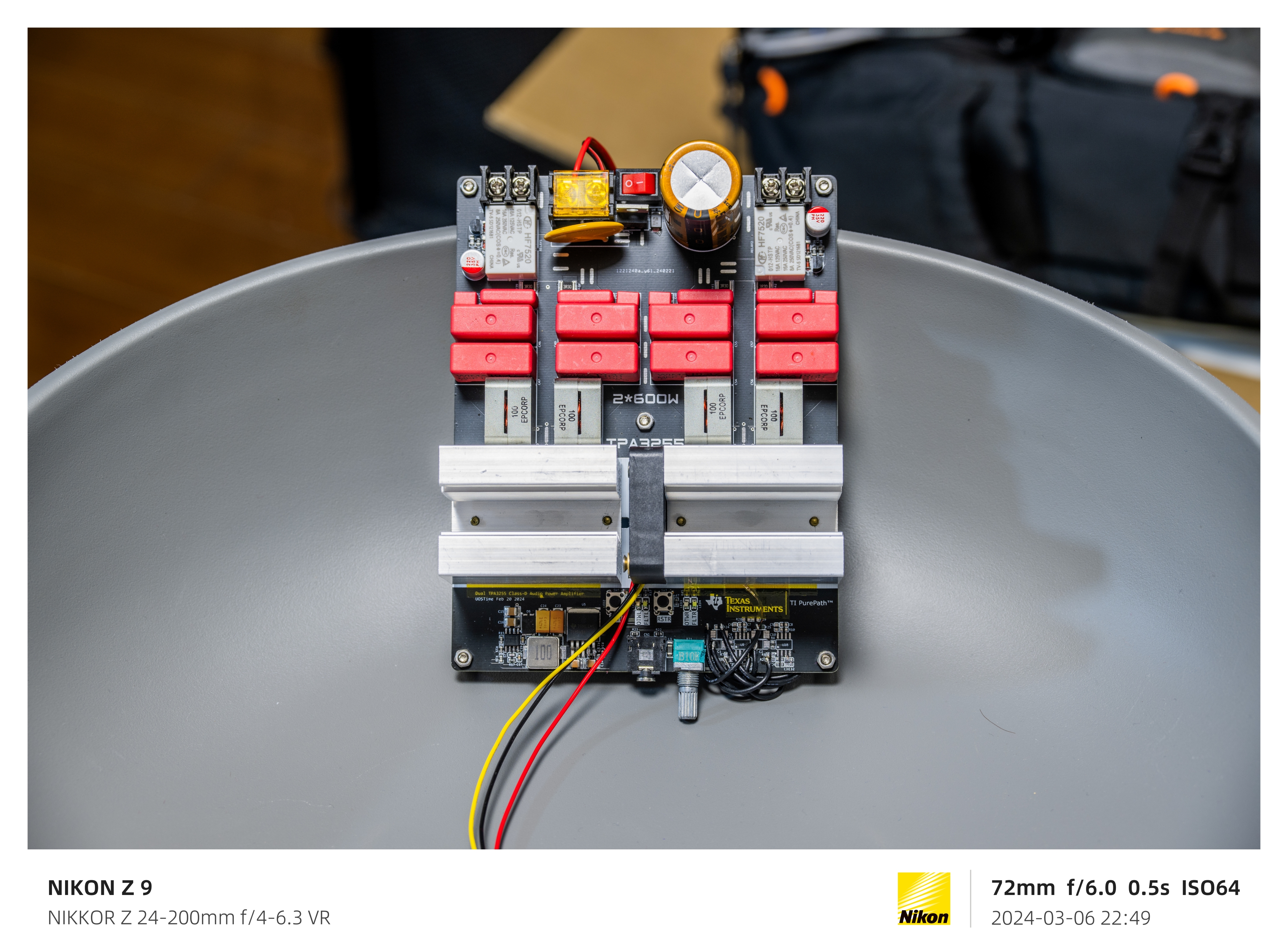
Below are some photos:


Resources.zip
PDF_Dual TPA3255_1200W_Class D Audio Power Amplifier.zip
Altium Dual TPA3255 1200W Class D Audio Power Amplifier.zip
PADS_Dual TPA3255_1200W_Class D Audio Power Amplifier.zip
BOM_Dual TPA3255_1200W_Class D Audio Power Amplifier.xlsx
91322
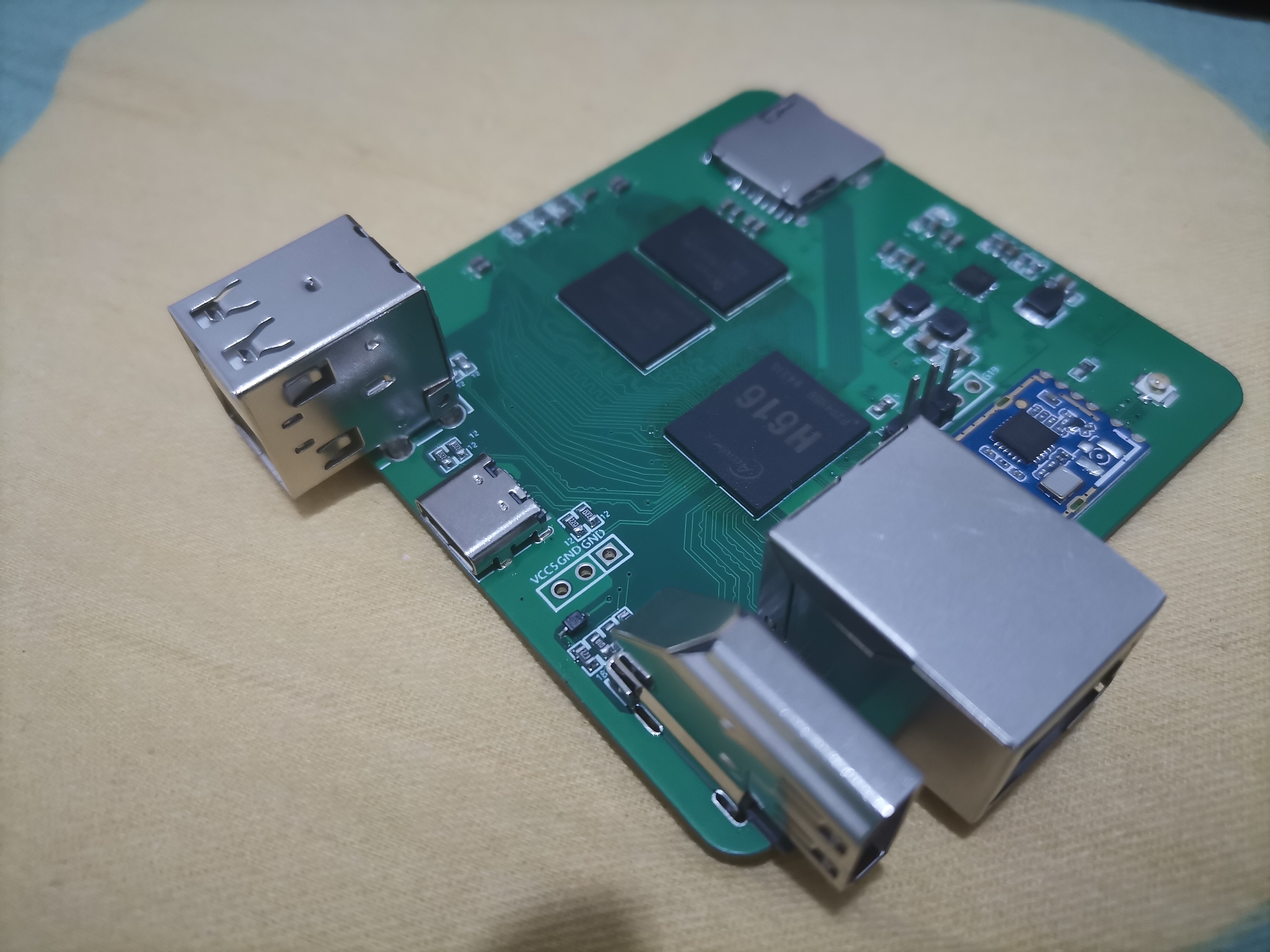
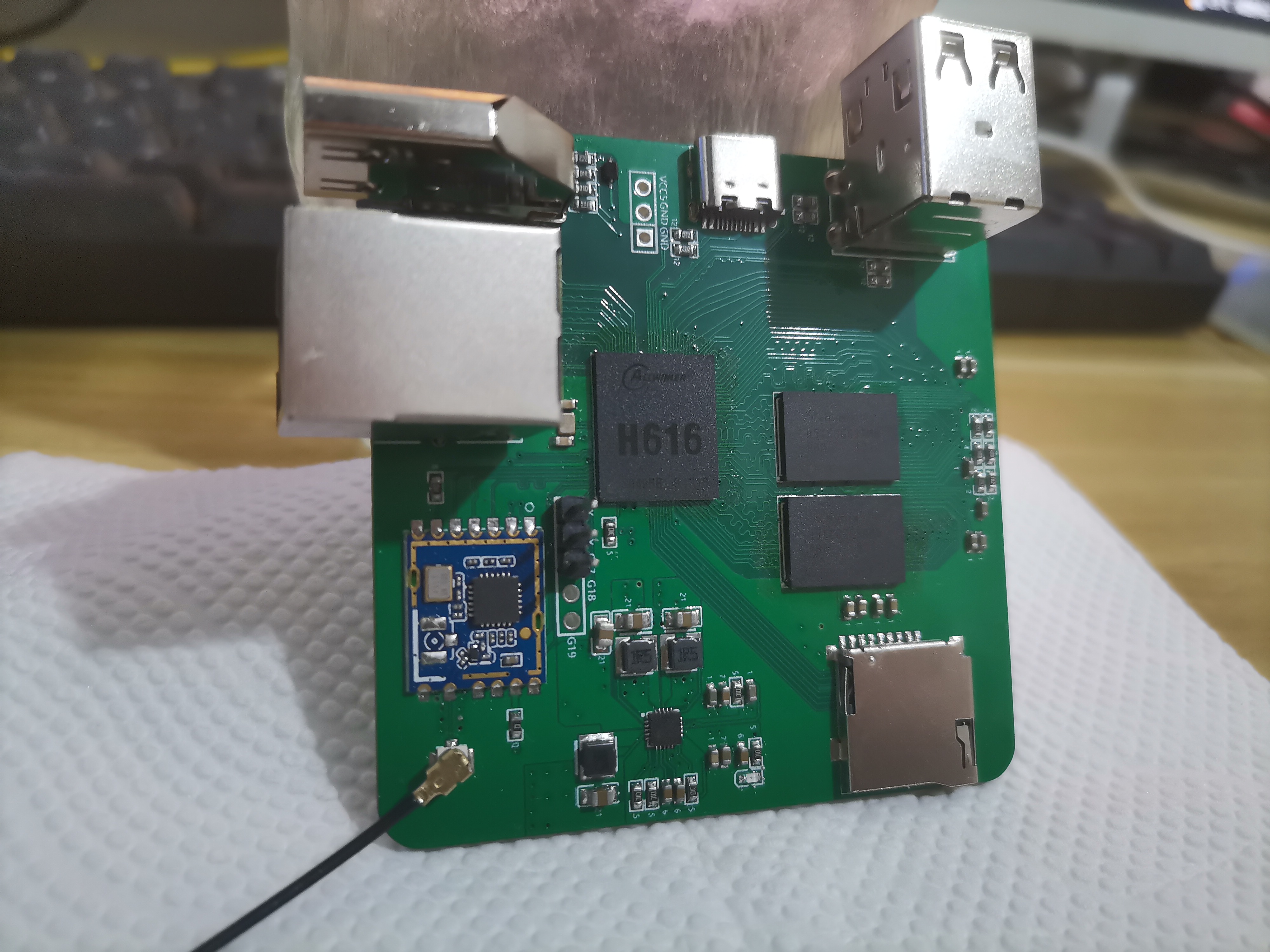
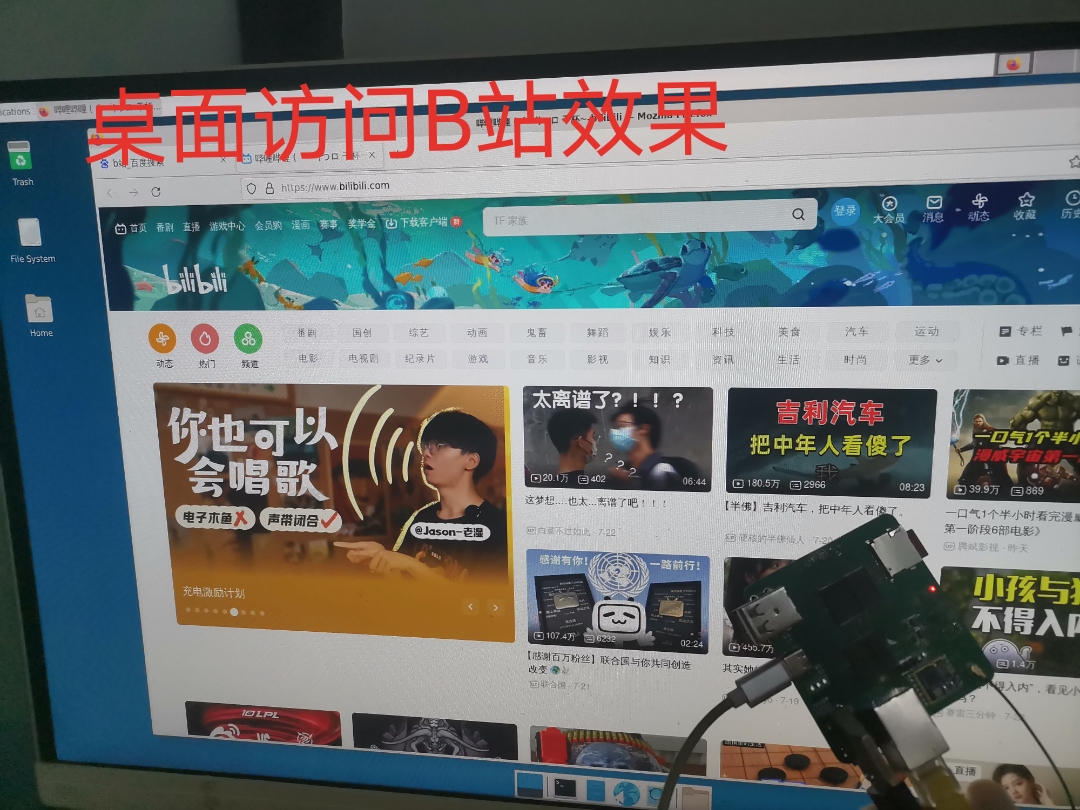
Allwinner H616 4-layer dual-layer memory Linux Ubuntu card computer
Allwinner H616-4-layer PCB Linux development board single-chip microcomputer
Onboard Resources

: CPU: 4 * A53
; Memory: DDR3(L) * 2
; Network: Ethernet 100M + RTL8189 WIFI;
Display: HDMI 4K@30;
Interfaces :
1. TF Card;
2. USB 2; 3.
Type-C 1 ; 4.
HDMI 1;
5. Ethernet 1; System:


Tina Linux (32bit)
, Ubuntu 22.04;
Deban11
; Deban12
; Android TV;

Performance :

CPU clock speed 1.4GHz;
Memory can run at 1056MHz on Allwinner HD (Tested NAND flash: H5TC8G63AMR-PBA DDR3L 1GB)

; Cost Estimate:

H616 + AXP313A = 42;
H5TC8G63AMR-PBA = 12;
RTL8189F = 5
; RJ45 Ethernet Port = 2;
Others = 10;

Notes:

The automatically generated BOM list below is incorrect. Please do not use it.
Select JLCPCB when placing an order >>> 4-layer 3313 laminated board <<<
Free vias, 0.3/0.4mm
board thickness, 1.6mm. [Link to

BOM purchase link] [Link to
finished product purchase link
] Revenue will be used to support the author's open-source project and future open-source efforts. Ubuntu Deban image and source

code

will be provided in the QQ group files. Other
discussion QQ group: 169300702.

Special thanks to @caowoye for supporting this project

. [Image]
PDF_Allwinner H616 4-layer dual-layer memory Linux Ubuntu card computer.zip
Altium_Allwinner H616 4-layer dual-layer memory Linux Ubuntu card computer.zip
PADS_Allwinner H616 4-layer dual-layer memory Linux Ubuntu card computer.zip
BOM_Allwinner H616 4-layer dual-layer memory Linux Ubuntu card computer.xlsx
91323
Yongying – A quirky wireless charger and desktop clock
A wireless charger based on IP6826, which also incorporates the WS2812 to create a desktop clock.
The
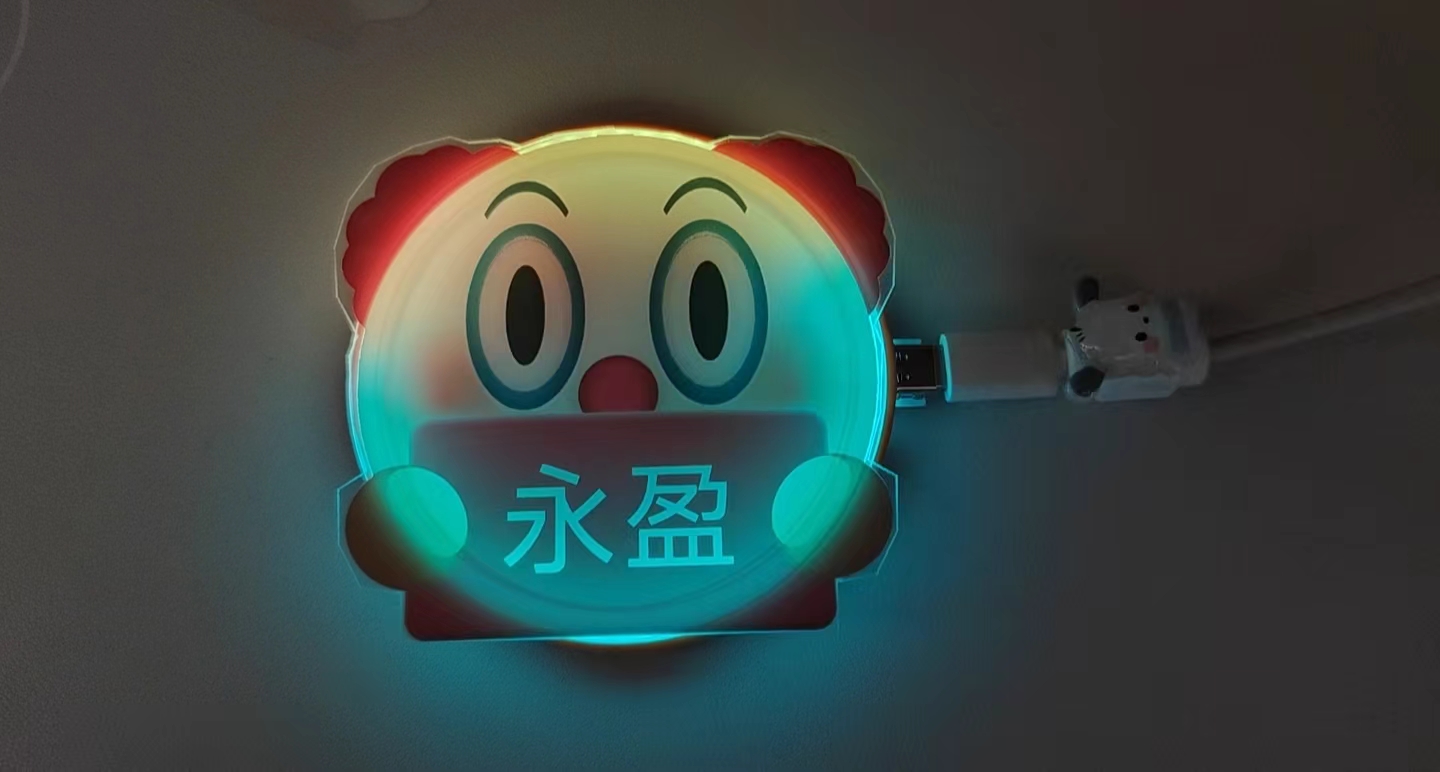
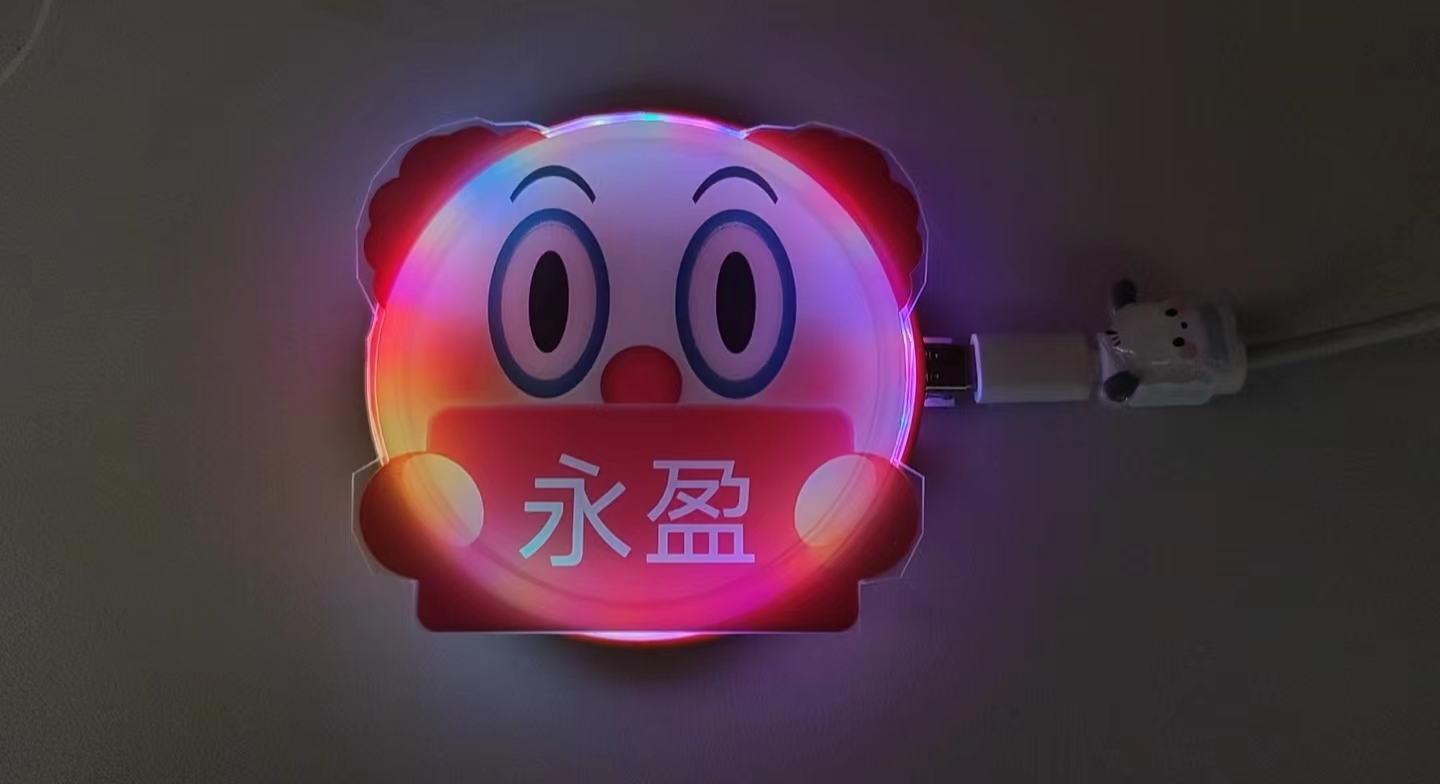
project uses the IP6826 as the main control chip for the wireless charger, primarily for wireless charging mobile phones. The casing features a clown design for added humor; the clown's logo text can be changed to more entertaining text. To address the monotony of simple wireless charging, 59 WS2812 LEDs are used in a ring to provide a clock or light show effect. The project
showcases
entertainment features
by providing a mirrored time, displaying an incorrect time to mislead others, or suddenly triggering an RGB light show. Both the mirrored and normal time displays are shown in the demo code.
The casing
is partially 3D printed and partially made of acrylic panels; the 3D model is in the attachment, and the panels are in the project file. The panels were not printed with adhesive backing; double-sided tape can be used to attach them later. For the clown-patterned acrylic panels, please choose the thinnest possible thickness; thicker panels may affect wireless charging functionality .
Note that


some capacitors should have high voltage ratings. If you don't need the WS2812 component, it's essentially a wireless charger.


The IP6826 main controller needs to be purchased with its own firmware. This controller supports 15W wireless charging


and is not compatible with the ESP32. You can replace it with the ESP8266 as the WS2812's main controller, which offers better value.


The two Type-C ports cannot be plugged in simultaneously. For daily use, please distinguish which Type-C port to use. The other Type-C port is used for program flashing.

March 24th (1).mp4
Yongying v3.step
codeDemo.zip
PDF_Yongying - A quirky wireless charger and desktop clock.zip
Altium_永盈—A quirky wireless charger and desktop clock.zip
PADS_Yongying - A quirky wireless charger and desktop clock.zip
BOM_Yongying - A quirky wireless charger and desktop clock.xlsx
91324
True Zigbee temperature and humidity sensor + door sensor
w-TD03 (Temperature and Humidity + Door Magnetic Sensor) - Summer Breeze Product
I'm here! (March 24, 2024)
Following the Zigbee door sensor released in 2023, link: https://oshwhub.com/myjuly/ji-yucc2530-dizigbee3-0-men-ci
This time, I'm bringing devices that support temperature and humidity. For those managing via Zigbee2MQTT, no JS files are needed; all devices simulate TY devices and support TY gateways.
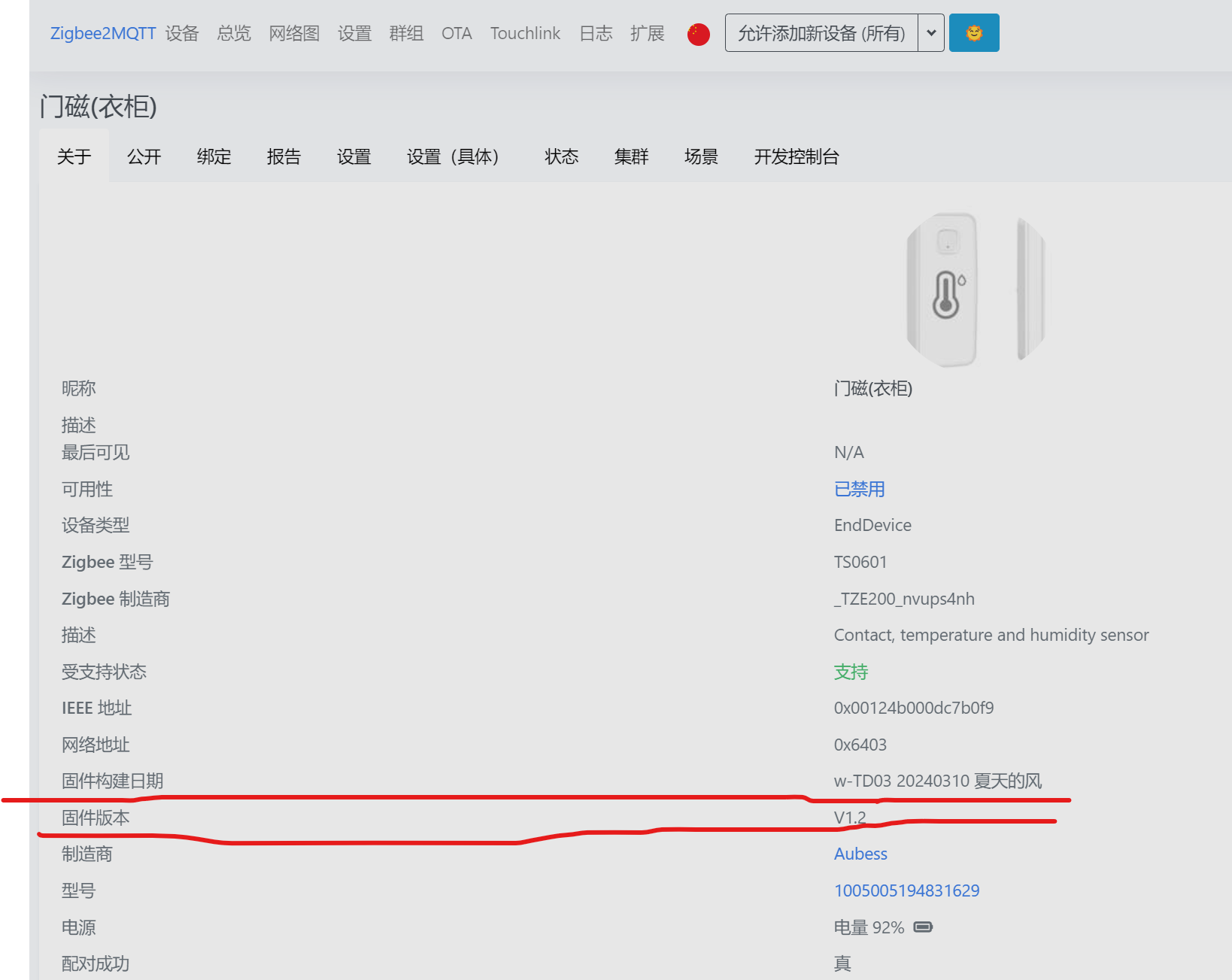
Note: Version V1.2 only supports the SHT3x series sensors; compatibility with SHT2x and AHTxx series is not yet implemented, but will be considered later.
 
 
Without further ado, let's get straight to the introduction (very loudly!!!).
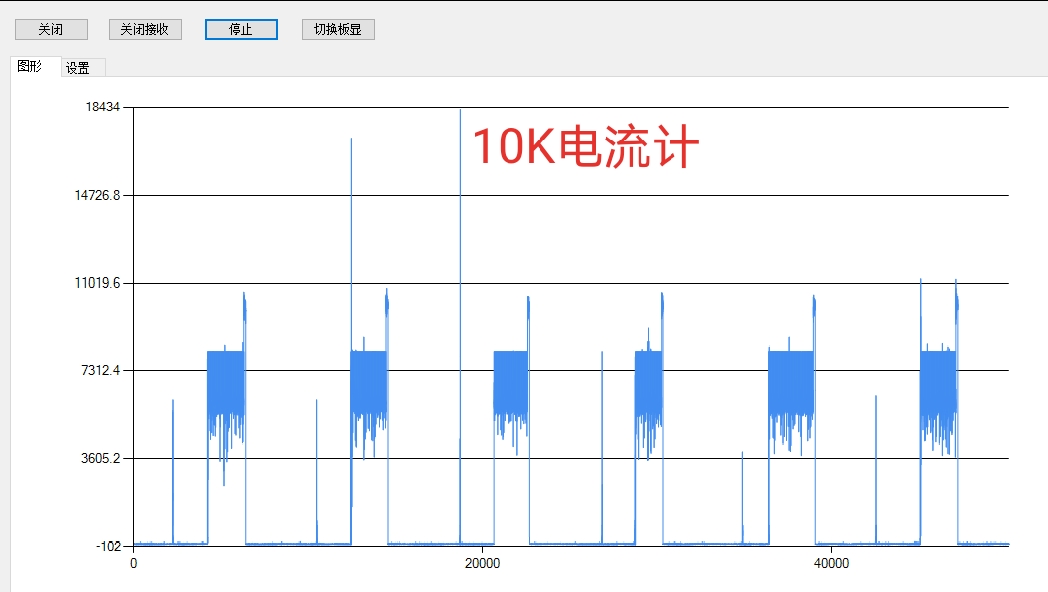
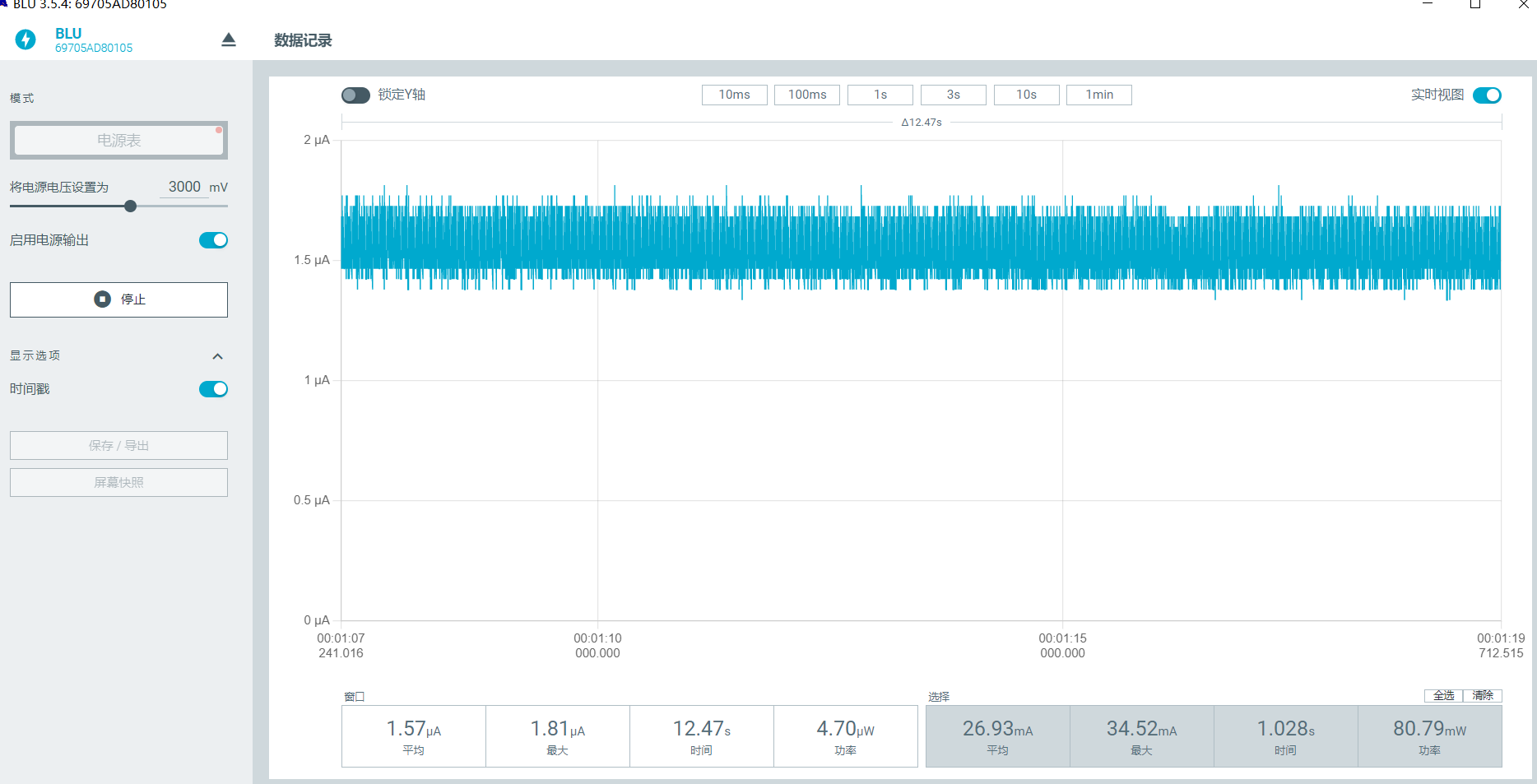
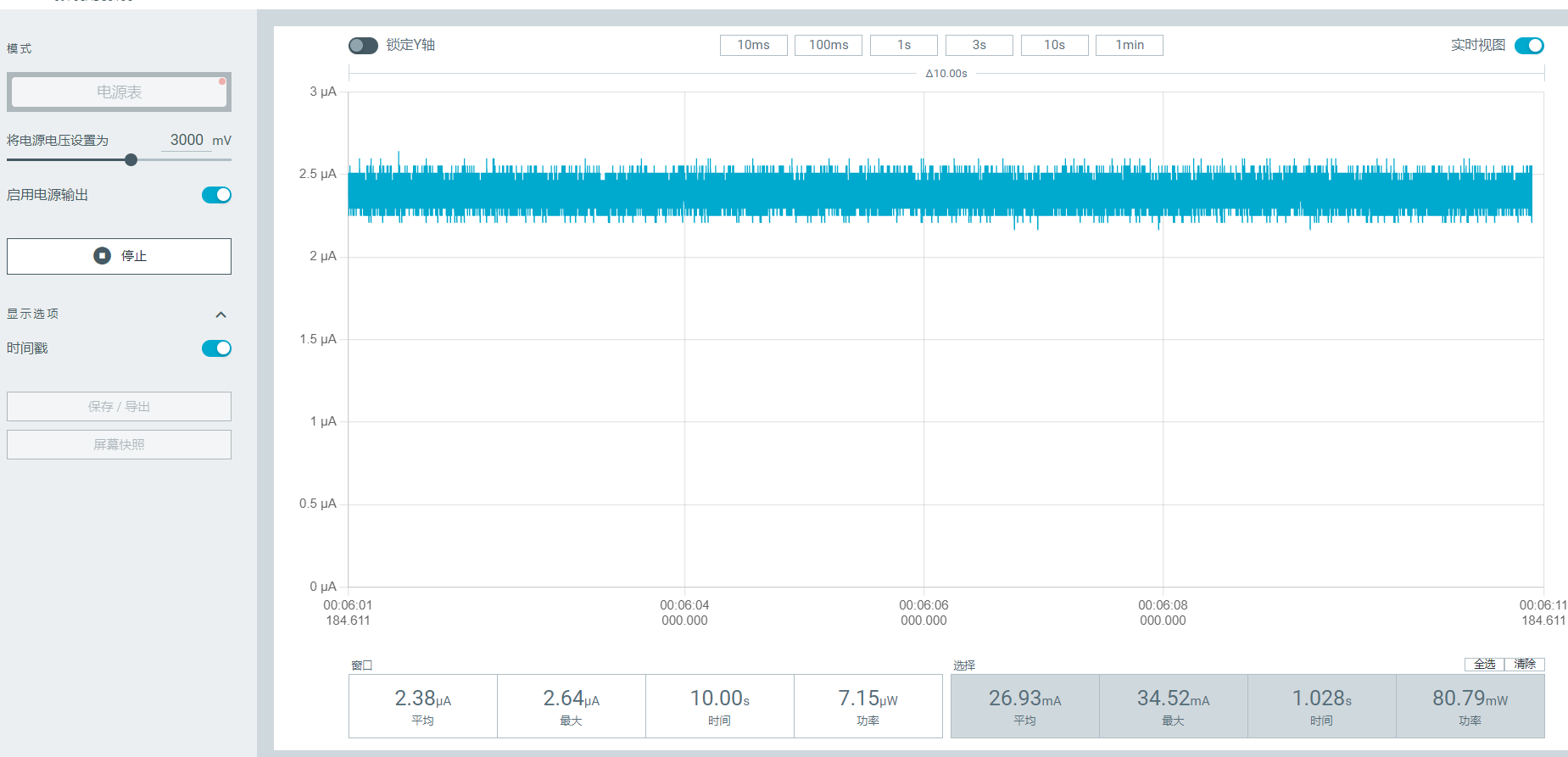
Standby power consumption test (most important).


You can also test it using a CC meter; I've already tested it, but forgot to take screenshots.
 
 
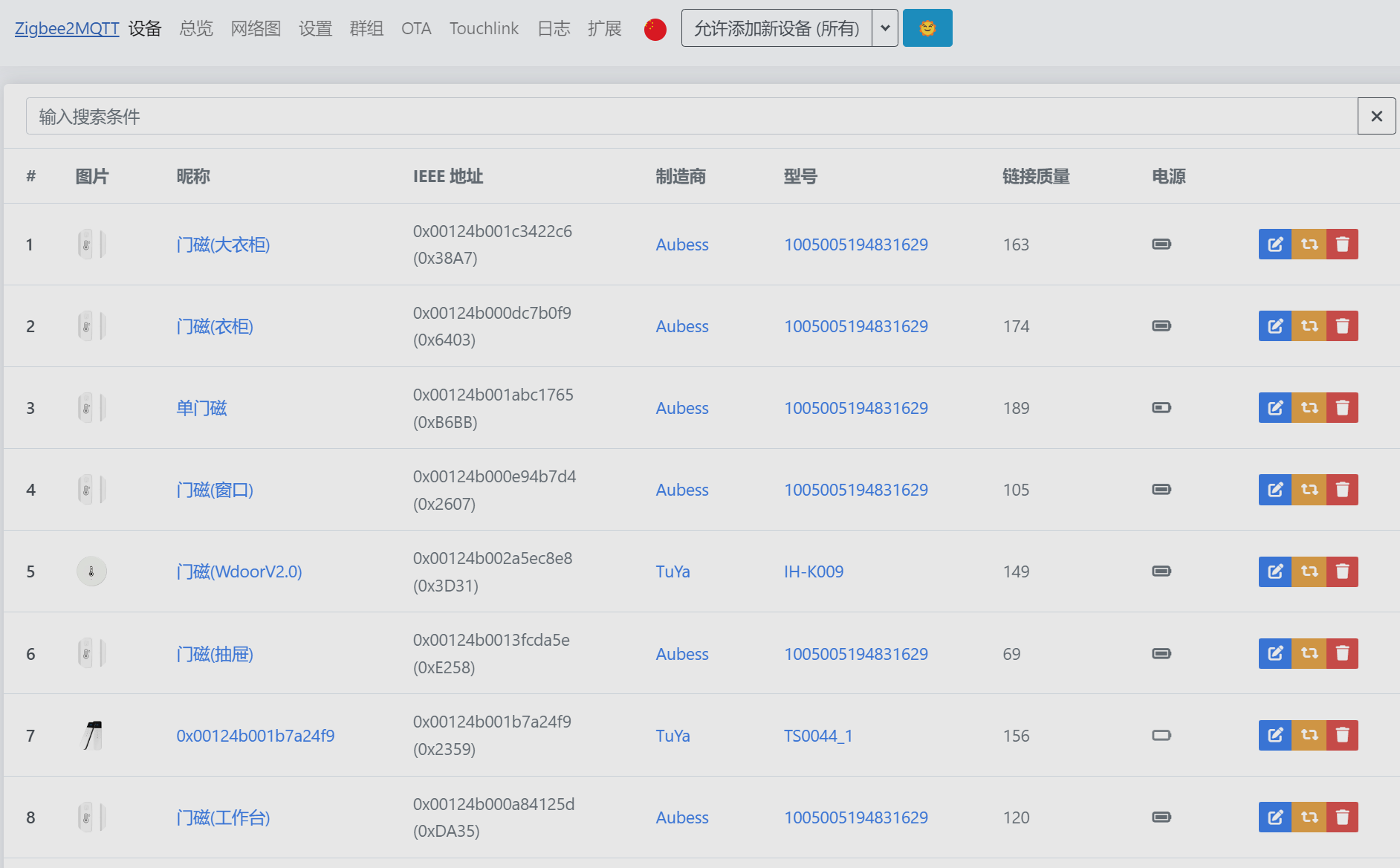
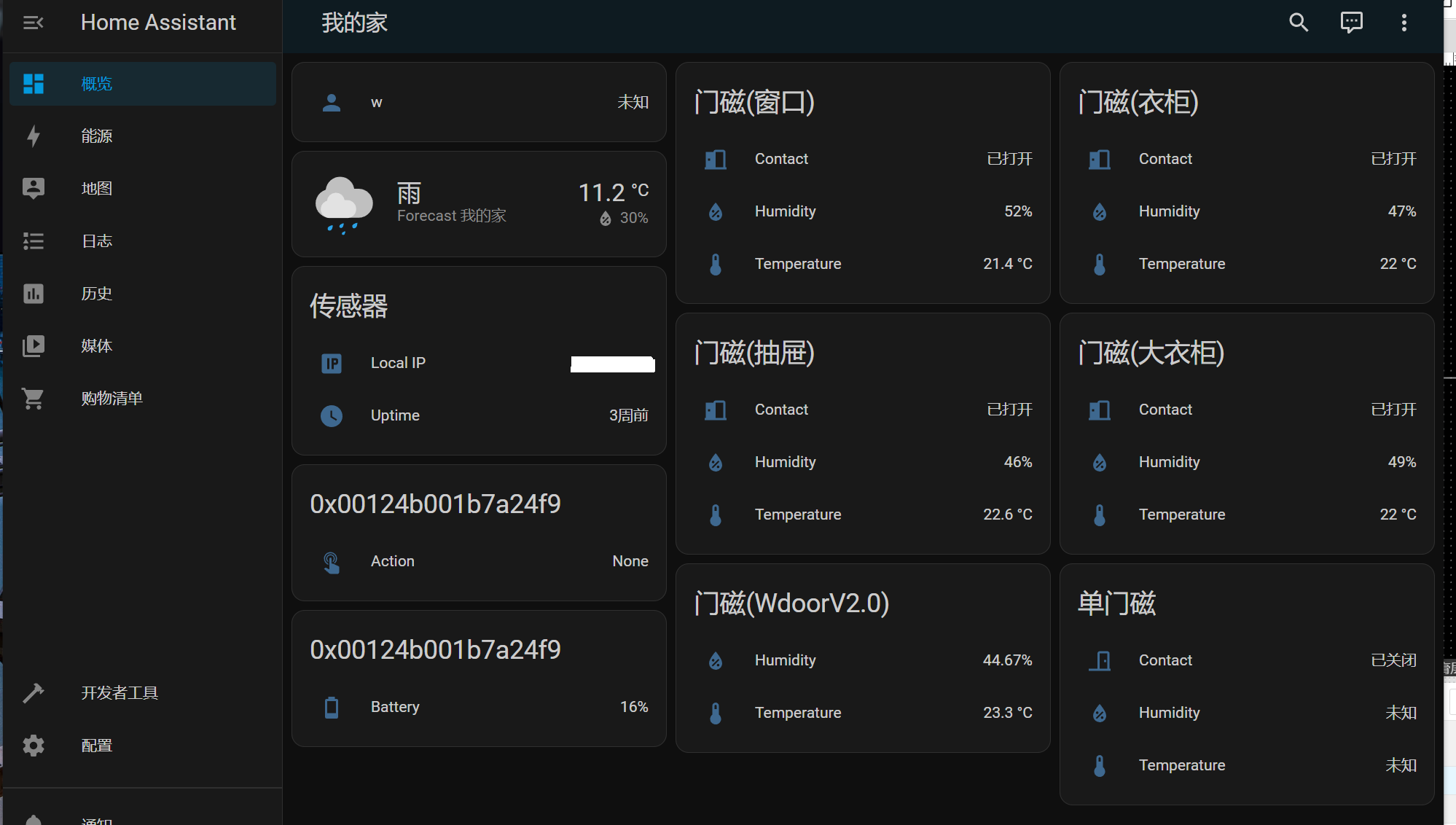
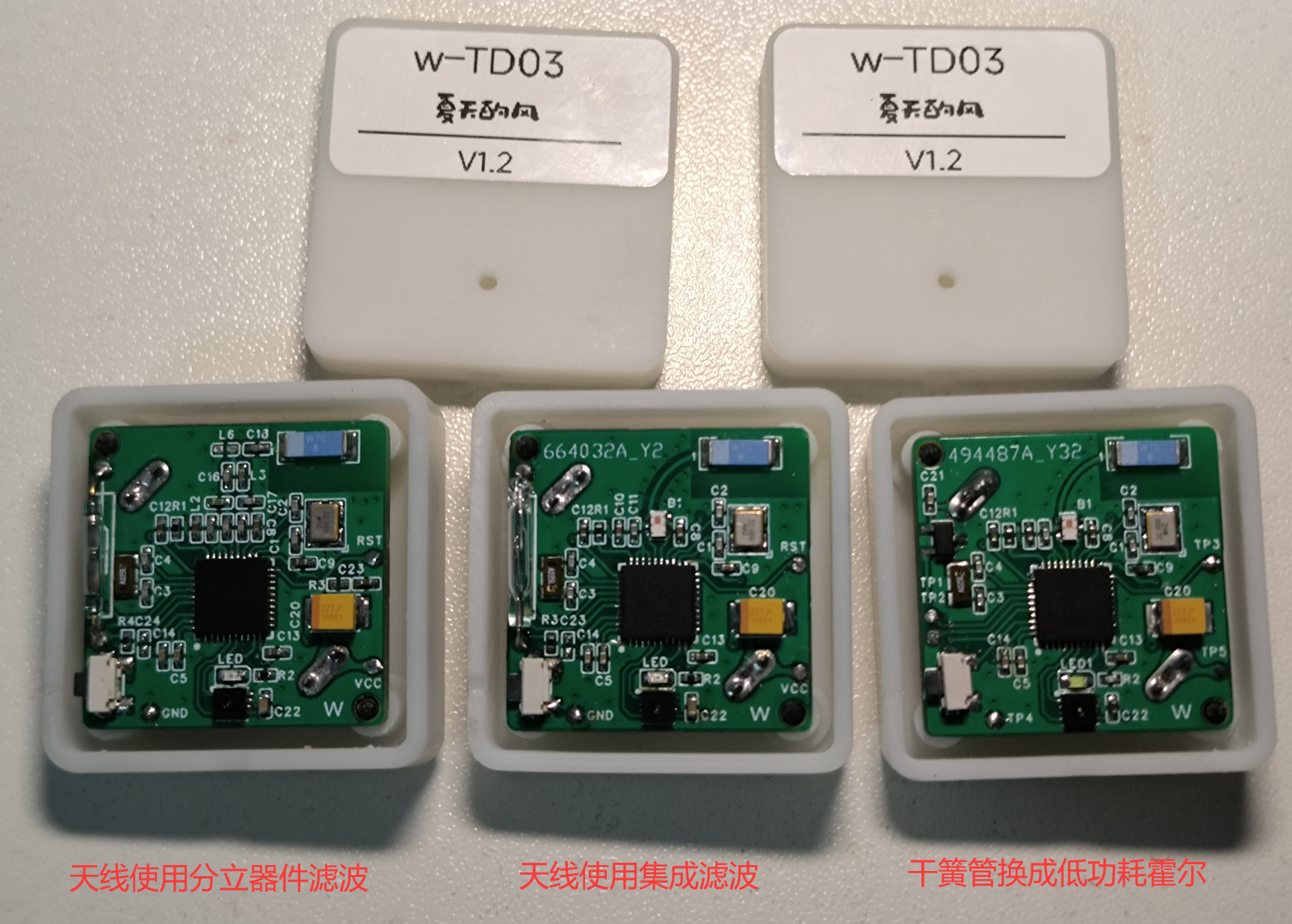
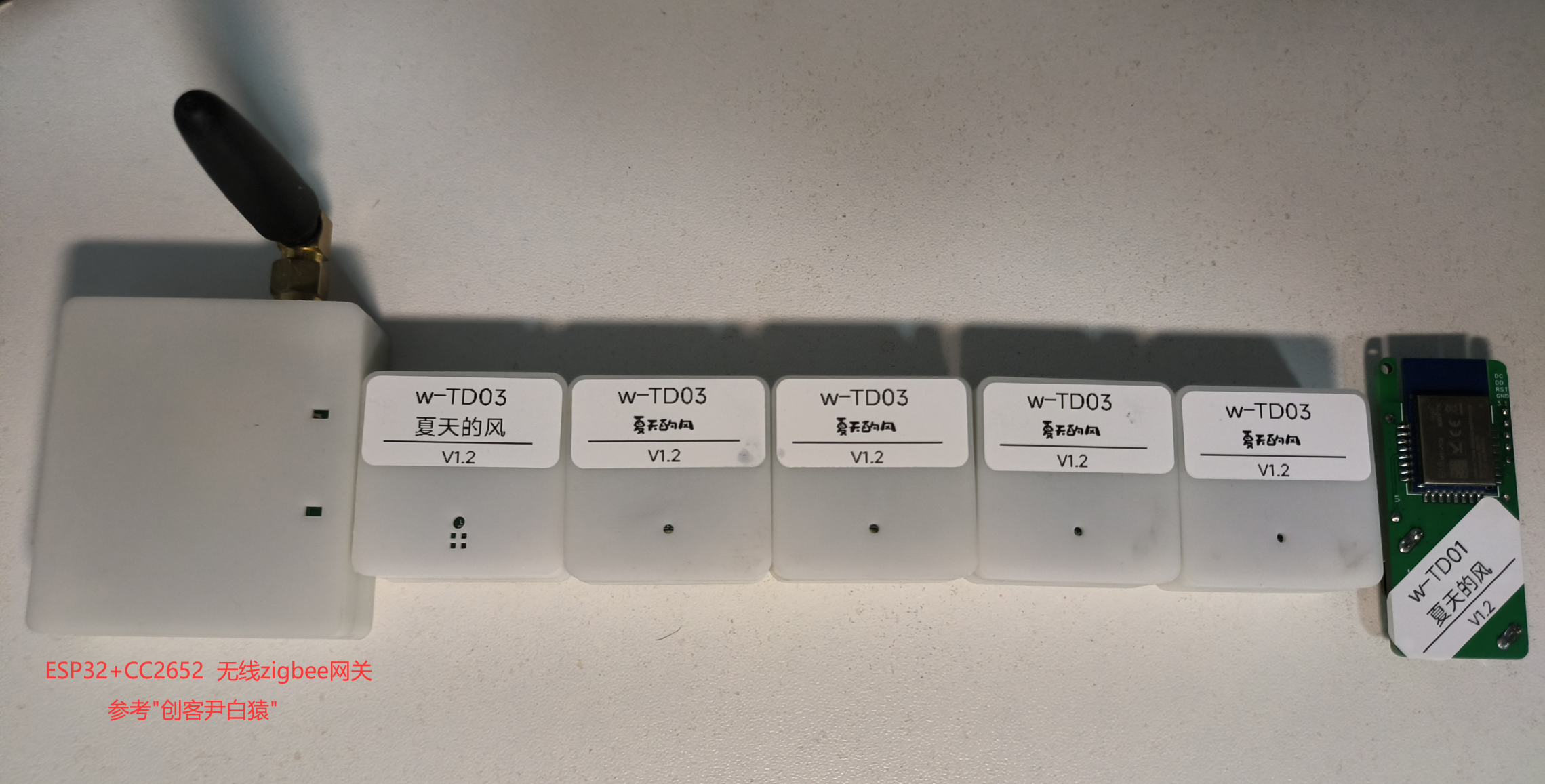
Z2M and HA test screenshots and


actual product images
 
 
. Don't say I didn't test them; the three boards in the images are all different. PCB


explanation
 
:

The PCB I'm sharing only has the ceramic antenna package modified; you can modify it to suit your needs.  
Users using Hall effect sensors will need to modify the project themselves.
Crystal oscillators can be selected independently.
Note that the project is a four-layer board structure; those requiring two-layer boards will need to modify and test it themselves.
The project can also be downloaded from the attachment and imported into EDA Professional Edition (w-TD03(compatible with 01)_LCSC EDA(Professional Edition)__2024-03-10.epro).
The 3D structure can be previewed directly on the PCB page.


Version V1.2 User Manual:

Supports temperature, humidity, and door magnetic functions.
For first-time use, press and hold the button until the indicator light illuminates, then release. The device will automatically search for networks; remember to enable Z2M beforehand to allow network access. If the device fails to join the network, press and hold the button again.
Once the device successfully joins the network, a single button click will report the latest temperature and humidity data, which can be used to test network access. 
Users can modify the temperature and humidity reporting interval.
Users can choose to enable reporting only when temperature and humidity exceed a threshold, and can also set the temperature and humidity threshold range.
The device supports automatic network recovery after gateway power failure (in my tests, the gateway was powered off for up to 3 days, and the device automatically resumed data reporting within one day).
This version only supports four Zigbee channels: 11, 15, 20, and 25; other channels are not enabled.
It only supports the SHT3x series sensors; compatibility with others has not yet been implemented.

 
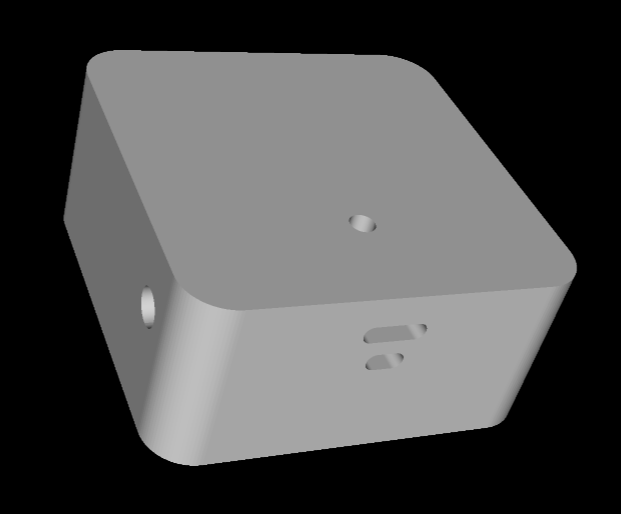
After all this talk, you still need to test it yourself to see how well it works. As for the 3D casing, you'd better design your own; mine looks terrible.


w-TD03 20240310 Summer Breeze (V1.2).bin
w-TD03 20240310 Summer Breeze (V1.2).hex
Individual component descriptions.xlsx
w-TD03_LCSC EDA (Professional Edition)__2024-03-10.epro
PDF_Genuine Zigbee Temperature and Humidity + Door Magnetic Sensor.zip
Altium_True Zigbee Temperature and Humidity + Door Magnetic Sensor.zip
PADS_True Zigbee Temperature & Humidity + Door Magnetic Sensor.zip
BOM_True Zigbee Temperature and Humidity + Door Magnetic Sensor.xlsx
91325
Keyboard Terminator
This project allows your keyboard to make all sorts of sounds, from mahjong to Chicago typewriter sounds.
Project Description:
This device helps your keyboard produce various sound effects, from mahjong sounds to Chicago typewriter sounds.
 
Open Source License:
Public Domain.
 
Project Functionality
: This device connects between a USB keyboard and a host computer; pressing keys on the keyboard will produce sounds, thus creating various "typing sound effects."
 
Project Attributes:
This project is being publicly released for the first time and is my original work. This project has not won any awards in other competitions.
 
Project Progress:
Completed.
 
Design Principle:
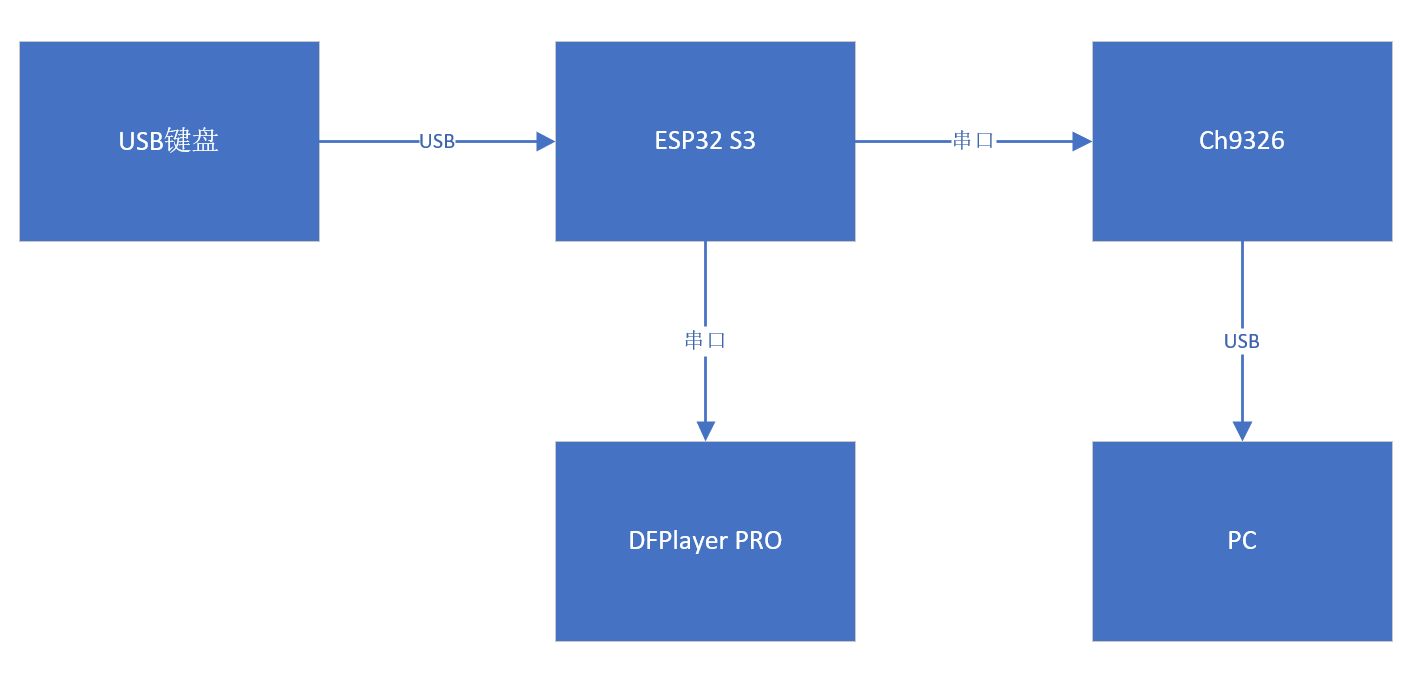
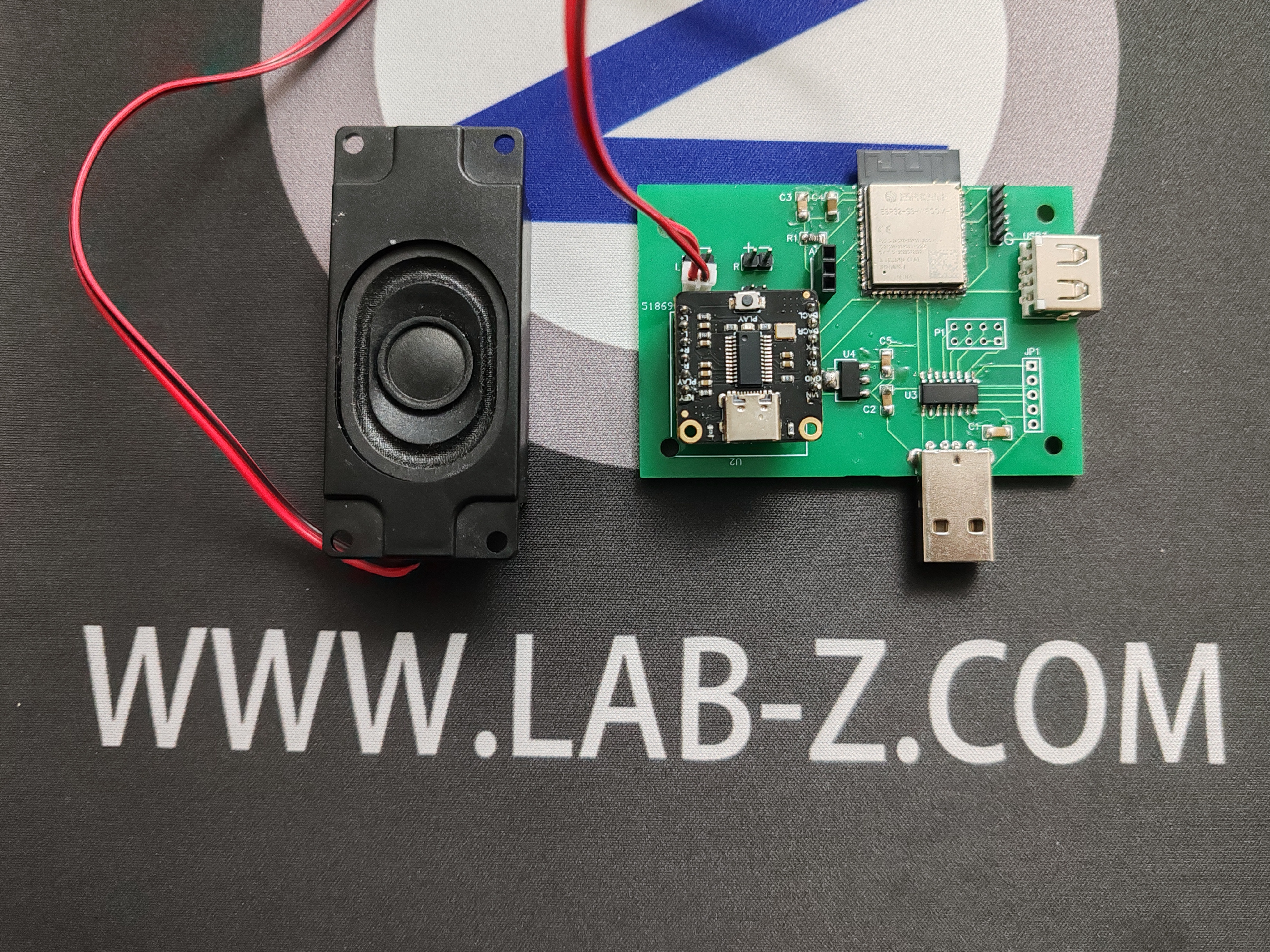
Uses an ESP32-S3 as the USB Host, sending parsed data to the CH9326 via serial port. The CH9326 is a driverless HID-to-serial converter chip. It supports bidirectional data transmission, receiving serial port data and, according to the HID class device specification, packaging the data and uploading it to the computer via USB, or receiving USB data packets compliant with HID class devices from the computer and sending them via serial port. Through the provided host computer software, users can also configure the chip's VID, PID, and various string descriptors. The chip is in an SOP16 package, making it easy to solder. Furthermore, the parsed data is sent to DFRobot's Fermion: DF1201S DFPlayer PRO MP3 player module [Reference 1]. This MP3 playback module supports four control methods: Arduino, AT commands, onboard buttons, and AD buttons. Music playback and switching can be performed even without a microcontroller using the onboard buttons. The module has 128MB of storage space, and music can be easily copied to the module via USB.
 A diagram of a computer server<br><br>Description automatically generatedThe software
code is developed based on the ESP32 Arduino environment. Important parts are explained below:
1. The `keyboard_transfer_cb()` function parses USB keyboard data. The parsed data is compared with the previously received data (keypressOld) to avoid repeatedly outputting pressed keys. If the new data does not appear in the previous data, it is added to the SoundBuffer:
void keyboard_transfer_cb(usb_transfer_t *transfer)
{
if (Device_Handle == transfer->device_handle) {
isKeyboardPolling = false;
if (transfer->status == 0) {
if (transfer->actual_num_bytes == 8) {
uint8_t *const p = transfer->data_buffer;
ESP_LOGI("", "HID report: %02x %02x %02x %02x %02x %02x %02x %02x",
p[0], p[1], p[2], p[3], p[4], p[5], p[6], p[7]);
// USB Host The parsed data is transmitted to Ch9326
memcpy(&keypress[5], p, transfer->actual_num_bytes);
SendData((byte*)keypress, sizeof(keypress));
// Check the data
for (int i = 2; i
if (p[i] != 0) {
// Search in the previous Buffer
boolean Found = false;
for (int j = 2; j
if (p[i] == keypressOld[j]) {
Found = true;
break;
}
}
// If not found, put the data into SoundBuffer
if (Found == false) {
Serial.print("Put");
Serial.print(p[i]);
Serial.println("into buffer");
SoundBuffer[IndexTail] = p[i];
IndexTail = (IndexTail + 1) % SOUNDBUFSIZE;
}
}
}
memcpy(keypressOld, p, 8);
}
else {
ESP_LOGI("", "Keyboard boot hid transfer too short or long");
}
}
else {
ESP_LOGI("", "transfer->status %d", transfer->status);
}
}
}
 2. In the main function, there is an action to check the current queue. If the queue is not empty, then play the data in the queue. For example, 0x14 below is the "q" key defined by HID. The code means that if the q key is received, then send the command to the MP3 module to play /mj/1b.wav, so that the corresponding sound will be played in the speaker.
// First check if the queue is empty
if (IndexTail != IndexHeader) {
char NameBuffer[100];
switch (SoundBuffer[IndexHeader]) {
// Piece
case 0x14: // 'Q'
sprintf(NameBuffer, "%s1b.wav
", PlayFile);
Serial.print(NameBuffer);
Serial1.print(NameBuffer);
break;
case 0x1A: // 'W'
sprintf(NameBuffer, "%s2b.wav
", PlayFile);
Serial.print(NameBuffer);
Serial1.print(NameBuffer);
break;
 
Physical demonstration
 
design considerations
 
Other
Bilibili:
 
【Real Mahjong Sound Keyboard】 https://www.bilibili.com/video/BV1eJ4m1h7jK/?share_source=copy_web&vd_source=5ca375392c3dd819bfc37d4672cb6d54
 
Reference:
1. https://www.dfrobot.com.cn/goods-3046.html
 
Mahjong Sound Keyboard ~2.mp4
KBSound.ino
PDF_Keyboard Terminator.zip
Altium_KeytoneTerminator.zip
PADS_KeytoneTerminator.zip
BOM_Keyboard Terminator.xlsx
91326
Red Alert Prism Tower Smart Light
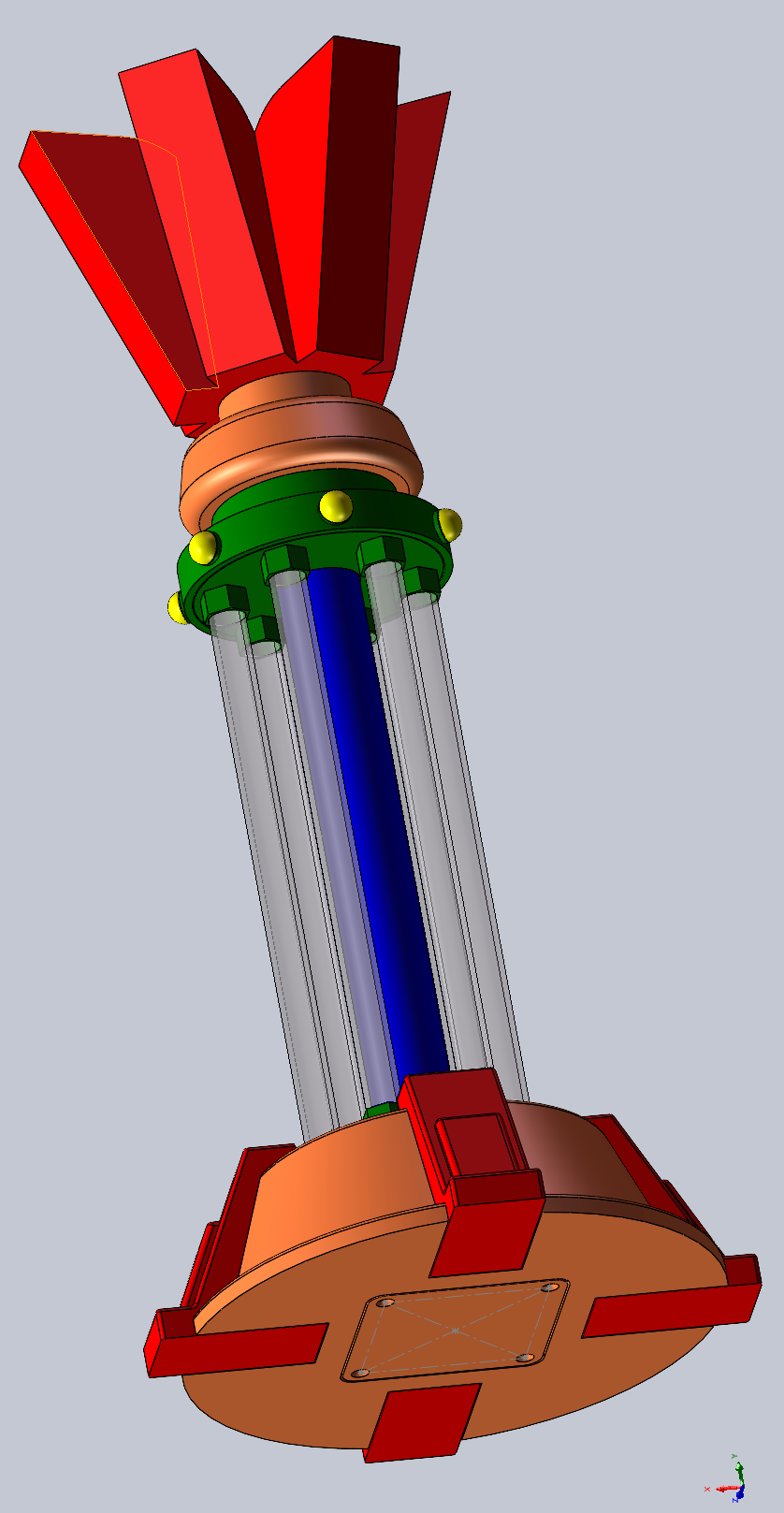
A smart light shaped like a red alert prism tower.
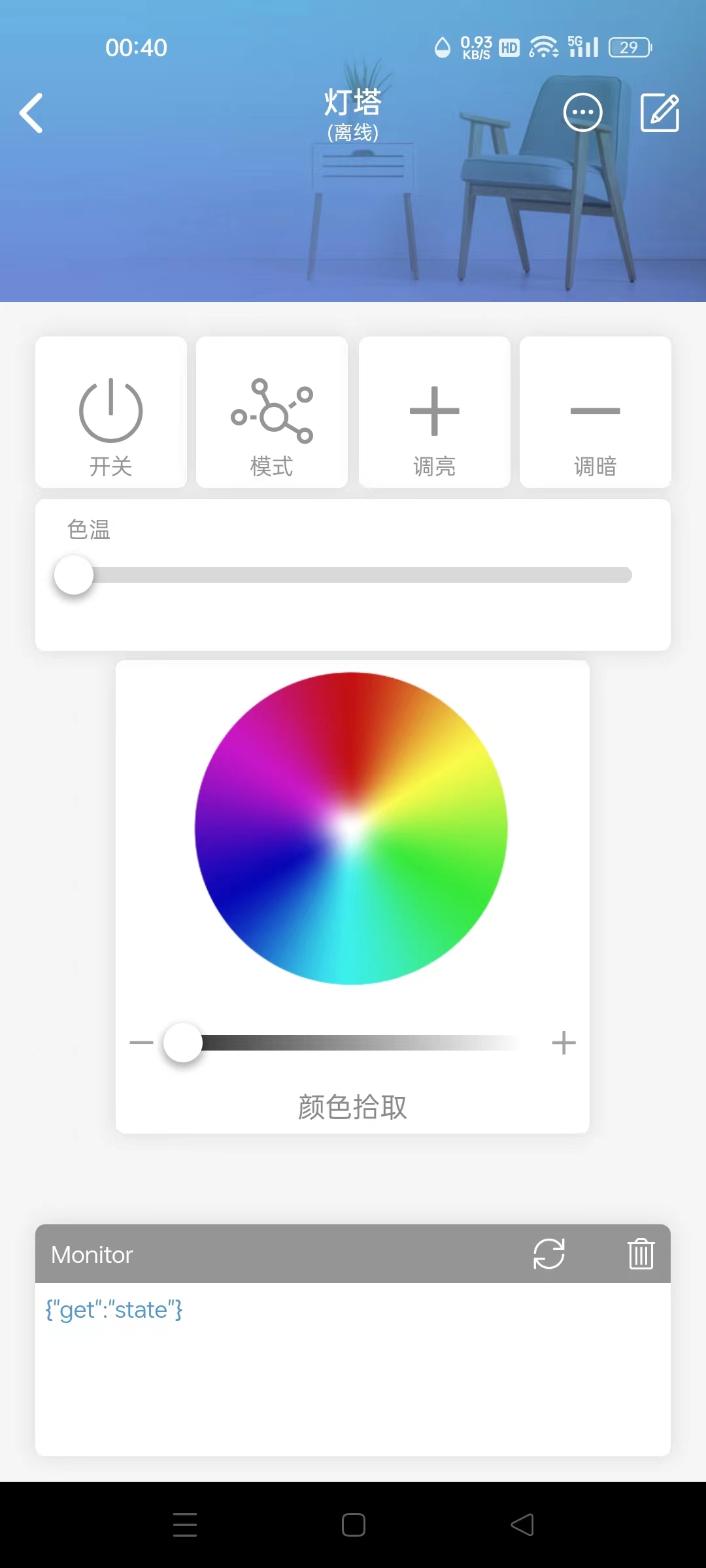
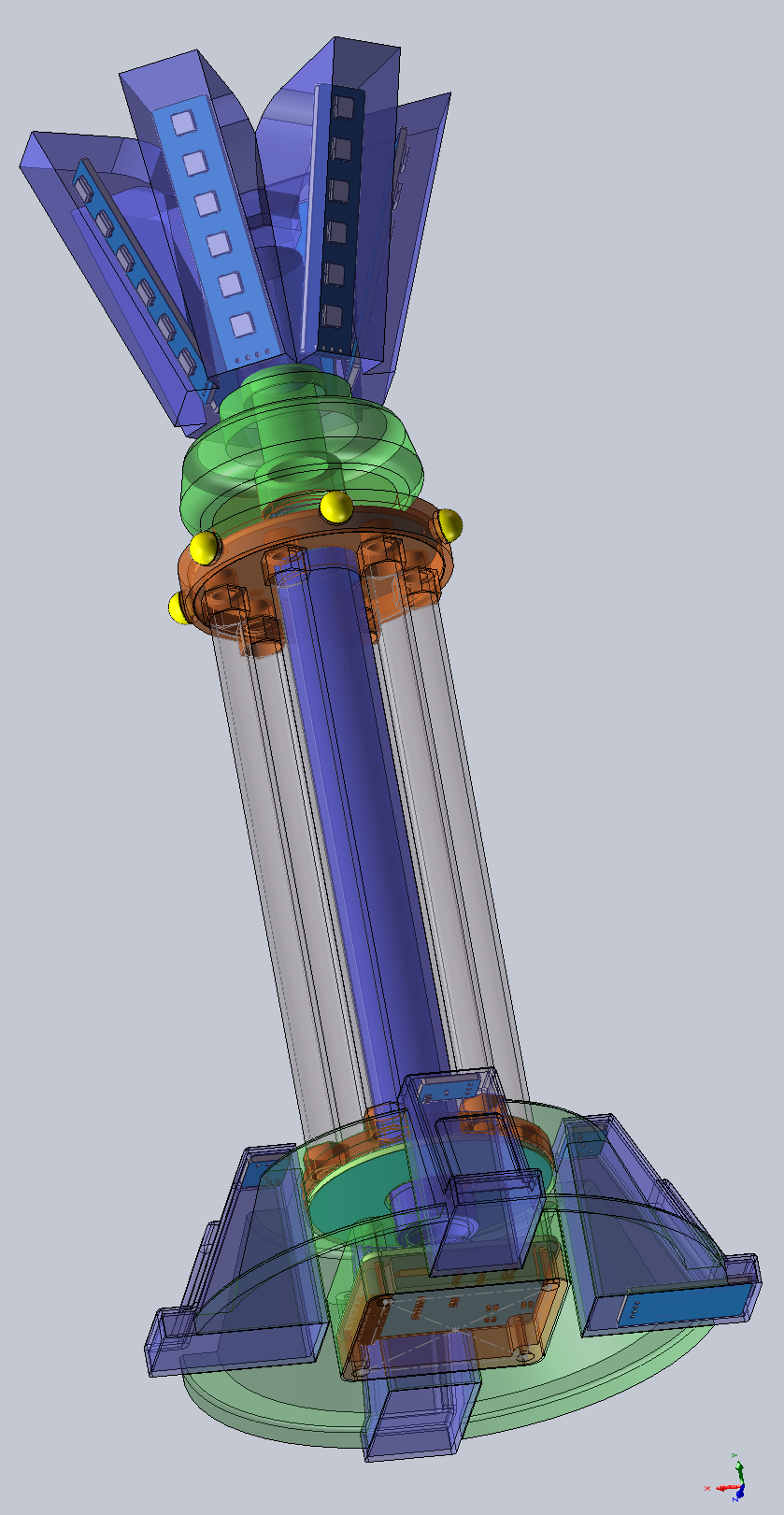
The smart light, shaped like a red-alert prism tower,
uses the DianDeng Technology app
and its casing is designed using SolidWorks.
A1.mp4
A2.mp4
A3.mp4
A4.mp4
A5.mp4
ESP_Light_v1.0.ino
3D model.zip
APP interface.jpg
Screenshot 1 of the casing design.PNG
Shell design screenshot 2.PNG
PDF_Red Alert Prism Tower Smart Light.zip
Altium_Red Alert Prism Tower Smart Light.zip
PADS_Red Alert Prism Tower Smart Light.zip
BOM_Red Alert Prism Tower Smart Light.xlsx
91327
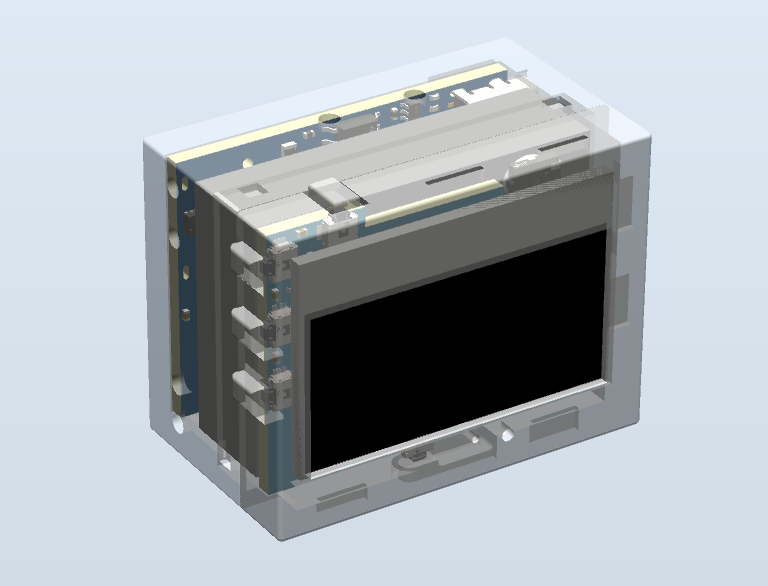
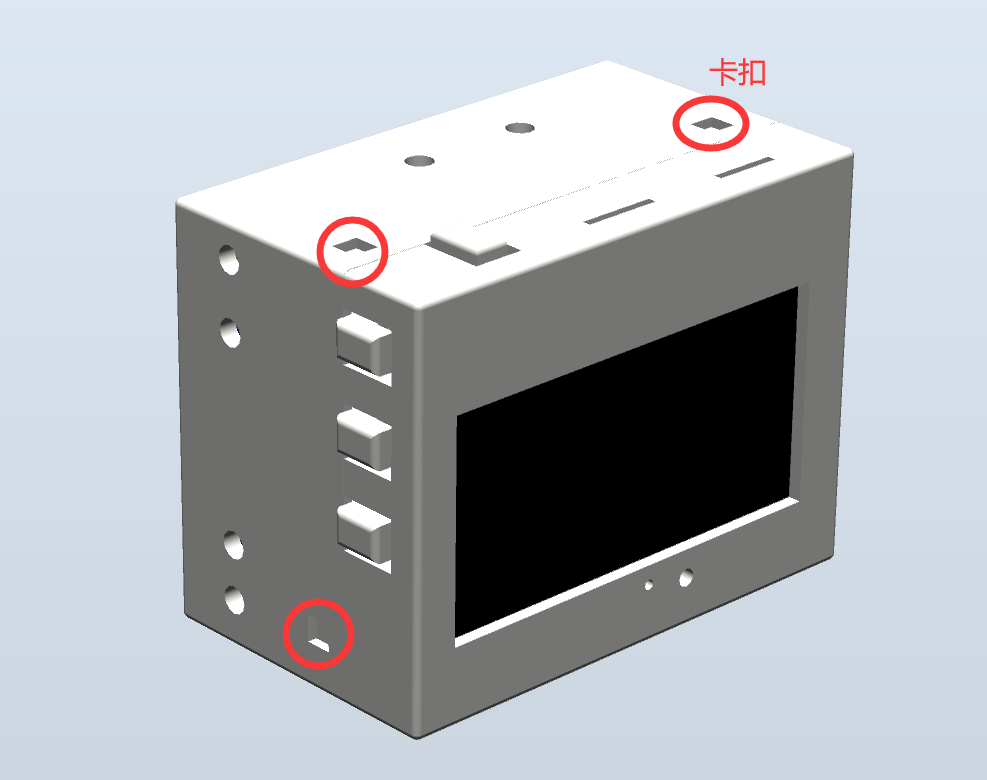
[Always On for 24 Days] Low Power Consumption - Mini Desktop Clock
The STC32F12K54, used as the main controller, is a low-power desktop clock with an average power consumption of 1.6mA (6.2mW) in TV mode and can operate for approximately 24 days. It also features integrated RTC, temperature and humidity, magnetic field, acceleration, barometric pressure, and light intensity sensors for development purposes.
【Low Power Consumption】Desktop Clock 4.0
   
  ▎Update Log⚫2024.01.25
        Released open-source PCB for the project 【Control Board 4.0.2】【Power Board 2.8.4】
        ⚫2024.03.02 Updated PCB 【Control Board 4.0.3】【Power Board 2.8.5】
                                 Released public firmware YQ-240229A
                                 open-source shell STL, STP files
        ⚫2024.03.06 Updated PCB 【Control Board 4.0.4】:
                                        ①Modified RTC battery circuit to adapt to replacement component RX8900CE
                                        ②Corrected SHT40 to SHT41
                                 BOM upload
        ⚫2024.03.14 Upload open source project + source code (without alarm clock).
                                 Upload 2.8.5 power board operation manual SOP.
                                 Corrected the package of 50mR resistor in BOM and changed the 50mR and 200mR resistors.
 
    After countless bugs and debugging, board making and soldering, I finally made my low power desktop clock barely open source.
    First, regarding the power consumption issue that everyone is concerned about, we have only compared two solutions so far (OLED 5V 255W brightness test). The power consumption increased due to the addition of code and the display of alarm clock and silent UI, so we had to reduce the brightness.
[Note: Due to the addition of alarm clock display, full year display, full day of the week UI display, and other function algorithms, the power consumption increased from 1.69mA to 1.85mA. Code optimization will follow.]


Main controller
test firmware version
stable main frequency
solution (including power board): Overall standby current
3.84V, operating power consumption (TV mode 30 minutes average),
theoretical sleep duration (1000mAH),
theoretical operating duration (1000mAH):


STC32G12K128
/
30M
7.8uA
2.1mA (8.2mW)
14.1 years
18.8 days;


STC32F12K54
YQ-240229A
52M
30uA
1.85mA (7.067mW).
3.66 years
21.81 days


STC8H8K64U
/
/
/
/
/
/


 Future versions will include an automatic brightness adjustment mechanism, automatically lowering the brightness at night or entering sleep mode. Theoretically, it can last for more than a month.
However, the actual usage time is highly dependent on the brightness. During normal display (excluding scrolling menus), power consumption is primarily on the screen, with very little power consumed by the MCU. We have already tested the 8080 communication solution, and the SPI solution is more power-efficient.
Therefore, the actual usage time depends on the brightness settings and the displayed content. Contextual test data and displayed images are based on factory default settings (OLED 5V 255W brightness, 3.84V battery power).
At first, I was so captivated by the STC32G's 7.8uA that I reluctantly gave up on the STC32F. Then I realized my battery is huge—1000mAh! After calculating the standby current, I discovered that even with a 30uA standby current, it could last for three and a half years.
Table

of Contents: 1. Control Board Parameter Introduction;


2. Power Board Parameter Introduction;

2.1 DC-DC Lithium Battery Charging;
2.2 Lithium Battery Protection;
2.3 DC-DC Buck (MCU + Sensor Power Supply);
2.4 DC-DC Boost (OLED Power Supply)
2.5 Charging Current Detection
2.6 FFC Interface Definition

3 Function Demonstration 3.1 UI

Operation Diagram
3.2 TV Mode
3.3 Main Menu 3.4
Secondary Menu
3.5 Tertiary Menu
3.6 Compass 4

Program Architecture
5 Structure Demonstration


=== ... ●RTC: INS5699 ●Light Intensity Meter: BH1745 ●Magnetometer + Accelerometer: BMC050 ● Passive Buzzer (but has an independent 4K square wave generation circuit, does not occupy MCU resources) ● Vibration Switch ● Buttons X5: +, -, OK, Exit, Reset === ...
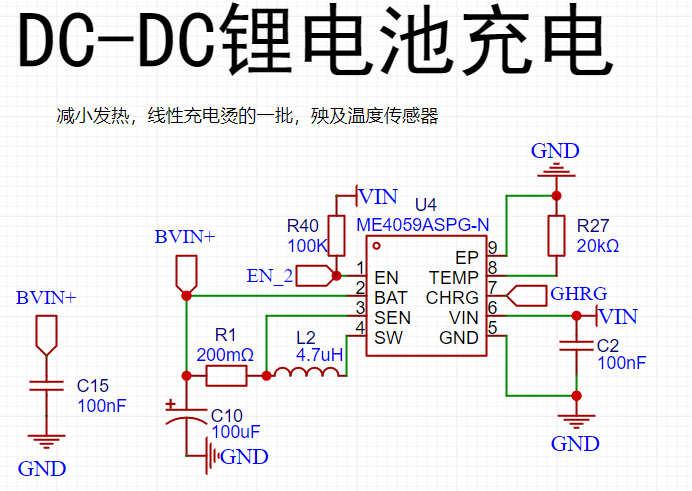


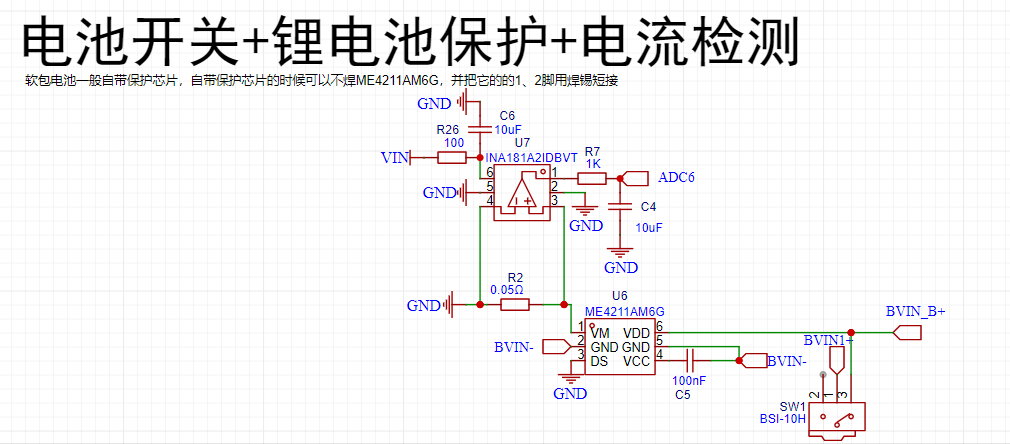
●2.2 Lithium Battery Protection
ME4211AM6G (Generally, lithium batteries have built-in protection and do not need to be soldered)
 
●2.3 DC-DC Step-Down (Motherboard Power Supply)
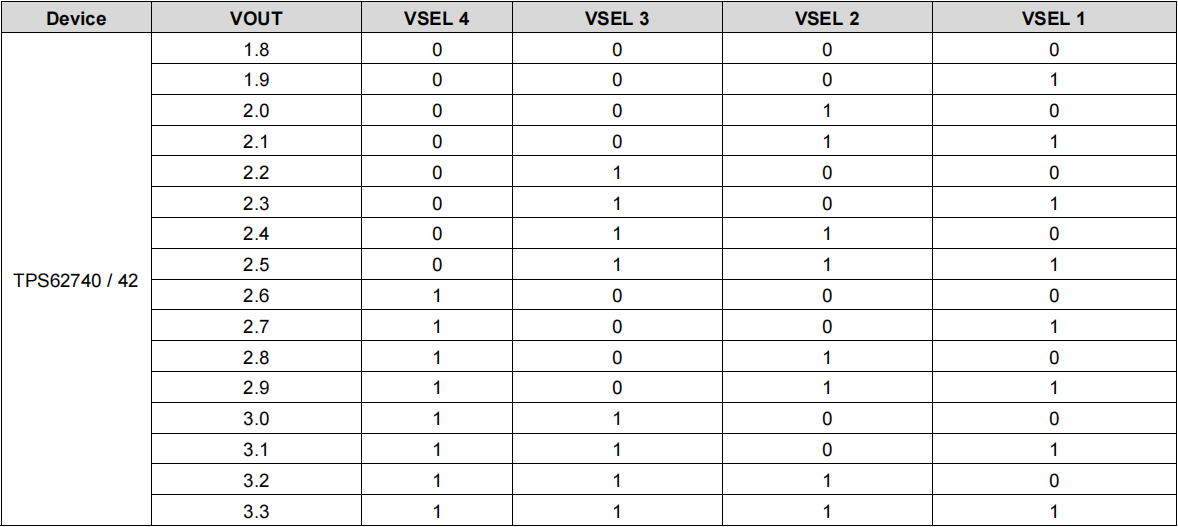
TPS62740DSSR (10uA has 90% efficiency, standby current Iq=360nA)
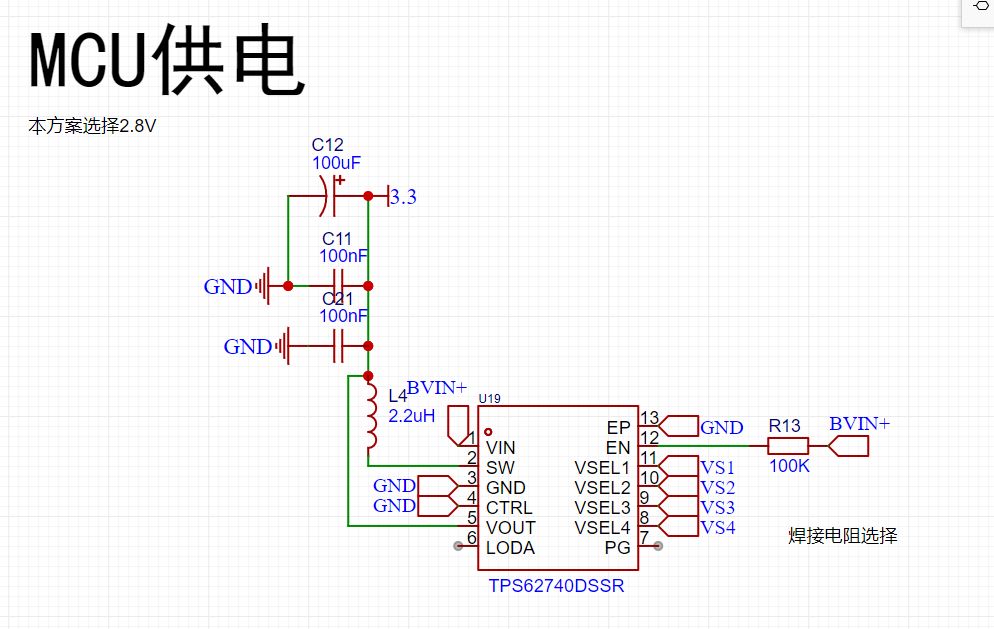

TPS62740DSSR Test


Output Voltage (V
) Output
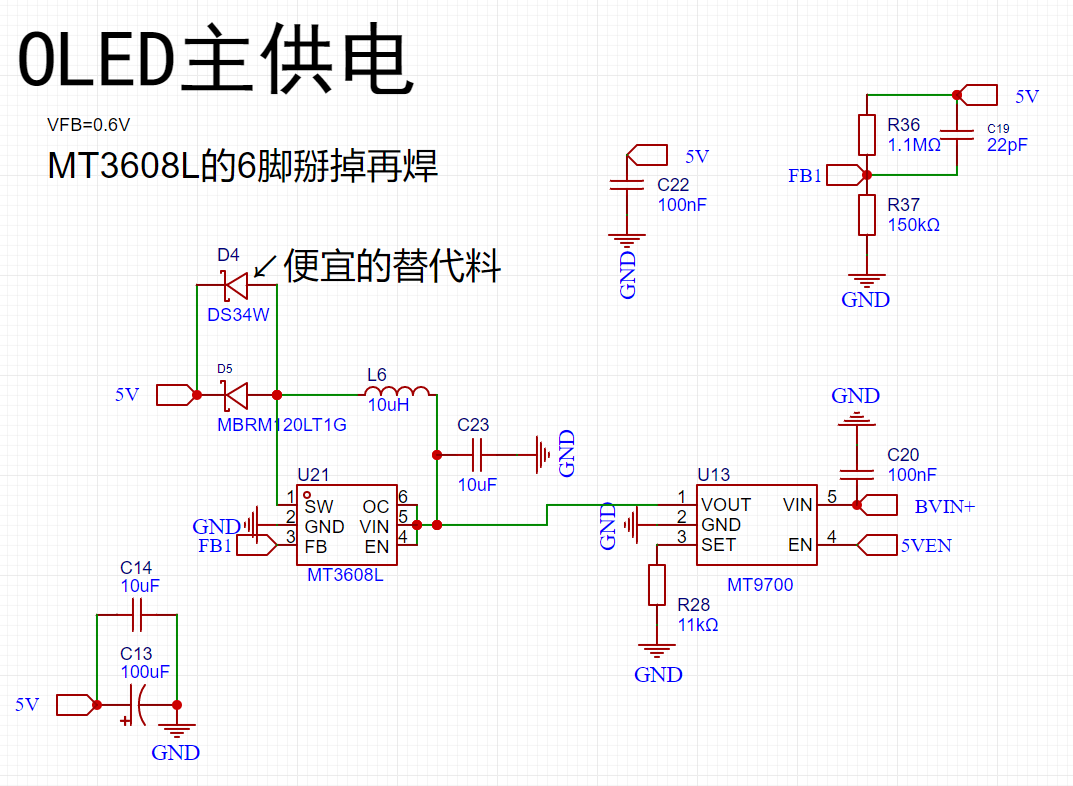
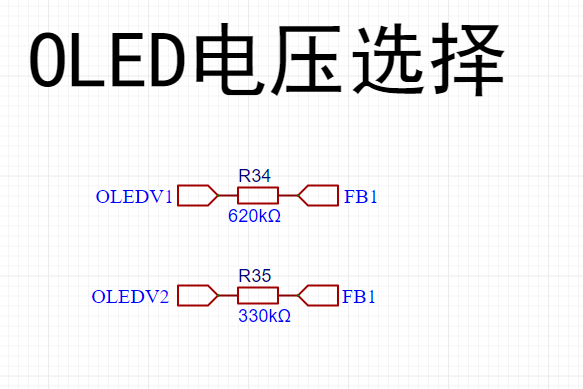
Current (mA ) Power (mW) Input Voltage (V) Output Current (mA) Power (mW) Efficiency 2.816 0.858536585 2.417639024 3.81 0.664 2.52984 95.56% 2.816 28.16 79.29856 3.81 22.75 86.6775 91.48% 2.809 280.9 789.0481 3.686 244.5 901.227 87.55% The voltage can be selected by configuring the pins to your liking: ● 2.4DC-DC boost (OLED power supply) MT9700+MT3608L (The boost converter does not have current limiting protection, so add a separate current limiting protection chip MT9700; you can remove it if you are confident). The feedback resistor can be controlled through two I/O ports on the motherboard to obtain 5V, 6V, 7V, and 8V (actually, it would be more reasonable to have four levels covering the brightest and darkest current ranges of the OLED; this will be improved later). Below are the efficiency figures for some boost chips I tested: TLV61048 (300mV ripple) 10uf Output Voltage (V) Output Current (mA) Output Power (mW) Input Voltage (V ) Input Current (mA) Input Power (mW) Efficiency 5 1.515  7.576  3.880  2.360  9.157  82.73% 5 3.030  15.150  3.841  4.600  17.669  85.75% 5.037 156.250  787.031  3.740  247.000  923.780  85.20% MT3608 (200mV ripple) 22uf Output Voltage (V) Output Current (mA) Output Power (mW) Input Voltage (V) Input Current (mA) Input Power (mW) Efficiency 5 1.042  5.208  3.863  1.610  6.219  83.74% 5 16.667  83.333  3.856  24.130  93.045  89.56% MT3608L (72mV ripple) 10uf Output Voltage (V) Output Current (mA) Output Power (mW) Input Voltage (V) Input Current (mA) Input Power (mW) Efficiency 5.018 1.521  7.630  3.873  2.230  8.637  88.35% 4.986 3.030  15.108  3.873  4.360  16.886  89.47% 5.037 156.250  787.031  3.740  247.000  923.780  85.20% TPS61041 (250mV ripple) 22uf Output Voltage (V) Output Current (mA) Output Power (mW) Input Voltage (V) Input Current (mA) Input Power (mW) Efficiency 5.021 1.046041667 5.252175208 3.853 1.593 6.137829 85.57% 5.021 16.73666667 84.03480333 3.853 24.647 94.964891 88.49% 5


1.5151
7.5755
3.841
2.16
8.29656
91.31%


5
3.03
15.15
3.841
4.31
16.55471
91.51%


MIC2251


Output Voltage (V) Output Current (
mA)
Output Power (mW)
Input Voltage (V)
Input Current (mA)
Input Power (mW)
Efficiency


5
16.65
83.25
3.861
24.762
95.606082
87.08%


shows that the TPS61041 and MT3608 have high efficiency, but these two chips exhibit significant voltage fluctuations, almost reaching 1V, under light-load PFM mode. Therefore, the MT3608L chip was chosen as a compromise.
 
 
●2.5 Charging Current Detection:
INA181A2IDBVT + 50mΩ Resistor
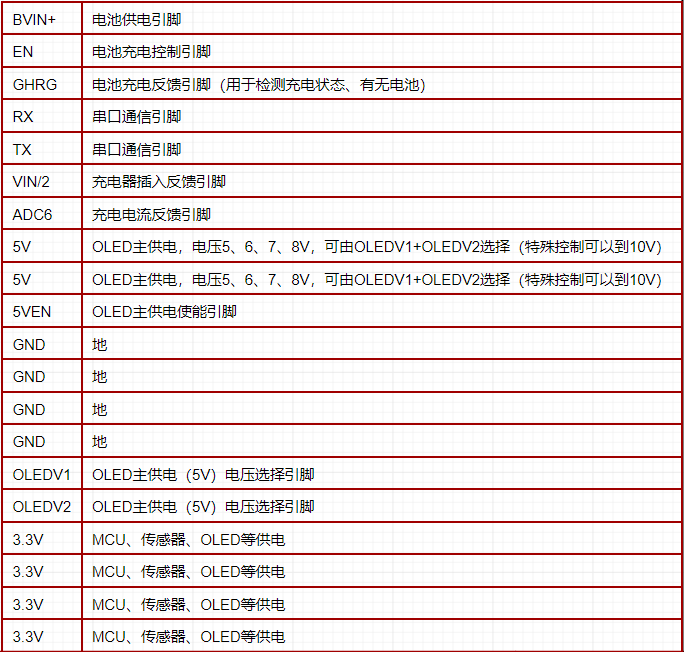
●2.6 FFC Interface Definition


=================================================================================================
 
3. Function Demonstration
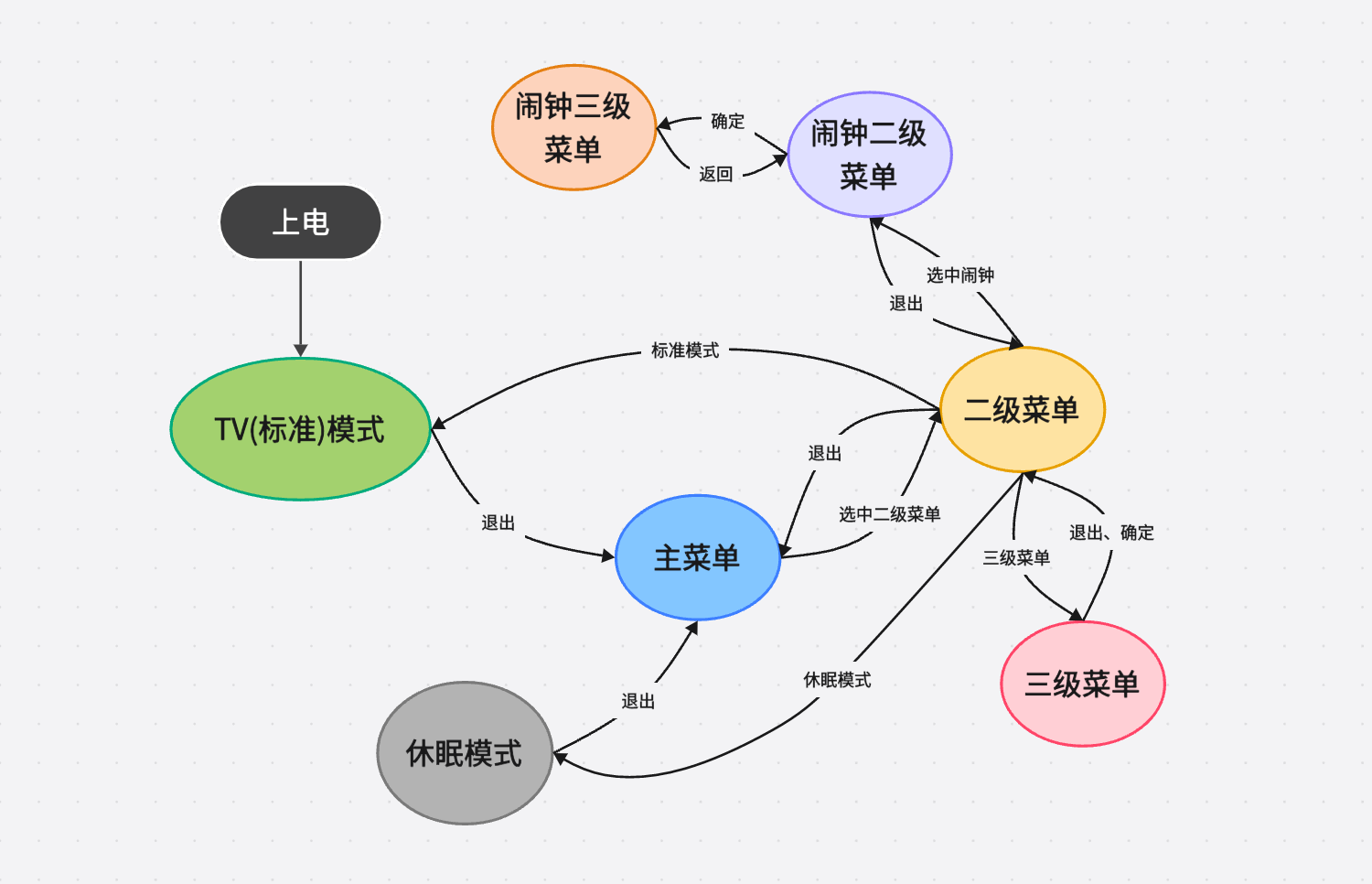
● 3.1 UI Operation Diagram
● 3.2 TV Mode
    Upon power-up, the system defaults to TV mode. This mode displays the time for 40 seconds, temperature, humidity, and air pressure for 10 seconds, and battery status for 10 seconds (duration can be adjusted to preference). The average power consumption is 1.6mA.
        ① Time Display Interface: The time display interface shows the current hour, minute, and second in a 32x16 format (scrolling!), and the current year, month, day, and weekday in a 16x8 format. It also displays the battery level. When charging is connected, a charging connector icon will appear on the side of the battery. The total power consumption of this interface is approximately 1.7~1.9mA
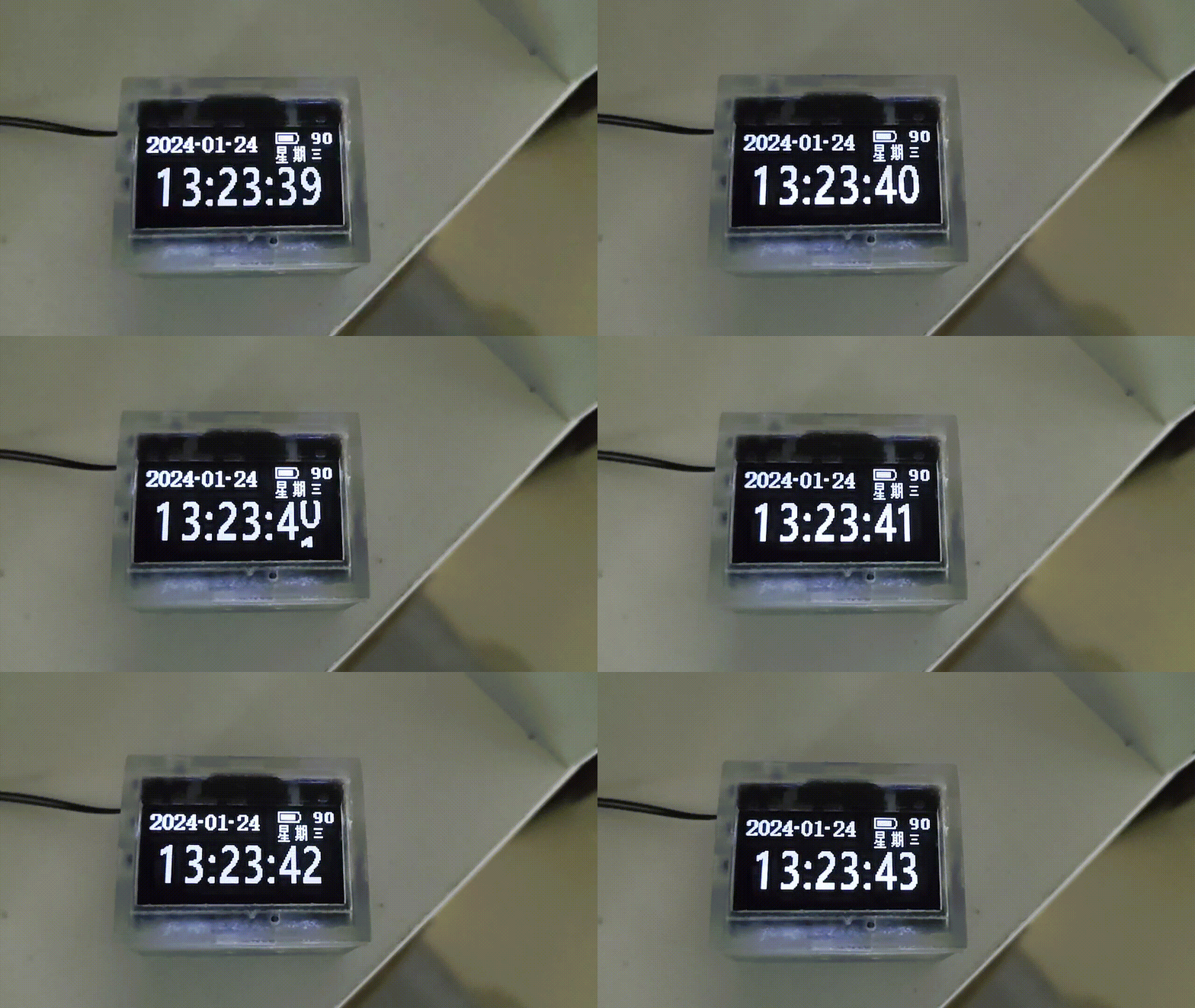
(refresh the webpage if the GIF is choppy).
        ② Environment Display Interface: The environment display interface shows the current temperature in a 32x16 format, the current hour, minute, second, and humidity in a 16x8 format, and the current air pressure in an 8x8 format. It also displays the battery level. When charging is connected, a charging connector icon will appear on the side of the battery (light leakage is not this obvious to the naked eye).
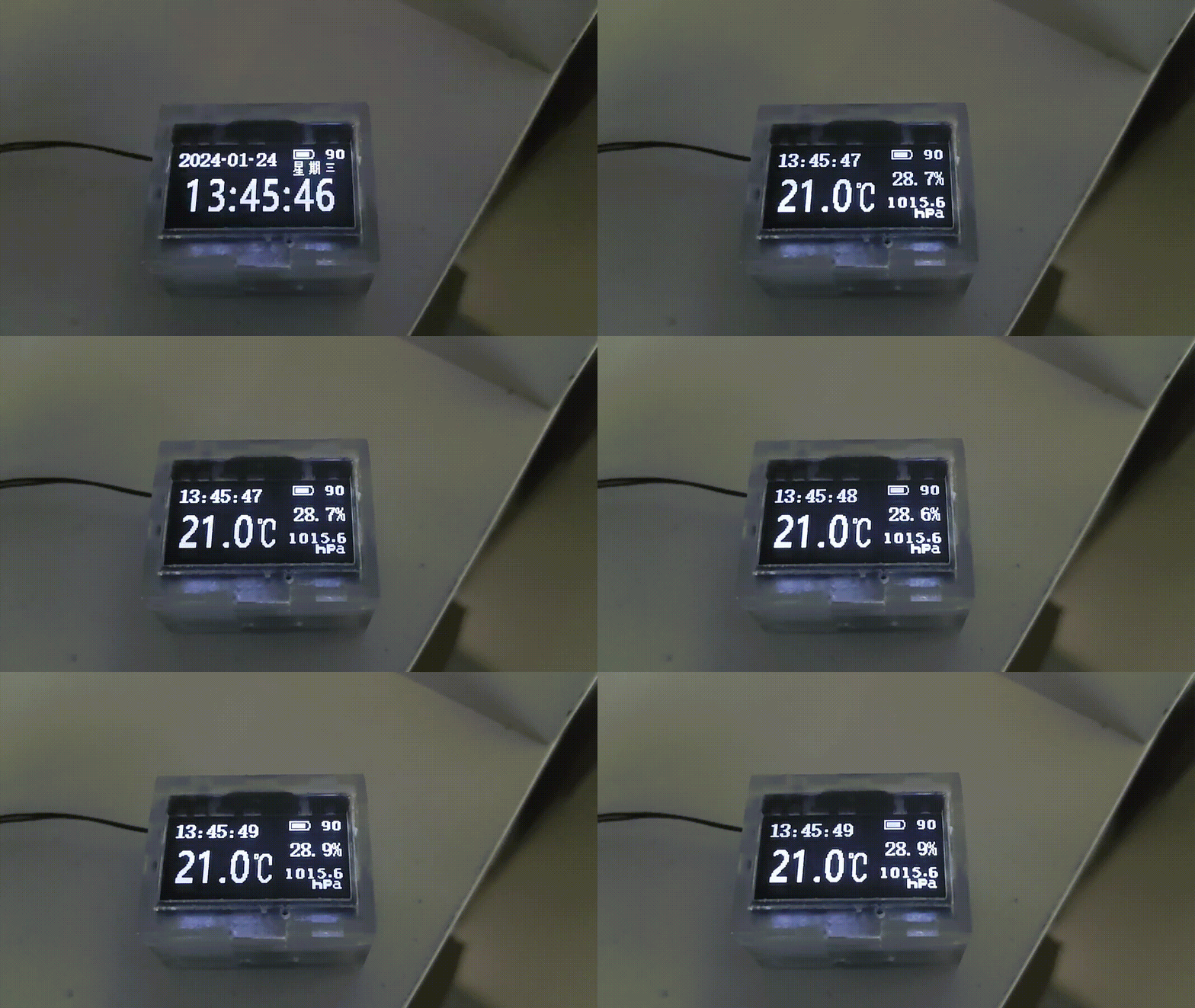
(Refresh the webpage if the GIF is choppy).
        ③ Battery Display Interface: The battery display interface will show the current hour, minute, and second in a 16x8 size, along with a large battery icon, the current voltage, and the charging current. A rather unsightly charging animation will be displayed during charging (the voltage is 4.3V because I replaced the chip and it hasn't been calibrated yet).
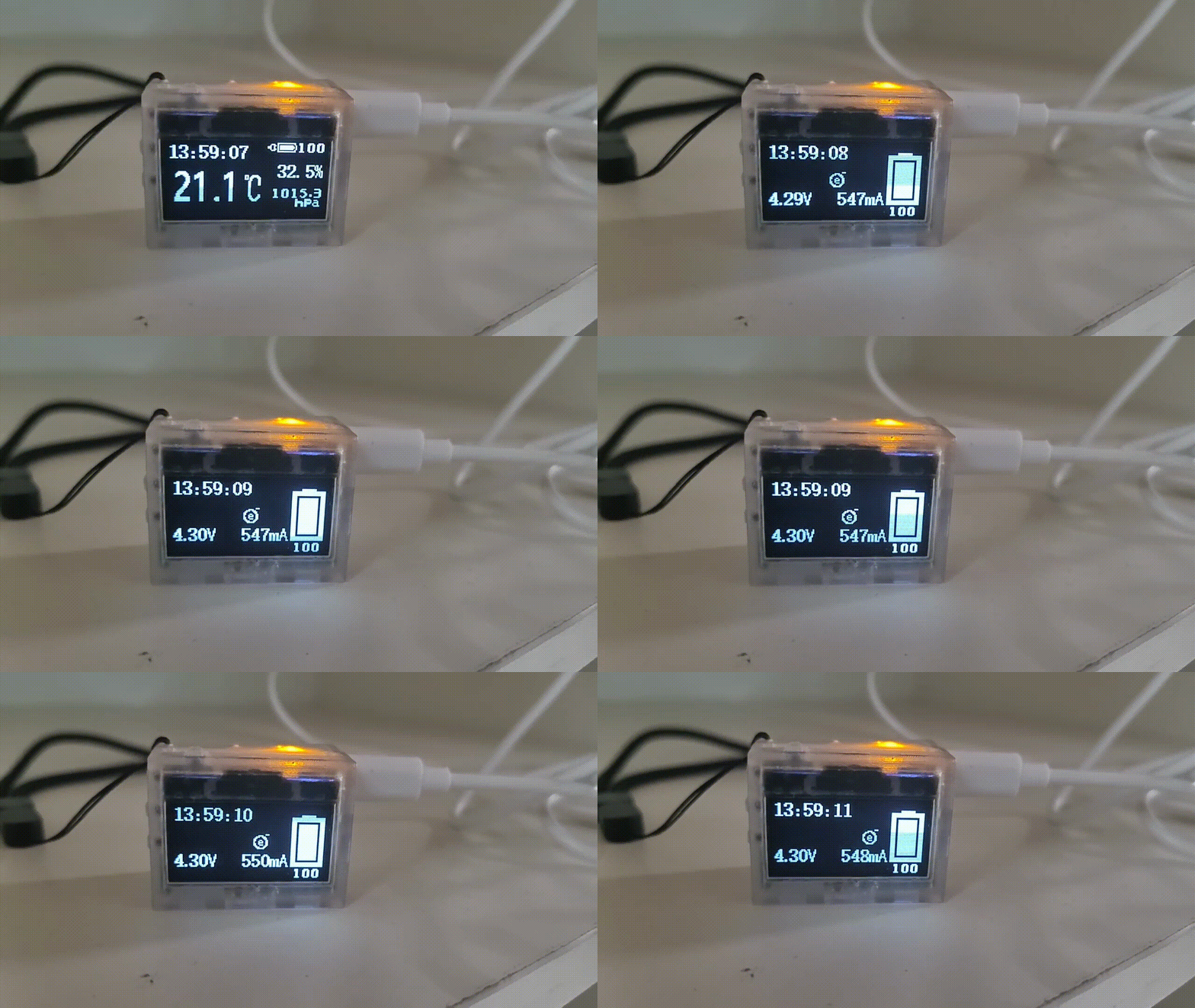
(Refresh the page if the GIF is choppy).
●3.3 The main menu
    has 16 preset sub-menus. The total power consumption when scrolling is approximately 2mA (the following is progress, (×) indicates not yet developed or supported):
        ● Standard Mode (√)
        ● Sleep Mode (√)
        ● Environmental Information (√)
        ● Brightness Setting (usable)
        ● Compass (√)
        ● Level (×)
        ● Time Setting (√)
        ● Alarm Clock (√)
        ● Incremental Alarm Clock (×)
        ● Stopwatch (×)
        ● Sound Setting (√)
        ● Flashlight (√)
        ● Power Management (√)
        ● System Settings (×)
        ● System Information (√)
        ● Factory Mode (×)
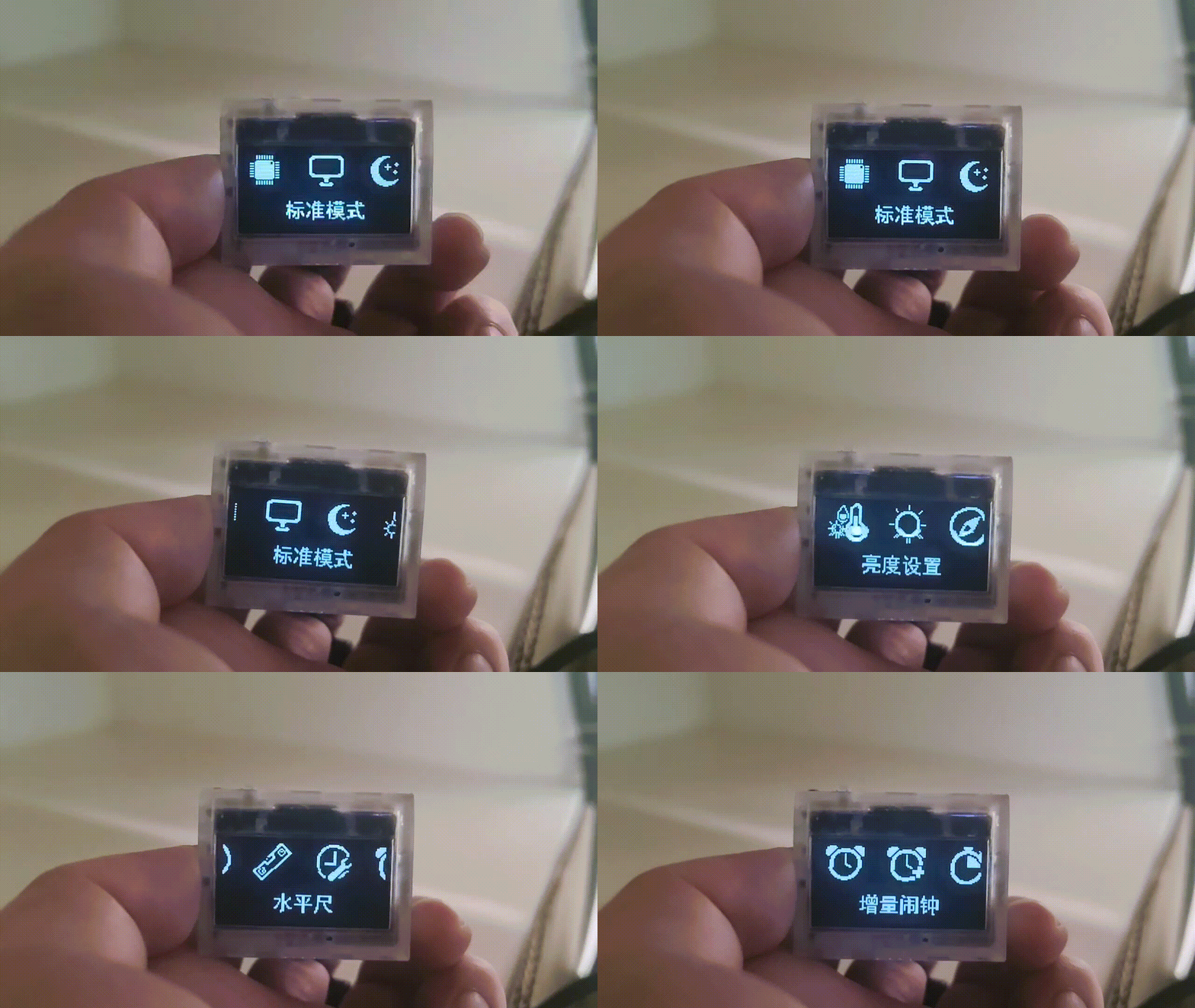
 
(Refresh the page if the GIF is choppy).
●3.4 Sub-menus
    can be set by pressing OK. The total power consumption when scrolling parameters is approximately 4mA.
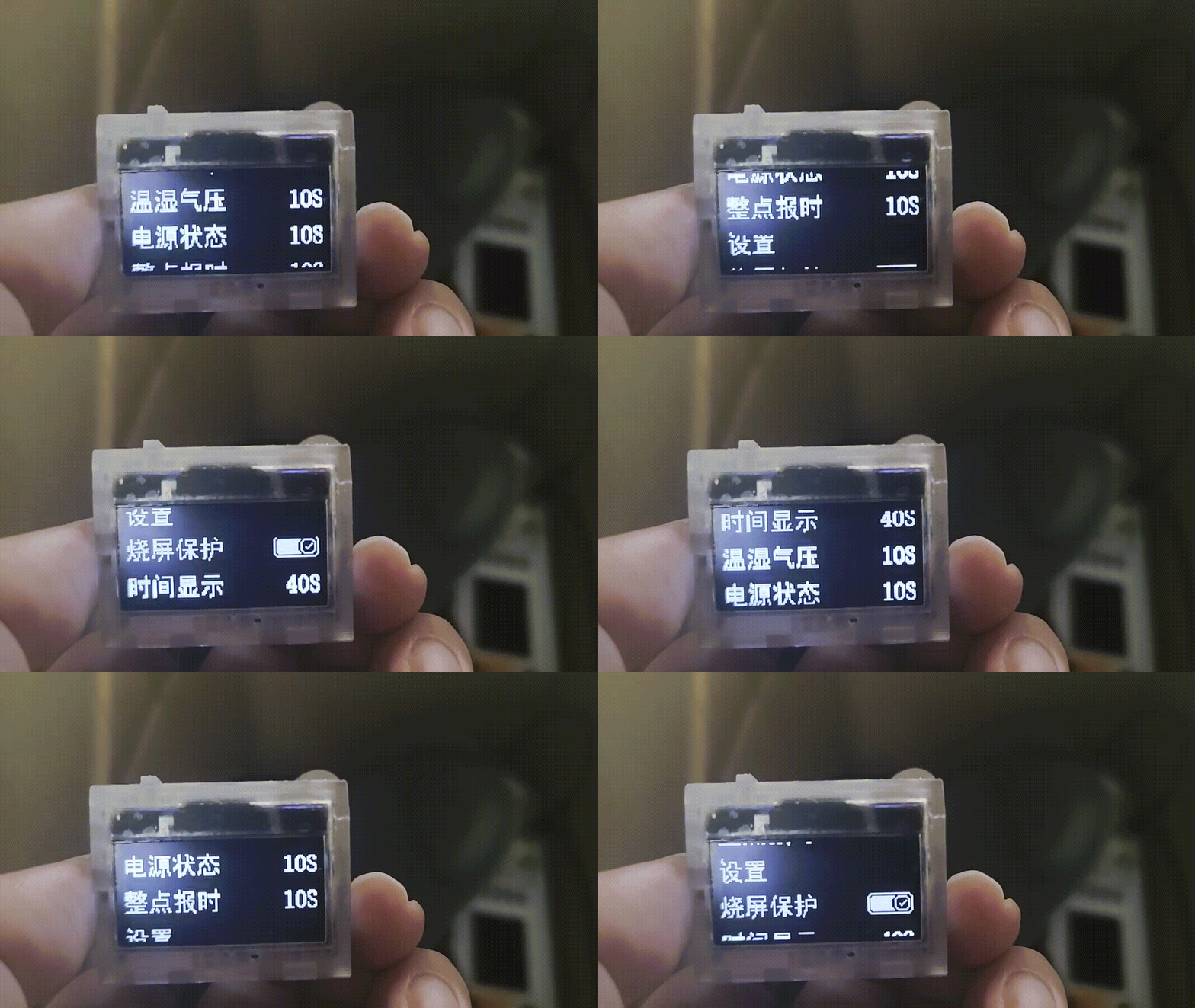
 
(Refresh the page if the GIF is choppy)
●3.5 Three-level menu:
 
    Press OK under the second-level menu to make settings. The total power consumption is approximately 1.4mA.
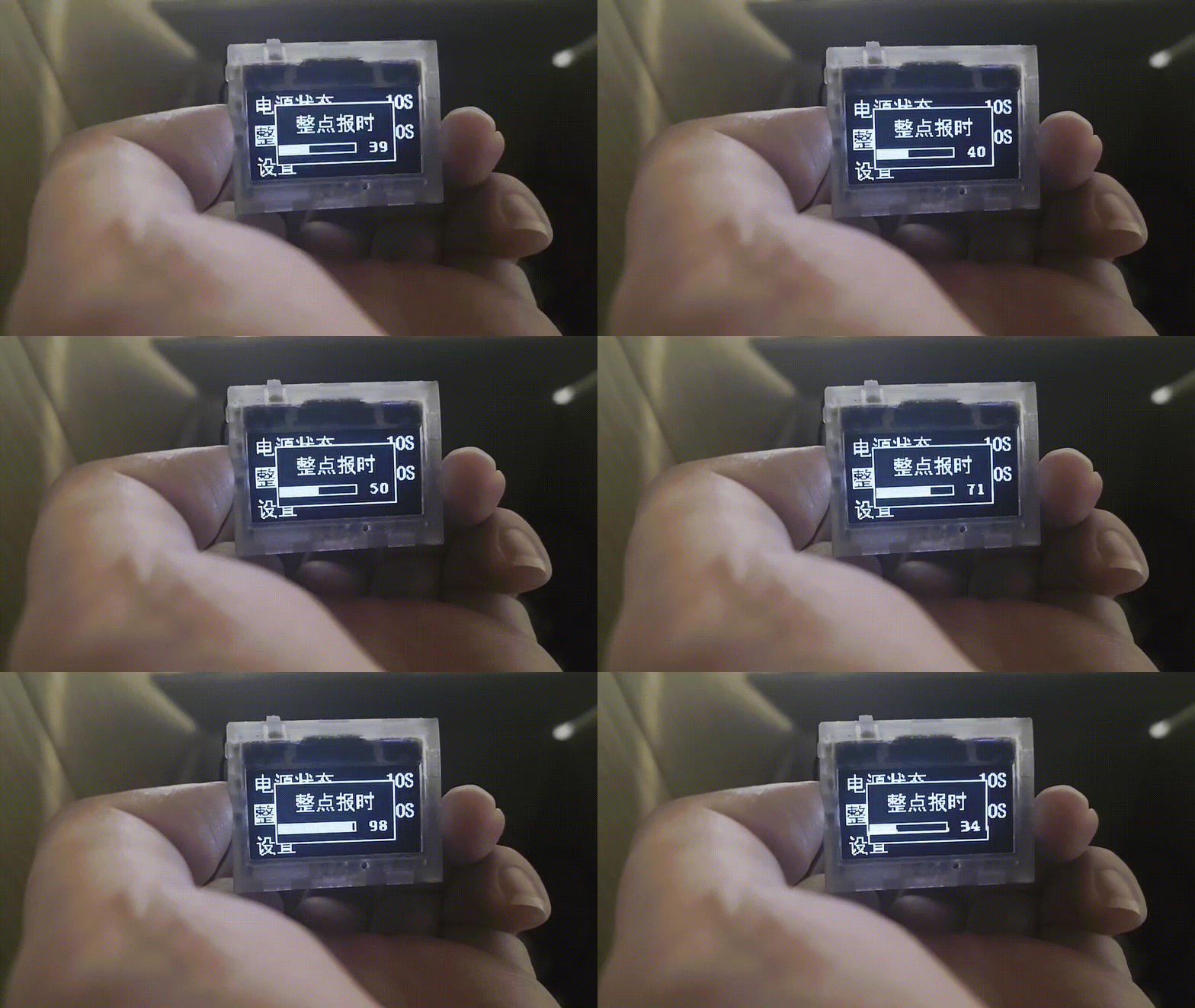
●3.6 The compass
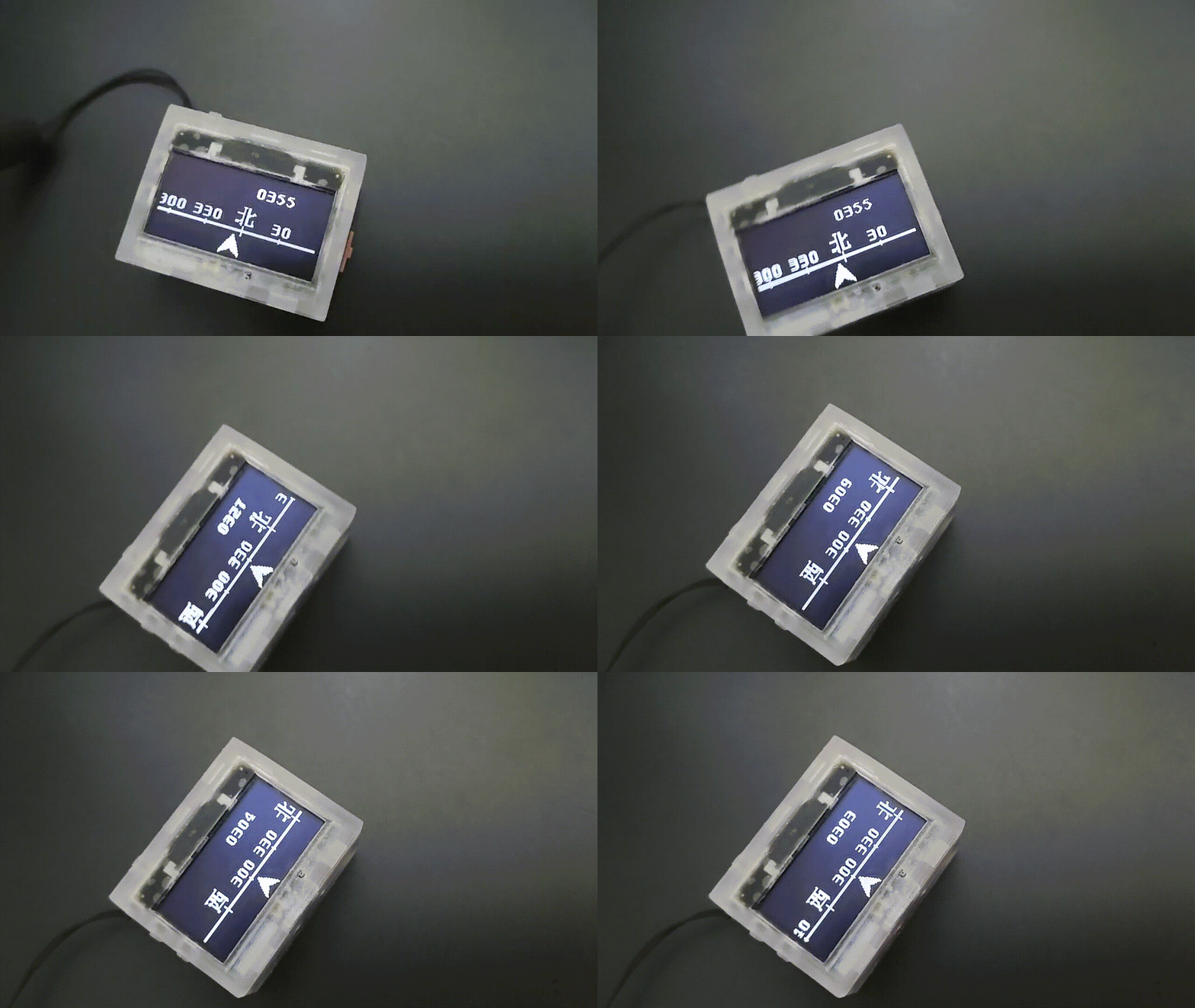
    does not have a fixed calibration. Details such as the position of the angle display are not adjustable. When using         it, you need to slowly rotate it around in place to calibrate it. The current power consumption in this mode is 1.3mA
 
 
. === ... When developing the first and second generation clocks, we discovered a significant issue: the MCU frequently experienced delays during task execution. For instance, when scrolling numbers, a 32-pixel translation required 32 separate translations, with a 6-millisecond interval between each translation. This resulted in a 186ms idle time (31 x 6 = 186ms), a critical problem. If the clock refreshed every second, 18.6% of the time was wasted waiting. Similarly, after sending a measurement command to a sensor, a waiting period was required to read the measured value.         To address this MCU idleness, a power-down mode could be implemented to reduce power consumption.         However, this introduces a new problem: how does the MCU know when to wake up?         A power-down wake-up timer can be used, allowing the MCU to wake up at a specified time after a sleep period.         But this raises another question: how does the MCU know when to wake up next? For example, if a 32-pixel translation requires 32 steps, how does the MCU know it needs to perform another 32 steps with 6ms intervals after the first one?


        To solve this problem, I devised a method: introducing two arrays, one for "sleep time" and the other for "task number" (each bit represents a task). The values ​​in the two arrays correspond one-to-one. For example, to perform a 32-pixel translation, which requires 32 operations, I first reserve 32 tasks in the "sleep time" and "task number" arrays, as shown in the figure below. Each time,
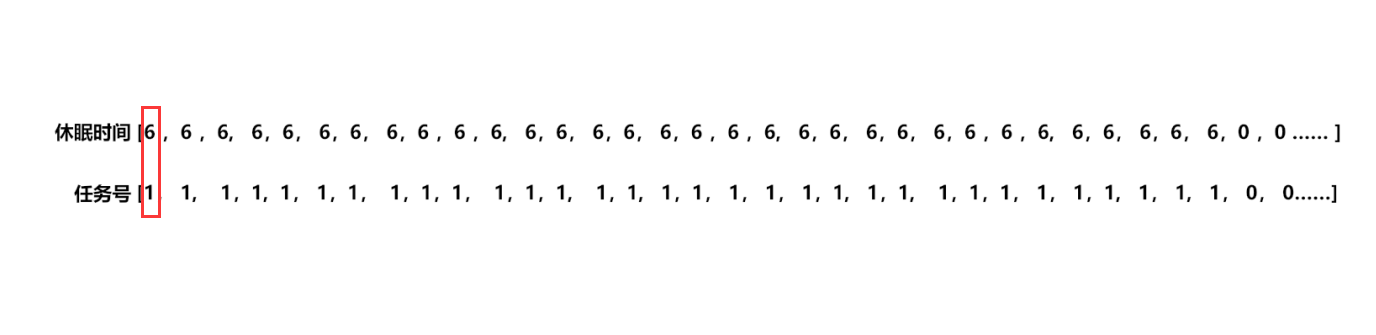
 
        the MCU checks the values ​​in the "sleep time" array [0] and the "task number" array [0]. If they are not equal to 0, the value of the "sleep time" array [0] is loaded into the power-down wake-up register, and the MCU goes into sleep mode. After waking up, the MCU matches the corresponding task according to the value of the "task number" array [0]. After the task is completed, the value of the entire array shifts one position to the left. When the value in the "sleep time" array [0] and the "task number" array [0] is 0, it means that the UI refresh task has been completed, the power-down wake-up register is closed, and the MCU completely enters sleep mode, waiting for the external button to interrupt the task and wake it up.
 
        However, the project doesn't only have one task: OLED screen refresh. For tasks requiring sensor measurements, to ensure timeliness, it's impossible to schedule measurements after the UI refresh is complete. We want to achieve both simultaneously. This requires writing an insertion algorithm to insert tasks into the task queue. For example, inserting a barometric pressure measurement task ("task number array" bit1 = 1) into the queue requires a 15ms wait (6+6+3) before insertion into the queue shown in the diagram above, as shown below. It can be seen that when values ​​cannot overlap, the queue insertion needs to be interrupted.

        Another example: inserting a barometric pressure measurement task into the queue requires a 12ms wait before insertion into the queue shown in the diagram below. It can be seen that when values ​​overlap, the queue insertion does not need to be interrupted. Only the bit corresponding to the task number needs to be added.

        So far, the low-power task scheduling algorithm is complete, but one problem remains: during sleep mode, if an external interrupt is input, the MCU will prematurely end sleep, potentially causing abnormal sensor sampling and affecting the user experience. At this point, the sleep algorithm needs to be optimized. Upon waking, if the timer in the wake-up register hasn't expired, the value should be filled back and the system should return to sleep until the timer value is 0. But
 
        the process isn't over yet. To further reduce power consumption, we need to do more. The most power-consuming task for the MCU is actually during screen refresh. This requires MCU involvement when sending data via SPI, preventing other tasks. We can use DMA with a double buffer. First, buffer 1 is filled, and then the DMA sends data from buffer 1. While buffer 1 is being sent, buffer 2 is filled, and so on, alternating and repeating to improve the MCU's efficiency.
       However, simply sending data via DMA still consumes more power because it requires moving the data from flash to XRAM and then sending it out via DMA, which takes time and is less efficient than sending the data directly from flash.
       In this case, we can take advantage of the fact that when the MCU enters idle mode, the MCU stops working, but the peripherals can still operate. If area 2 is filled but area 1 is not yet finished sending, the MCU can be put into idle mode. In this mode, the MCU stops working, but the peripherals can still operate. It waits for the SPI DMA to complete before waking up to execute other programs.
        This further reduces power consumption.
In addition, there are various optimizations to local refreshes,     meticulously         reducing           power           consumption .
 
 
===
 
...
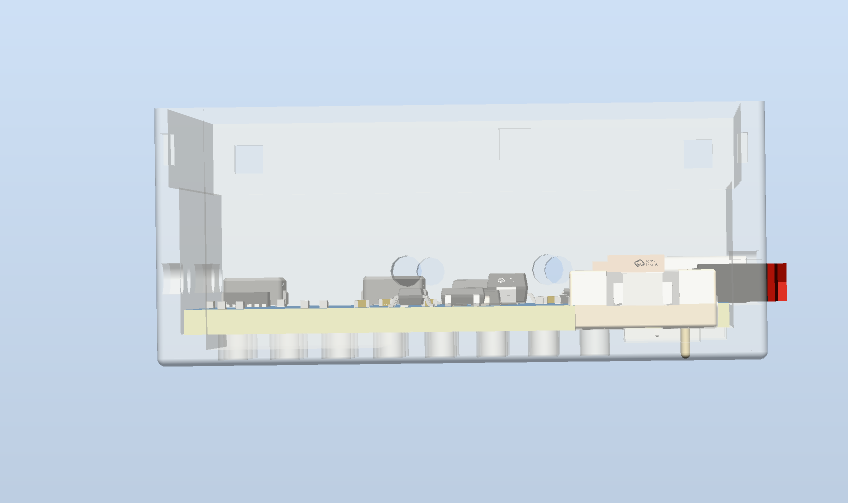


STC32F_LowPowerClock-YQ-240229A.hex
[Minimum wall thickness 0.6] Rear housing 3.1.stl
[Minimum wall thickness 0.6] Front housing 3.1.stl
[Minimum wall thickness 0.6] Assembly housing 3.1.stp
BOM_Control Board 4.0.4 + Power Board 2.8.5 V1.0.1.xlsx
STC32F_LowPowerClock-2024.03.13.18.42 Open Source Version.zip
2.8.5 Power Board Operating Instructions.pdf
PDF_【Always On for 24 Days】Low Power Mini Desktop Clock.zip
Altium_【Always On for 24 Days】Low Power Mini Desktop Clock.zip
PADS_【Always On for 24 Days】Low Power Mini Desktop Clock.zip
BOM_【Always On for 24 Days】 Low Power Consumption - Mini Desktop Clock.xlsx
91328
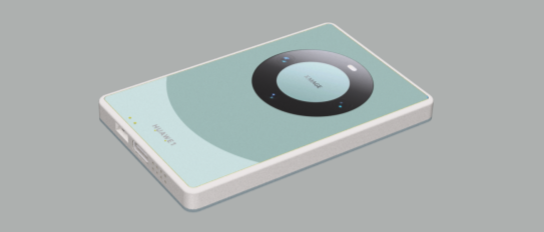
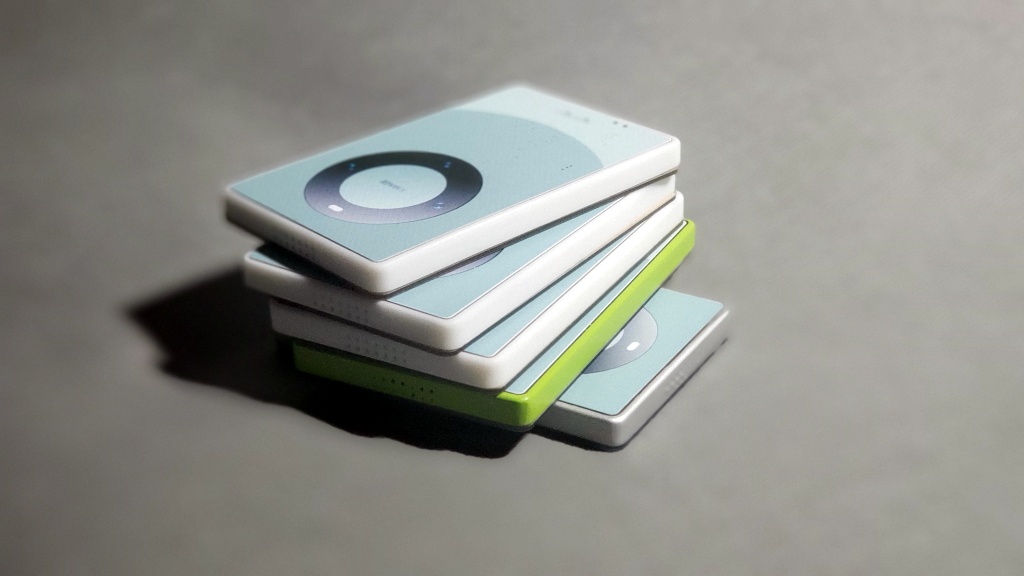
Mate 60 Mini
Homemade Mini Version
 
The Mate 60 mini
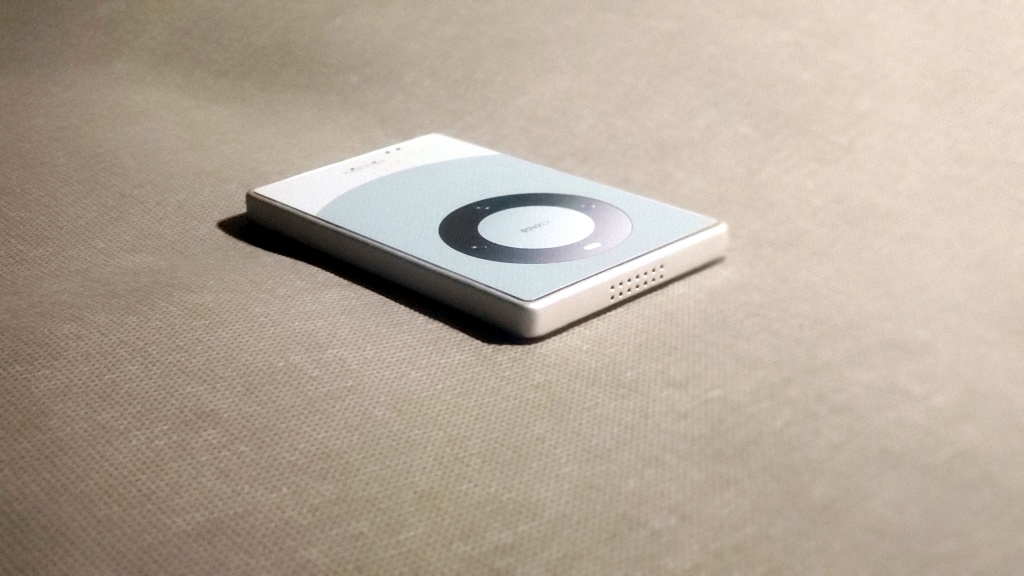
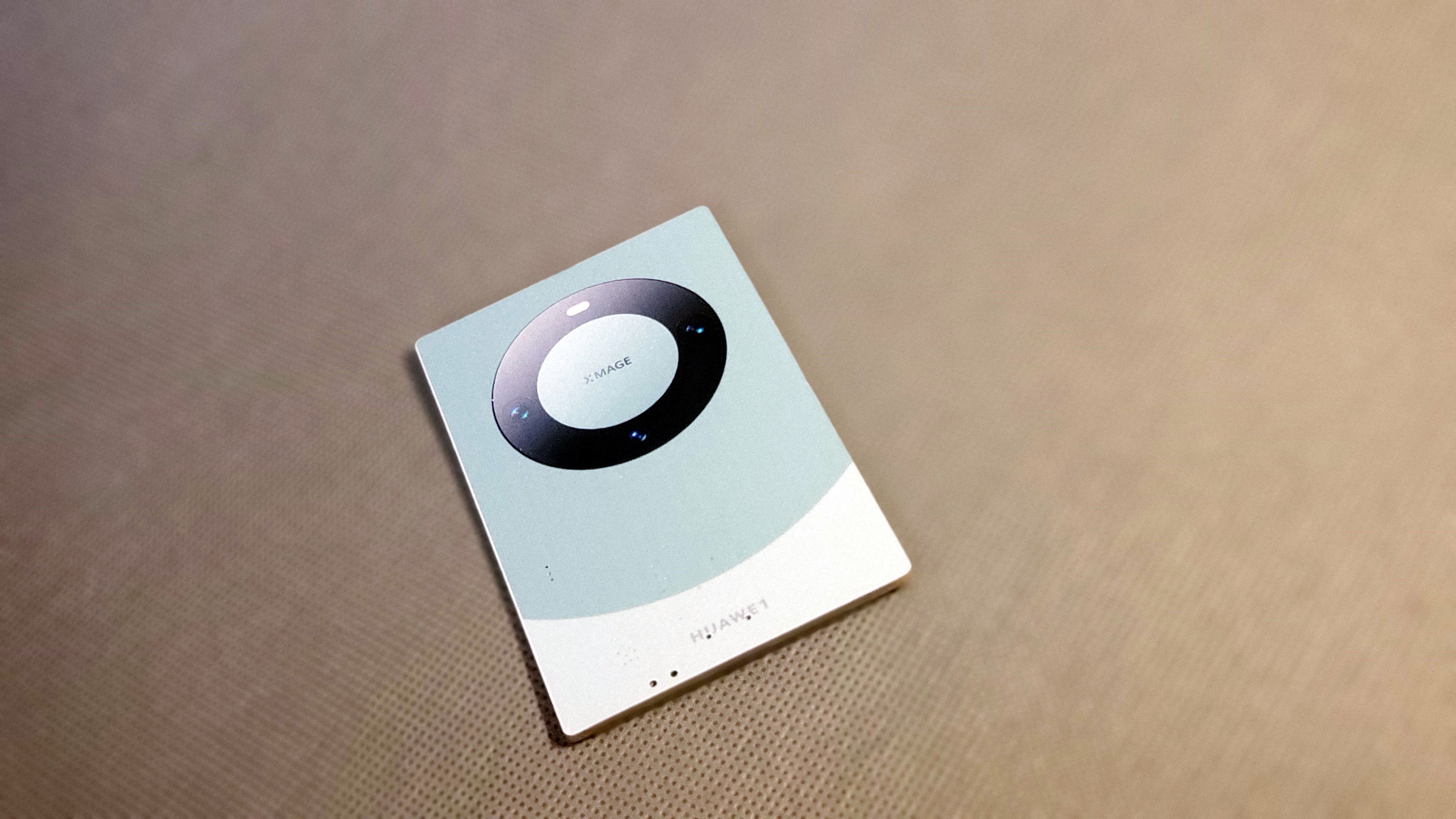
version project aims for simplification, based on the Mate 60, but scaled down to a card-sized form factor
. Screens are too big now, too small for small hands, and you're afraid of dropping it and breaking it.
It supports Type-C charging
, touch recognition on the back with three independent sections
, no buttons on the sides for a minimalist look,
speaker holes
at the bottom and top, and physical in-screen buttons for a real tactile experience, not a motor-simulated design. It also features
four built-in magnets for easy attachment.
 
(Video demonstration:
https://www.bilibili.com/video/BV1yt421t7Mh/ 


) Circuit description
 
: Adjusting the size of C26 adjusts touch sensitivity.
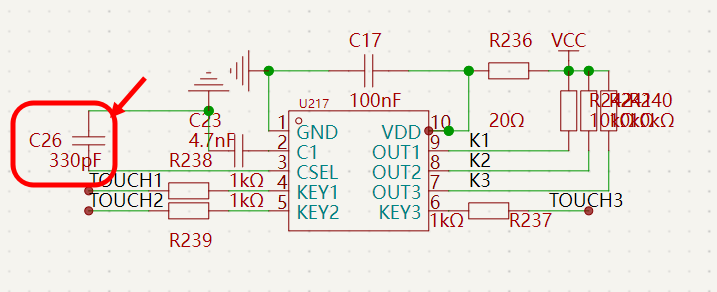
 
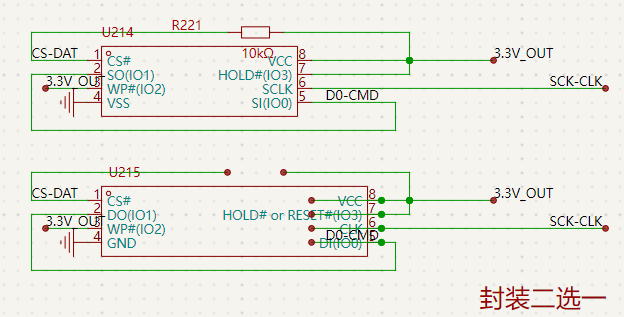
Two types of storage chips are available, choose one, and capacity can be selected as needed.
 
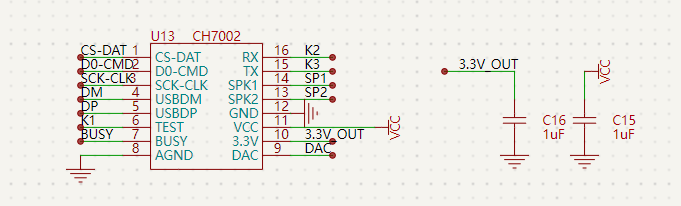
The core uses CH7002.
 
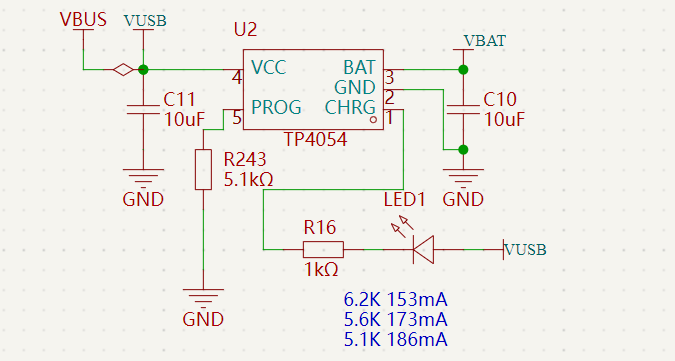
Charging...
 
The above content is purely fictional and should not be taken seriously. If you do, you are solely responsible for the consequences. Electronics are boring
, life needs entertainment! Why not share the fun with others? The above content is purely fictional and should not be taken seriously. If you do, you are solely responsible for the consequences. Electronics are boring, life needs entertainment! Instead of fooling yourself for fun, why not share the fun with others!
The above content is purely fictional and should not be taken seriously; if you do, you are solely responsible for the consequences. Electronic games can be boring, but life needs entertainment! Why be silly and have fun with others instead of just fooling yourself!
 
Overview:
 

No programming required. A clever
use for holidays.
A special
card-sized version
for collecting.
Supports hanging ropes.
Large capacity storage.
Power switch.
Freely stick to refrigerators.
Music storage is flexible.


Details:
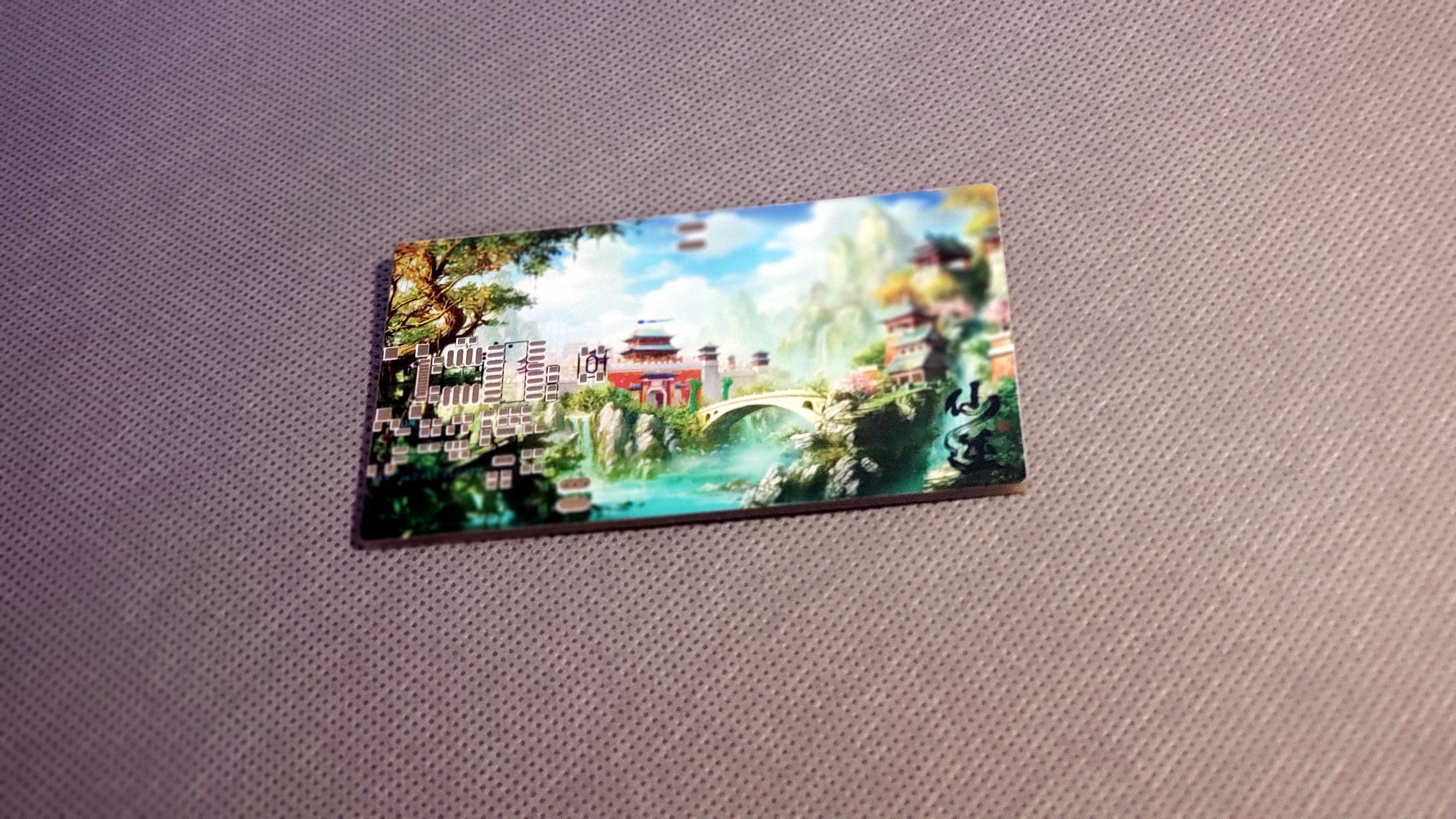
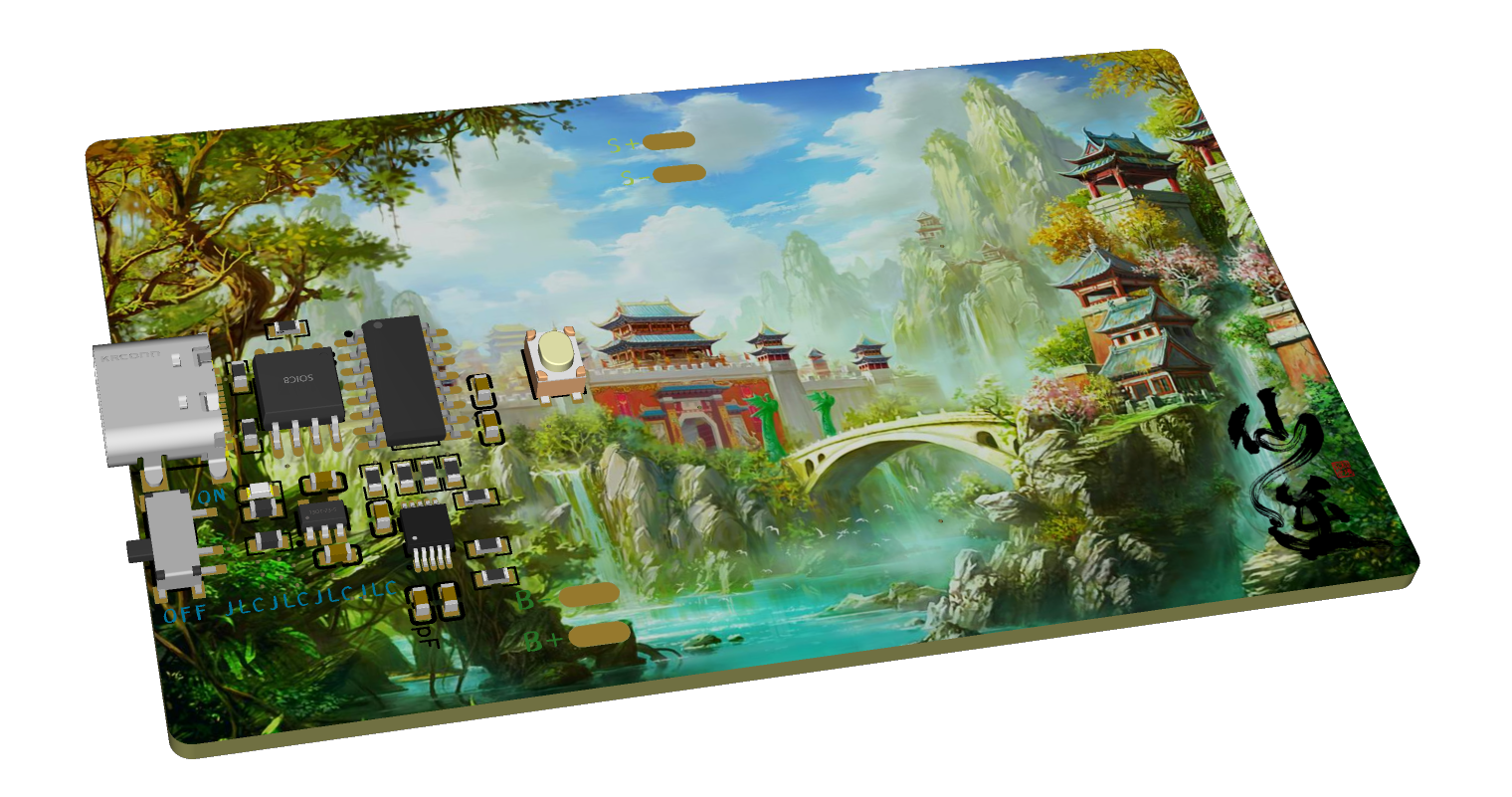
This project mainly uses JLCPCB's color PCB, 3D printing + painting, and JLCPCB's panel printing service.
Components mainly use large solder pads for easy soldering and replication.
The battery is a 302530 lithium battery
. Speaker thickness should not exceed 4.3mm. 0.5W 8-ohm
magnets: four, round, 6mm diameter, 2mm thickness.
PCB thickness: 1.6mm .
Panel thickness: 1.0mm. Adhesive backing.
 
 
A touch switch on the front for easy pressing, and three touch buttons on the back for audio switching.
After plugging into a computer, a USB flash drive appears with internal files; simply replace them. No programming knowledge required.
Quickly transfer your favorite music or other files, use it as a music card, or a prank tool!
 
 
Electronic Fooling Game Call for Submissions!


button.stl
.stl
PDF_mate60 Mini Version.zip
Altium_mate60 Mini Version.zip
PADS_mate60 Mini Version.zip
BOM_mate60 mini version.xlsx
91329
electronic
参考设计图片
×
 
 
Search Datasheet?

Supported by EEWorld Datasheet

Forum More
Update:2026-03-27 21:30:52
  • I'm a newbie, please give me some advice.
  • Camera processing technology
  • Using CCS with DSP28027
  • Please advise on the simulation and programming of the sound guided car system based on the single chip microcomputer
  • WinCE keyboard support issues
  • Analysis of current anti-theft alarm mode

EEWorld
subscription
account

EEWorld
service
account

Automotive
development
community

Robot
development
community

About Us Customer Service Contact Information Datasheet Sitemap LatestNews


Room 1530, 15th Floor, Building B, No.18 Zhongguancun Street, Haidian District, Beijing, Postal Code: 100190 China Telephone: 008610 8235 0740

Copyright © 2005-2024 EEWORLD.com.cn, Inc. All rights reserved 京ICP证060456号 京ICP备10001474号-1 电信业务审批[2006]字第258号函 京公网安备 11010802033920号