8zQB3

ESP32-C3 USB HUB

 
Overview
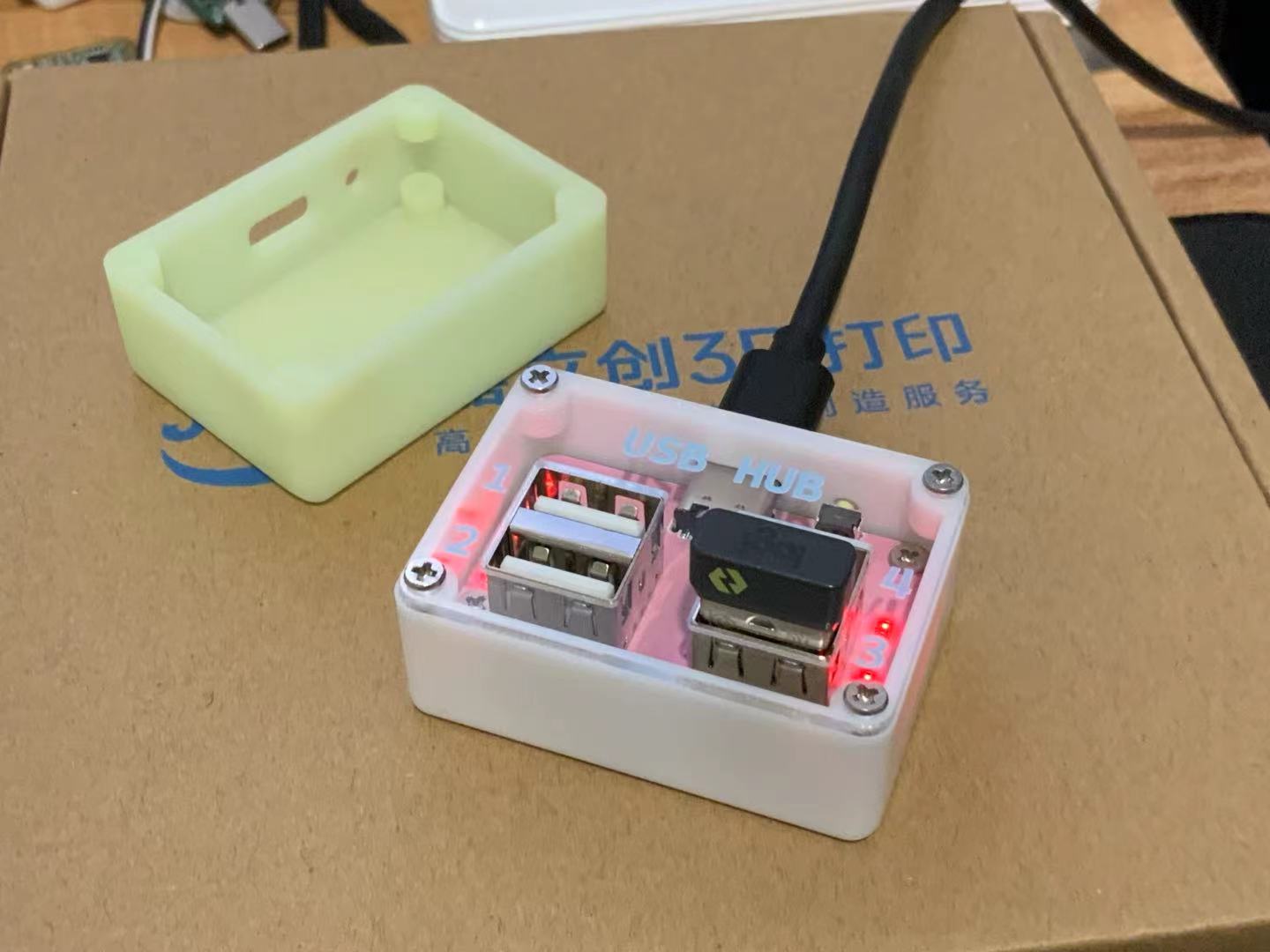
This project utilizes the ESP32-C3 USB HUB
and CH334P USB 2.0 HUB to remotely control four USB ports via the ESP32-C3. It is suitable for applications requiring remote management of USB devices. All USB ports are independently current-limited (680mA) by the onboard MT9700 electronic load switch, ensuring the safety and stability of device operation.
Project features include

: Remote USB on/off control: Through the Baffars Cloud platform, users can remotely control the four USB ports via the MQTT protocol, easily achieving remote device management.
Independent current-limiting protection: Each USB port is current-limited to 680mA by the MT9700 switch, ensuring safe port load.
Smart network configuration: The device supports SmartConfig; users can enter network configuration mode by long-pressing the button and use the mini-program provided by Baffars Cloud for convenient network configuration.

Hardware Specifications

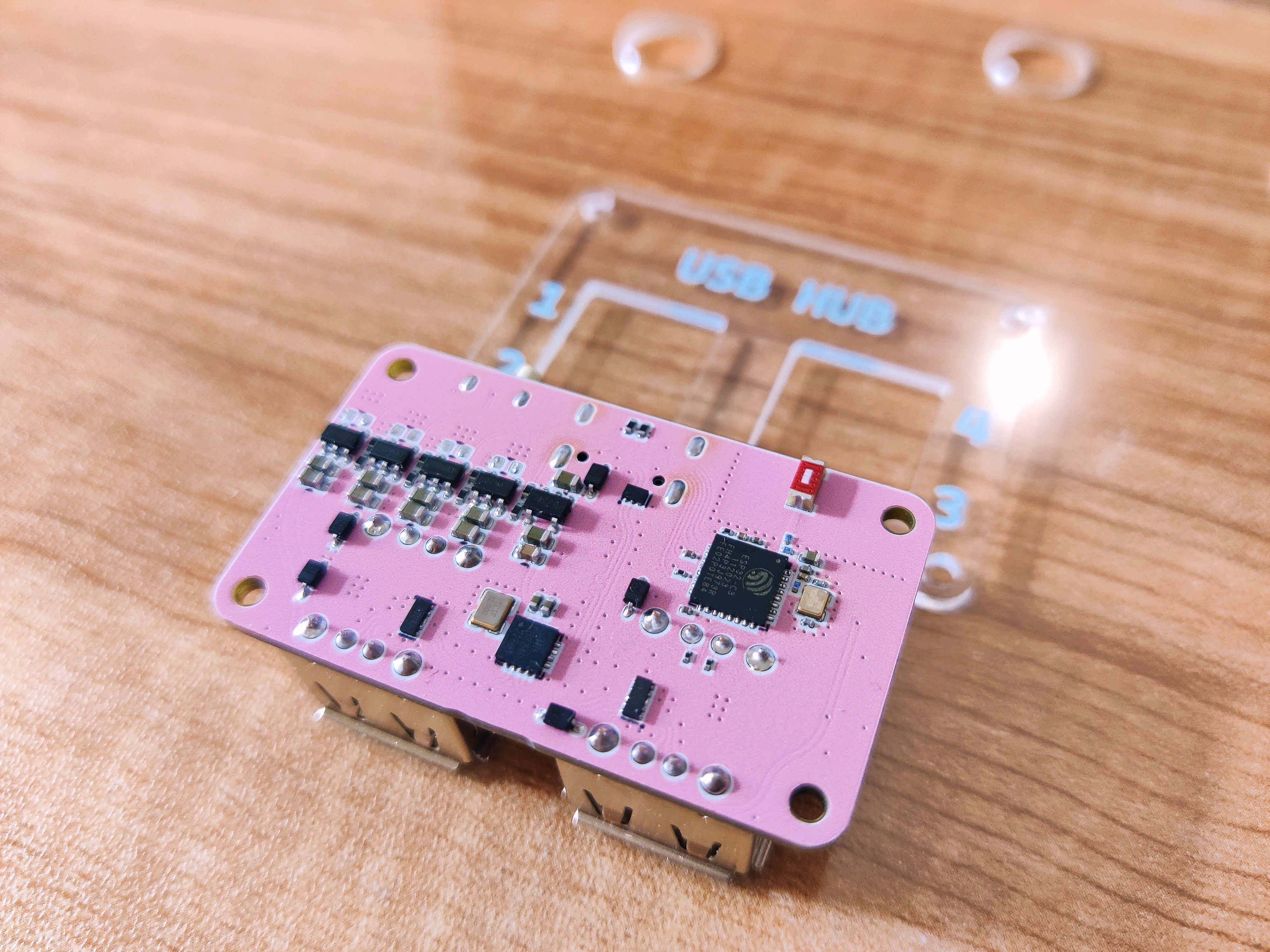
: Main Control Chip: ESP32-C3, providing WiFi wireless communication;
USB HUB Chip: CH334P, used to expand USB ports;
Electronic Load Switch: MT9700, each USB port independently limits current to 680mA, protecting devices from overcurrent damage.

Notes
:

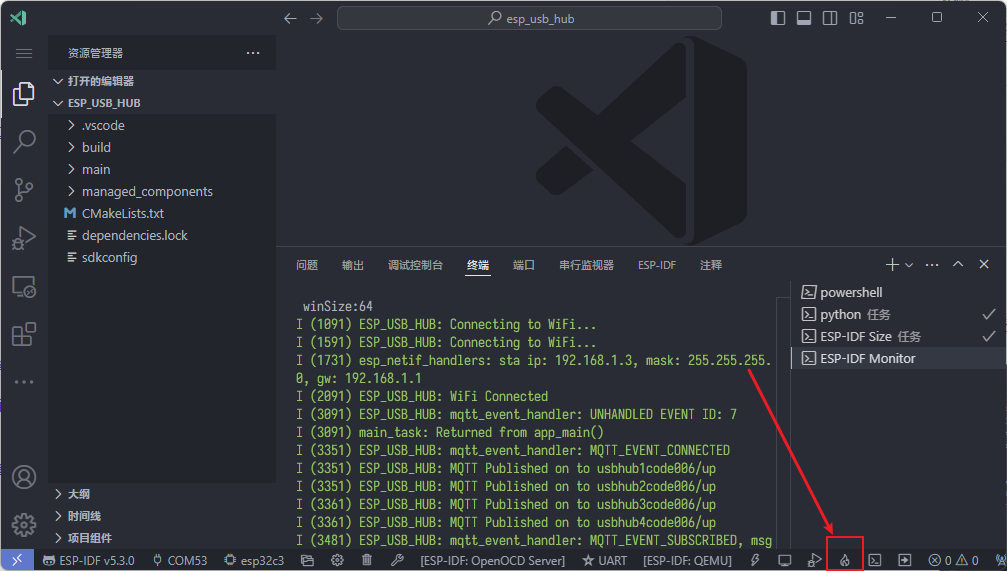
This project uses ESP-IDF, which requires you to enter the Bafa Cloud private key in sdkconfig and compile it yourself.
Press and hold the button while plugging in the USB to enter Bootload for programming. After programming, use SmartConfig for network configuration (press and hold the button for 5 seconds to reconfigure). A one-click network configuration mini-program can be used in the lower left corner of the Bafa Cloud WeChat official account.
The USB pins of the ESP32-C3 are connected to the first port of the USB HUB via a 0R resistor, which can be removed after programming.
PCB Specifications: Board thickness 1.6mm, acrylic panel thickness optional 1mm or 1.5mm.
Screw type: M2x5x4 flat head Phillips head self-tapping screws.

Configuration Steps
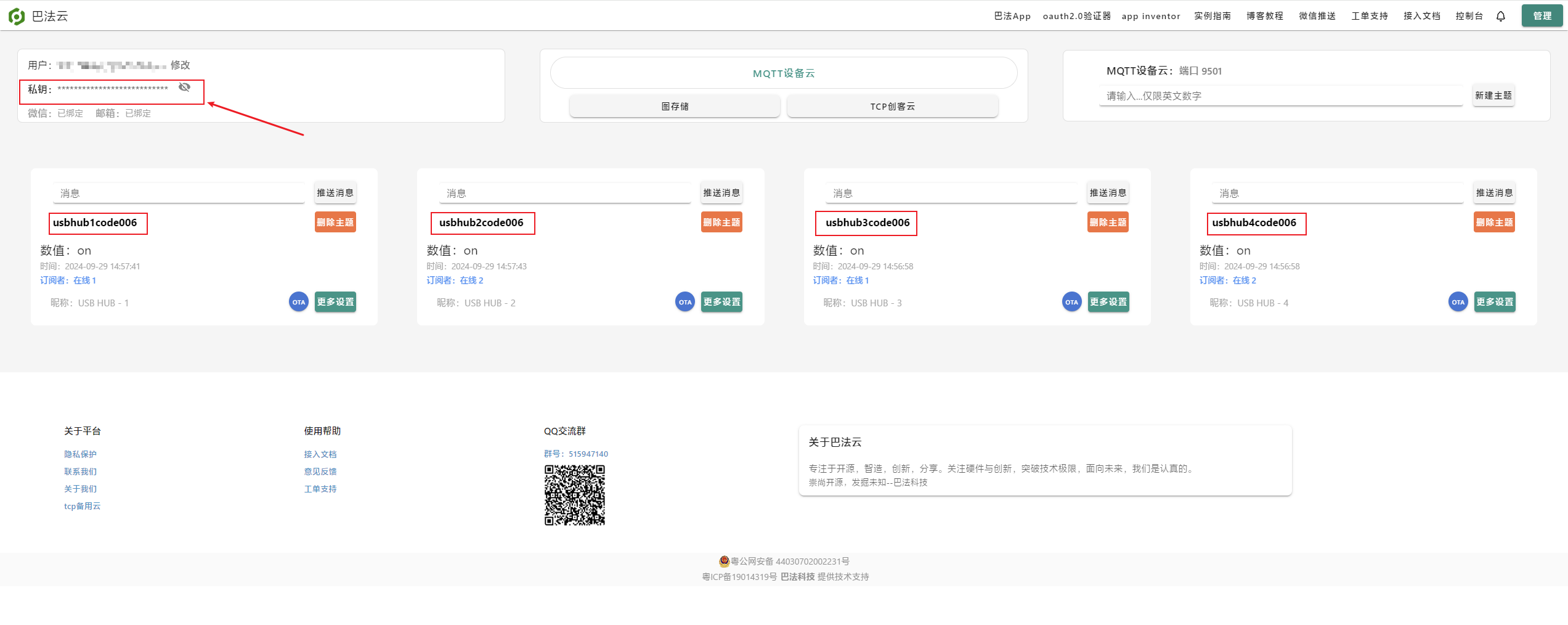
: 1. Buffalo Cloud Configuration:
https://cloud.bemfa.com/tcp/devicemqtt.html
Create 4 MQTT topics:
usbhub1code006
usbhub2code006
usbhub3code006
usbhub4code006
2. Copy and paste the Buffalo Cloud private key into the ESP-IDF SDK configuration editor.
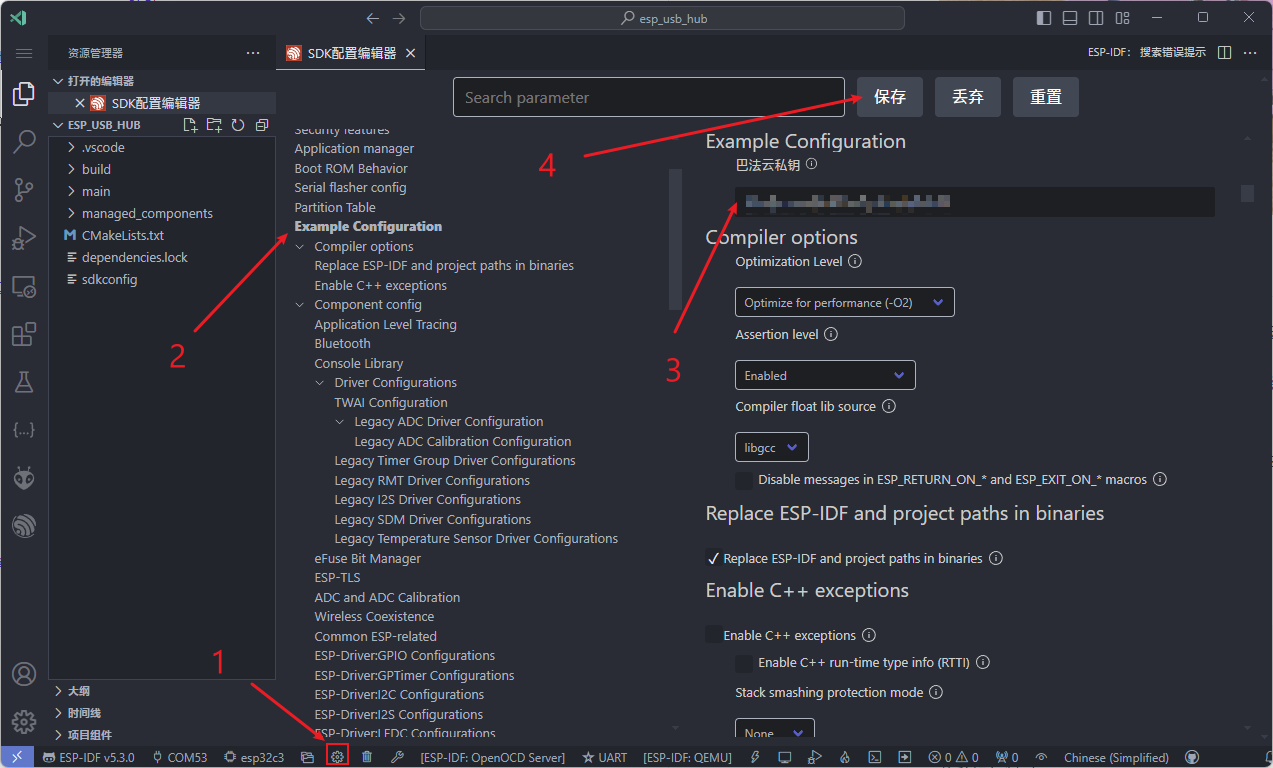
3. Compile and flash. Special
thanks
to JLCPCB for providing free 3D printing, color silkscreen PCB printing, and LCPCB panel customization services, which helped me successfully complete this project.
参考设计图片
×
 
 
Search Datasheet?

Supported by EEWorld Datasheet

Forum More
Update:2026-03-28 19:24:19
  • The pin is floating but the voltage is still output?
  • [Environmental Expert's Smart Watch] Part 11: Watch Binding and Unbinding
  • TMS320F28335 Study Notes - Startup Process
  • Thinking about Circuit Chip
  • How to track ADI sample logistics?
  • vcs-mx simulation

EEWorld
subscription
account

EEWorld
service
account

Automotive
development
community

Robot
development
community

About Us Customer Service Contact Information Datasheet Sitemap LatestNews



Room 1530, 15th Floor, Building B, No.18 Zhongguancun Street, Haidian District, Beijing, Postal Code: 100190 China Telephone: 008610 8235 0740

Copyright © 2005-2024 EEWORLD.com.cn, Inc. All rights reserved 京ICP证060456号 京ICP备10001474号-1 电信业务审批[2006]字第258号函 京公网安备 11010802033920号