gWtgTYg3

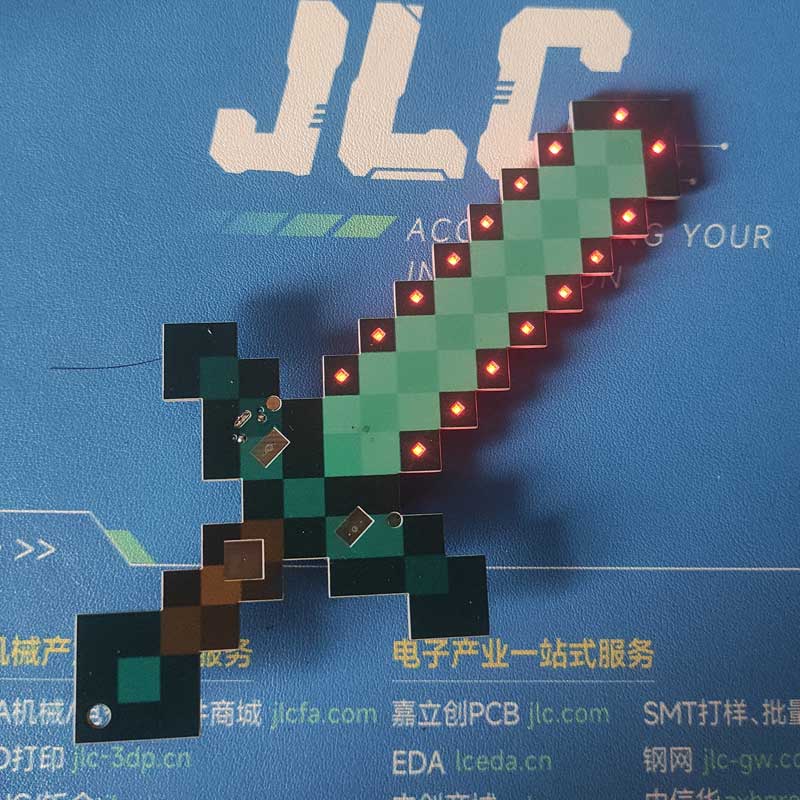
Replica of Minecraft Greatsword - Solar Powered and Supercapacitor Version

 
Overview
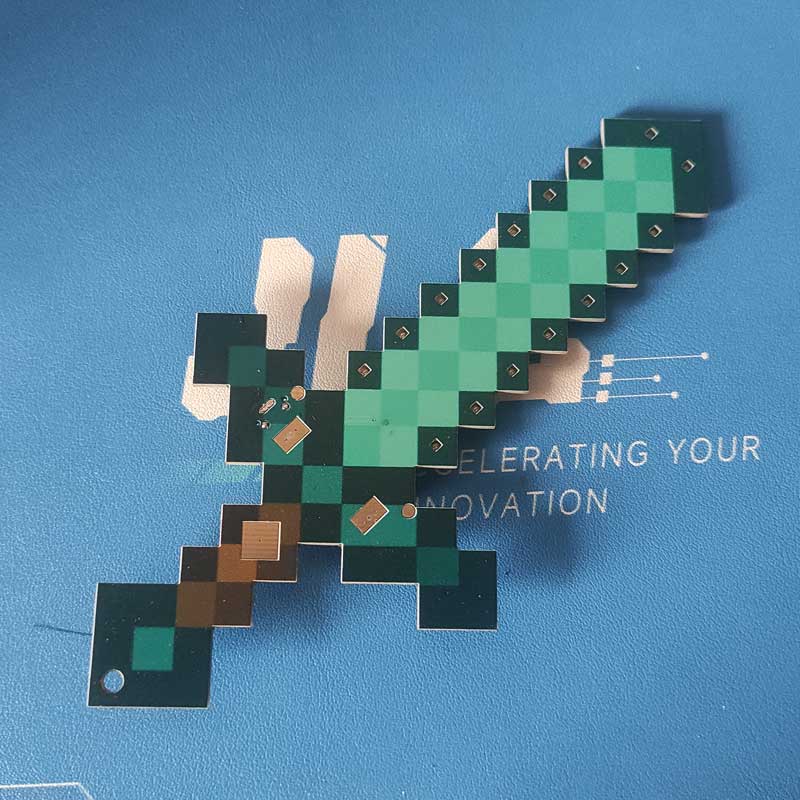
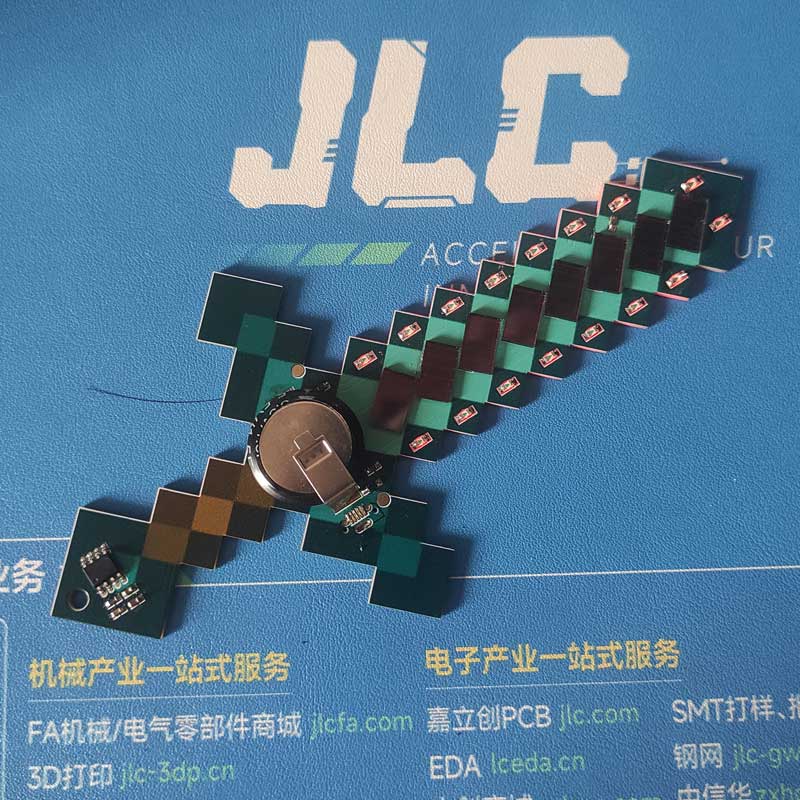
I modified the Minecraft Greatsword a bit. The original required a battery, which was very inconvenient, so I replaced it with a supercapacitor, eliminating the need for a charging circuit. I also added a solar panel, so even when the battery is dead, I can enjoy playing again by letting it dry in the sun!
Original: https://oshwhub.com/ftp_li/wo-de-shi-jie-tie-jian
studio_video_1725016404596.mp4
PDF_Minecraft Greatsword Replica - Solar Energy and Supercapacitor Version.zip
Altium_Minecraft Greatsword Replica - Solar and Supercapacitor Version.zip
PADS_Minecraft Greatsword Replica - Solar and Supercapacitor Version.zip
BOM_Minecraft Greatsword Replica - Solar and Supercapacitor Version.xlsx
92520
Simple microcontroller power supply module
This design addresses the common problem of needing to provide a 3.3V high level to an STM32 microcontroller when only a power bank is readily available. The circuit is simple and inexpensive.
Update Log
2024.8.30 — First Release of Open Source Project
 
---------------------------------------------------------------------------------------------------------------------------------------------------------------------
Project Description:
When debugging STM32 code, sometimes it's necessary to provide a high-level voltage to the microcontroller for testing. However, since I don't have a dedicated power supply on hand, only a power bank that can provide 5V, debugging is quite troublesome. Recently, I learned about the AMS1117 LDO chip, so I drew a simple module to solve this problem.
The circuit schematic references some AMS1117 modules from open-source platforms and is also based on the datasheet.
 
---------------------------------------------------------------------------------------------------------------------------------------------------------------------
Project Introduction:
Power is supplied via Type-C, outputting 5V, 3.3V, and GND through a single row of bent pins. DuPont wires can be used to connect to the required locations.
 
---------------------------------------------------------------------------------------------------------------------------------------------------------------------
Circuit Schematic
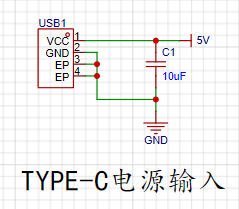
1. Power Input Section:
Since there is no data transmission requirement, a 2-pin Type-C direct-plug interface was chosen for easy soldering and a simple circuit.
 
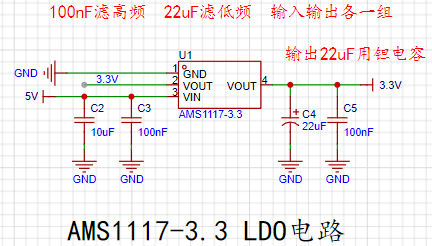
2. The AMS1117 LDO circuit
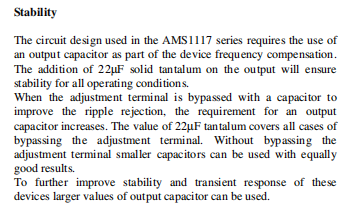
has two capacitors connected to both the input and output: one to filter high frequencies and the other to filter low frequencies. According to the datasheet, a 22uF tantalum capacitor is required at the output. The datasheet specifies this as follows:
 
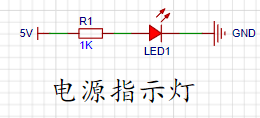
3. The power indicator circuit is
a simple LED circuit using a 1kΩ resistor. However, in actual use, the brightness was found to be somewhat excessive. Trying a 5kΩ or 10kΩ resistor might yield a more suitable brightness.
 
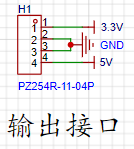
4. The output interface
is a single-row bent-pin output interface, connected using DuPont wires.
 
---------------------------------------------------------------------------------------------------------------------------------------------------------------------
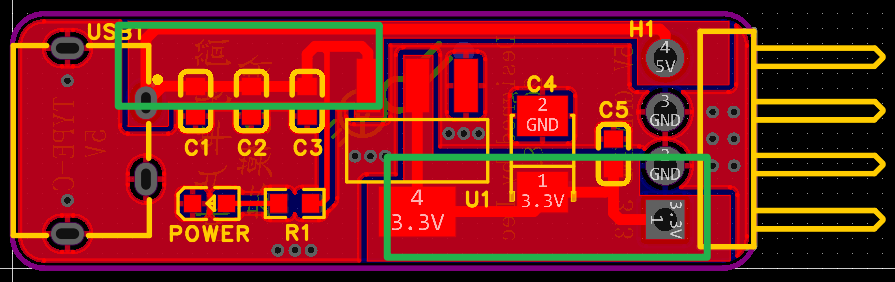
The PCB traces
use filled areas to connect the input and output, allowing for a larger current flow, as shown in the figure:
 
---------------------------------------------------------------------------------------------------------------------------------------------------------------------
Components and Costs
AMS1117-3.3 —— 0.42 yuan
22uF tantalum capacitor —— 0.47 yuan
Adding other resistors and capacitors, the cost is approximately 1.5 yuan
 
---------------------------------------------------------------------------------------------------------------------------------------------------------------------
Attached
is the AMS1117 datasheet (from LCSC Mall)
 
---------------------------------------------------------------------------------------------------------------------------------------------------------------------
Performance Demonstration
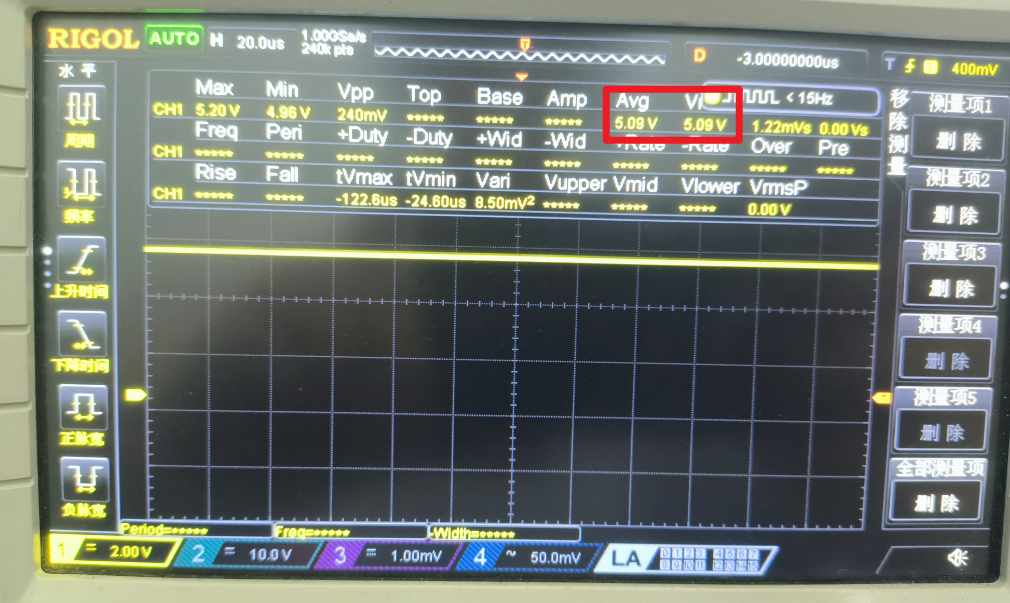
5V Output:
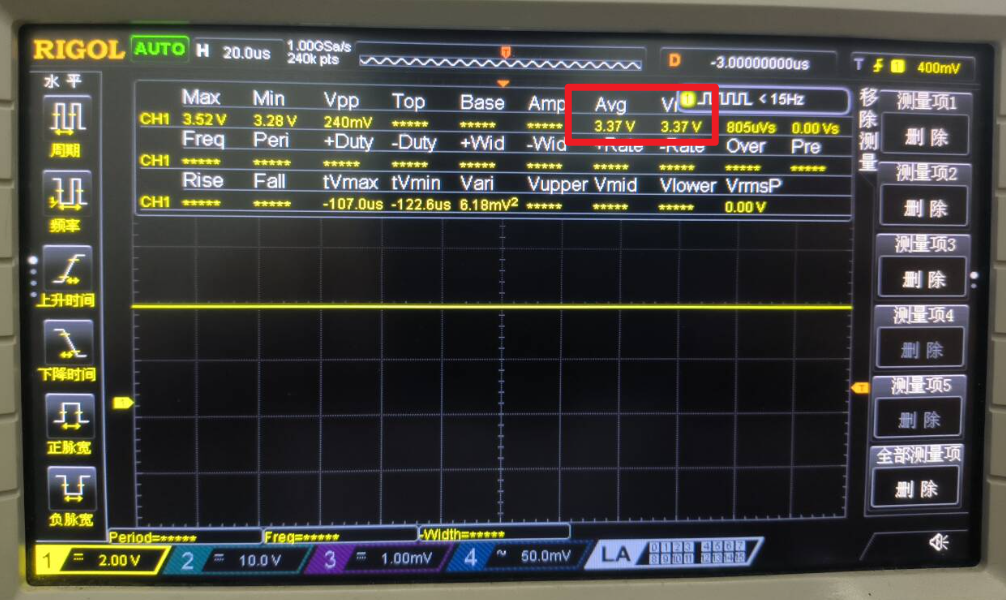
3.3V Output:
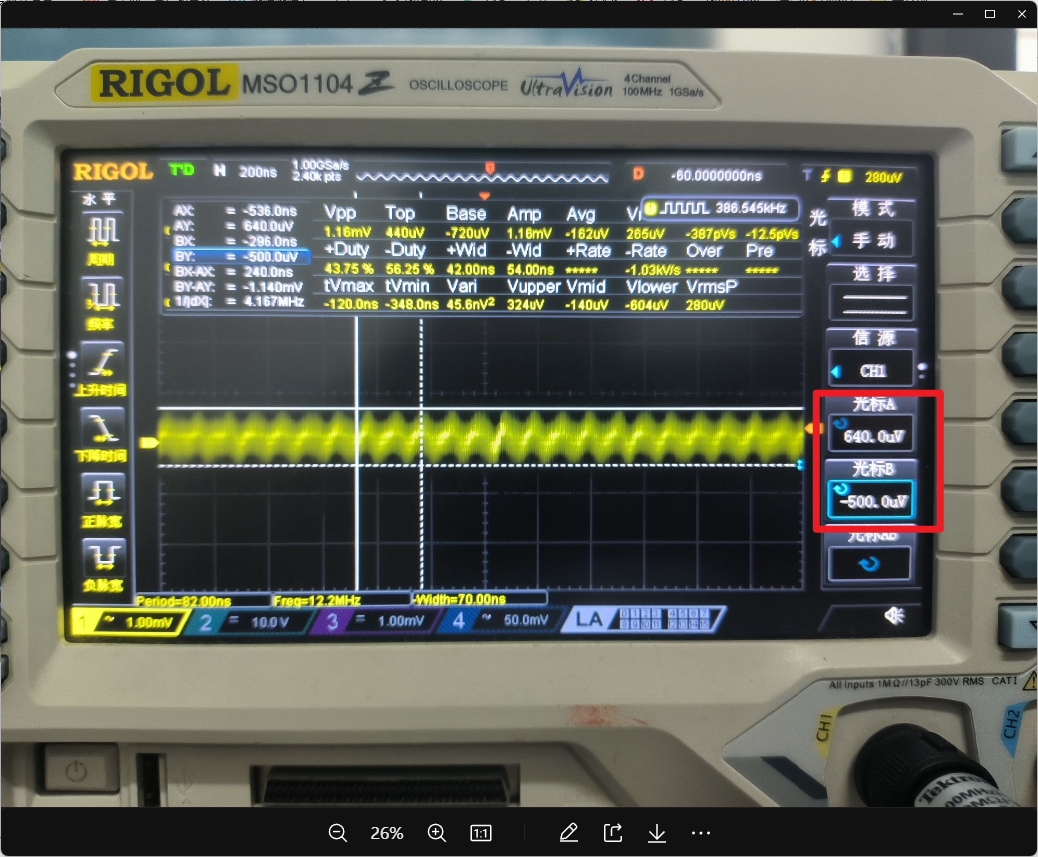
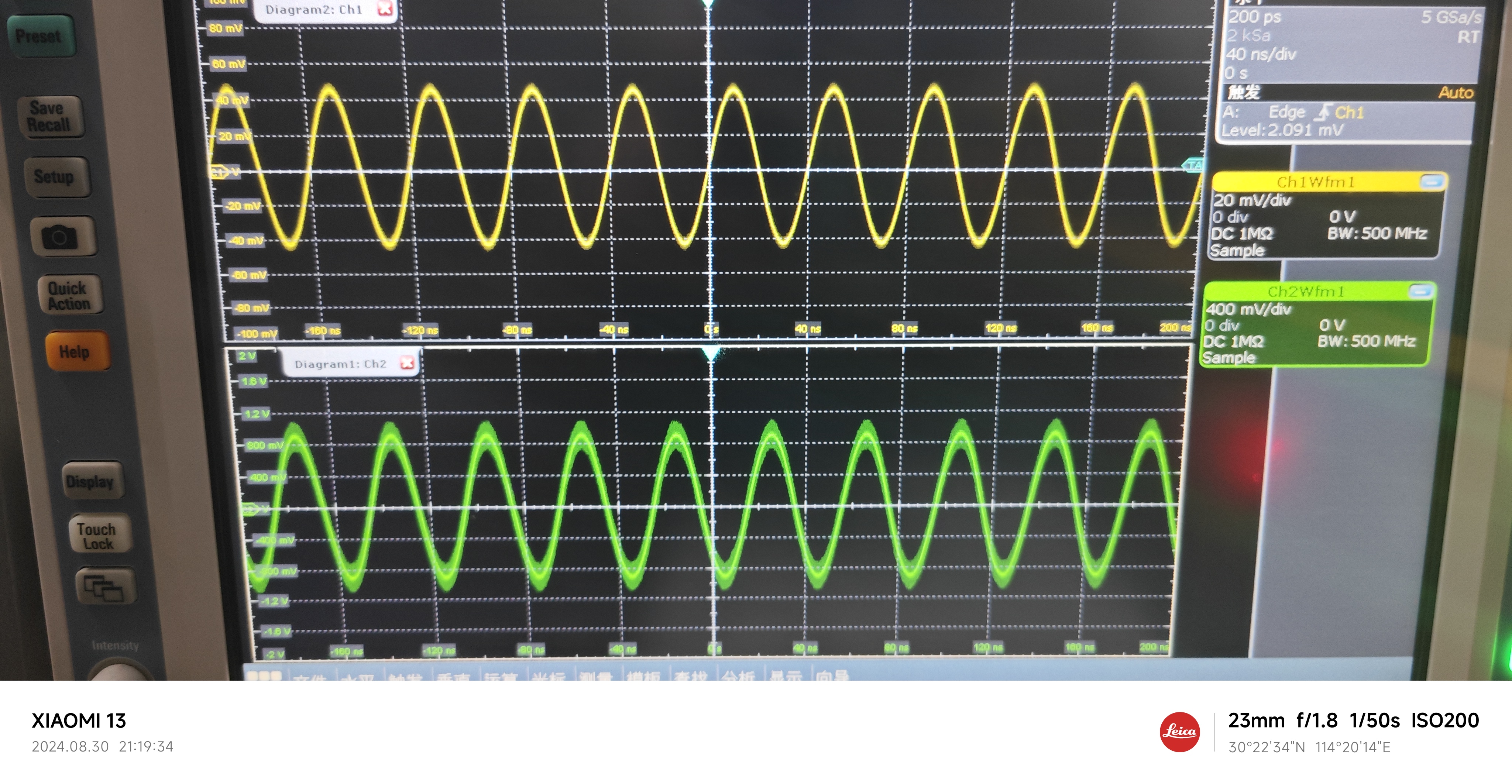
3.3V Output Ripple:
The ripple is approximately 1.14mV
 
---------------------------------------------------------------------------------------------------------------------------------------------------------------------
Finally
, because short-circuit protection is not implemented, and the 5V output is directly led from the input, shorting it to GND may cause power banks and other power supplies to malfunction. When using it, be sure to ensure that the 5V and 3.3V outputs are not shorted to GND!
Wishing everyone a successful completion! Safe use!
 
AMS1117.pdf
PDF_Simple Microcontroller Power Supply Module.zip
Altium Simple Microcontroller Power Supply Module.zip
PADS Simple Microcontroller Power Supply Module.zip
BOM_Simple Microcontroller Power Supply Module.xlsx
92521
STM32F103VET6 core board
1. Copyright Notice:
This project is an original work by m4um4um4u. Please indicate the source when reprinting.
2. Project Introduction:
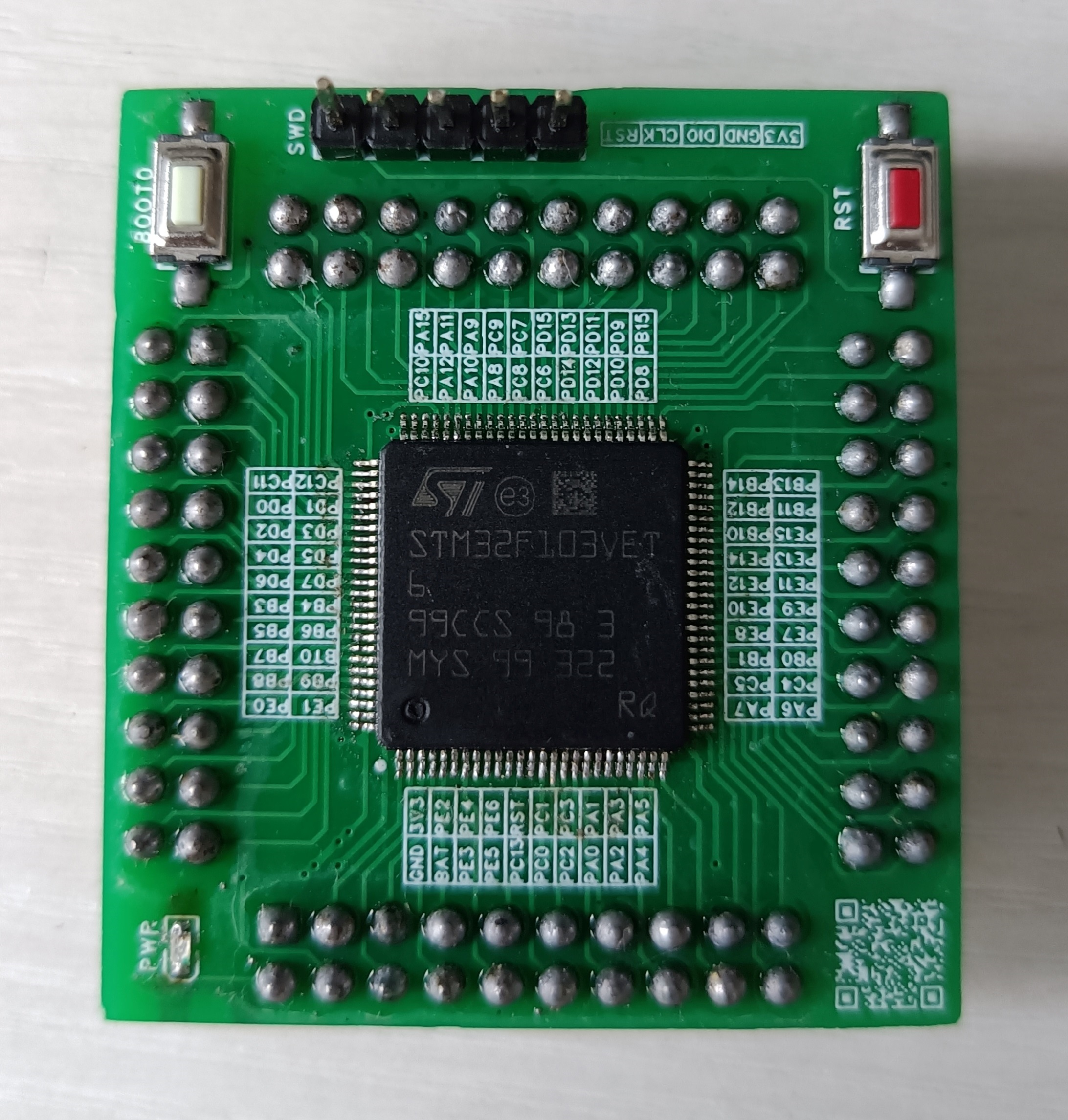
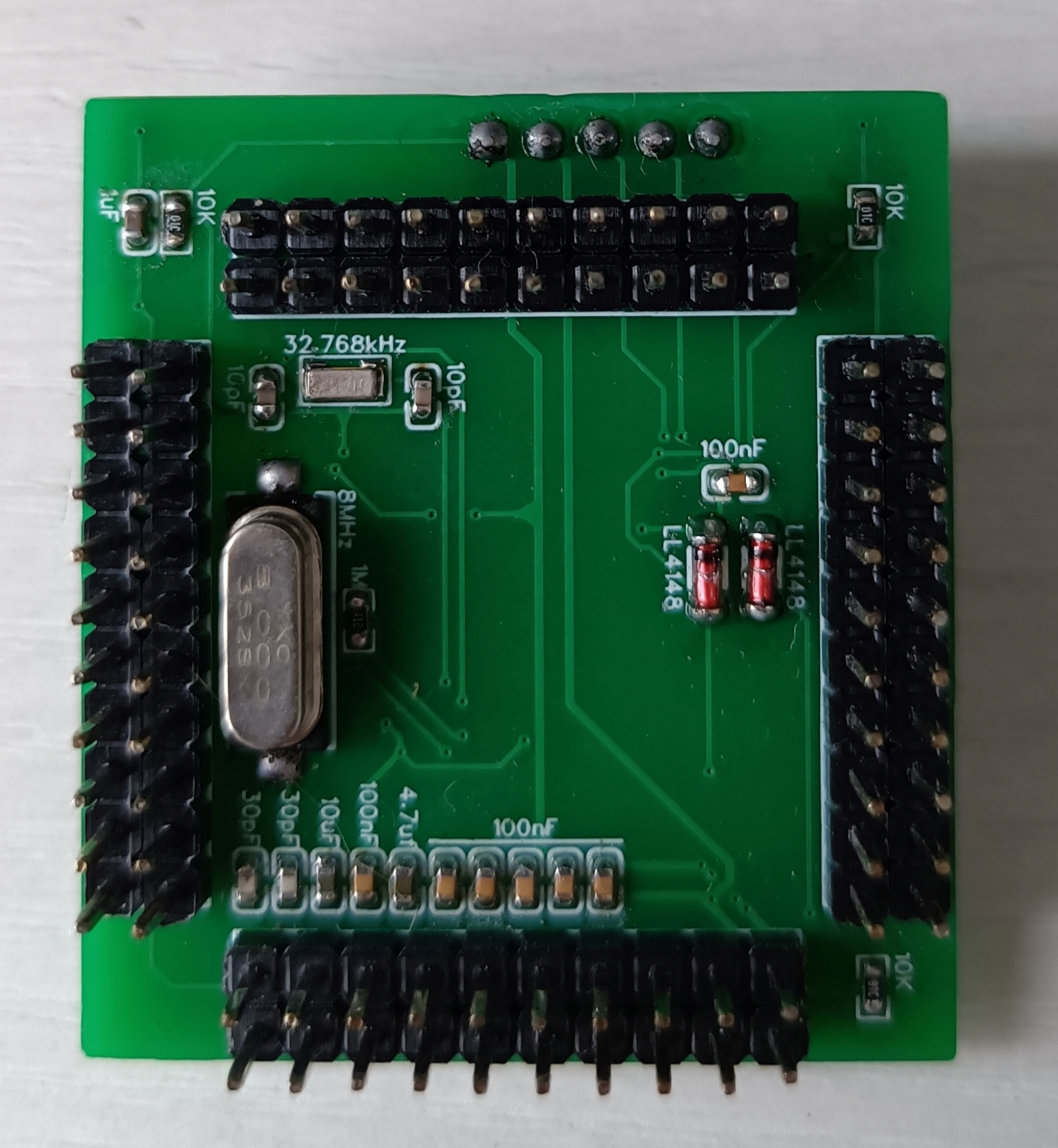
This project is an STM32F103VET6 core board with a width of 43.688mm and a height of 39.497mm. The core board features an SWD download interface, an 8MHz main crystal oscillator, a 32.768kHz clock crystal oscillator, a VBAT pin (which can be used to connect a backup battery to power the RTC and backup registers, ensuring continuous timing for the RTC and saving sensitive data; VBAT can be omitted for functions not used), a BOOT0 button (BOOT0 is high when pressed), and an RST button. The BOOT0 and RST pins are separately brought out (providing greater development flexibility). VREF is connected in parallel with the chip power supply (the chip power supply voltage should be 3.3V). The pin spacing is 2.54mm (for easy connection of other devices using DuPont wires).
3. Physical Diagram
PDF_STM32F103VET6 core board.zip
Altium_STM32F103VET6 core board.zip
PADS_STM32F103VET6 core board.zip
BOM_STM32F103VET6 Core Board.xlsx
92522
Windows Hello fingerprint module
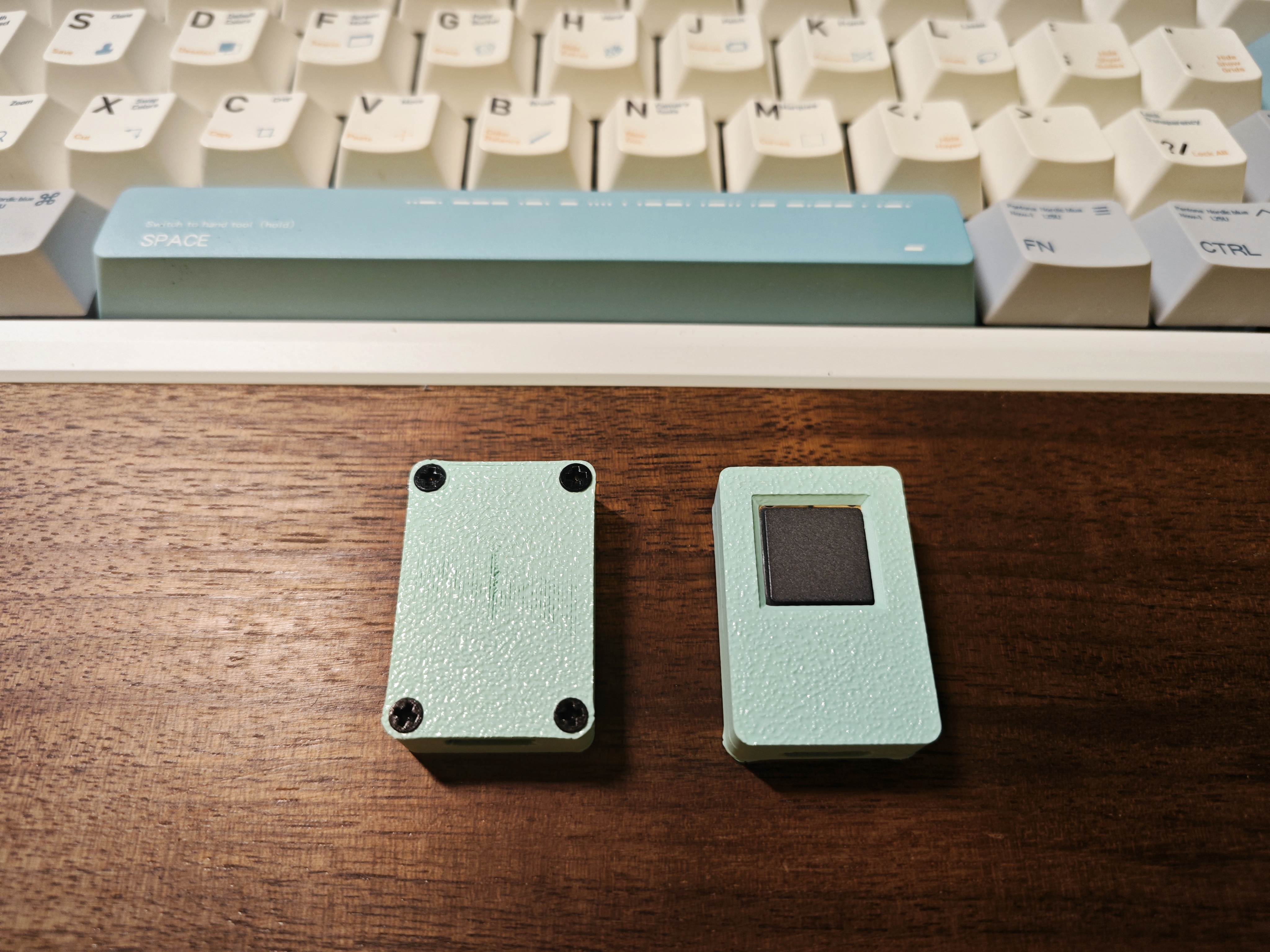
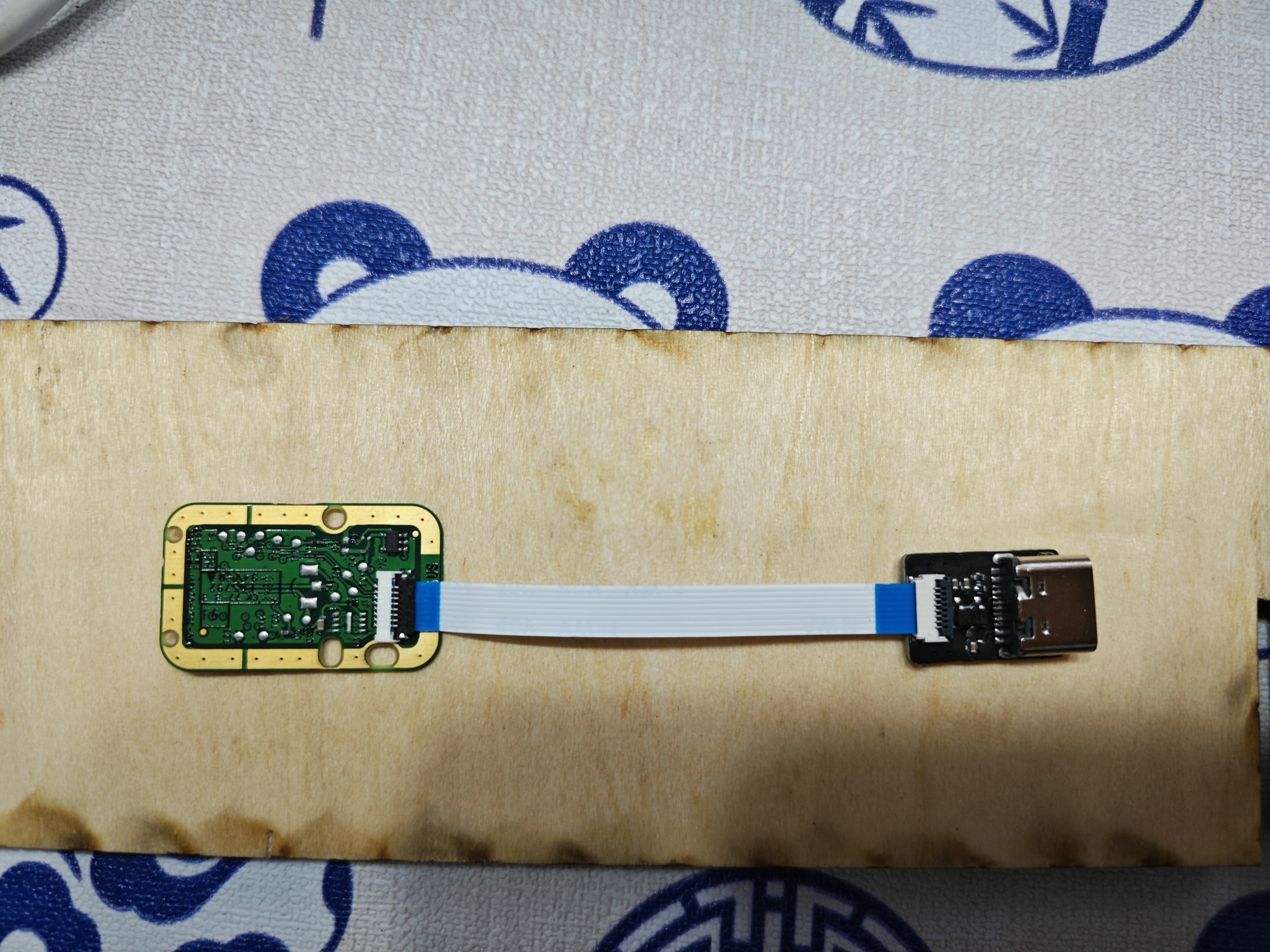
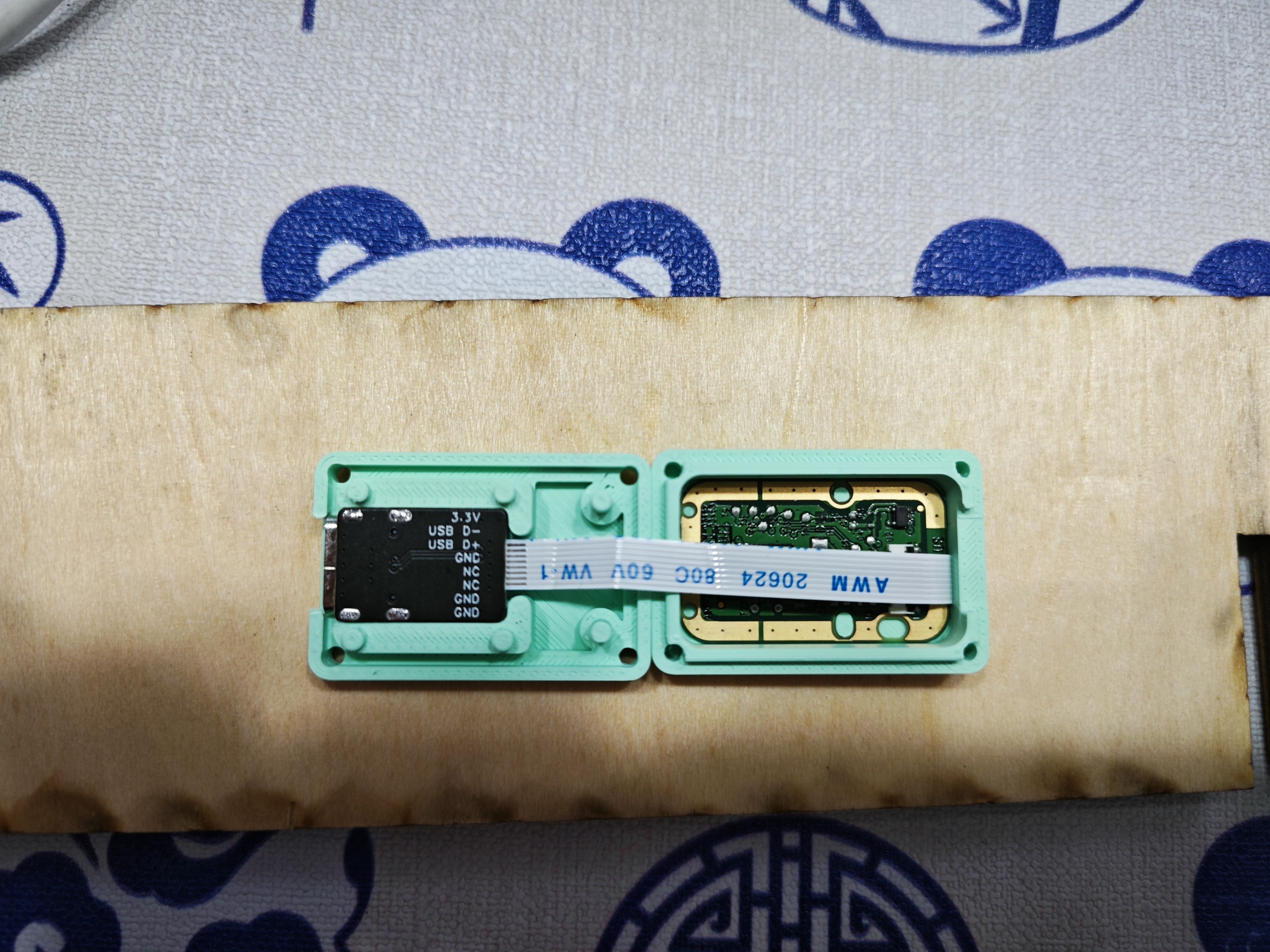
Fingerprint recognition module USB adapter board
This adapter board modifies the LDO of this module and replaces it with a more solderable enclosure
for mounting the fingerprint module. The module is a Synaptics fingerprint module. The enclosure is available at: [open source address missing].
Accessories include: M2*4, countersunk screws*4,
           FPC 0.5mm 8-pin 5cm Type A.
 
 
PDF_WindowsHello fingerprint module.zip
Altium_WindowsHello fingerprint module.zip
PADS_WindowsHello fingerprint module.zip
BOM_WindowsHello fingerprint module.xlsx
92523
Bluetooth to MQTT gateway
This project can forward Bluetooth device data to an MQTT server and remotely control Bluetooth devices via the MQTT server.

IOT-Router Bluetooth to MQTT Gateway
Static BadgeDiscordThis is a C-language IOT-Router

program source code: https://github.com/JasonYANG170/IOT-Router
Features

✅ Supports connecting Bluetooth devices to an MQTT server
✅ Supports remote control of Bluetooth devices via MQTT
✅ Supports local Web server control of Bluetooth devices
✅ Supports ETH Ethernet connection
✅ Supports serial port debugging
✅ Theoretically supports Ethernet to WIFI network conversion, acting as a router

If you encounter any problems, please raise issues with me


Project Parameters

This design uses an ESP32C3 main controller to achieve lower costs;
this design uses a W5500 to achieve Ethernet access;
this design uses an AHT10 to achieve environmental data monitoring;

Open Source License
This project follows the CC BY-NC-SA 4.0 open source license. When using this program, please indicate the source and provide a copyright statement.
This project is for learning and research purposes only. Unauthorized commercial profit is strictly prohibited.
If you have better suggestions, PR is welcome. If you
like this project, please give me a Star ⭐
Star History ChartPhysical Pictures


1
2


2fc17fb186509f020287dc1311ef0cd26148d17d88ccc880058ba1883c0c4e

fb655040bceec0deea8fcfa5ddc5fe56f1d0adef82dca7d3bb6d817af8bcf0


PDF_Bluetooth to MQTT Gateway.zip
Altium_Bluetooth to MQTT gateway.zip
PADS_Bluetooth to MQTT Gateway.zip
BOM_Bluetooth to MQTT Gateway.xlsx
92524
Broadband VGA and control board
Wideband VGA variable gain amplifier module, with bandwidth up to 3.8G and gain range from -62dB to 40dB.

This module is a cascaded HMC472 + HMC589, offering high-precision gain control with a gain/loss step of 0.5dB, capable of handling the amplification or loss requirements of most signal processing problems in electronics design competitions.
I personally used it in Problem C of the 2024 electronics design competition, and it worked exceptionally well in practice.
PDF_Broadband VGA and Control Board.zip
Altium_Broadband VGA and Control Board.zip
PADS_Broadband VGA and Control Board.zip
BOM_Broadband VGA and Control Board.xlsx
92525
Allwinner H3
I bought the H3 using Xianyu (a second-hand marketplace app), it's the one with the cloud storage box.
Ideal for those wanting to learn Linux at a low cost.
The firmware is too large to upload here; join the group (757578508) to get it.
Ubuntu and Debian are available.
Note: After removing the core, apply a ring of low-temperature solder before using a heating pad to remove it; otherwise, the solder pads may come off.
Core board link:
[Xianyu link](https://m.tb.cn/h.gmuzAYJ?tk=4F4k3fUbgCF ZH4920) "Come grab a bargain! [Brand new Allwinner H3 development board, chip included, well-packaged, suitable for learning, includes casing and power supply]"
(Click the link to open directly)
Project Introduction:
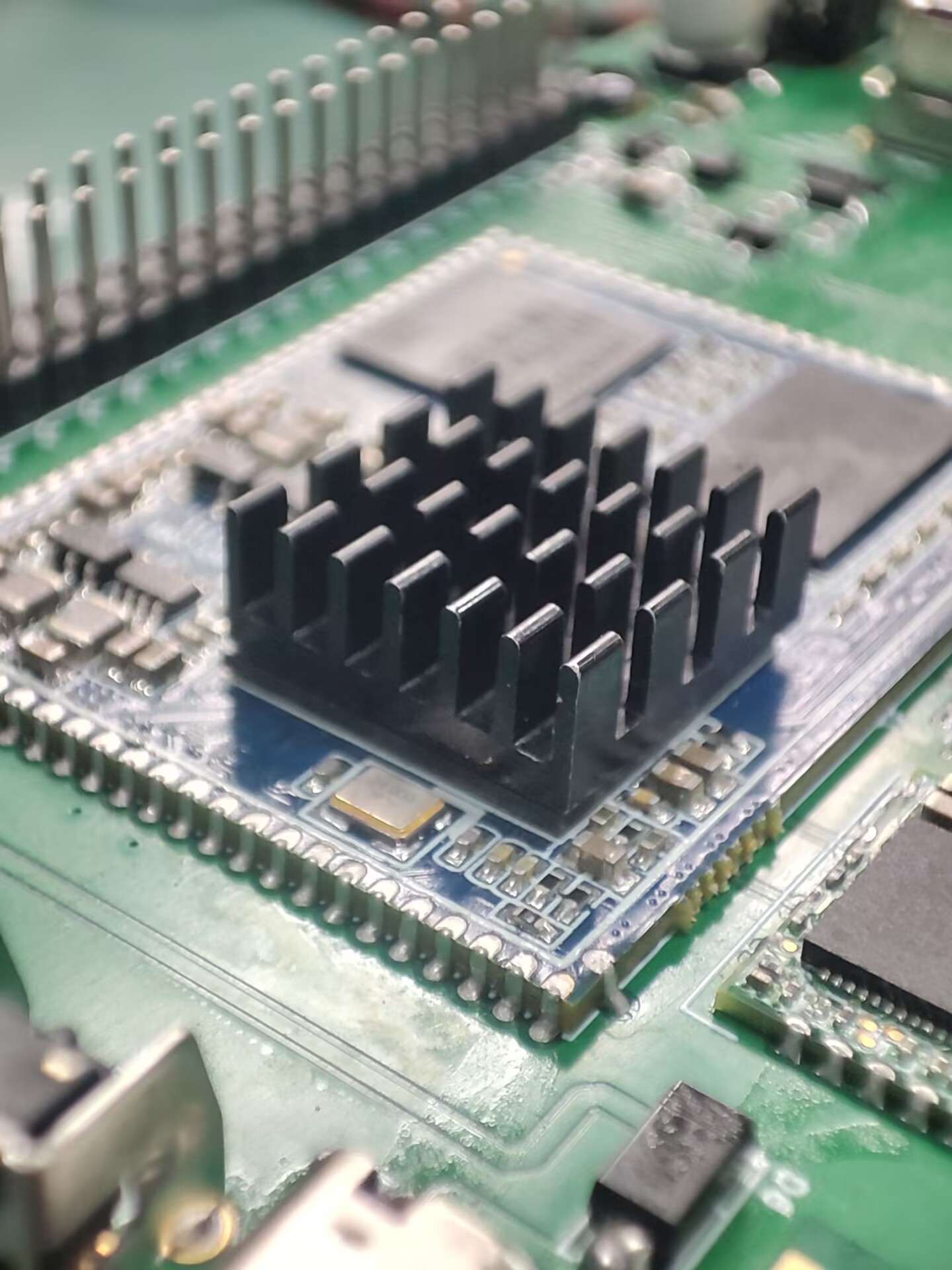
This project was inspired by an Allwinner H3 core board I found on Xianyu (a second-hand marketplace). I designed it as a baseboard, and all basic functions have been tested and are working normally.
The project
features several GPIO and serial ports. I also added a spare Wi-Fi module. Antennas can be found on Taobao, although they don't need to be soldered.
Project Parameters:
Storage is 256MB + 4GB, priced at 20 RMB including a charger, which is a great deal.
Principle Analysis (Hardware Description):
The schematic diagram of the core board is from the official website. I replaced some components and laid out the layout myself.
The software code
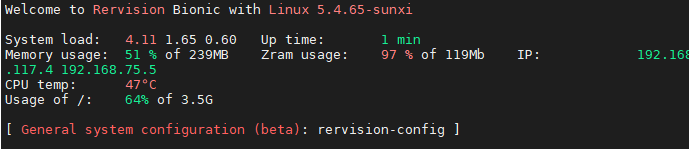
is the official firmware, and it works quite well.
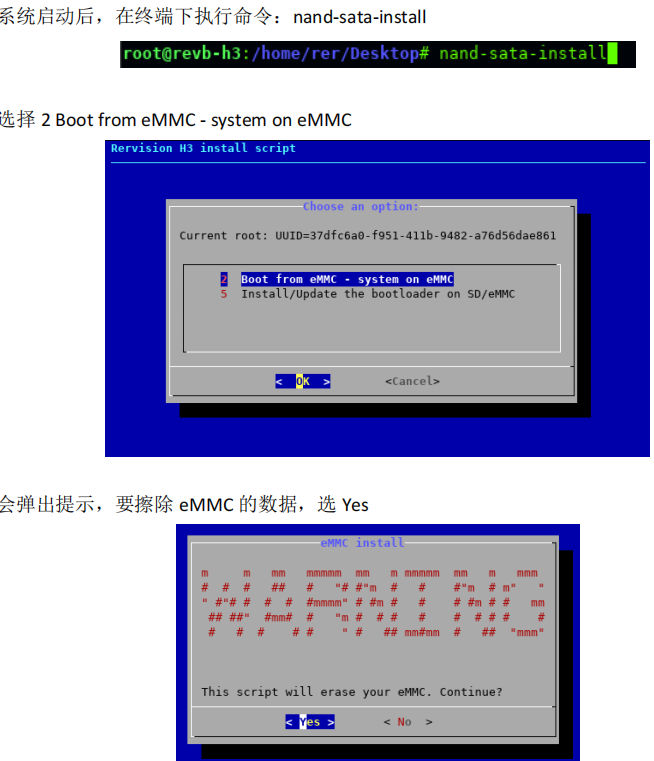
1. Firmware Burning Tutorial: First, burn the firmware to the SD card
. 2. Log in as root user. Do not log in first and then su root (I've already encountered this problem).
3. Execute in the terminal: nand-sata-install
4. Select 2 Boot from eMMC - system on eMMC
5. A prompt will pop up asking to erase the data on the eMMC. Select Yes
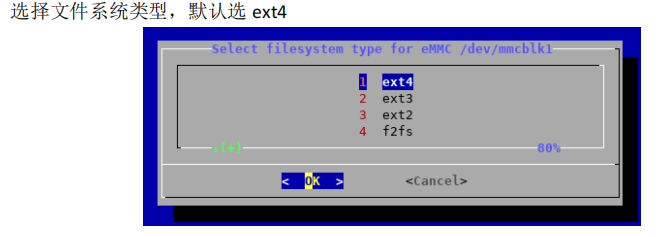
6. Select the file system type. The default is ext4.
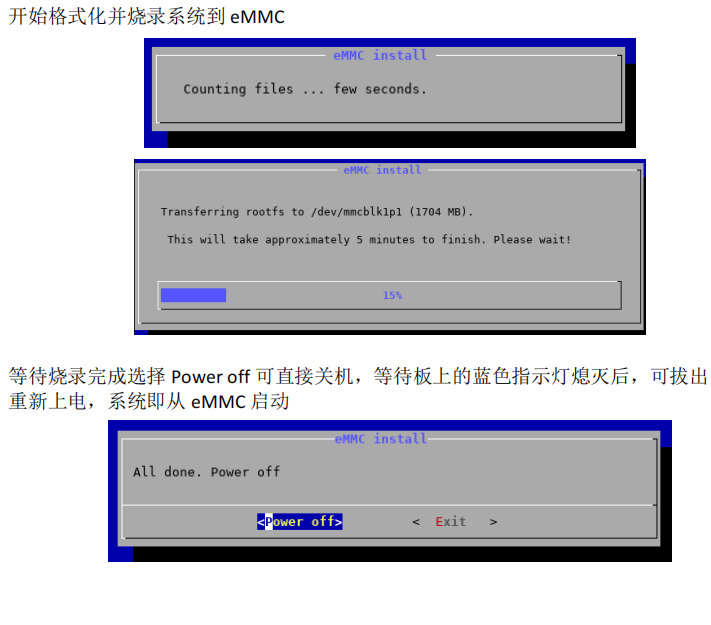
7. Begin formatting and burning the system to eMMC.
8. Wait for burning to complete. Select "Power off" to shut down the device. After the blue indicator light on the board goes out, you can remove the TF card and power on again. The system will then boot from eMMC.
WiFi should boot normally and IP address should be obtained correctly.
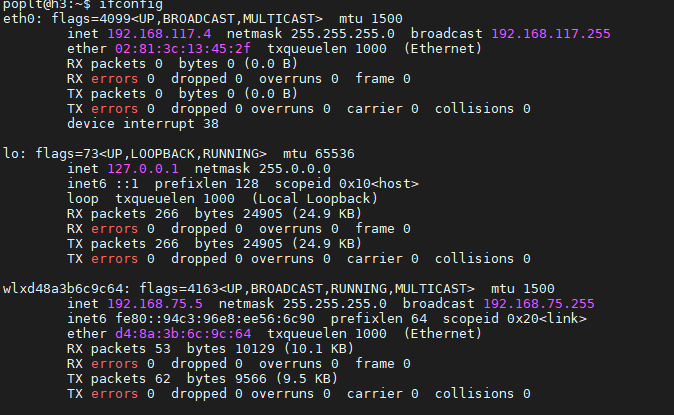
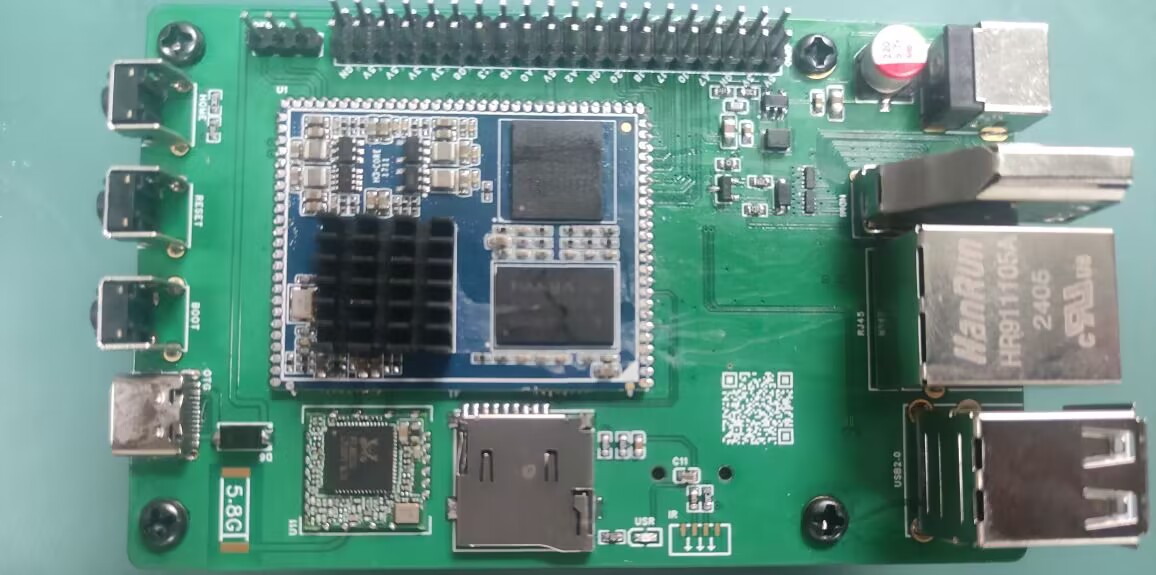
Note:
Network port should be normal,
USB port should be normal,
serial port should be normal,
WiFi should be normal,
debug should be present, silkscreen printing is not applied.
PDF_Allwinner H3.zip
Altium_AllwinnerH3.zip
PADS_AllwinnerH3.zip
BOM_AllwinnerH3.xlsx
92526
USB 2.0 expansion dock (3*USB + 2*UART + 1*STlink)
Originally, I was using a regular docking station for debugging, which had two serial debuggers and an ST-Link connected to it. However, it looked messy, and it seemed that there weren't any products on the market that combined two serial ports and an ST-Link. So, I created this USB docking station.
First, I would like to thank engineer Chen Zhe for his STlink open-source project:
https://oshwhub.com/CYIIOT/ST_LINK-V2_1.
This project uses two ICs:
1. FE2.1 (USB 1-to-7 expansion chip)
2. STM32F103CBT6 (I personally tested that the C8T6's memory is too small, and the firmware cannot be burned).
The functions are as follows:
1. Two * USB 2.0 + USB 2.54 interfaces (used for direct USB debugging with DuPont wires)
2. Two * UARTs (sometimes two serial ports are used to control two microcontrollers respectively)
3. STlink programming interface (only SWDIO and SWCLK)
. All components are surface-mount components. This allows for a direct setup using a heating platform, and also provides stability and a more comfortable viewing experience when placed on a table.
The pin order for burning firmware from top to bottom is (3V3, SWCLK, SWDIO, GND).
STLinkV2.J28.M18_Firmware.zip
PDF_USB2.0 Expansion Dock (3 USB + 2 UART + 1 STlink).zip
Altium USB 2.0 Dock (3 USB + 2 UART + 1 STlink).zip
PADS_USB2.0 Dock (3 USB + 2 UART + 1 STlink).zip
BOM_USB2.0 Dock (3 USB + 2 UART + 1 STlink).xlsx
92527
Linear magnetic axis keyboard - Hanmei
The fragrance of plum blossoms comes from the bitter cold, hence the name "Winter Plum" (寒梅). This is a simplified version of a linear magnetic axis keyboard designed using an IC in an LQFP32 package.
        The name "Hanmei" (寒梅, meaning "Winter Plum") comes from the Chinese proverb "The fragrance of plum blossoms comes from the bitter cold." This is a low-cost linear magnetic keyboard designed using the AT32F425K8T7 microcontroller in an LQFP32 package, paired with a low-cost linear Hall effect sensor 49E. The design precision is 0.5mm. The schematic is a 6x18 matrix (actual maximum 6x15), which can be modified to layouts of 98 keys or less (maximum 108 keys; making a 104-key layout requires moving many unused keys, which is cumbersome; layouts of 98 keys or less are only recommended). A 61-key binary firmware is also provided for DIY projects.
        The communication protocol is a custom OpenAgreementHID (OHID) protocol, which will be updated periodically. The attached OHID protocol document can be used to write your own host computer.
        Note: The prototype uses a front-mounted iridescent package; you can modify it to a reverse-mounted package.
        Technical exchange group:

OpenAgreementHID_0603.pdf
PDF_Linear Magnetic Axis Keyboard - Hanmei.zip
Altium Linear Magnetic Axis Keyboard - Hanmei.zip
PADS Linear Magnetic Axis Keyboard - Hanmei.zip
BOM_Linear Magnet Keyboard - Hanmei.xlsx
92528
electronic
参考设计图片
×
 
 
Search Datasheet?

Supported by EEWorld Datasheet

Forum More
Update:2026-03-28 17:19:44

EEWorld
subscription
account

EEWorld
service
account

Automotive
development
community

Robot
development
community

About Us Customer Service Contact Information Datasheet Sitemap LatestNews


Room 1530, 15th Floor, Building B, No.18 Zhongguancun Street, Haidian District, Beijing, Postal Code: 100190 China Telephone: 008610 8235 0740

Copyright © 2005-2024 EEWORLD.com.cn, Inc. All rights reserved 京ICP证060456号 京ICP备10001474号-1 电信业务审批[2006]字第258号函 京公网安备 11010802033920号