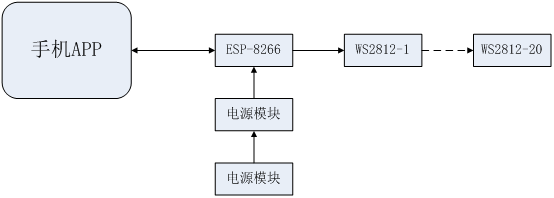
 Schematic Design Description
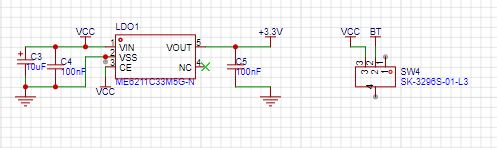
 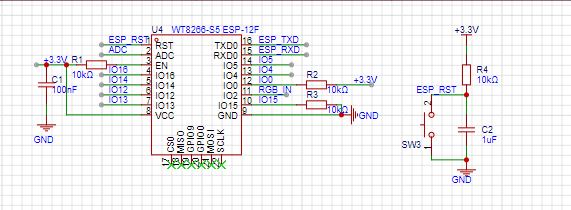 2. Power Module uses ME6211, outputting 3.3V to power the ESP8266
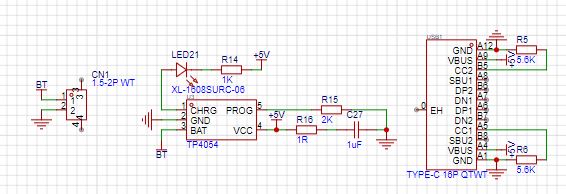
  3. Charging Module uses TP4054, Type-C interface; charging occurs when LED21 is red, and it turns off when fully charged.
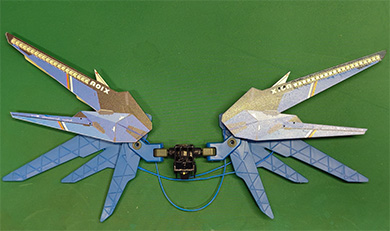
  4. Use WS2812 in 2020 package, 20 on each side.
 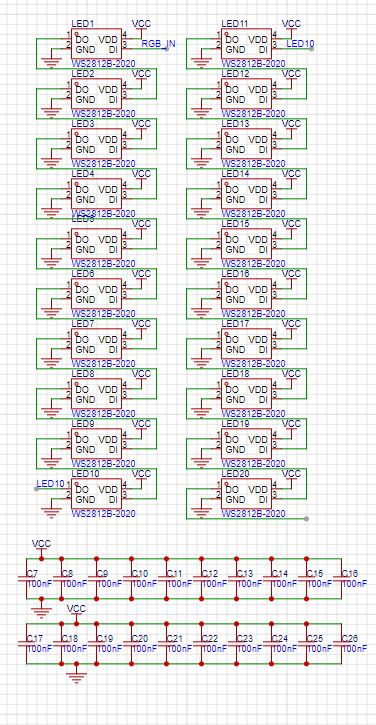 PCB Design Description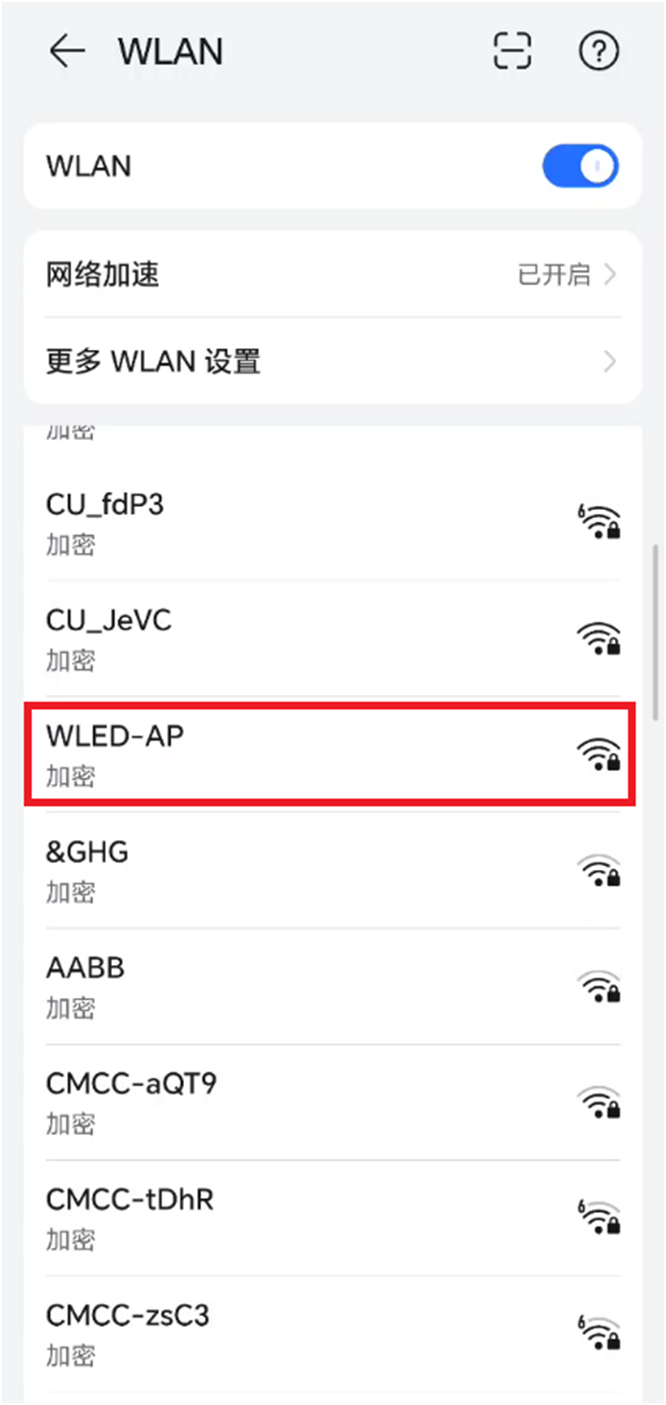
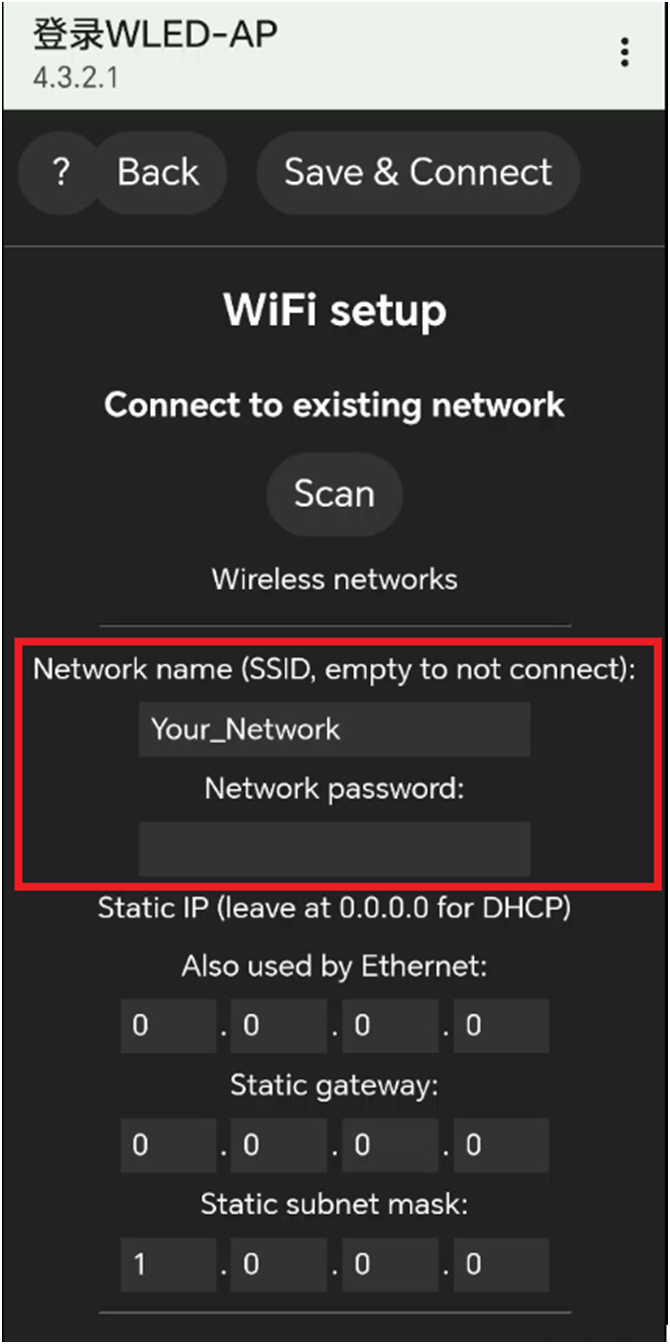
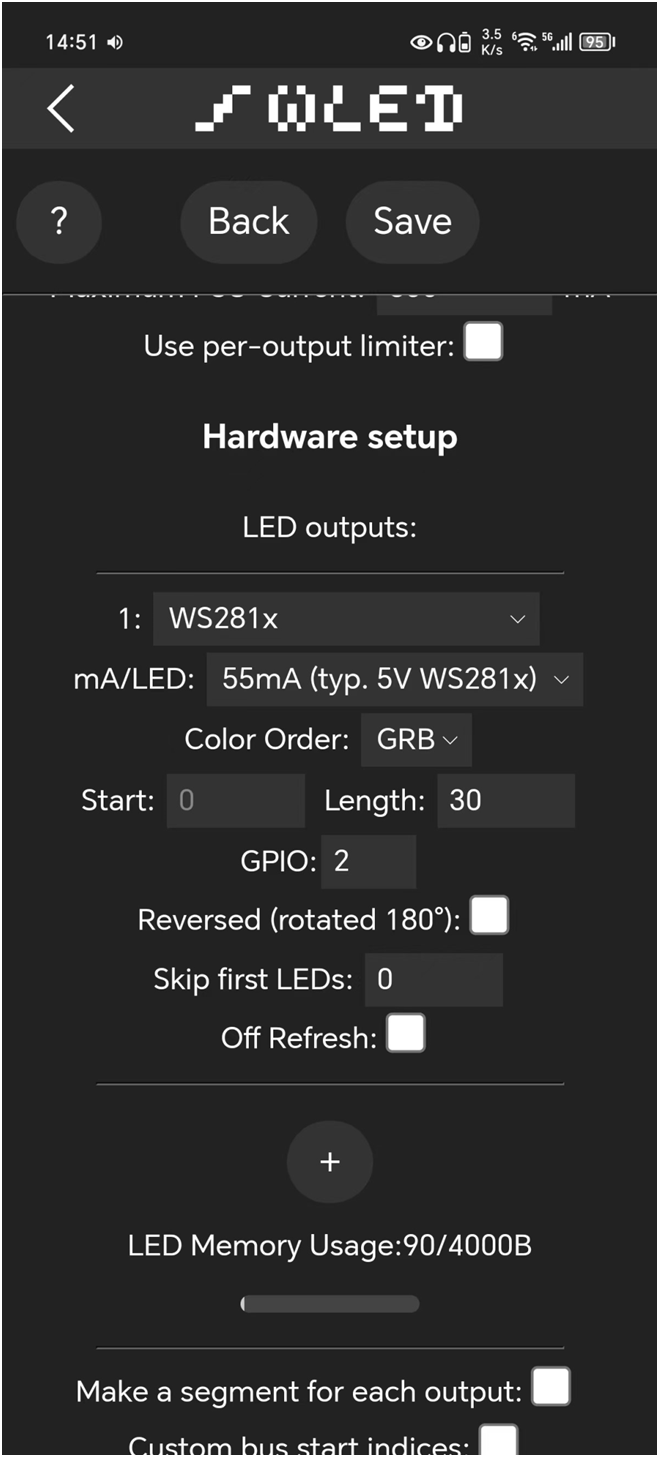
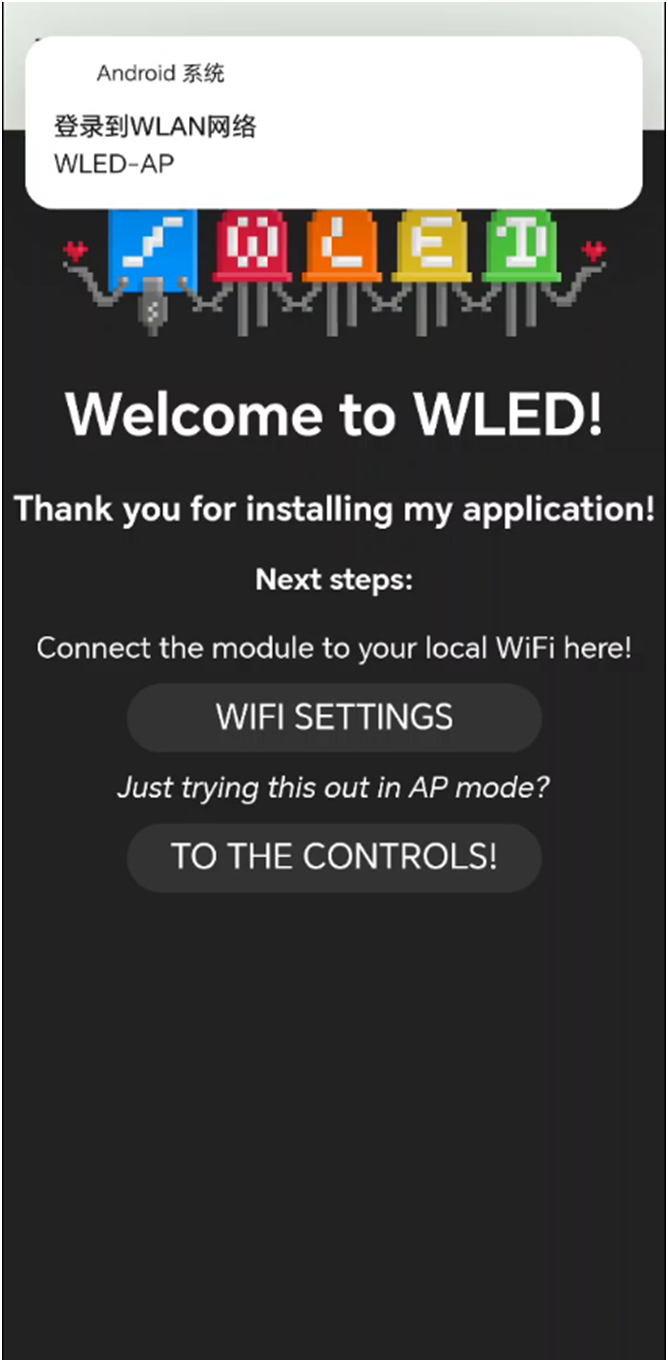 3. Enter your home router's name and password in "Network name". The ESP-8266 will connect to your Wi-Fi.
  4. Open the "WLED" mobile app, click the "+" in the upper right corner, enter the interface, click "discover lights", find the ESP-8266, and it will display "Found WLED" after successful connection. Return to the interface to see the newly added device, click to enter the device to set it up and operate it.
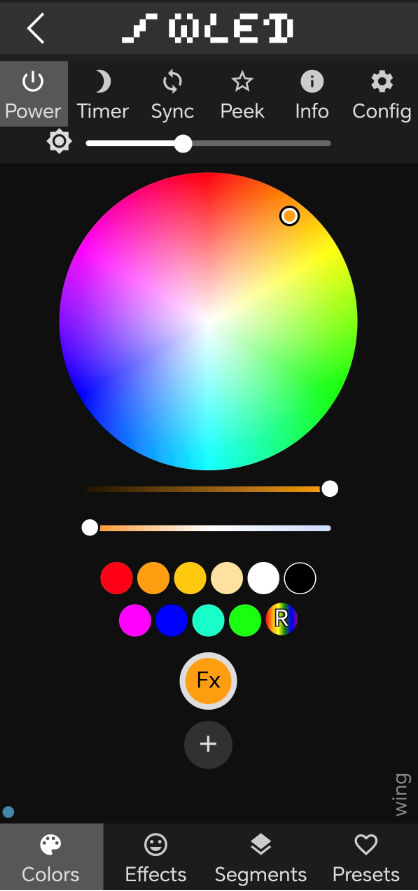
  5. In the "colors" menu, you can freely select the color and brightness. In the "EFFects" menu, you can choose from various marquee effects, with a wide variety available.
  Product Demonstration:
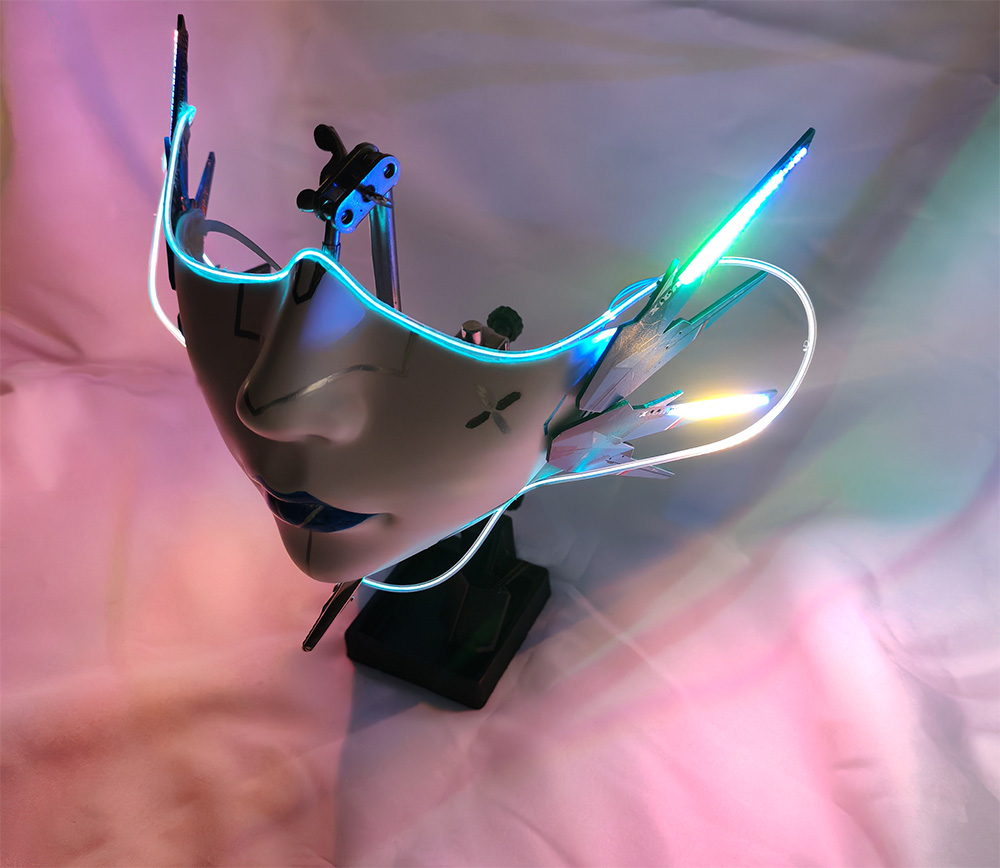
  2. Image of the PCB mounted on a Gundam; 3. Demonstration video showing
 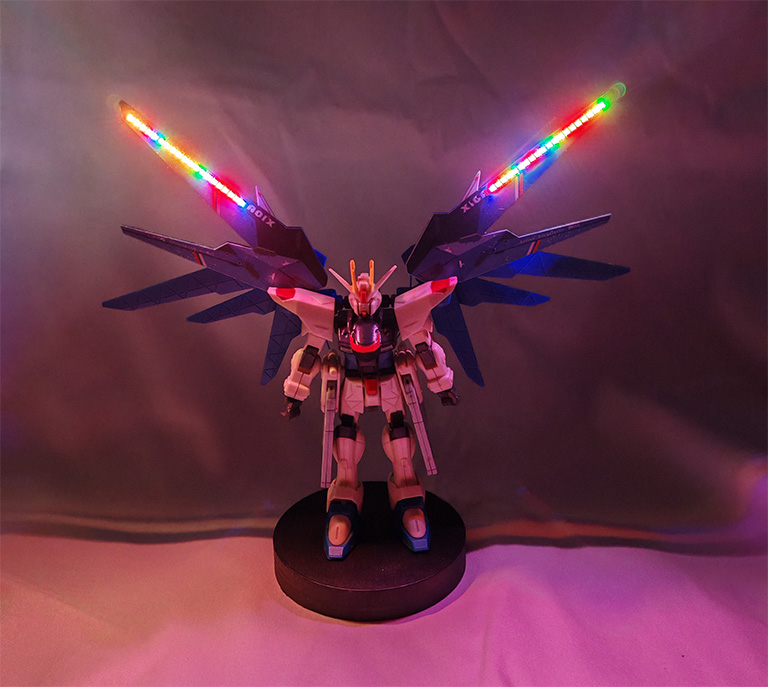 how it can be upgraded to a cyberpunk mask : https://www.bilibili.com/video/BV1k4g1eEE8M/?vd_source=abcbb552800df51b7d0f36ef6f2c0d77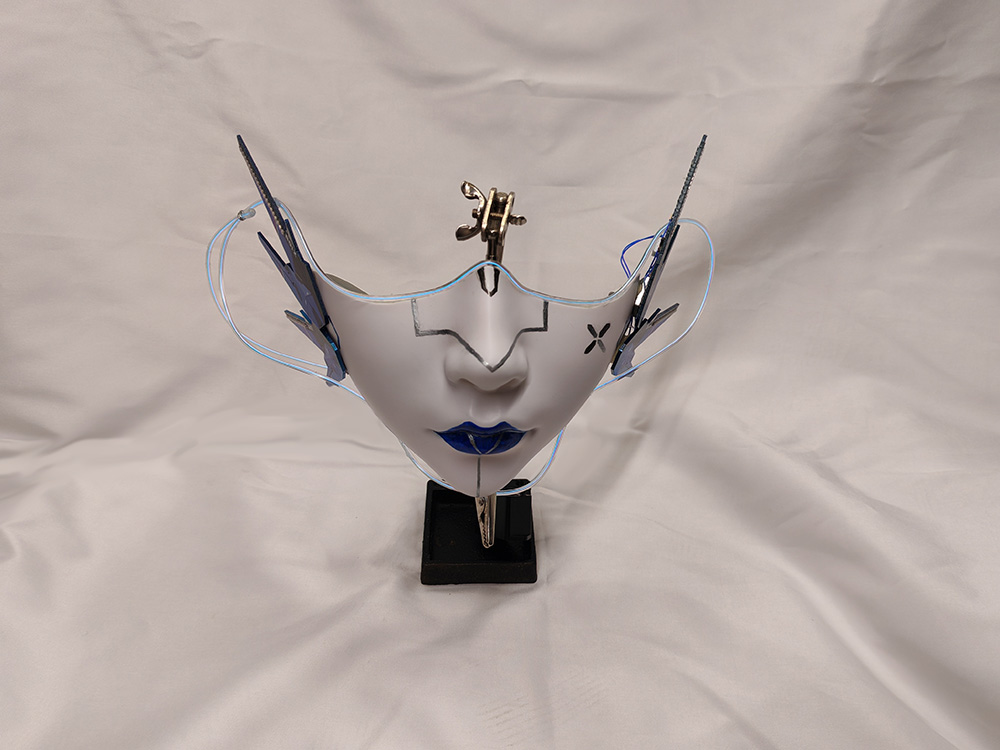

All reference designs on this site are sourced from major semiconductor manufacturers or collected online for learning and research. The copyright belongs to the semiconductor manufacturer or the original author. If you believe that the reference design of this site infringes upon your relevant rights and interests, please send us a rights notice. As a neutral platform service provider, we will take measures to delete the relevant content in accordance with relevant laws after receiving the relevant notice from the rights holder. Please send relevant notifications to email: bbs_service@eeworld.com.cn.
It is your responsibility to test the circuit yourself and determine its suitability for you. EEWorld will not be liable for direct, indirect, special, incidental, consequential or punitive damages arising from any cause or anything connected to any reference design used.
Supported by EEWorld Datasheet
EEWorld
subscription
account

EEWorld
service
account

Automotive
development
community

Robot
development
community

About Us Customer Service Contact Information Datasheet Sitemap LatestNews



Room 1530, 15th Floor, Building B,
No.18 Zhongguancun Street,
Haidian District,
Beijing, Postal Code: 100190
China
Telephone: 008610 8235 0740
 京公网安备 11010802033920号


 1933F-A-DI-A-SA-06-B



