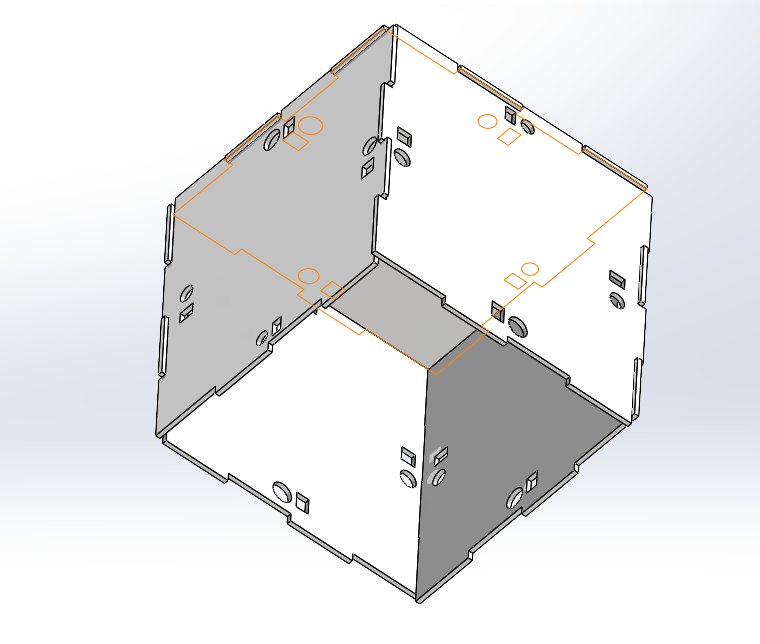
The LED5730 light board can theoretically be expanded to an infinite area. No additional support is needed; a free sample voucher is all you need to get the light board and support. It includes M3 screw holes and ventilation holes for fan installation. It can be used as a secondary curing lamp for 3D printing, illuminating models 360 degrees.
The inspiration came from an infinite perforated board I saw a couple of days ago (https://oshwhub.com/qi-ji-dian-zi/pin-pcb). The light board I bought on Taobao didn't have a suitable support, and the LEDs broke, so I decided to make my own. Following the idea of "making my own support," I designed the frame and drew it in 3D software to confirm its feasibility. I received help from many experts in the group during the design process, and I would like to express my gratitude here. The finished product can be infinitely expanded, and a free sample voucher is all you need to get the light board and support. Each board has 20 LEDs; buying 100 LEDs from Taobao is enough to cover 5 boards, for a total cost of 5.5 yuan.
To be honest, the fit isn't very tight; tape is needed to secure the boards together. However, the 0.2mm assembly gap seems to be the maximum allowable precision for the frame. If you're interested, you can modify it and try prototyping.
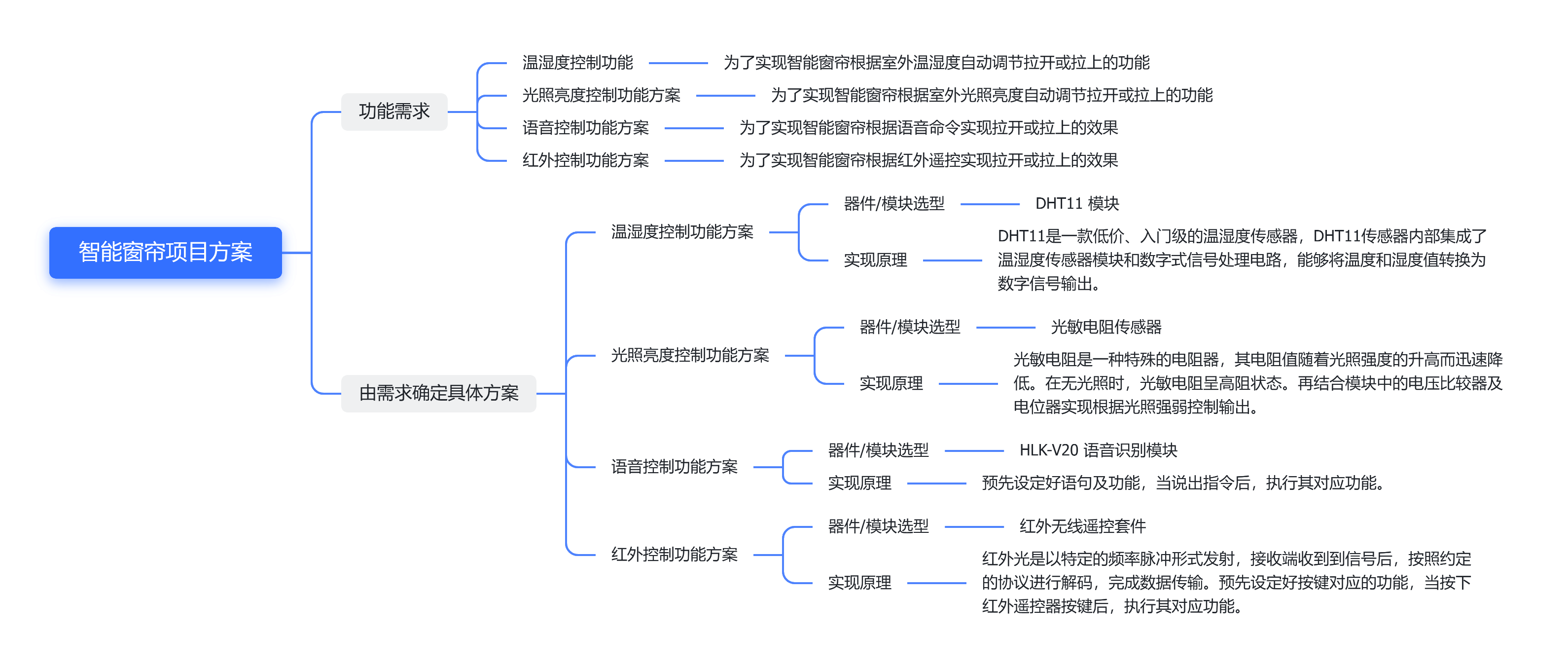
The question requires
a smart curtain project based on Liangshanpai.
Question analysis:
The expected functions are:
In automatic mode,
the curtains are opened or closed based on the air humidity (high priority); In automatic/manual mode,
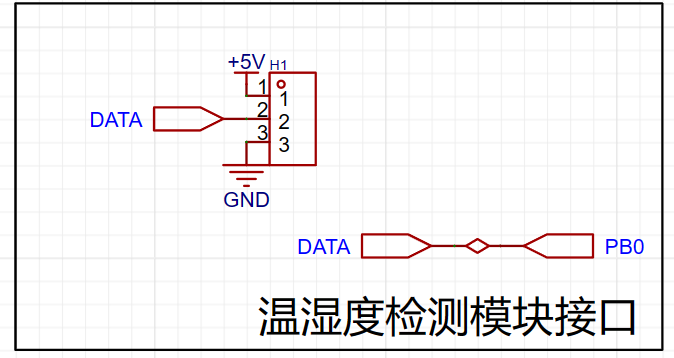
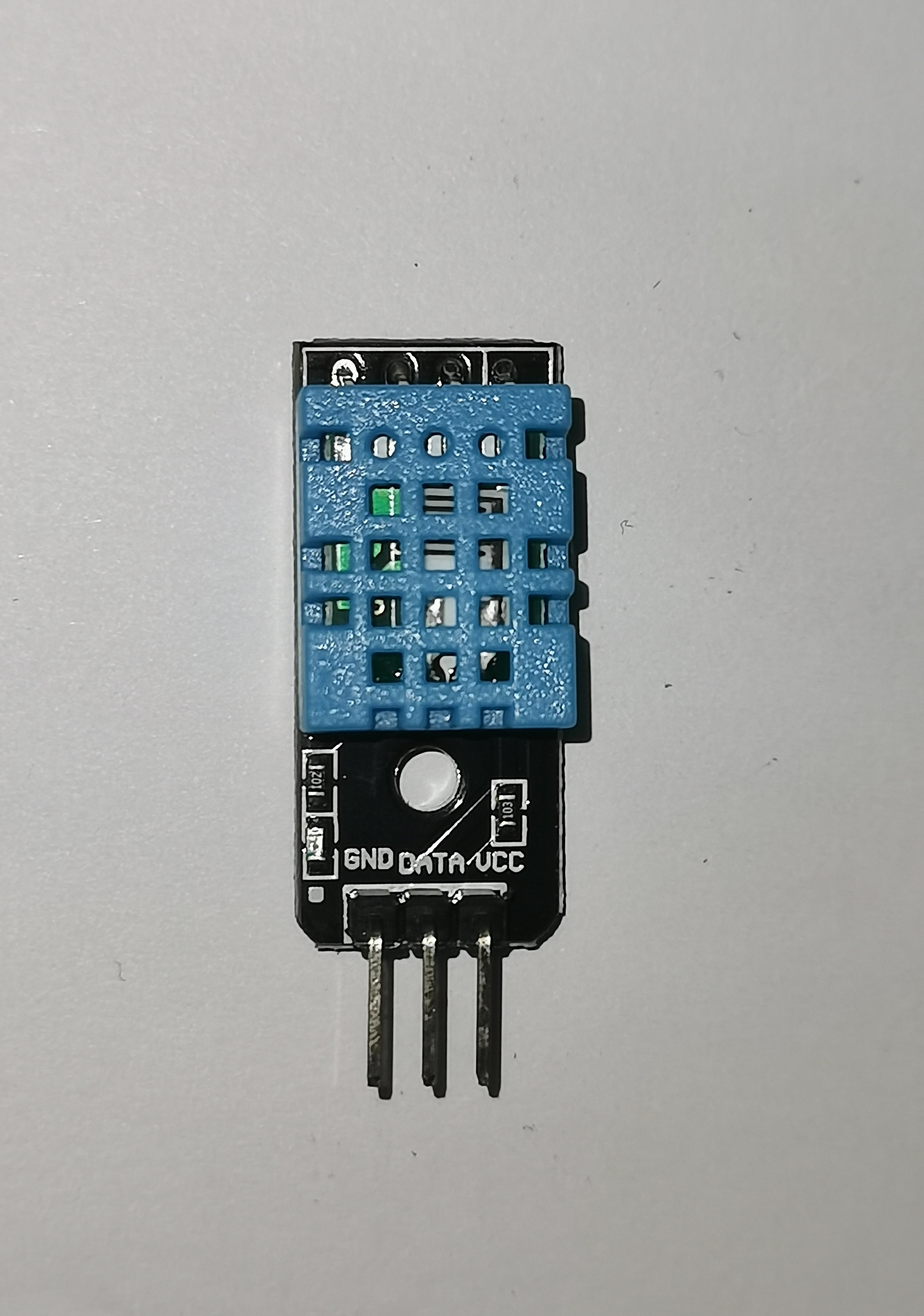
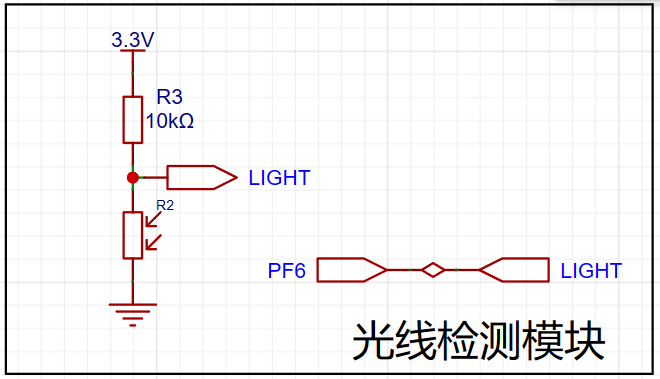
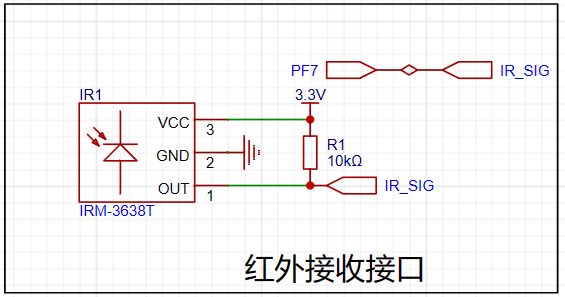
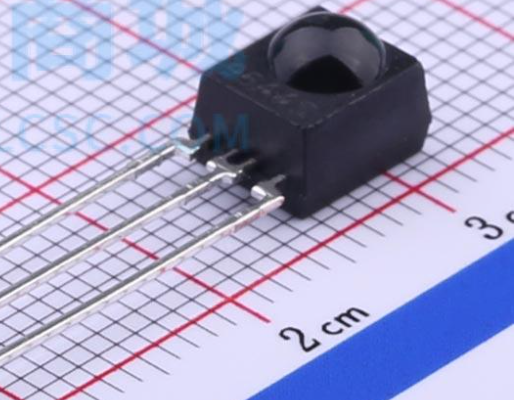
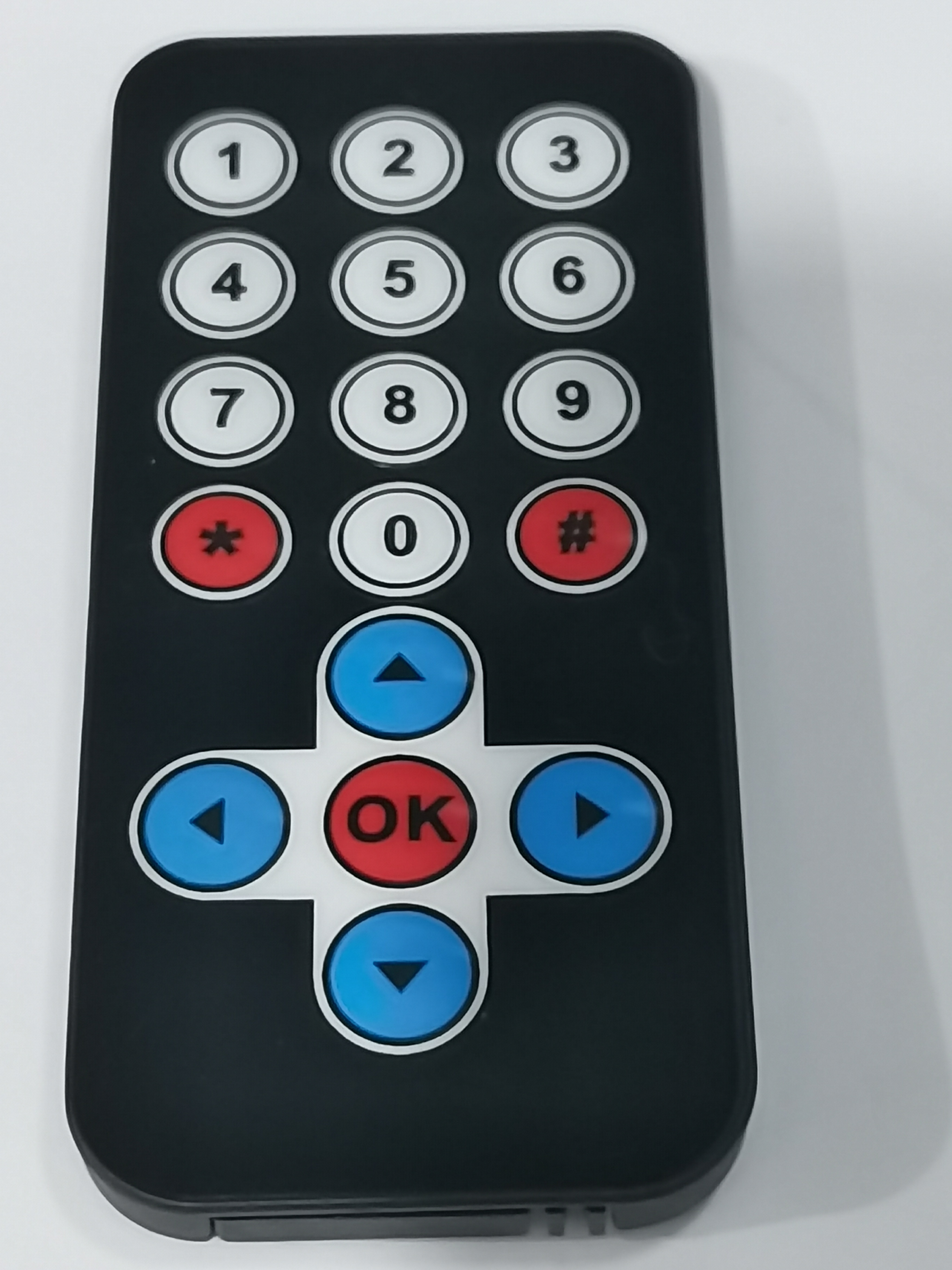
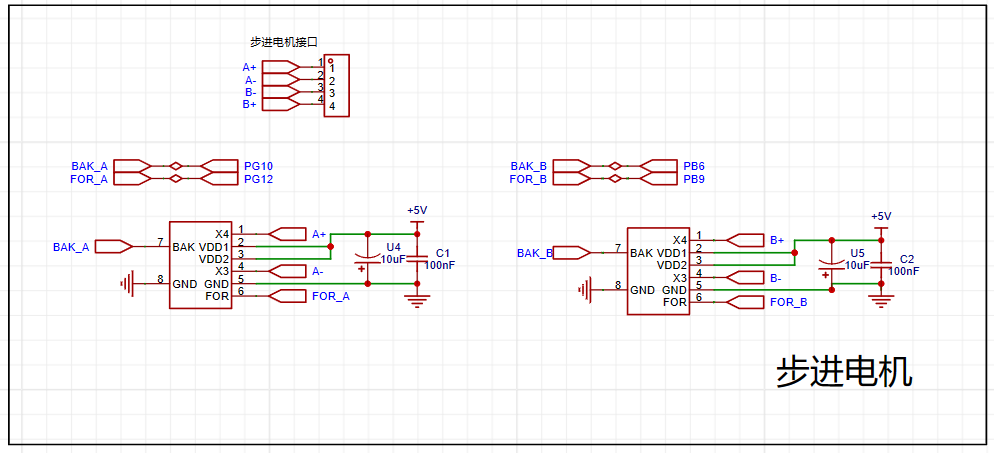
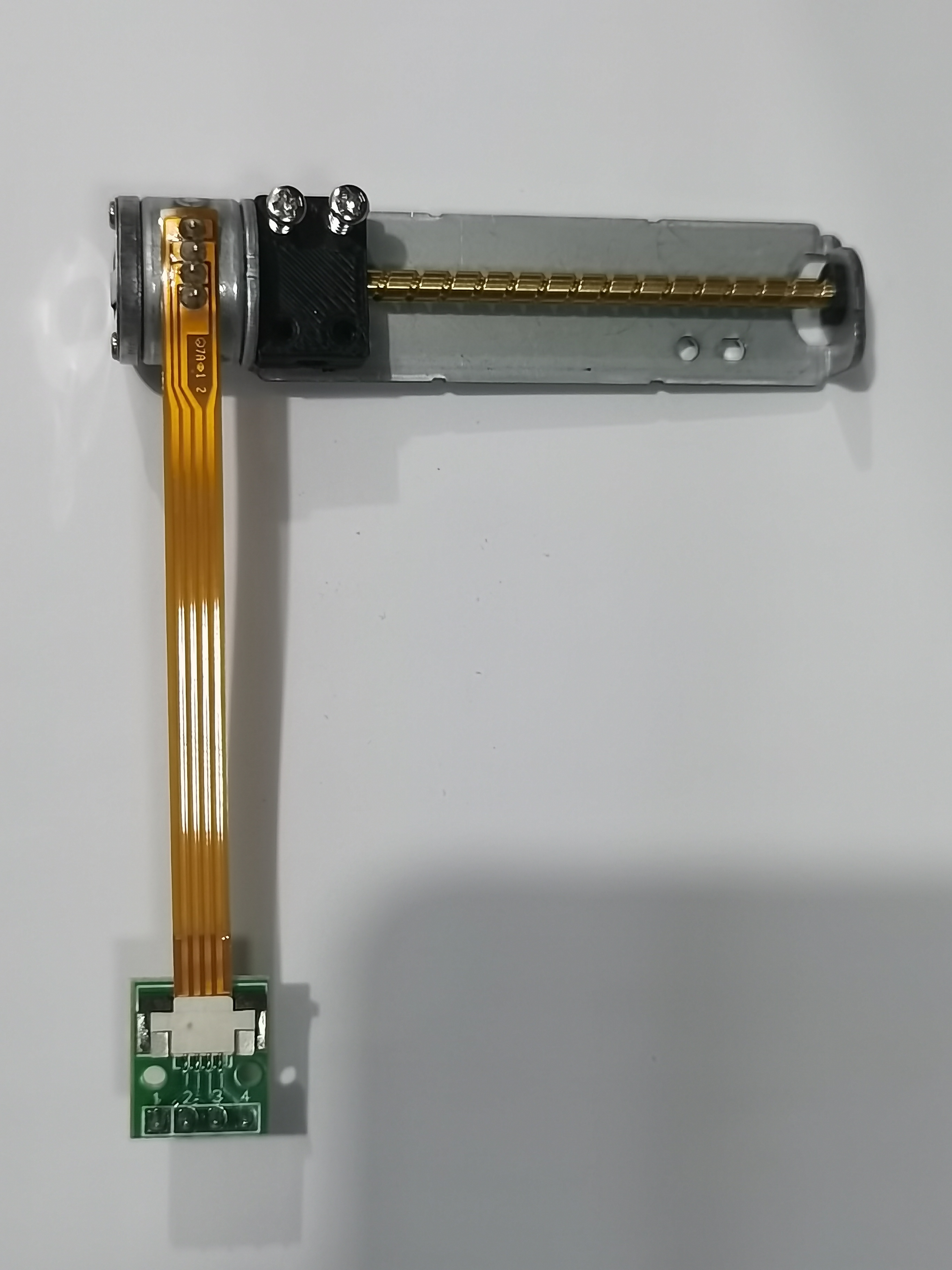
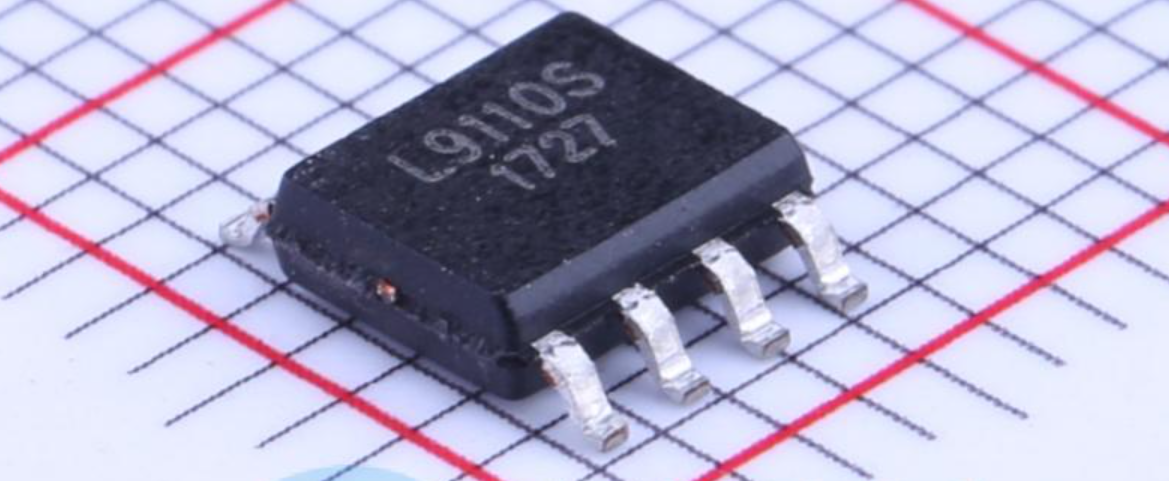
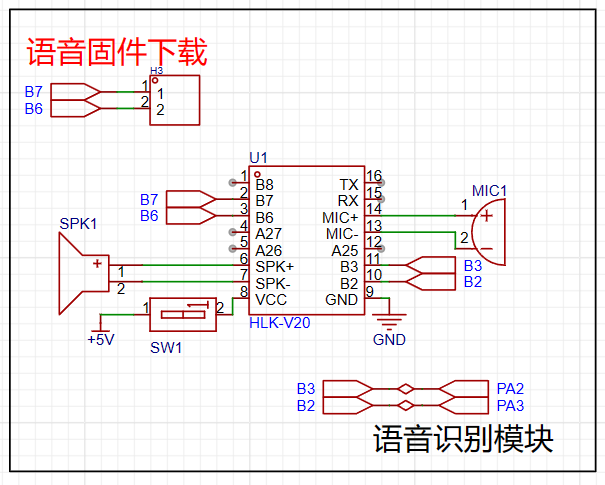
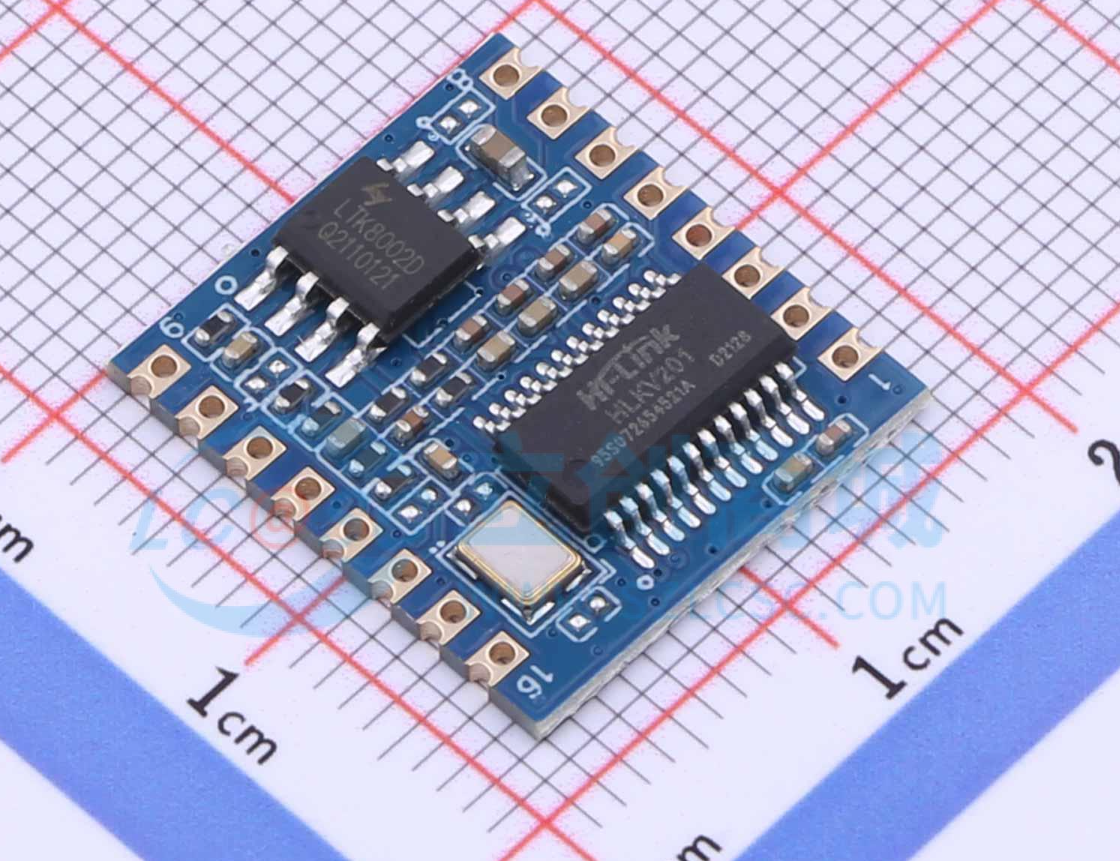
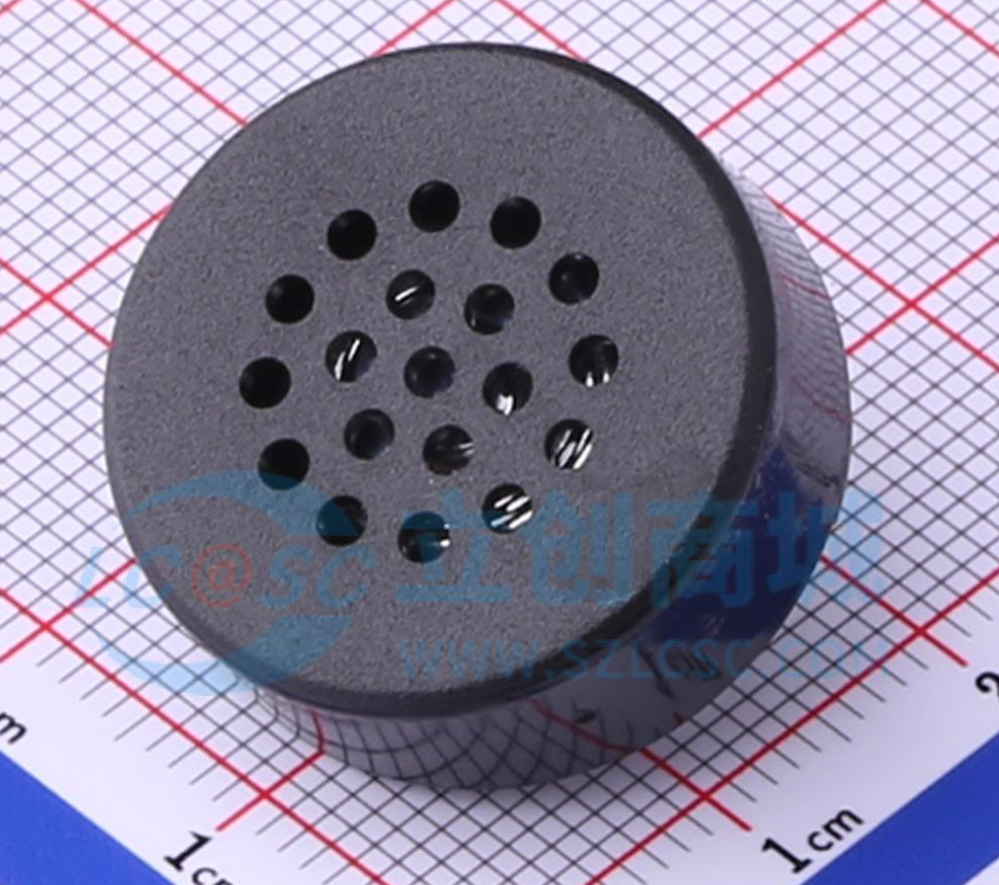
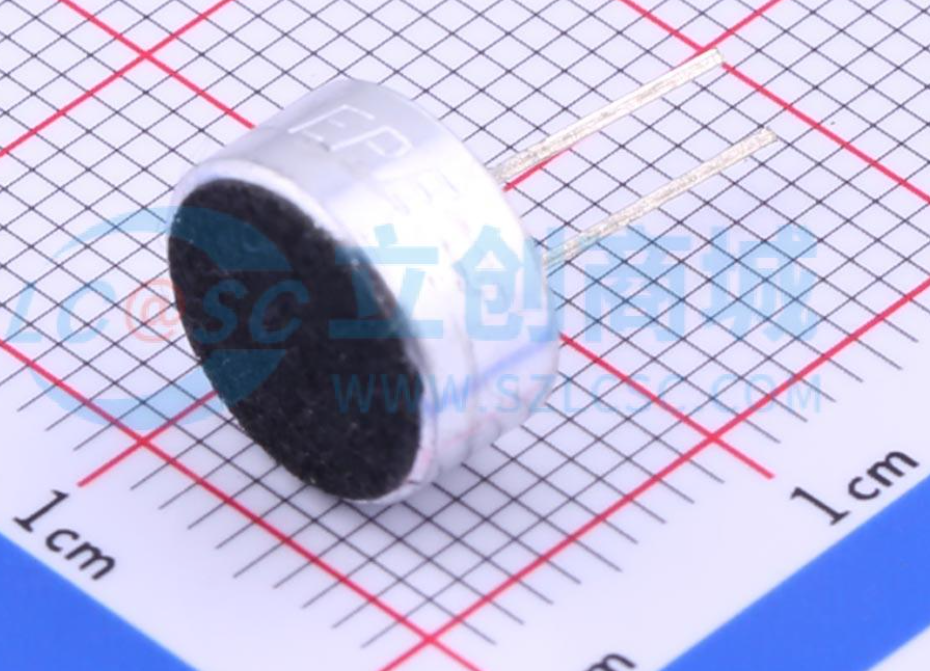
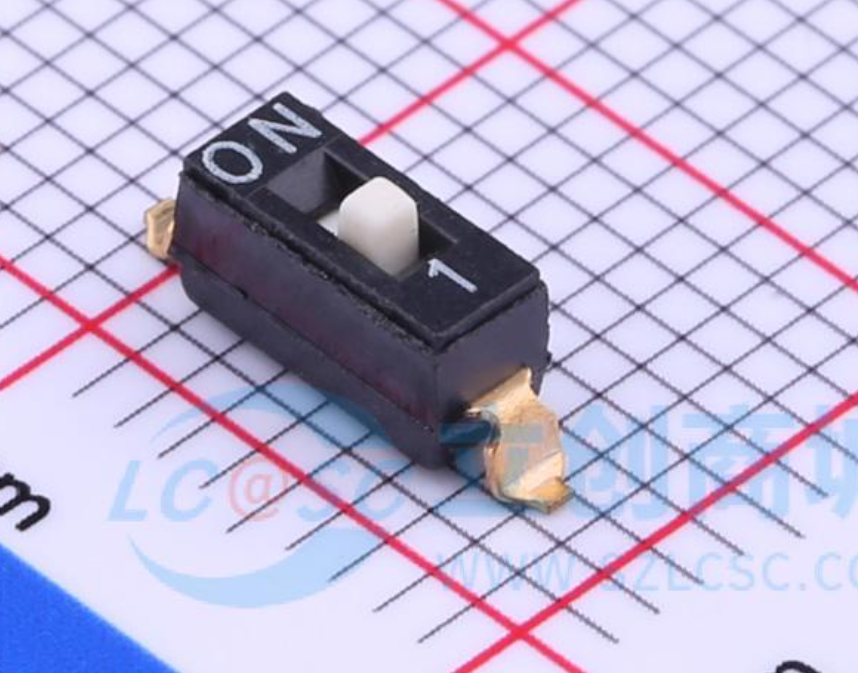
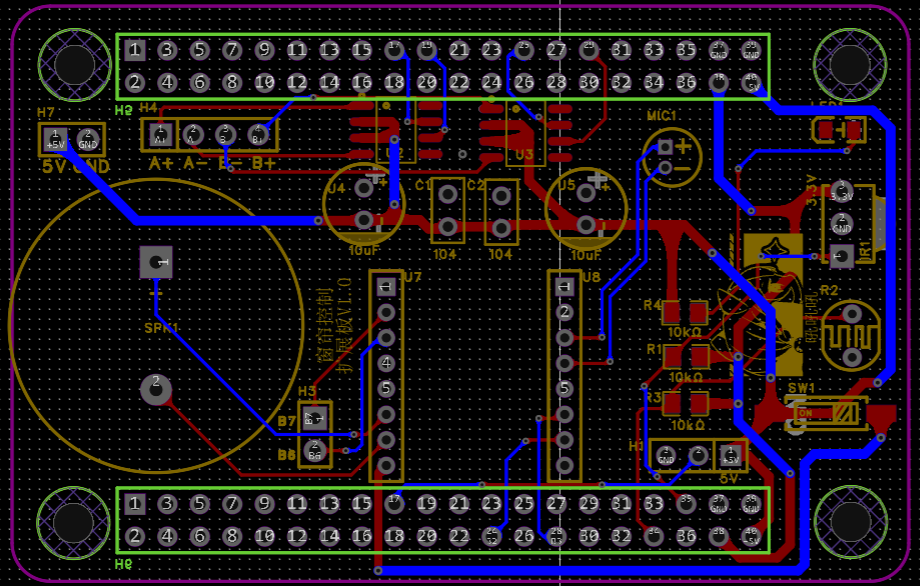
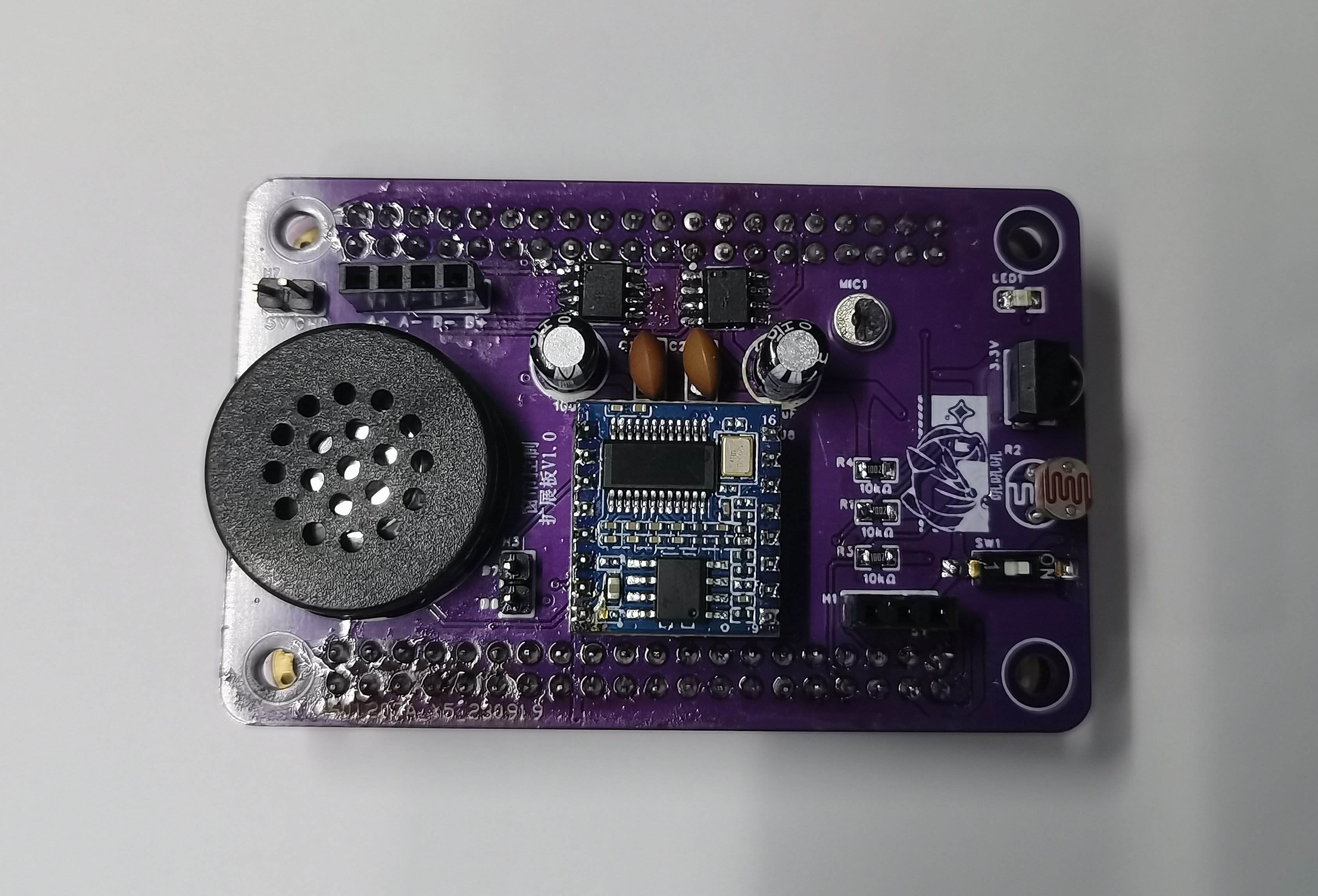
the curtains are opened or closed based on the light intensity . Infrared remote control and voice command control are used in automatic/manual mode. Schematic diagram design description : (1) Temperature and humidity sensor module: used to detect air temperature and humidity; Since I only have this DHT11 temperature and humidity detection module on hand, I used it to replace the raindrop detection module, which saved me some money. The humidity is mainly used in this project. Schematic diagram: My module physical diagram looks like this, as shown in the figure below. The physical products of this module on the market should be similar, and the code should be universal. For specific porting methods and code, please refer to the part about the DHT11 module in the link below: [Lichuang·Liangshanpai] Module Porting Manual (2) Light intensity sensor module: used to detect light intensity; This project solution follows the official case and uses a simplified solution, that is, directly using a voltage divider resistor plus a photoresistor. Schematic diagram: (3) Infrared receiver module, used for remote control; Schematic diagram: An infrared receiver head is connected in series with a 10KΩ chip resistor. In addition, a remote control is also needed to send commands. (4) Stepper motor module: used to drive the curtains; schematic diagram: the stepper motor selected is the same two-phase four-wire stepper motor and driver chip as the official case, used for display. Stepper motor physical picture: Stepper motor driver chip: (5) Voice recognition module, used for voice control. Schematic diagram: Voice recognition module physical picture: Hailing Technology V20 module, for specific usage methods and tutorial details, please refer to: Hailing Technology Voice Recognition Module Voice Firmware Creation and Download Speaker physical picture: Hmm, a pretty big speaker Microphone physical picture: Pay attention to inventory, the microphone in the official example is out of stock, the PCB was modified overnight, and a smaller microphone was replaced, the function is not different. DIP switch physical picture: used to independently control whether to power the voice control module, convenient for downloading the voice module SDK firmware. PCB design instructions and precautions: When drawing the PCB, pay attention to the width of the power line; the circuit of the motor part should pay attention to the power line passing through the capacitor before connecting to the motor driver chip; for aesthetic purposes, the wiring can be routed to the bottom layer or hidden. Software Description (Code Explanation): This project uses the DHT11 module for numerical detection of air humidity, so the macro definition in the raindrop sensor interface can be commented out. Temperature and humidity thresholds have been added. Additionally, the temperature, humidity, and light intensity thresholds need to be determined through testing in your own environment. /*file:bsp_adc.h*/ #ifndef _BSP_ADC_H__ #define _BSP_ADC_H__ #include "gd32f4xx.h" /* Rain sensor interface PF8 ADC2_IN6 */ #define BSP_RAINDROP_GPIO_RCU RCU_GPIOF #define BSP_RAINDROP_GPIO_PORT GPIOF #define BSP_RAINDROP_GPIO_PIN GPIO_PIN_8 /* Light sensor interface PF6 ADC2_IN4 */ #define BSP_LIGHT_GPIO_RCU RCU_GPIOF #define BSP_LIGHT_GPIO_PORT GPIOF #define BSP_LIGHT_GPIO_PIN GPIO_PIN_6 #define BSP_ADC_RCU RCU_ADC2 #define BSP_ADC ADC2 #define BSP_LIGHT_ADC_CHANNEL ADC_CHANNEL_4 #define BSP_RAINDROP_ADC_CHANNEL ADC_CHANNEL_6 // The smaller the raindrop threshold, the heavier the rain #define RAINDROP 60 // Temperature and humidity threshold #define HUM_MIN 60 #define HUM_MAX 75 // The smaller the light threshold, the brighter the light #define LIGHT_MIN 600 #define LIGHT_MAX 3900 void raindrop_and_light_config(void); unsigned int get_adc_value(uint8_t adc_channel_x); #endif The test code is directly written in the function of automatic mode, which makes it convenient to observe the changes in values by receiving data through the serial port in automatic mode, and to modify the relevant thresholds in the macro definition later. void automatic_mode(void) { uint16_t light_value = 0; uint16_t raindrop_value = 0; uint16_t temperature_value = 0; uint16_t humidity_value = 0; DHT11_Read_Data(); // Read temperature and humidity values temperature_value=Get_temperature(); humidity_value=Get_humidity(); // Read light intensity value
`light_value = get_adc_value( BSP_LIGHT_ADC_CHANNEL );
// Serial port printout of light, temperature, and humidity values
printf("light_value=%d
",light_value);
printf("temperature_value=%d
",temperature_value);
printf("humidity_value=%d
",humidity_value);
delay_1ms(1000);
if( humidity_value >= HUM_MAX )
{
printf("Humidity is very high
");
// Open the curtains (high priority)
open_curtain();
return;
}
// If high light is detected
if( light_value < LIGHT_MIN )
{
printf("Light intensity is very high
");
// Open the curtains
open_curtain();
}
// If low light is detected
if( light_value >= LIGHT_MAX )
{
printf("Light intensity is very low
");
// Close the curtains
close_curtain();
}` The project uses a clock frequency of 200MHz.
Therefore
, the relevant 240MHz macro definitions need to be commented out in the file "system_gd32f4xx.c", and the 200MHz macros need to be uncommented.
/* select a system clock by uncommenting the following line */ //#define
__SYSTEM_CLOCK_IRC16M (uint32_t)(__IRC16M) //#define __SYSTEM_CLOCK_HXTAL (uint32_t)(__HXTAL) //#define __SYSTEM_CLOCK_120M_PLL_IRC16M (uint32_t)(120000000) //#define __SYSTEM_CLOCK_120M_PLL_8M_HXTAL (uint32_t)(120000000) //#define __SYSTEM_CLOCK_120M_PLL_25M_HXTAL (uint32_t)(120000000) //#define __SYSTEM_CLOCK_168M_PLL_IRC16M (uint32_t)(168000000) //#define __SYSTEM_CLOCK_168M_PLL_8M_HXTAL (uint32_t)(168000000) //#define __SYSTEM_CLOCK_168M_PLL_25M_HXTAL (uint32_t)(168000000) //#define __SYSTEM_CLOCK_200M_PLL_IRC16M (uint32_t)(200000000) //#define __SYSTEM_CLOCK_200M_PLL_8M_HXTAL (uint32_t)(200000000) #define `__SYSTEM_CLOCK_200M_PLL_25M_HXTAL (uint32_t)(200000000) ` //#define `__SYSTEM_CLOCK_240M_PLL_IRC16M (uint32_t)(240000000) ` //#define `__SYSTEM_CLOCK_240M_PLL_8M_HXTAL (uint32_t)(240000000) ` //#define `__SYSTEM_CLOCK_240M_PLL_25M_HXTAL (uint32_t)(240000000)` The rest of the code is largely the same as the official tutorial; please refer to the official instructions for details. Physical demonstration: The completed soldered device looks like this: (Please ignore the microphone I accidentally melted a small portion of). Soldering precautions: Some small rules I figured out myself; I'm not sure if they're correct. First, solder some smaller surface-mount components (a soldering tool and hot air gun work well), then solder the medium-sized through-hole components that you don't solder too many of, and finally solder the largest and most complex ones. The motor chip in this project is located close to the pins of the bottom-level socket, so it's best to use solder paste and a hot air gun for soldering. Also, I want to especially thank Engineer Li, who helped me find the bug for several days, finally discovering that a pin on the motor chip wasn't soldered on. I used a hot air gun and solder paste to resolder it. Yes, that's when the microphone melted from the heat, sob sob. For more details, click here: Smart Curtain Demo Video
PDF_Based on the Smart Curtain Project from LCSC Liangshanpai Development Board.zip
BOM_Based on the Smart Curtain Project using the [LCSC Liangshanpai Development Board].xlsx
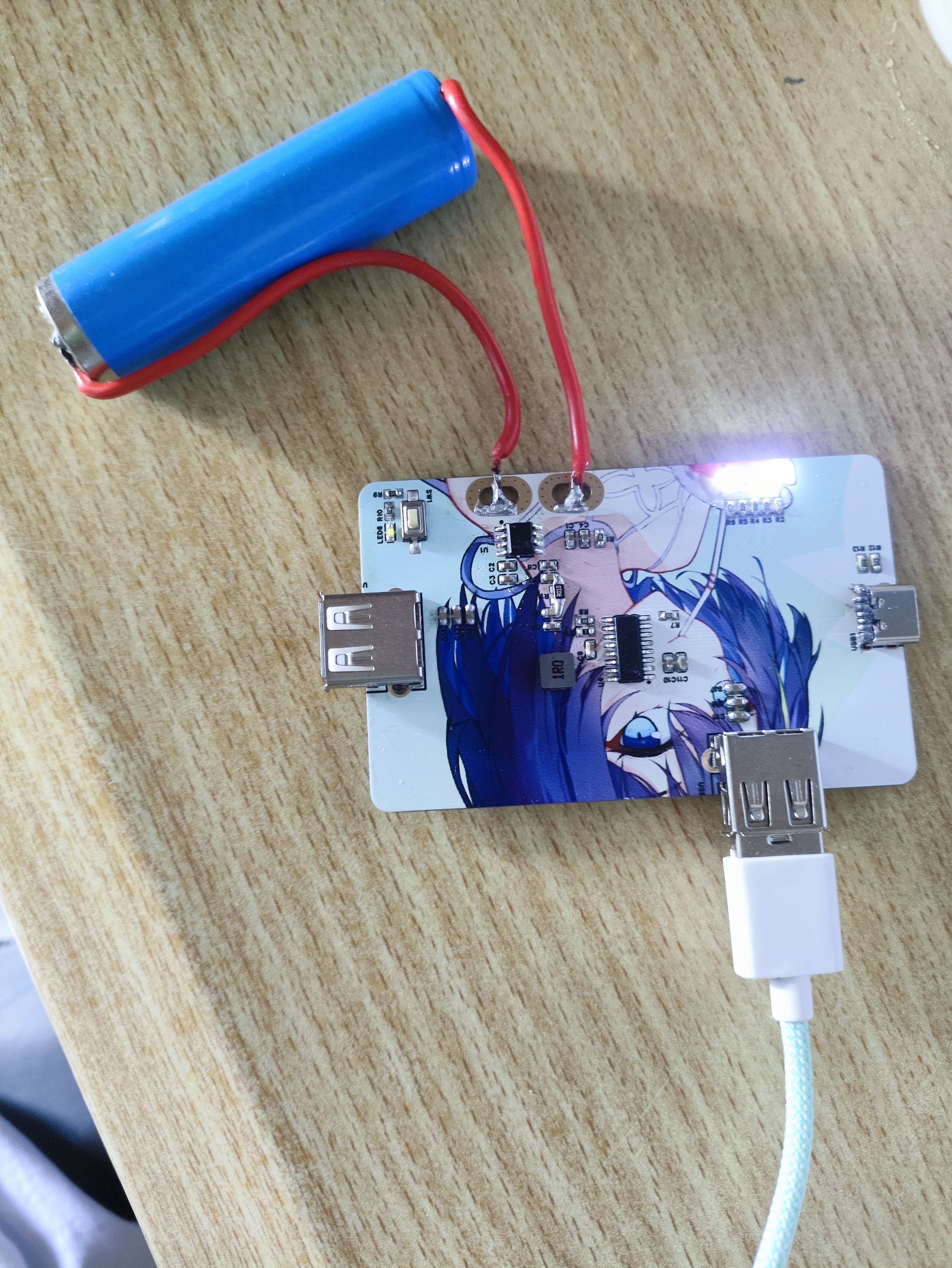
A single-cell lithium battery charging and discharging circuit based on the Injoinic IP5506 chip can charge mobile phones without a protocol, outputting approximately 5V/1.5A. Adding several batteries in parallel makes it portable.
The entire design can be completed with relatively simple resistors, capacitors, and inductors.
PDF_Portable Power Bank Based on IP5506.zip
Altium_IP5506-based portable power bank.zip
PADS_IP5506-based Portable Power Bank.zip
BOM_Portable Power Bank Based on IP5506.xlsx
97373
Redmi power supply board has onboard U2C
Powered by Redmi 2, automatically powers on upon power-up, and features an OTG 3-in-1 board. Provides wide voltage input support from 10~28V. Includes USB 2.0 docking station functionality and CAN bus, allowing for independent U2C firmware updates.
Overview: This document
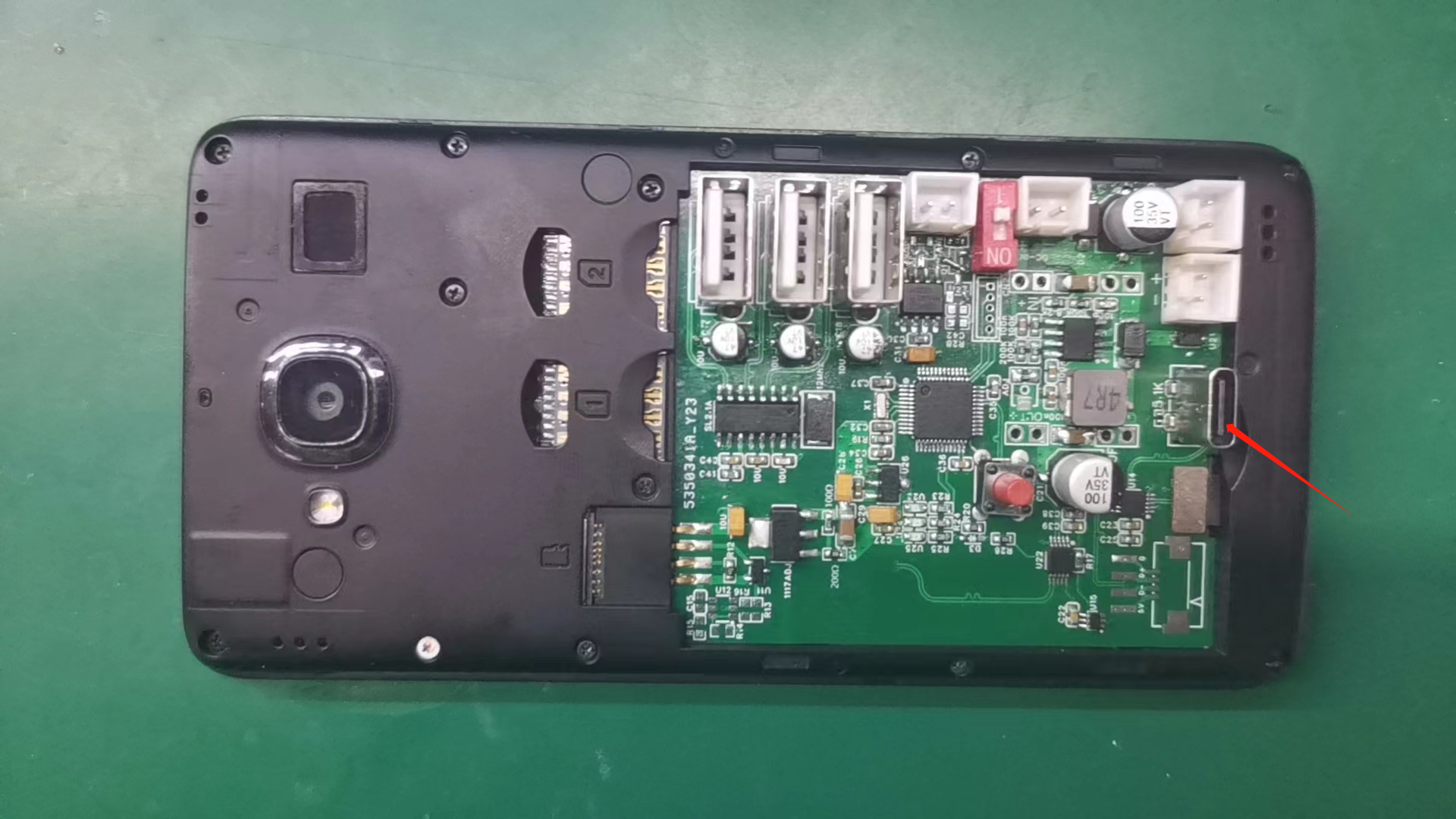
adds CAN bus support to the "Redmi 2 Direct Power OTG Automatic Power-On Three-in-One Board," and supports independent USB updates for CAN firmware and KLIPPER. It uses a reversible Type-C connector for update selection, automatically entering OTG mode without requiring a DIP switch.
Update Process:
Klipper Update

1. Put the phone into FASTBOOT mode, connect the Type-C cable, and use the Klipper firmware flashing software to check the phone's connection status. If the phone is not recognized, rotate the Type-C connector and continue connecting. The phone will be correctly recognized, and then Klipper can be flashed.
CAN Update

1. Power on the power board and connect the Type-C cable
. 2. Press and hold the red button for one second, then release.
3. Go to the upgrade website Updater - CANable
. 4. Select the version and firmware, and click Firmware Upgrade.
5. If the device is not recognized, reverse the Type-C connector and reinsert it, repeating steps 2-4.
Notes:
1. In the schematic diagram, R15, C15, R14, R16, R13, and U12 represent an alternative chip scheme. Choose one of them, along with U11.
2. Select the appropriate button height based on the case height.
3. It is recommended that the following ports be exposed outside the case: USB port, Type-C port, buttons, CAN bus port, and power port.
4. The fan port is for heat dissipation.
5. Choose any PCB that's free; 1.6mm thick, everyone knows that!
6. Ensure the board fits snugly against the phone case during installation to prevent it from being pulled out when plugging/unplugging the Type-C port during firmware updates.
Follow-up
: 1. Please refer to the detailed Klipper configuration yourself. The matching CAN head board is currently being tested. Alternatively, you can choose a commercially available CAN tool board for connection.
2. Due to time constraints, I will not create a group to answer questions. Instead, I recommend the technical exchange group: 883298710.
Thanks to
umekoko.
PDF_Redmi Power Supply Board Onboard U2C.zip
Altium_Redmi Power Supply Board Onboard U2C.zip
PADS_Redmi Power Supply Board Onboard U2C.zip
BOM_Redmi Power Supply Board Onboard U2C.xlsx
97374
USTC Campus Card
The school badge-style student ID card incorporates campus elements, making it both attractive and practical.
PDF_USTC Campus Card.zip
Altium_USTC Campus Card.zip
PADS_USTC Campus Card.zip
BOM_USTC Campus Card.xlsx
97376
NFC electronic business card
The NFC business card designed with NXP's NT3H1101W0FHKH is a perfect match for color silkscreen printing.
This design was completed under the guidance of Bilibili influencer "China's Slash Youth";
the circuit requires very few components and is easy to draw.
PDF_NFC Electronic Business Card.zip
Altium_NFC Electronic Business Card.zip
PADS_NFC Electronic Business Card.zip
BOM_NFC Electronic Business Card.xlsx
97377
3-cell 18650 lithium battery charging board
This lithium battery boost chip, based on Injoinic's IP2326, provides fast charging of three-cell lithium batteries at approximately 15W and supports low-voltage trickle charging to activate the batteries.
The circuit is very simple and only requires resistors, capacitors, and inductors.
PDF_3-cell 18650 lithium battery charging board.zip
Altium 3-cell 18650 lithium battery charging board.zip
PADS_3-cell 18650 lithium battery charging board.zip
BOM_3-cell 18650 lithium battery charging board.xlsx
97378
Z-Core
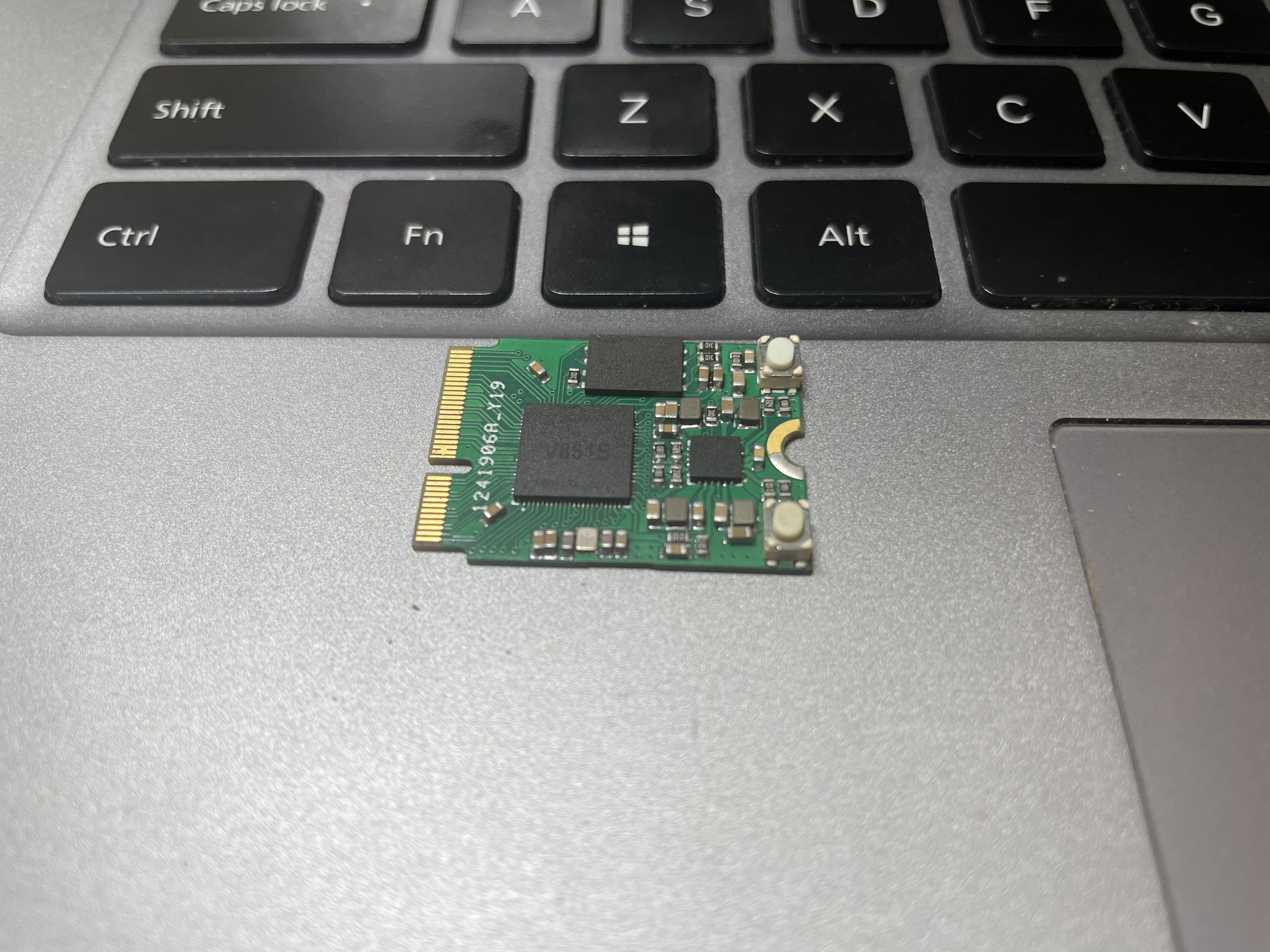
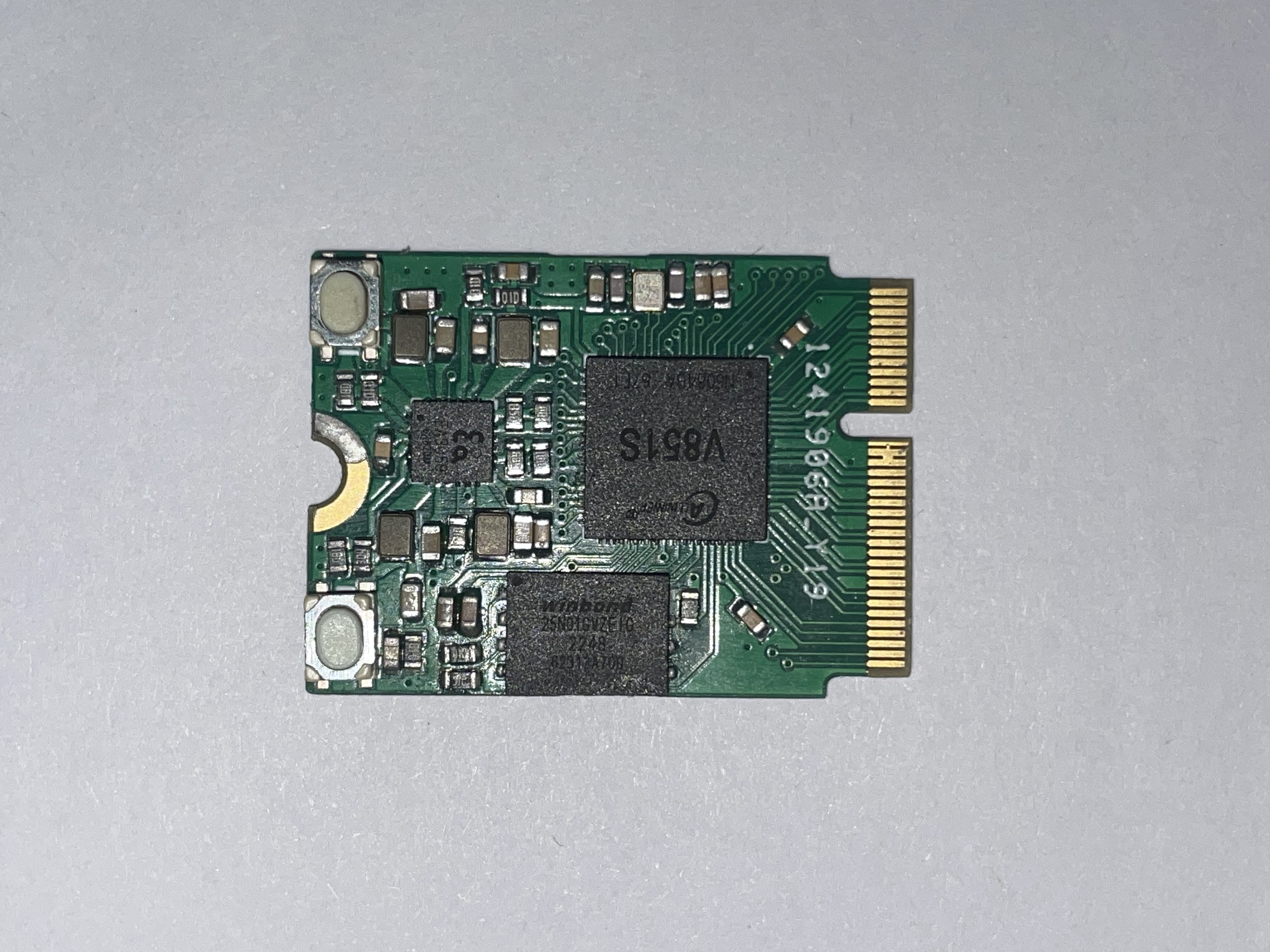
Based on the Allwinner V851S core board, the schematic diagram is based on @YuzukiTsuru's Yuzuki PI. Special thanks to group member @fawen for testing and support.
1. When prototyping, choose JLC7628 impedance and 0.8mm thickness (important). If you want a free sample, 1.0mm thickness is also acceptable.
2. Those with ample funds can choose immersion gold plating.
3. For those with deep pockets, JLCPCB SMT process is recommended (if you're doing immersion gold plating + SMT, send me a sample, I'd be extremely grateful :)).
4. Baseboard: V851s-ext - JLCPCB EDA open-source hardware platform (oshwhub.com)
5. Interface: NGFF M.2 E-Key
6. The two capacitors on the back of the board can be omitted; it won't affect functionality.
PDF_Z-Core.zip
Altium_Z-Core.zip
PADS_Z-Core.zip
BOM_Z-Core.xlsx
97382
AI-M61-32S Expansion Board
Anxinco AI-M61-32S-Kit Module Expansion Board
The Anxinco AI-M61-32S-Kit module expansion board includes several onboard peripherals that can be used to familiarize yourself with some of the functions of the Anxinco M61 module. These include a screen, clock, RGB LEDs, photoresistors, relays, buzzers, infrared LEDs, temperature and humidity sensors, and matrix buttons. You can also order one if you like.
PDF_AI-M61-32S Expansion Board.zip
Altium_AI-M61-32S Expansion Board.zip
PADS_AI-M61-32S Expansion Board.zip
BOM_AI-M61-32S Expansion Board.xlsx
97383
Ilomara's Colored Light Painting
I used color screen printing to create a light painting of Mary, and the effect is pretty good.
I got a free color screen printing coupon from JLCPCB. Since it was my first time designing an open-source project and I didn't have any good ideas,
I happened to see a picture with nice lighting, so I used it as my

lighting design. The circuit design is the overused TP223 touch circuit, so I won't go into detail; a quick search on Baidu yields tons of diagrams.
The design is very simple: cut out a portrait in Photoshop, place it on the top layer to block the light, and then design a few ceramic lamps for highlight areas on the bottom.
Since the highlights in the original image were already very clear, it was even simpler.
However,
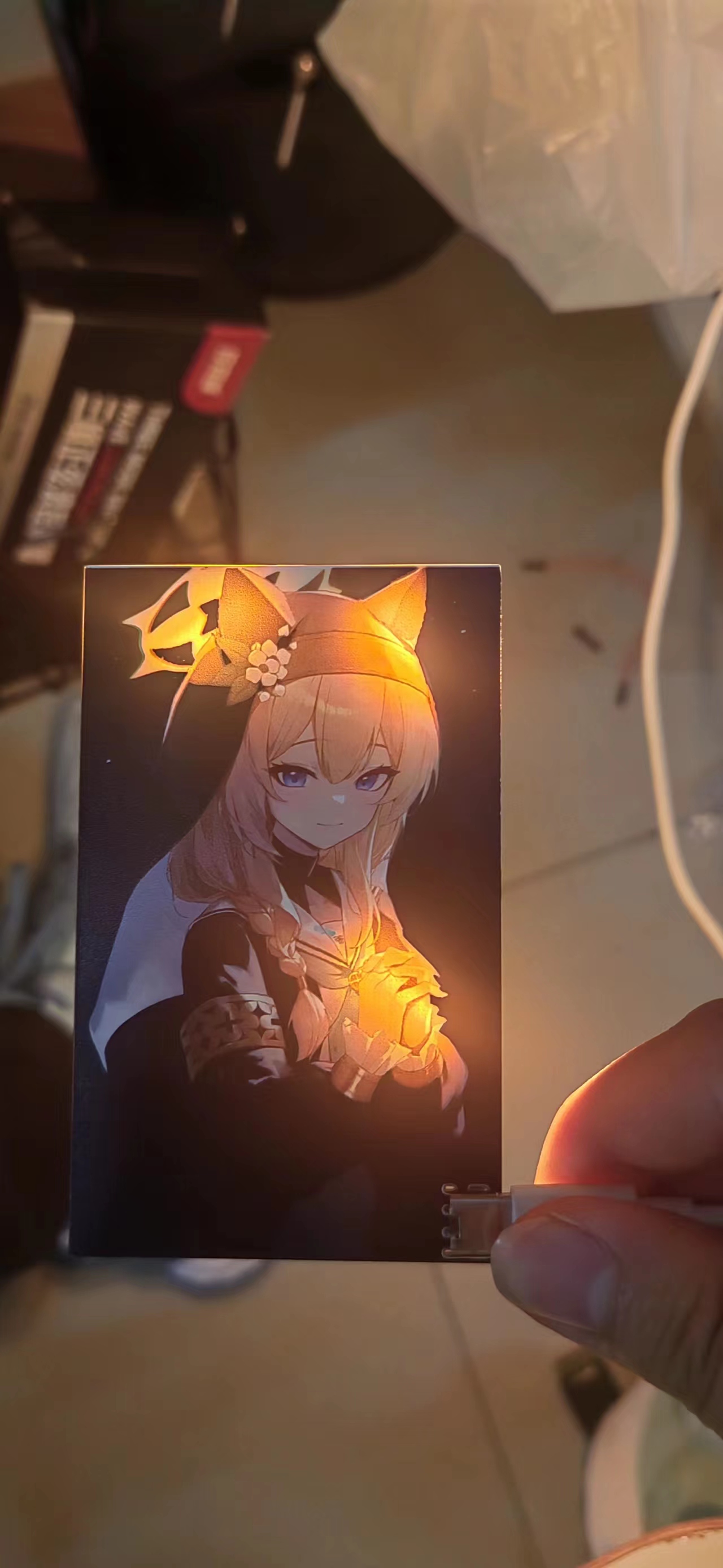
because the ceramic lamps didn't provide enough diffused light, the secondary light-emitting positions weren't really visible. So
,
I quickly designed a reflective base, focusing on a simple
design. Adding a bottom cover to the printer
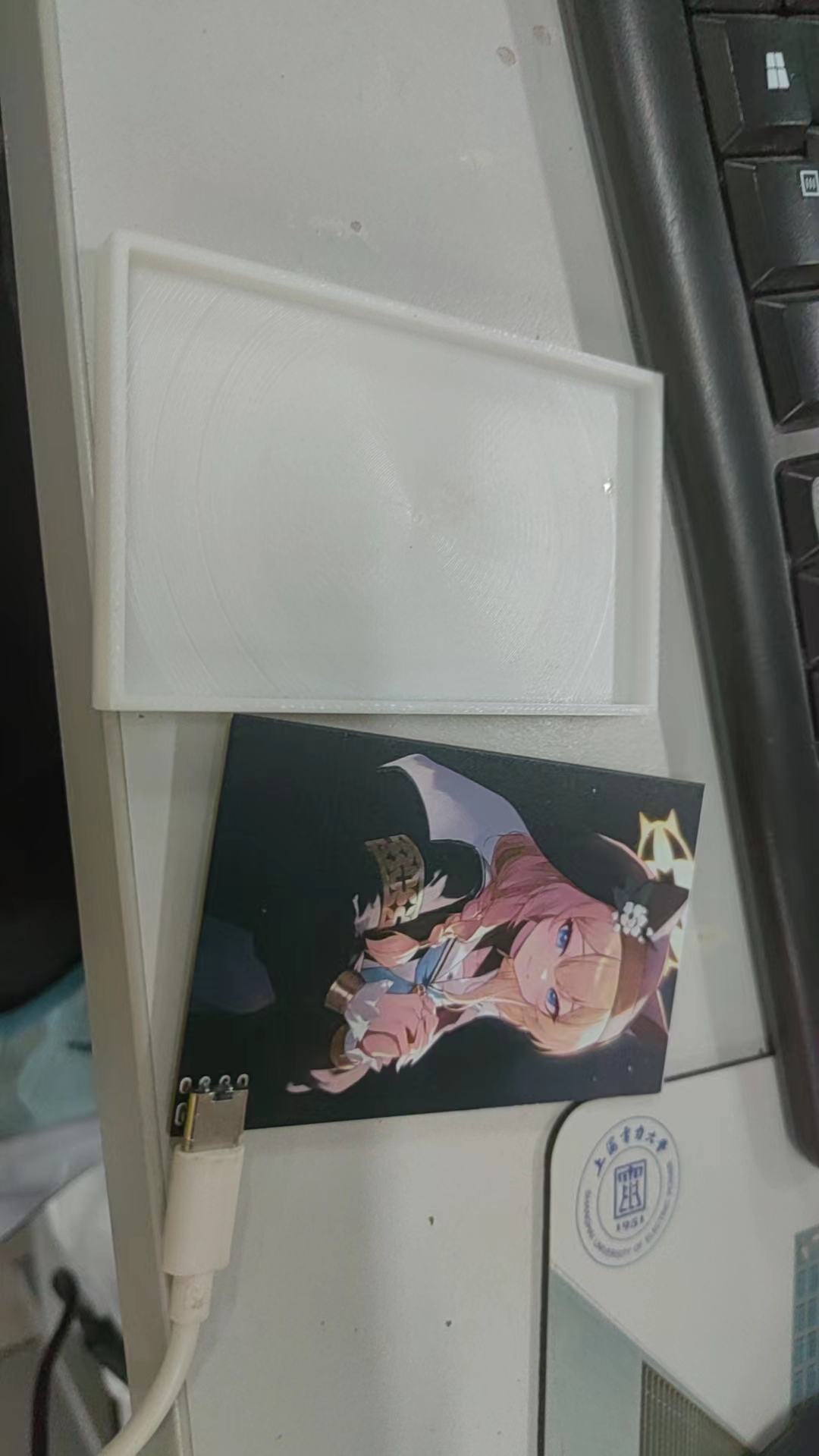
makes a big difference. The floodlight is reflected by the white material underneath onto the entire panel, giving the portrait a subtle glow.
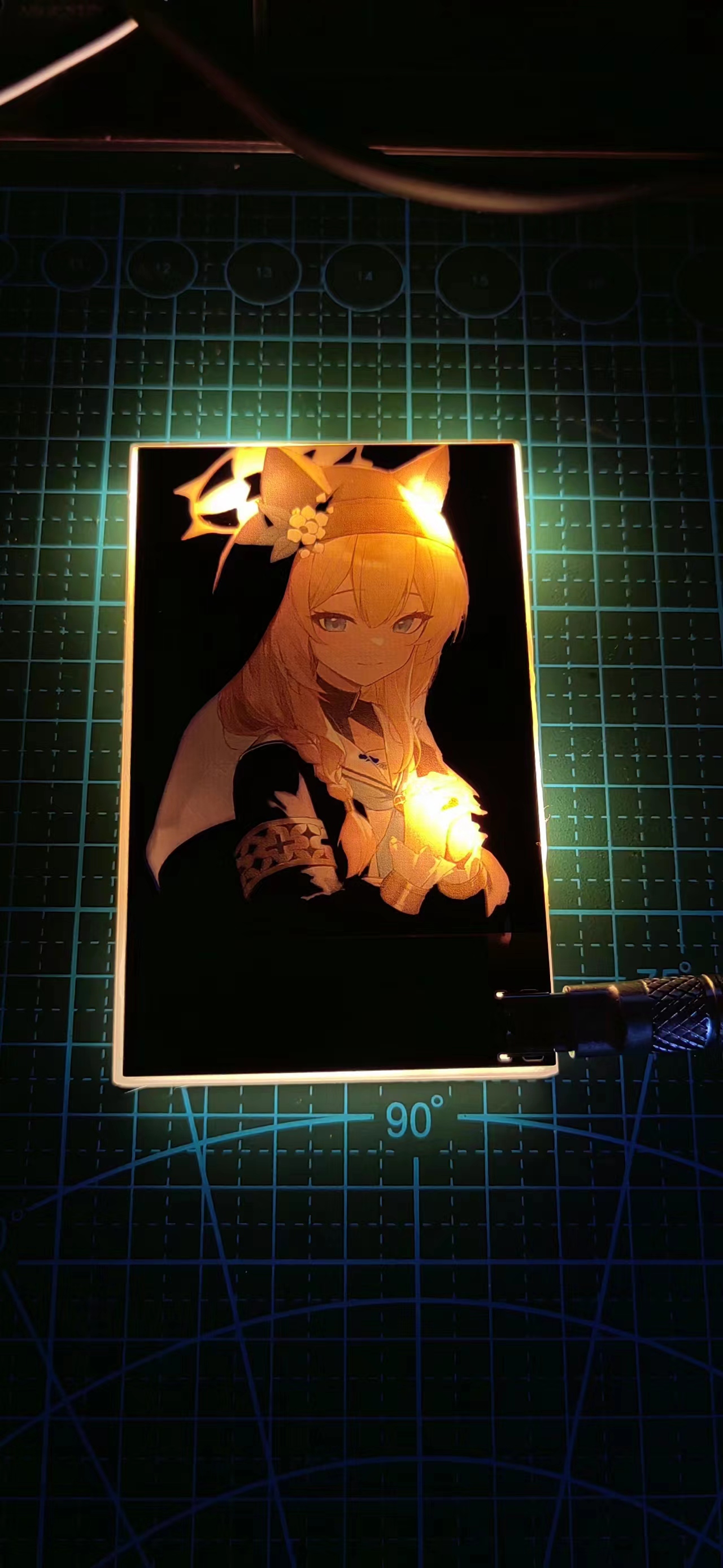
The original image and reflective cover are included in the accessories. If you're interested, you can try making a replica.
Bilibili video link: https://www.bilibili.com/video/BV1694y1573X/?spm_id_from=333.337.search-card.all.click&vd_source=6e36cb5877fc1084cf9aefe8f240bd03
Simplified version of the light painting stand.
Simplified version of the light painting casing.STL
PDF_Ilomarie's Colored Light Paintings.zip
Altium_Ilomarie's Colored Light Paintings.zip
PADS_Ilomarie's Colored Light Paintings.zip
BOM_Ilomari's Colored Light Painting.xlsx
97384
electronic
 product )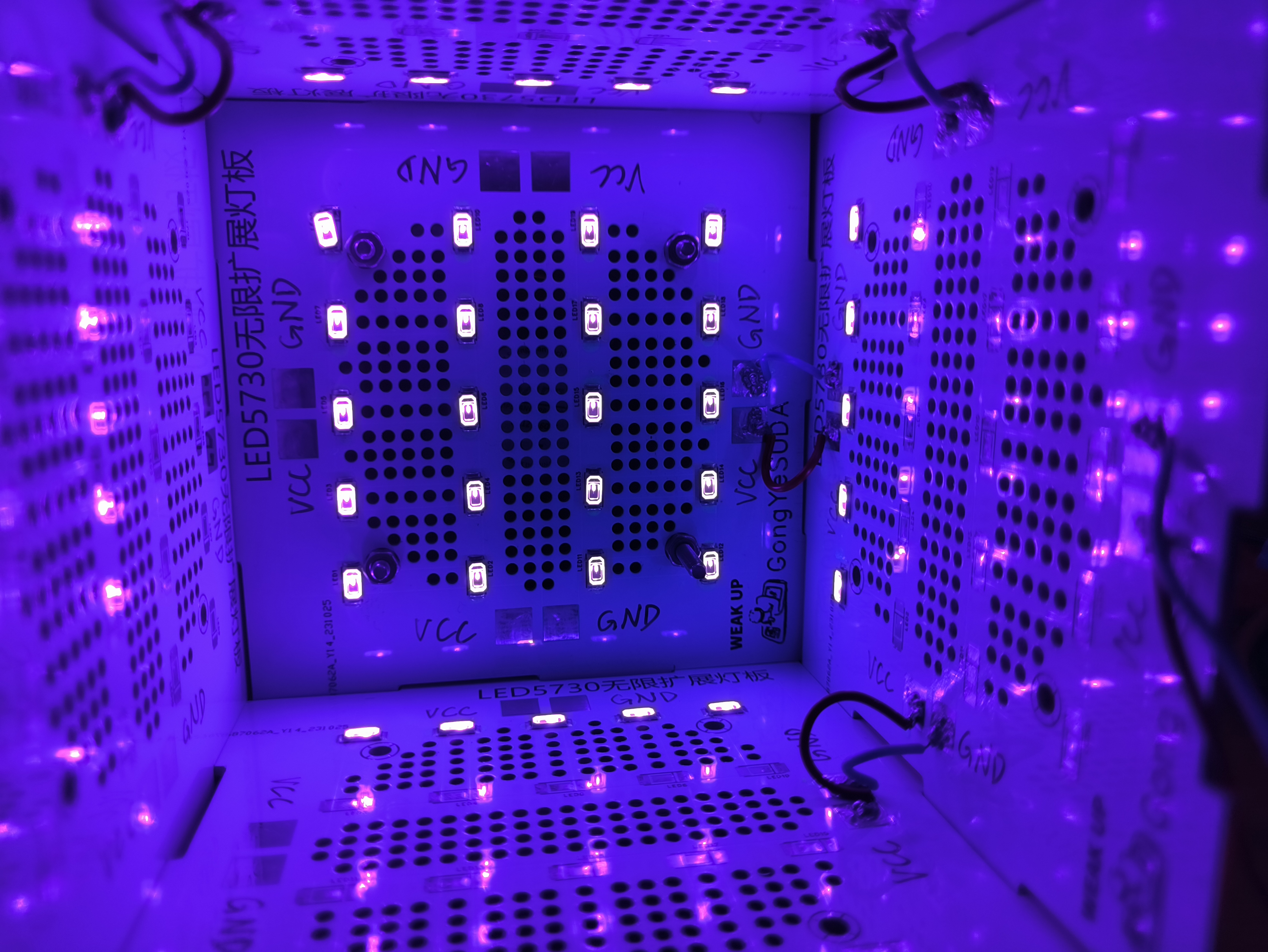










 京公网安备 11010802033920号


 MSP1N5243D-1



