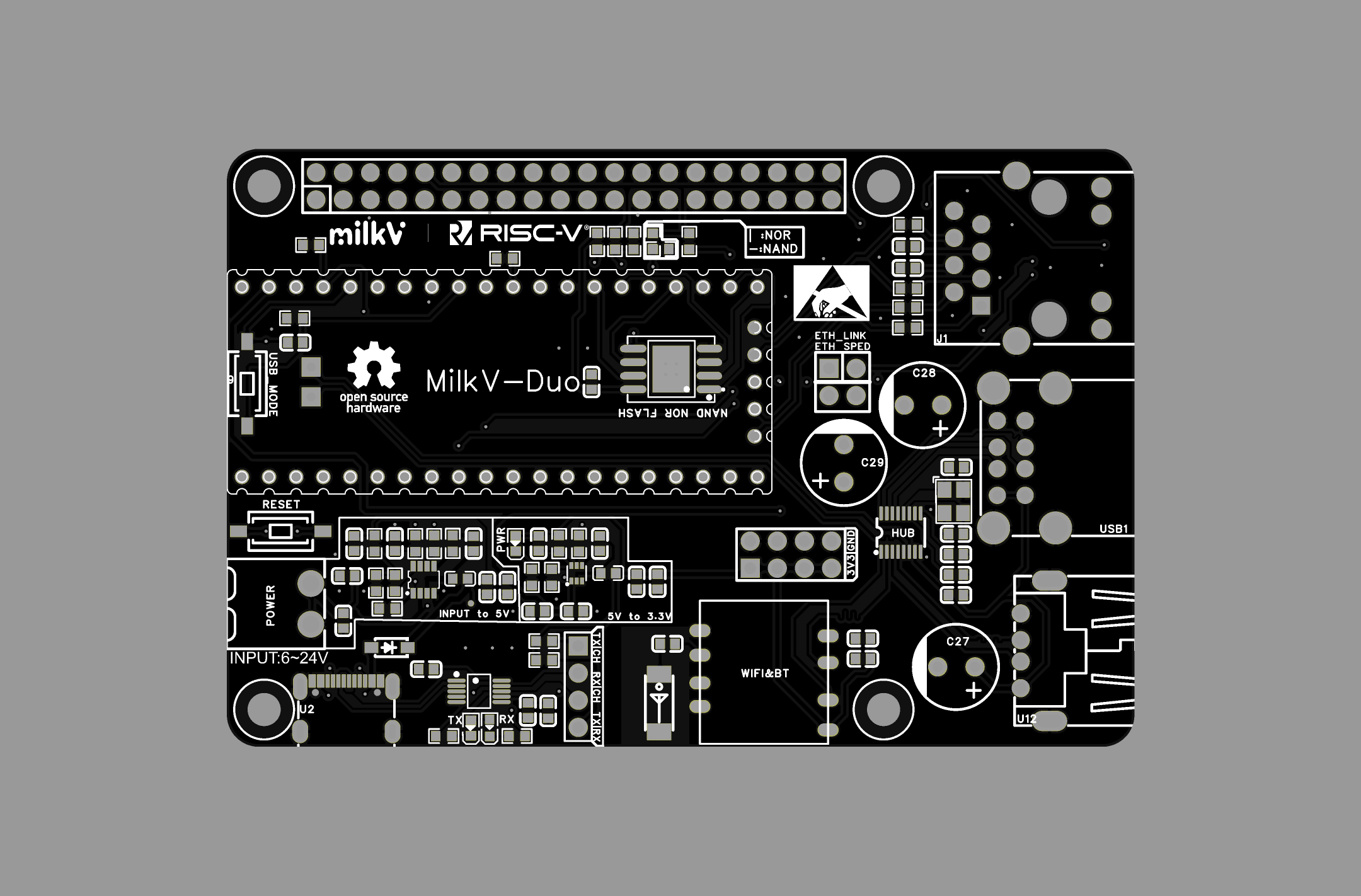
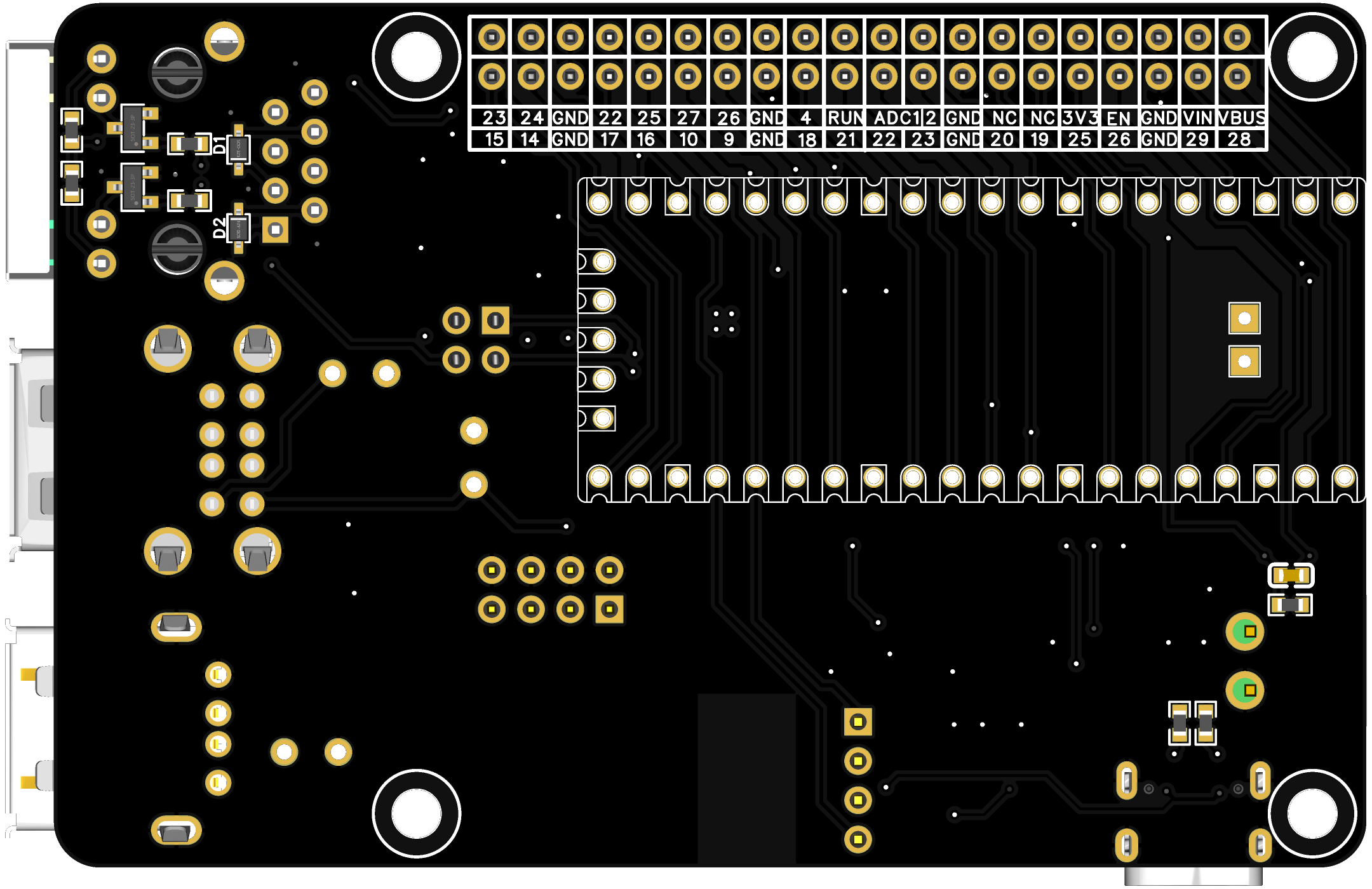
Writing boot, Linux, and rootfs to the NOR FLASH via SD card
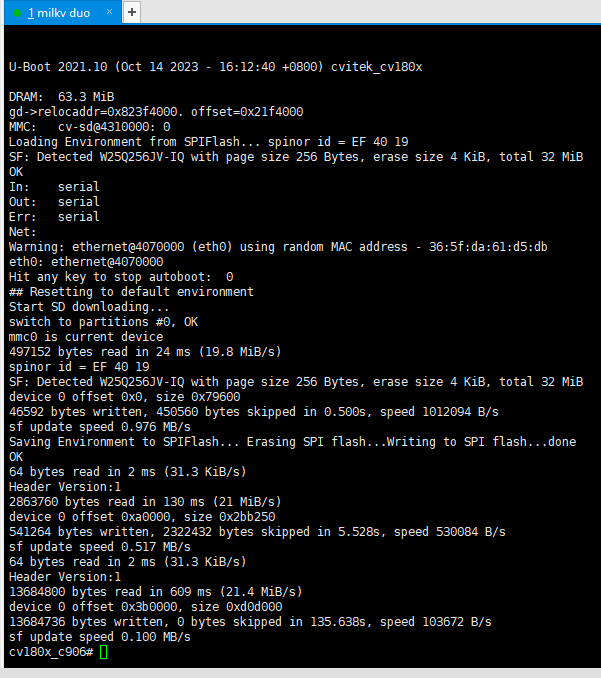
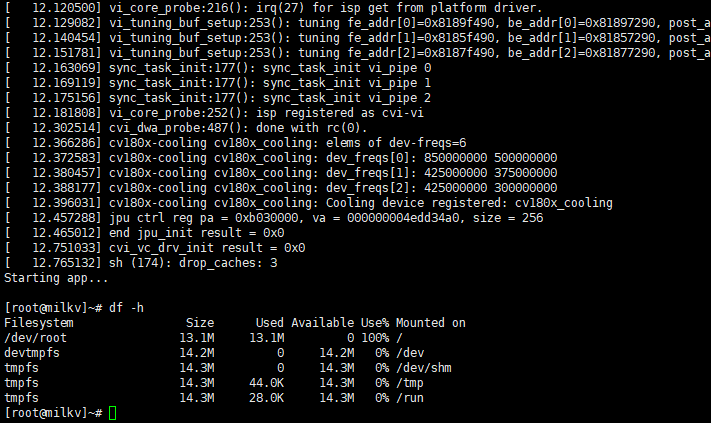
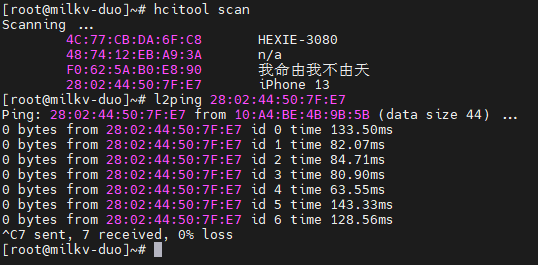
shows that it runs normally even without an SD card inserted.
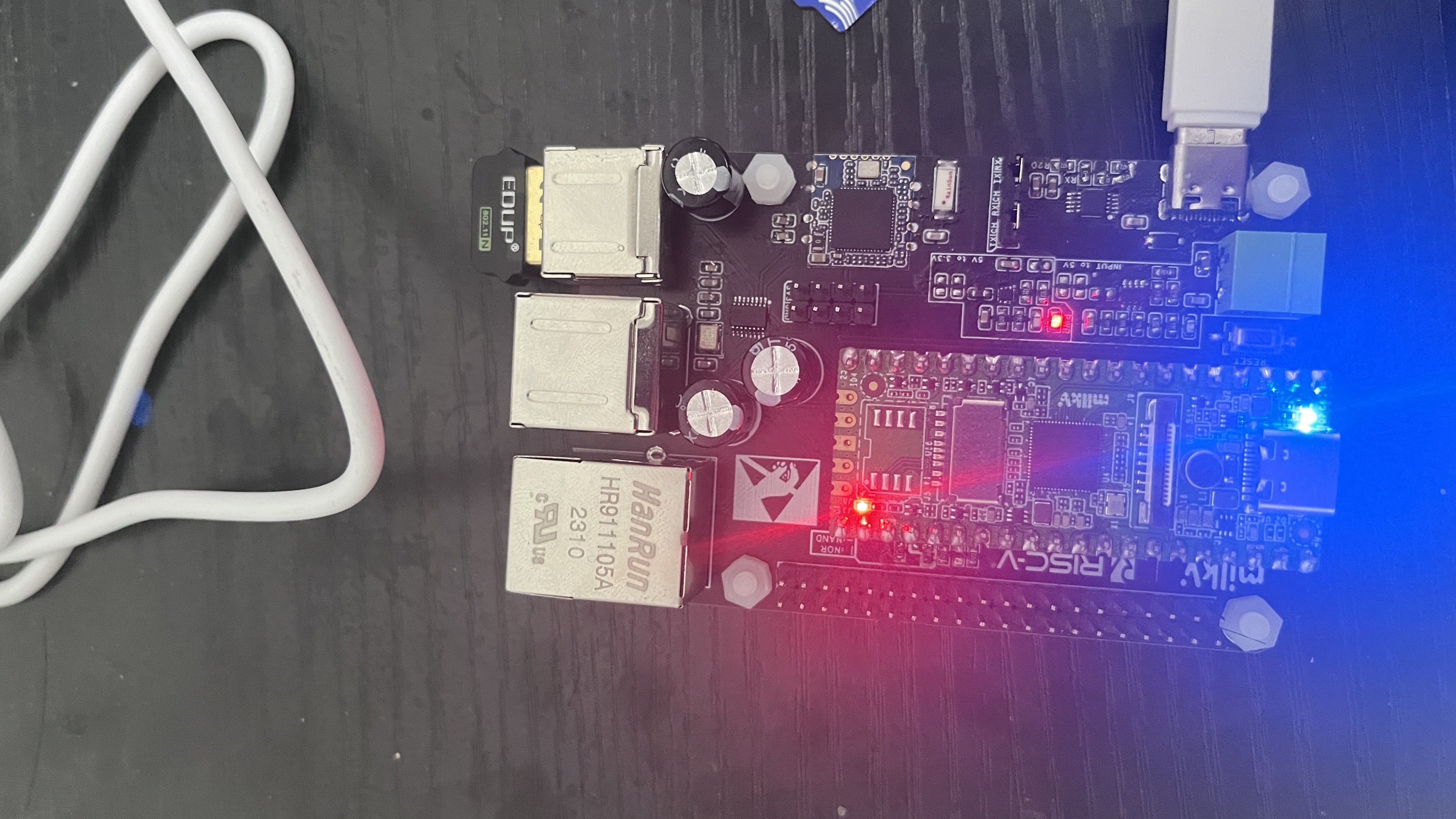
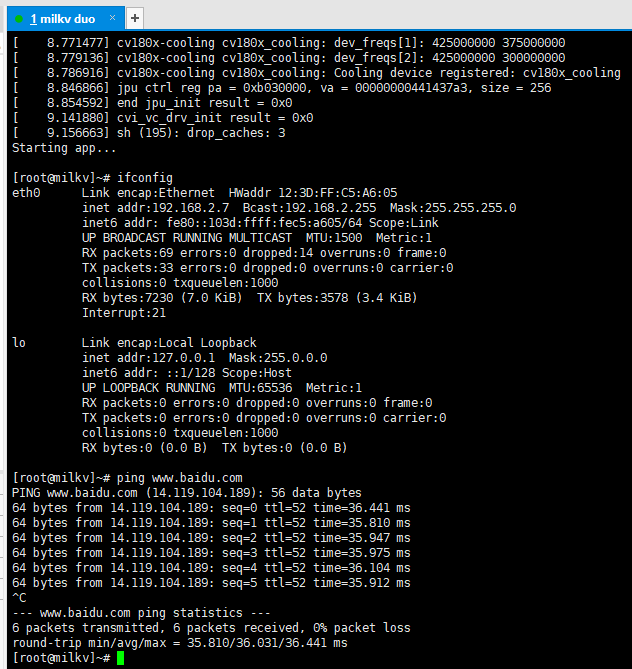
Connecting to the Ethernet
USB hub
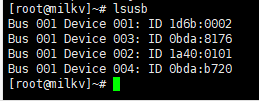
shows that the RTL8723BU is recognized (
Bus 001 Device 004: ID 0bda:b720).
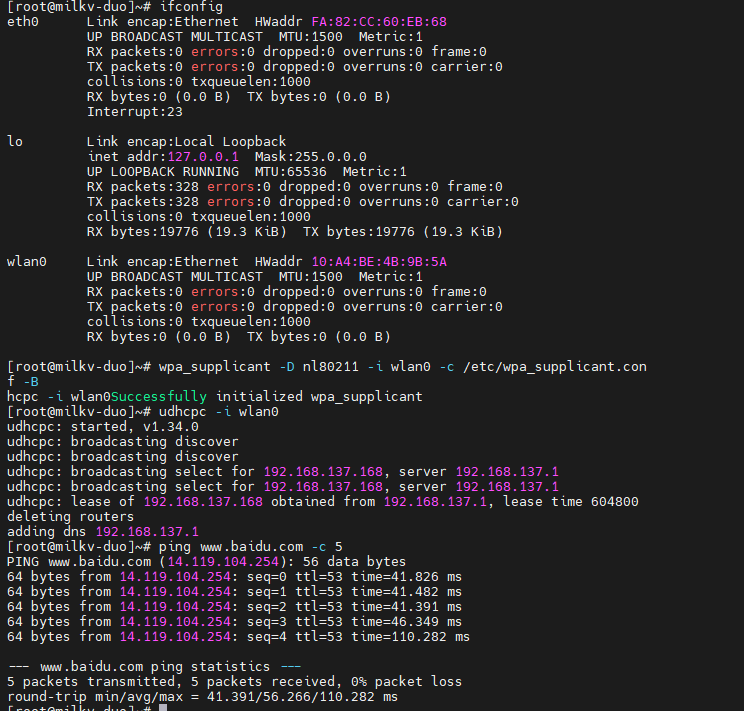
The RTL8723BU uses
Wi-Fi.
Issues found in the first prototype and improvements in this version:
1.
Q: The 3V3_EN and RUN pins will fail if touched.
A: A default 10KR pull-down resistor has been added; I have personally tested it and touching it again will not affect the board.
2.
Q: ETH cannot communicate when the external network cable is too long.
A: I used pin 4578 of the HR911105A; I don't know if this will improve the situation. Also, the two indicator lights have been brought out and can be disconnected with jumpers.
I have almost completely verified the circuit in the first version and it is correct.
1. The USB hub is recognized after USB setup. Each port has a large-capacity electrolytic capacitor; the official recommendation is 220uF or higher, and a 470uF capacitor is provided for high-current devices.
2. The USB WIFI & BT module uses the inexpensive RTL8726BU, which costs around ten yuan on Taobao. I have tested the drivers, and both WIFI and Bluetooth work normally.
3. Ethernet fails to work over long distances and requires connection to a switch or router, which I suspect is due to an internal PHY driver issue.
4. Both SPI NOR FLASH (W25Q256JVEIQ) and SPI NAND FLASH (W25N01GVZEIG) have been verified to boot normally.
5. The baseboard design is based on the Raspberry Pi 4B form factor for easy expansion.
6. Power input is a 6-24V wide-range power adapter or a battery box consisting of two 18650 batteries, allowing for long-term standby.
7. The USB ports can be directly connected to the computer to output serial port information. The CH340 printed garbled characters before uboot; adding pull-up resistors may improve the situation, but it's uncertain if it will. The USB-to-serial adapter uses a header jumper cap, allowing it to be disconnected from the MilkV Duo board or connected to any serial port on the MilkV Duo via DuPont wires, or connected to the debug serial port using tools like the CP2102 or FT232.
Additionally, 3.3V and GND headers are brought out for easy connection to other modules for experimentation.
NAND Configuration Board
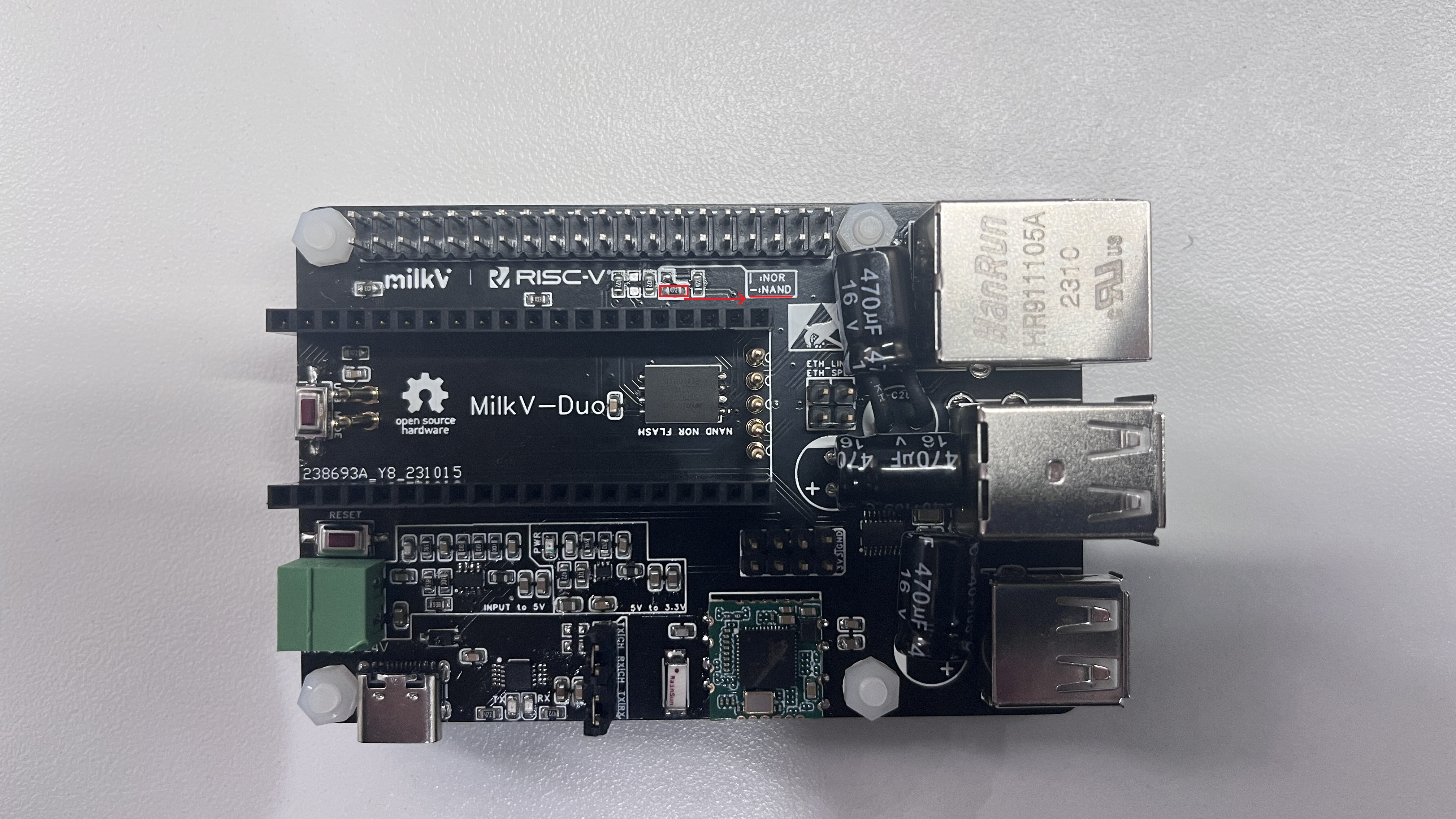
/NOR Configuration Board
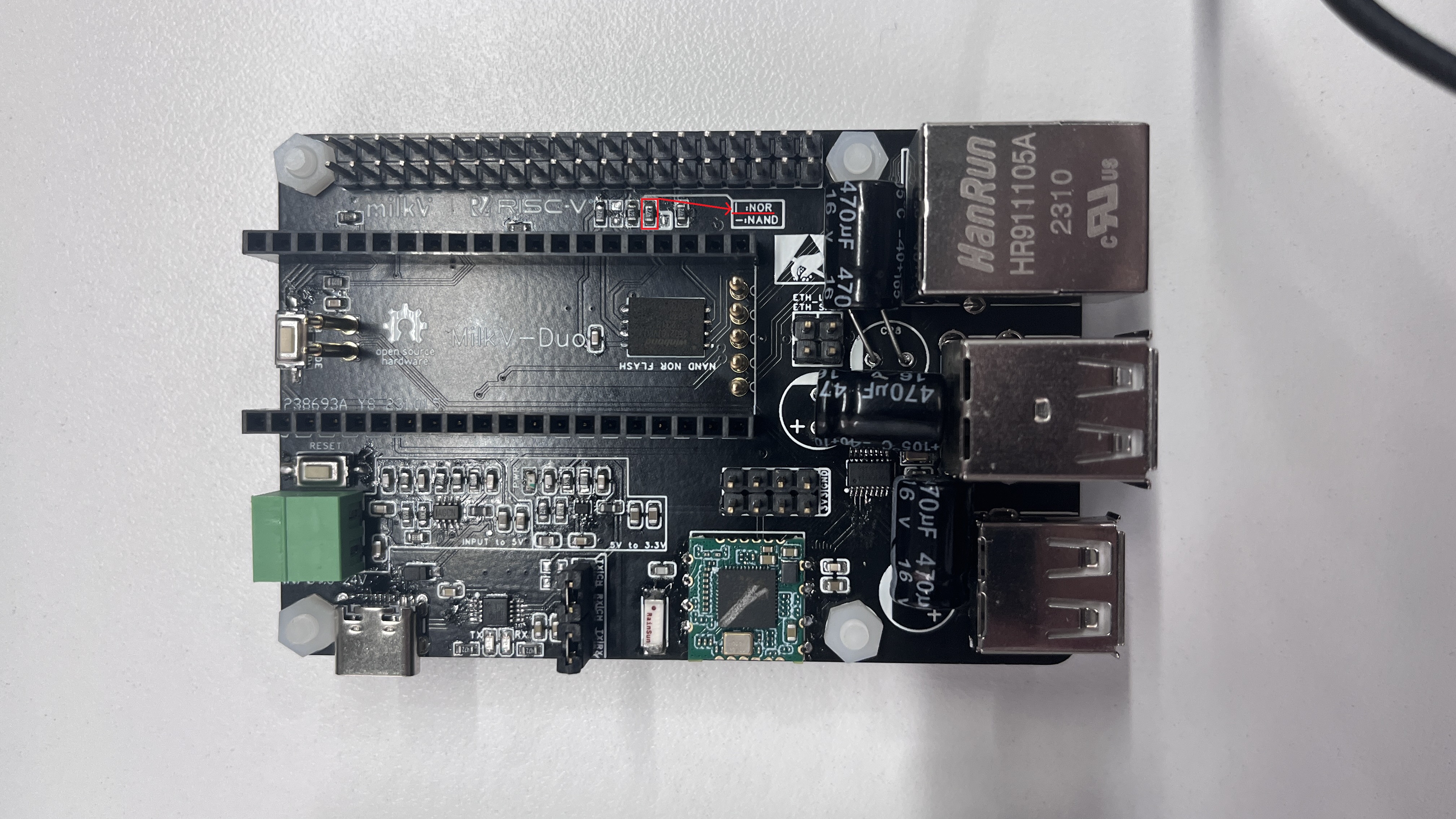
Duo
1.2 Version
Introduction:
Milk-V Duo is an ultra-compact embedded development platform based on the CV1800B chip. It can run Linux and RTOS, providing a reliable, low-cost, and high-performance platform for professionals, industrial ODMs, AIoT enthusiasts, DIY enthusiasts, and creators.
Specifications:
Milk-V Duo
processor
;
CVITEK CV1800B (C906@1GHz + C906@700MHz) ; DDR2 64MB
memory; Storage : 1 x Micro SD slot, 1 x SD NAND solder pad; USB : 1 x Type-C for data and power, 1 x USB2 solder pad; Camera: 1 x 16P FPC connector (MIPI CSI 2-lane) ; Chip: Up to 26 pins available for general purpose; I/O (GPIO) : 21mm x 51mm . Features: Processor : 1GHz ; Integrated CVITEK TPU for intelligent detection; Supports H.264/H.265 video encoding up to 2880x1620@20fps; Compatible with high-definition CMOS sensors; Programmable frequency output for sensor clocking; Comprehensive ISP functionality for image optimization; Partial OpenCV library support for CV hardware acceleration. 16-bit audio codec with built-in microphone input and output. Flexible network configuration with one Ethernet PHY. CSI-2 (MIPI Serial Camera) features a 16-pin FPC interface for 2-lane MIPI camera input. Operates I2C, CLK, and RST signals at 1.8V. Ethernet Milk -V Duo includes a CV1800B chip with a 100Mbps PHY. The PHY is connected to a 5-pin pad. An external transformer and RJ45 socket are required when using Ethernet. USB compliant with USB 2.0, backward compatible with USB 1.1. Supports various speed modes, host/device functions, and transfer protocols. Interfaces can be expanded via a USB hub (up to 127 devices). Power-saving mode with HID device support. Functionality as a USB slave device with configurable software. USB Type-C for storage media access. Micro SD SDIO0 is compatible with the Secure Digital Storage (SD 3.0) protocol. The MilkV-Duo chip has up to 26 GPIO pins on its 40-pin header, allowing access to internal peripherals such as SDIO, I2C, PWM, SPI, J-TAG, and UART. Up to 3x I2C, Up to 5x UART, Up to 1x SDIO1, Up to 1x SPI, Up to 2x ADC, Up to 7x PWM , Up to 1x RUN.
Up to 1x JTAG
official WeChat account purchase for only 35 yuan, two for 70 yuan with free shipping, super value!
Backplane:
The MAC addresses of the network ports on the backplane are randomly assigned, which may cause the MAC address to change after each reboot, and the IP address assigned to the network port by the router will also change. To solve this problem, you can use the following command to configure a fixed MAC address (replace the MAC address in the command with the address you want to use, and note that there should be no duplicate MAC addresses in the same network segment): `
echo "pre-up ifconfig eth0 hw ether 78:01:B3:FC:E8:55" >> /etc/network/interfaces && sync`
Then execute the reboot command or power cycle to make it effective.
Configure the four USB ports on the IO-Board backplane:
`rm /mnt/system/usb.shln -s /mnt/system/usb-host.sh /mnt/ system/usb.shsync`
Then execute the reboot command or power cycle to make it effective.
For example, after connecting a USB flash drive to the backplane USB port, you can use `ls /dev/sd*` to check if the device is detected and
mounted to the system. To view the contents of the USB flash drive (taking /dev/sda1 as an example):
`mkdir` `/mnt/udiskmount /dev/sda1 /mnt
/udisk` Check if the contents of the `/mnt/udisk` directory match expectations.
`ls /mnt/udisk`
Unmount the USB drive.
`umount /mnt/udisk`
To restore the USB network adapter (RNDIS) function when not using the IO-Board, execute
`rm /mnt/system/usb.shln -s /mnt/system/usb-rndis.sh /mnt/system/
usb.shsync` and then execute the reboot command or power cycle to make it effective.
This open-source community post:
Open Source MilkV DUO Board (Community Custom Version) - Duo - MilkV Community
Community:
MilkV Community
https://community.milkv.io/
Welcome to exchange ideas
Official Documentation:
Milk-V | Embrace RISC-V with Synchrotron Technology (milkv.io)
Milk-V Duo Official Website (Board Hardware Information): https://milkv.io/duo
Chip Information: CV181x/CV180x MMF SDK Development Documentation Summary (MultiMedia Framework) Software Development Document: https://developer.sophgo.com/thread/471.html
CV181x/CV180x HDK Development Documentation Summary: https://developer.sophgo.com/thread/472.html
CV Series Chip TPU SDK Development Materials Summary: https://developer.sophgo.com/thread/473.html
Forum Resource Collection:
https://developer.sophgo.com/forum/index/25/51.html








 京公网安备 11010802033920号


 ICS853052AGT



