I. Overview
This project is a self-made Bluetooth remote-controlled robotic vacuum cleaner that supports vacuuming, sweeping, mopping, and automatic mop washing.
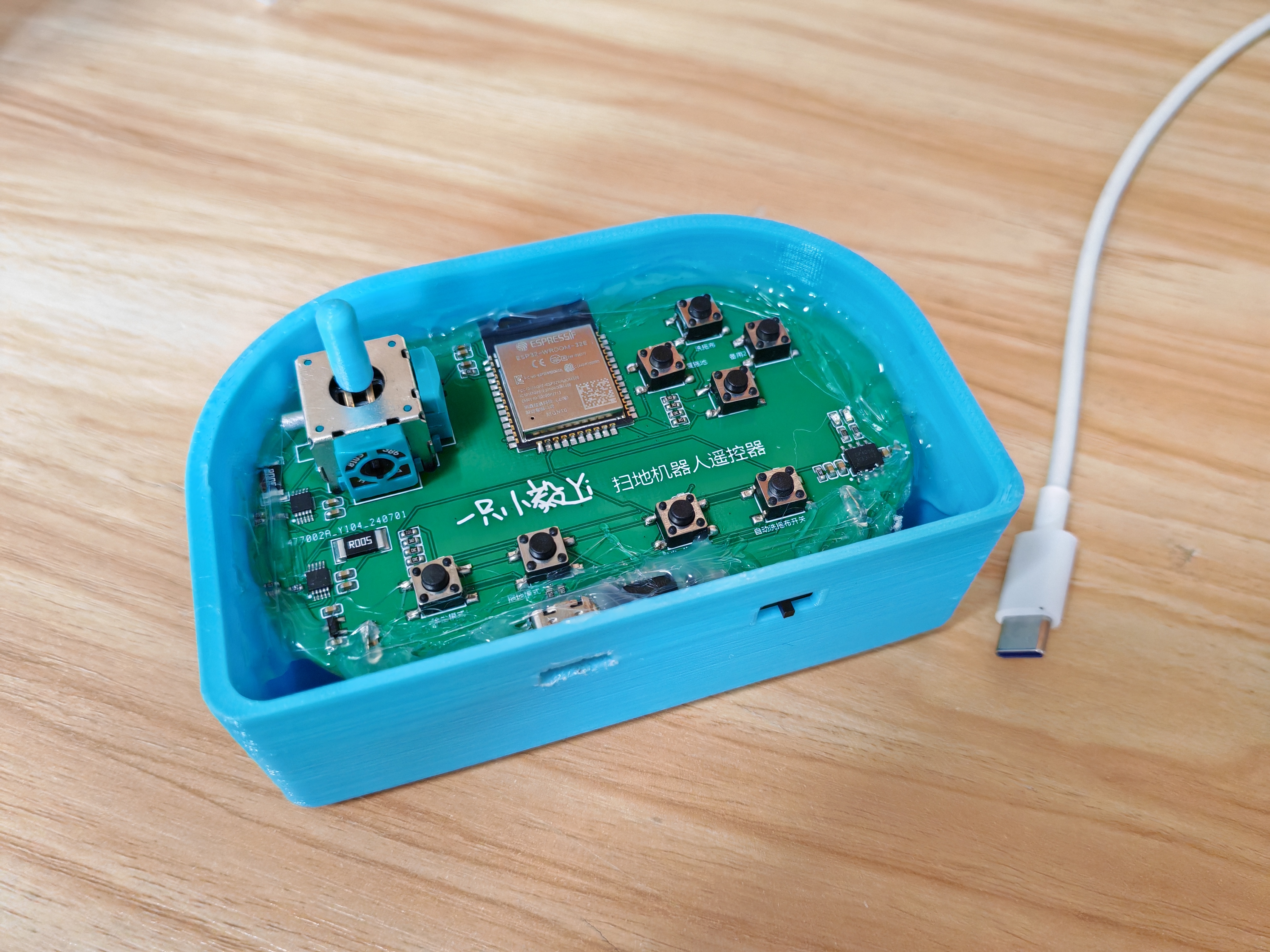
The system consists of a remote control and the robot itself
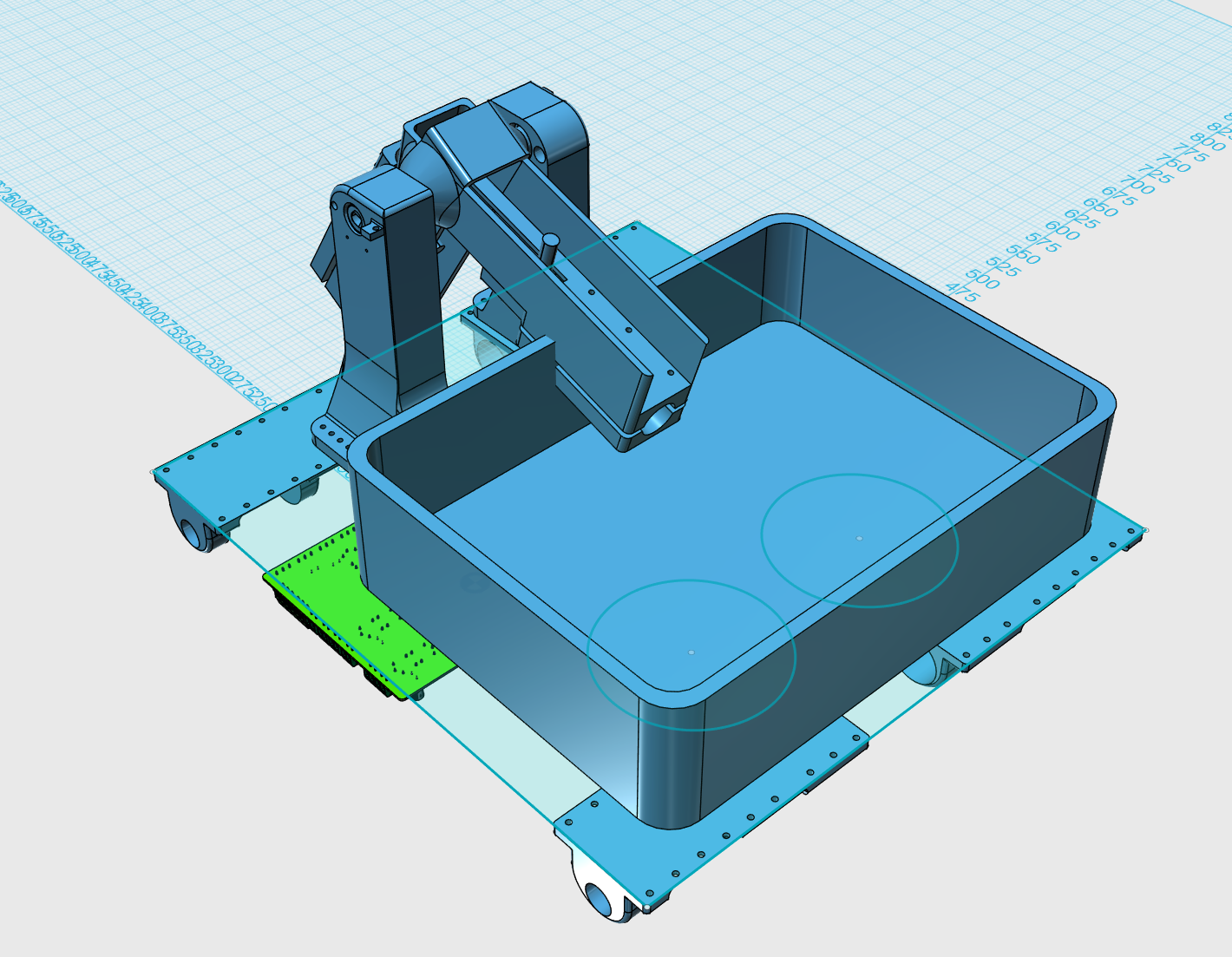
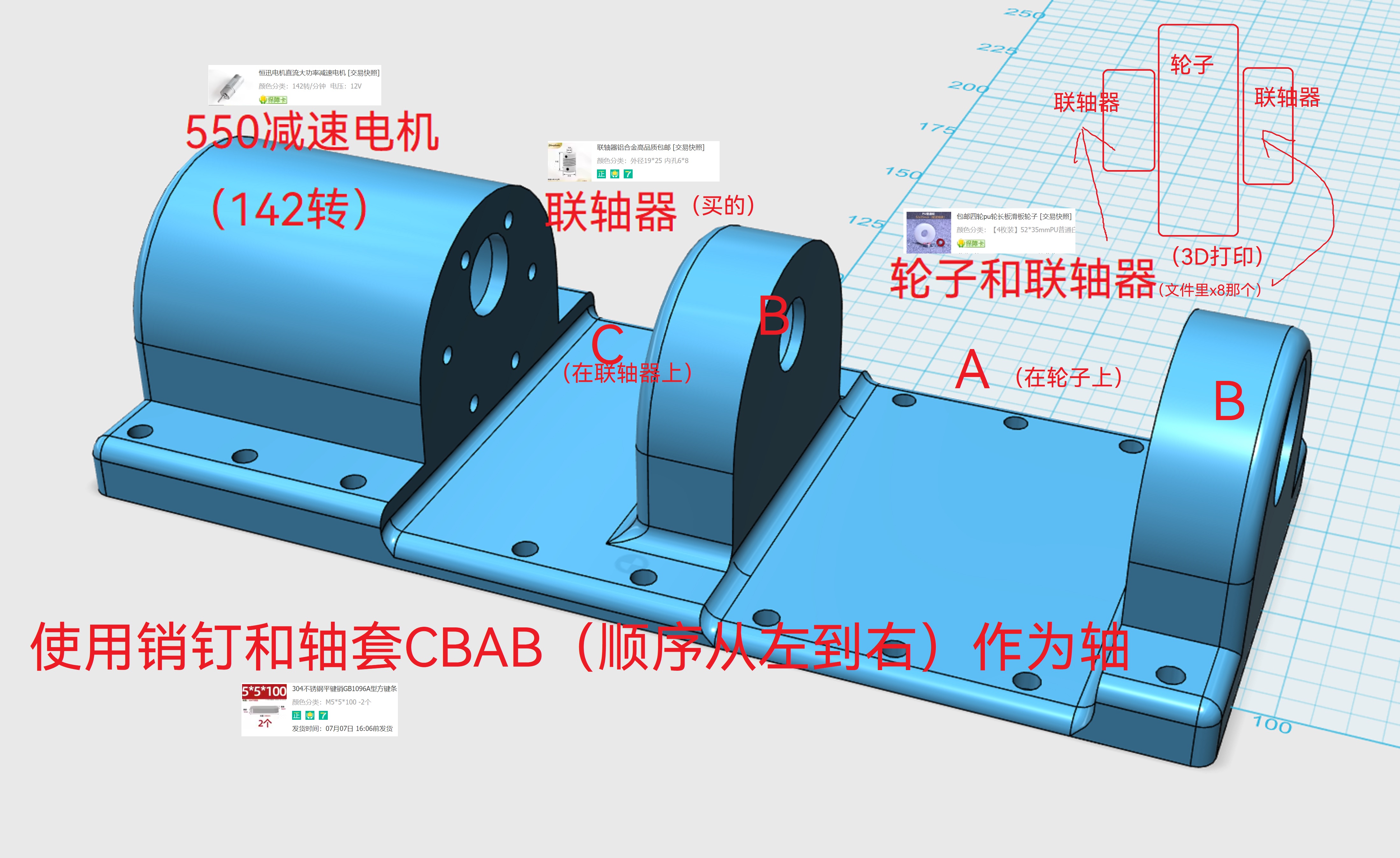
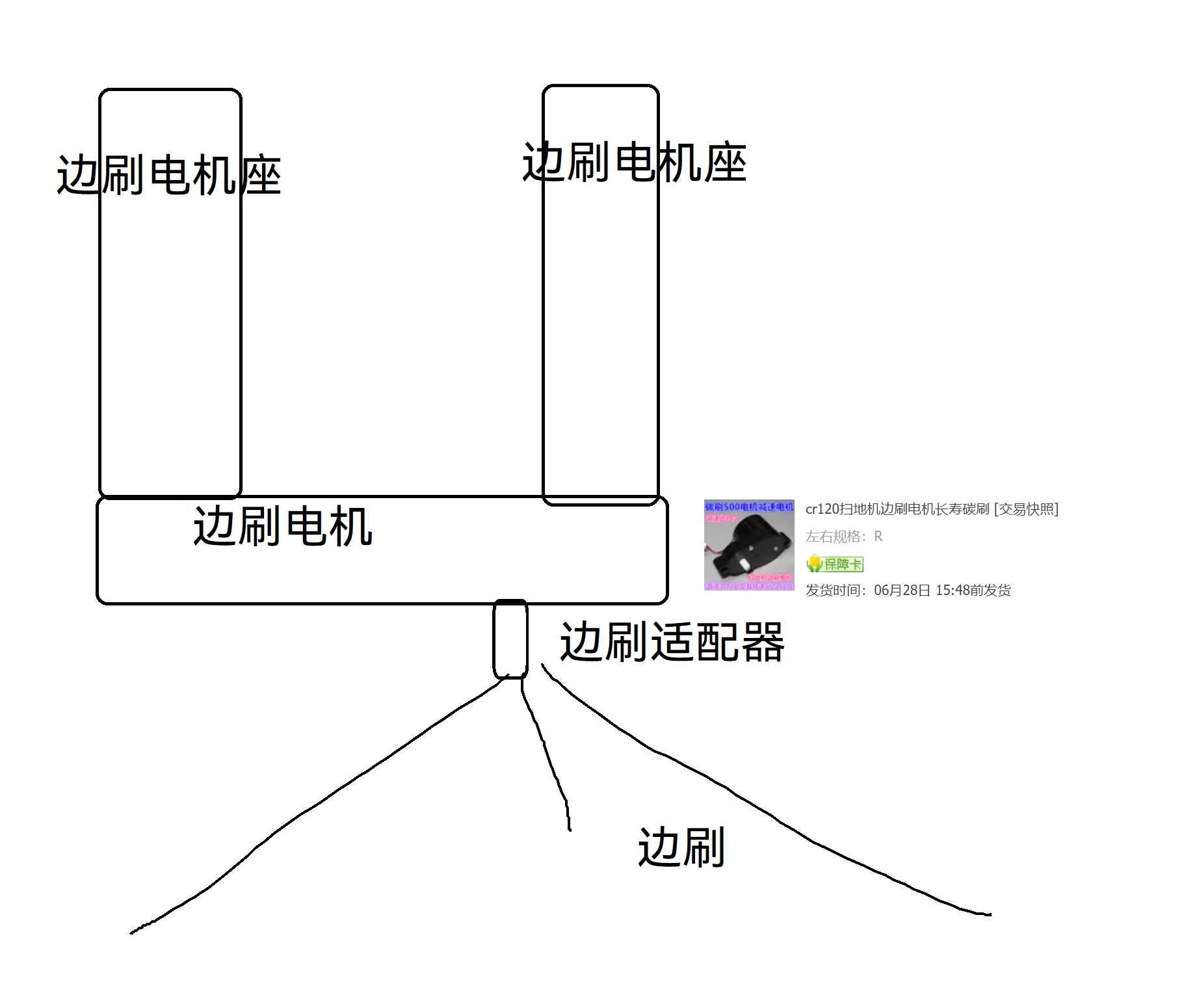
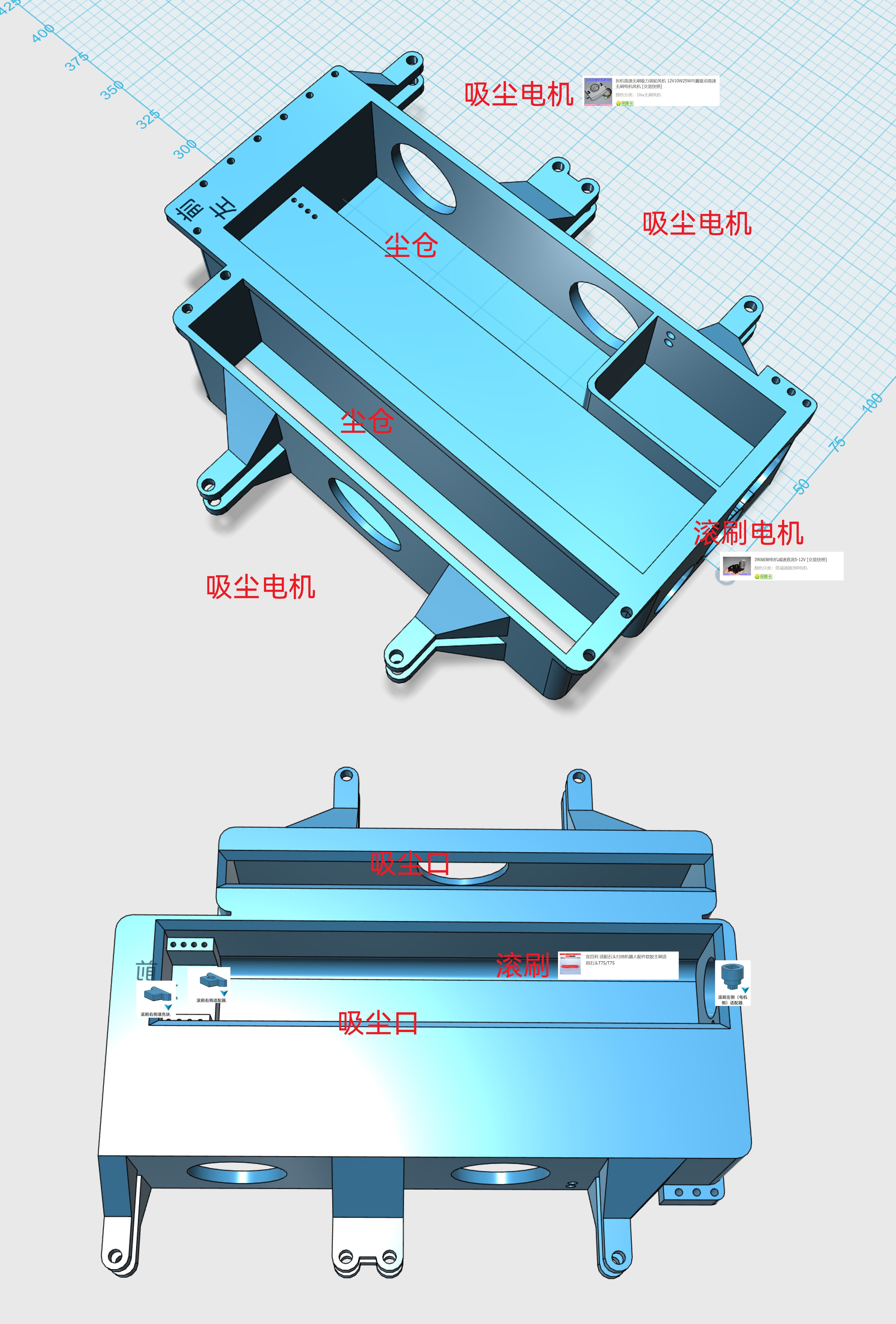
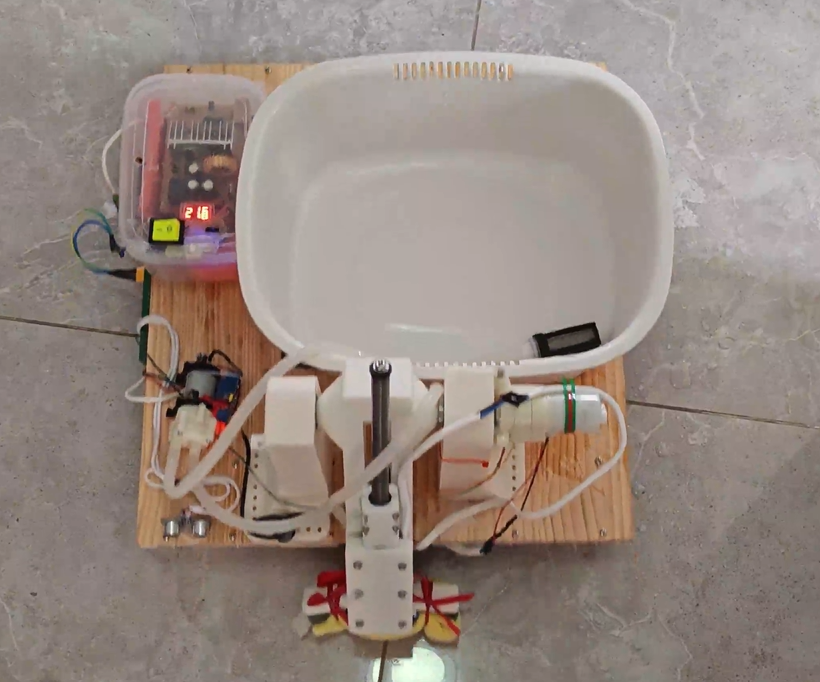
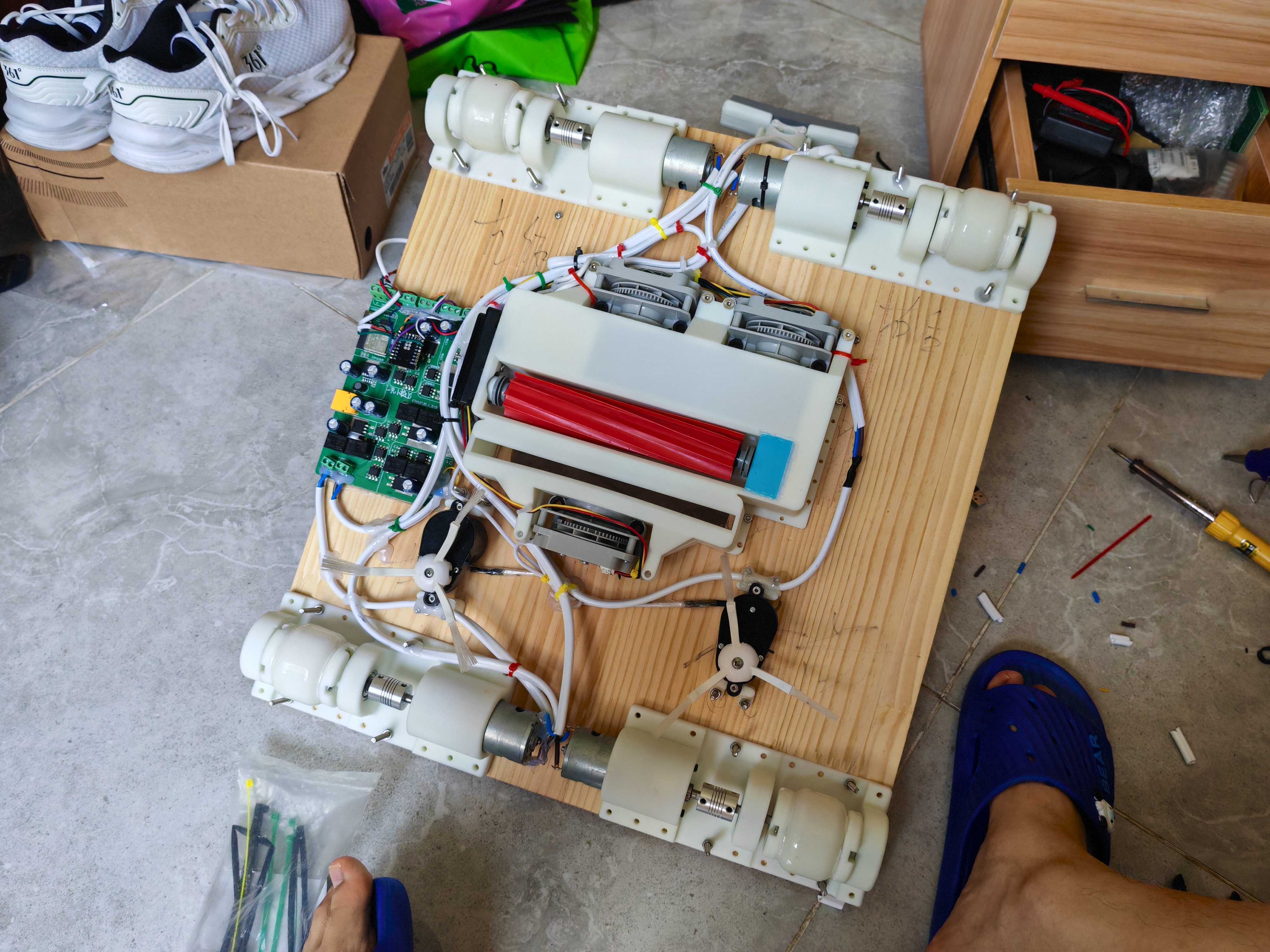
. At the front is the side brush assembly, including two 500W motors and two side brushes, used to move debris to the front of the robot. Next is the pre-vacuum assembly, including a vacuum motor, a dustbin, and a filter. Then comes the roller brush sweeping assembly, including a roller brush and its motor, two vacuum motors, a dustbin, and a filter. Finally, there is the mopping assembly, which is essentially a mini mop with a lead screw motor that pulls the mop loops to squeeze out the water. Normally, the mop is at the back of the robot. When mop washing is needed, the motor lifts the mop and sends it to the water tank at the top of the robot. (An ultrasonic sensor at the rear prevents the mop from damaging debris during lifting.) The entire machine is driven by a four-wheel drive system composed of four 550W motors with differential steering.
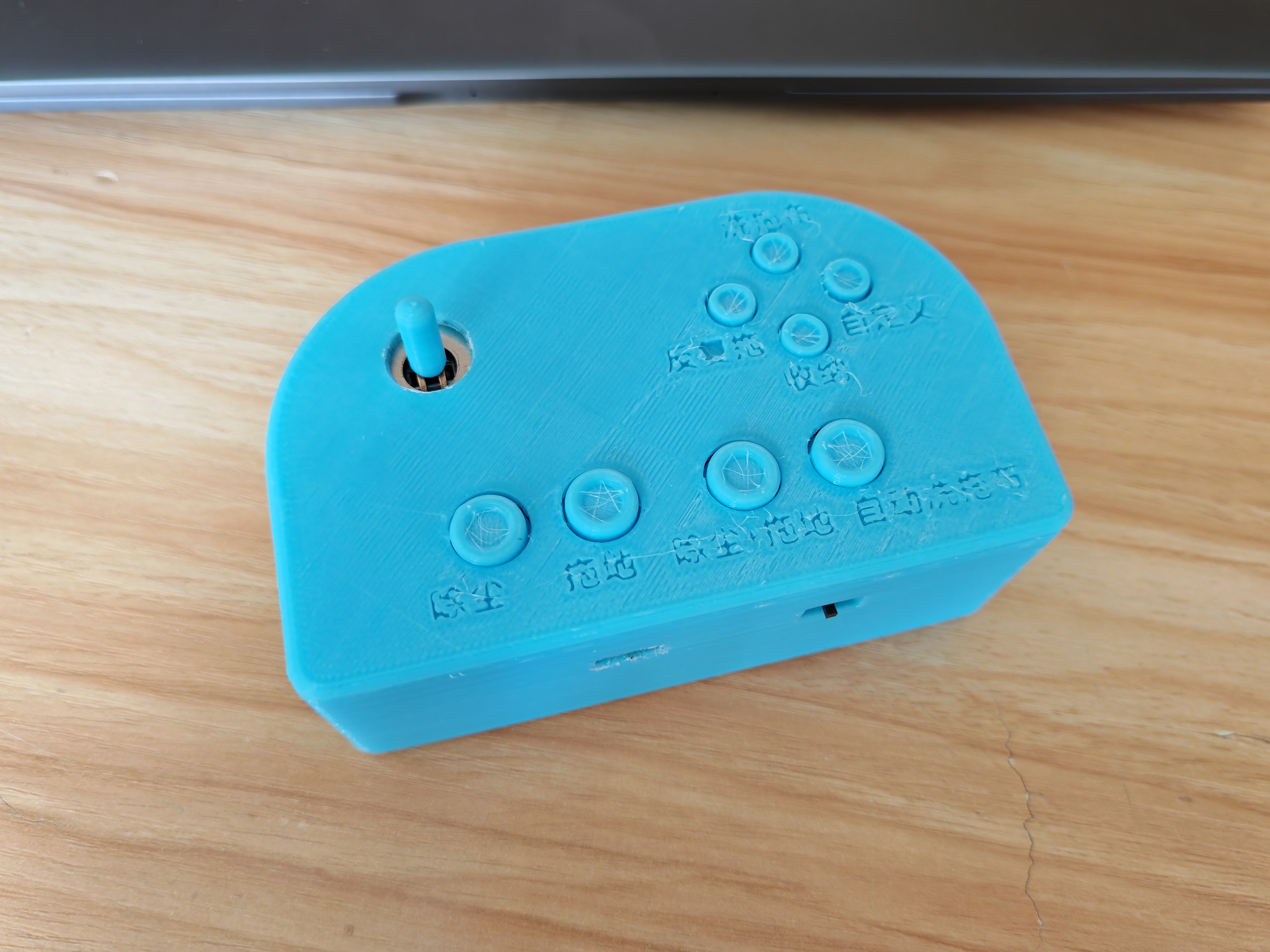
The remote control is shaped like a game controller, with joysticks and buttons to achieve various functions (forward/backward/left/right, dusting/mopping/dusting + mopping/storage mode, automatic mop washing switch, manual control of mop washing, repeated mopping)
.
The circuitry of the remote control is relatively simple. This project uses the classic Bluetooth (Bluetooth serial port) ESP32 to achieve remote control functionality.
The ESP32 is used as the main controller, with a Type-C + CH340 for program upload, a TP4056 for charging and an 18650 battery for power. An XC6206P332MR (which can be replaced by an SC662K) provides step-down power to the ESP32. An INA226 reads the joystick voltage and is used for interaction with the joystick, buttons, and LEDs.
The main unit primarily controls the various motors.
It also uses the classic configuration of ESP32 main controller + Type-C + CH340, with an XT60 interface as the overall power input (around 12V), and an LM2596 providing step-down power to the ESP32 and sensors.
For vacuum cleaner motors with built-in drivers, optocoupler isolation is used to directly input PWM to the speed control pin to control its start/stop and speed.
For unidirectional rotating roller brush and side brush motors, optocoupler + MOS is used to control their start/stop and speed.
For motors requiring bidirectional rotation (such as drive motors), optocoupler + MOS + relay is used to control their start/stop, rotation direction, and speed.
In addition, this project requires some external sensors. Due to the limited number of ESP32 GPIOs, an Arduino is used as a coprocessor. The rear ultrasonic sensor is connected to Arduino D9 (TRIG) and D10 (ECHO), and the mop flip position sensor is connected to Arduino A0. When the ultrasonic sensor detects an obstacle, Arduino D3 (connected to ESP32 GPIO34) outputs a high level; otherwise, it outputs a low level. When the mop flips to the mopping/wringing/washing position, Arduino D4 and D5 (connected to ESP32 GPIO35 and 36) output high levels respectively.
Additionally: ESP32 GPIO25 connects to a relay to control the water pump motor.
III. Structure:
This section focuses on the robot itself; the remote control consists of only a casing and joystick sleeve, so details are omitted.
The assembly diagram is as follows:
Drive unit (4 units in total, forming a 4-drive system)
; Side brush unit (corresponding to the two circles in the assembly diagram)
; Vacuuming module;
Mopping
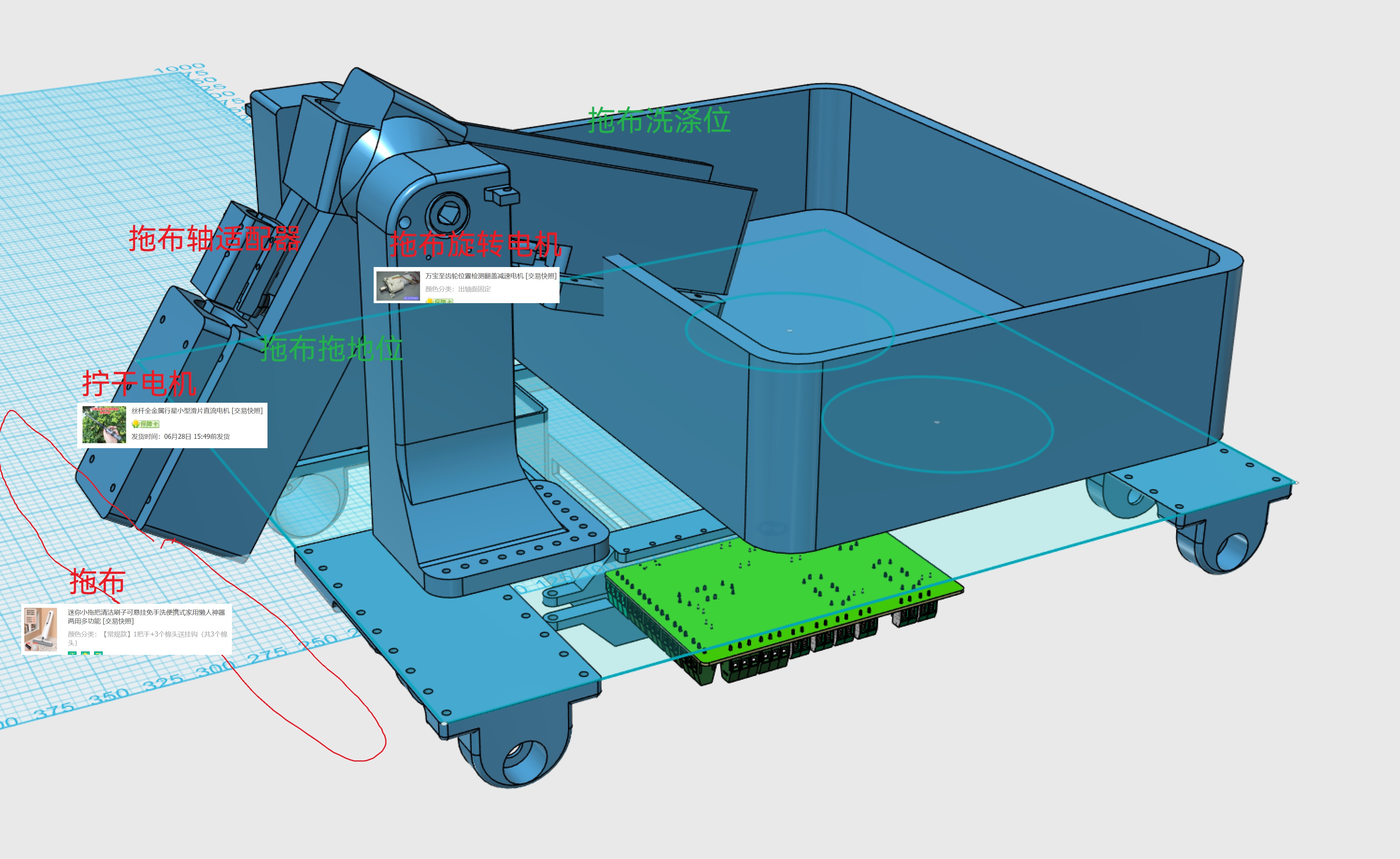
water tank (nothing special, just a water tank mounted on the chassis with a water pump for washing the mop);
IV. Code (
see attachment)
; V. Demonstration.
Structural components.zip
Finished product.mp4
Remote control program.zip
The main body esp32 program.zip
The arduino program itself.zip
PDF_DIY Robot Vacuum Cleaner.zip
Altium_DIY Robot Vacuum Cleaner.zip
PADS_DIY Robot Vacuum Cleaner.zip
BOM_DIY Robot Vacuum Cleaner.xlsx
90835
Dual-channel mini audio tuner 4.0 (supports Bluetooth connectivity and plug-in operation)
An ultra-low-cost audio tuner with all the basic functions of a professional tuner, usable in any situation. Compact and portable, it can also connect to wired headphones for audio output and supports Bluetooth and power-on use.
Project Product Upgrade Announcement: This project has been officially upgraded from the original third-generation unit to the fourth-generation unit. New functions have been added to the foundation of the third-generation unit, making it even more practical!
Third-generation unit function overview: Miniature design, easy to carry, independent adjustment of high, mid, and low frequencies, supports Bluetooth audio input, and powered by a built-in lithium battery.
Fourth-generation unit function overview: Possesses all the functions of the third-generation unit, adds a power switching function, can be used plugged in (and even works without batteries), and optimizes the Bluetooth module power supply circuit to ensure stable power supply.
Below is a brief introduction to the third-generation unit:
Currently, music software requires memberships to improve sound quality, and even with memberships, the effect is often unsatisfactory. Purchasing professional tuners is not only expensive but also complex to use. Some devices are bulky, taking up a lot of space and difficult to adjust; others, while small, require connection to a computer and specific software for adjustment. To address this, I specifically designed a multi-purpose portable audio tuner. It can be powered by either Type-C or a built-in lithium battery, making wiring extremely simple. Both audio input and output use 3.5mm headphone jacks. It can be used for adjusting active speaker preamps, subwoofer preamps, or wired headphones for headphone sound quality adjustment. An internal audio input interface is provided, allowing for the addition of a Bluetooth audio receiver module or other modules to expand functionality.
Product features: Small size, portable, easy wiring and adjustment. Rechargeable design, usable as a headphone amplifier. Bluetooth receiver modules can be added as needed to modify ordinary active speakers or subwoofers for Bluetooth functionality.
Ultra-low noise floor, clear and non-harsh treble, transparent and clear bass.
Low project replication cost; as long as the components are in good working order, it can be used directly after assembly without debugging. No microcontroller required, no code download needed.
Low no-load power consumption, ultra-long standby time; actual usage time depends on battery capacity. A battery of 1800mAh or higher is recommended.
Supports battery power or external power supply (external power supply requires shorting RJ1, and both functions cannot be used simultaneously).
Assembly process:
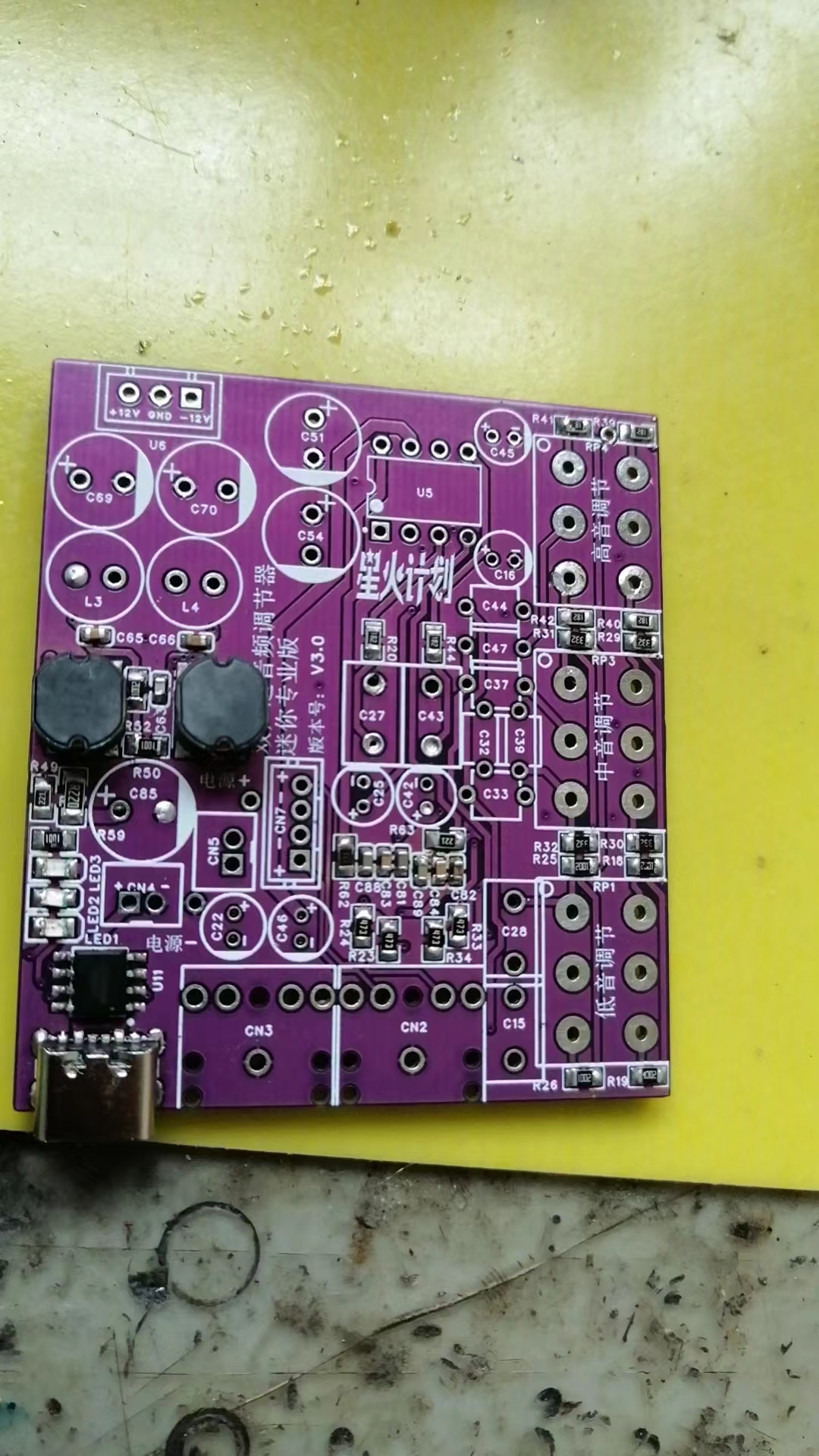
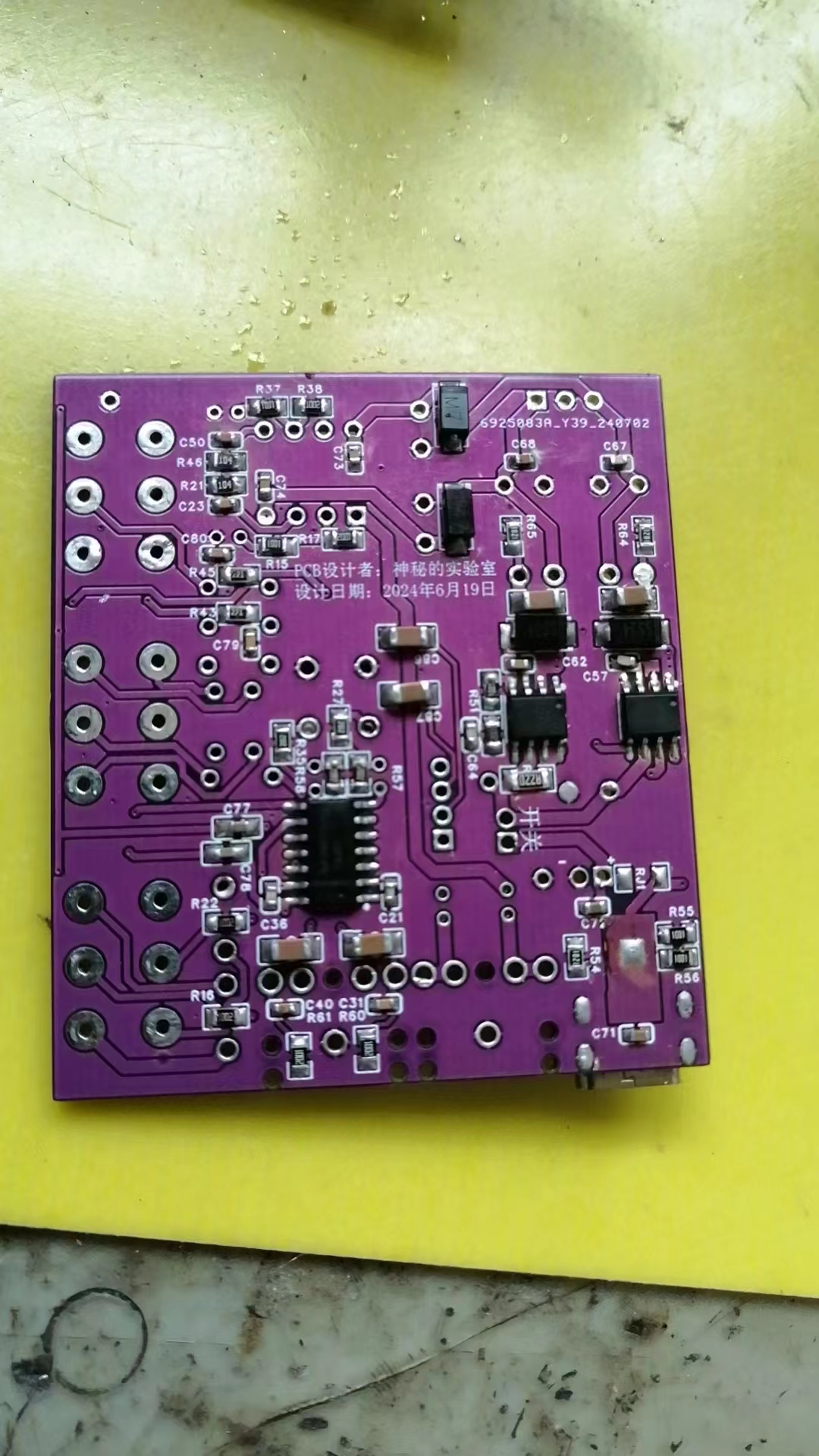
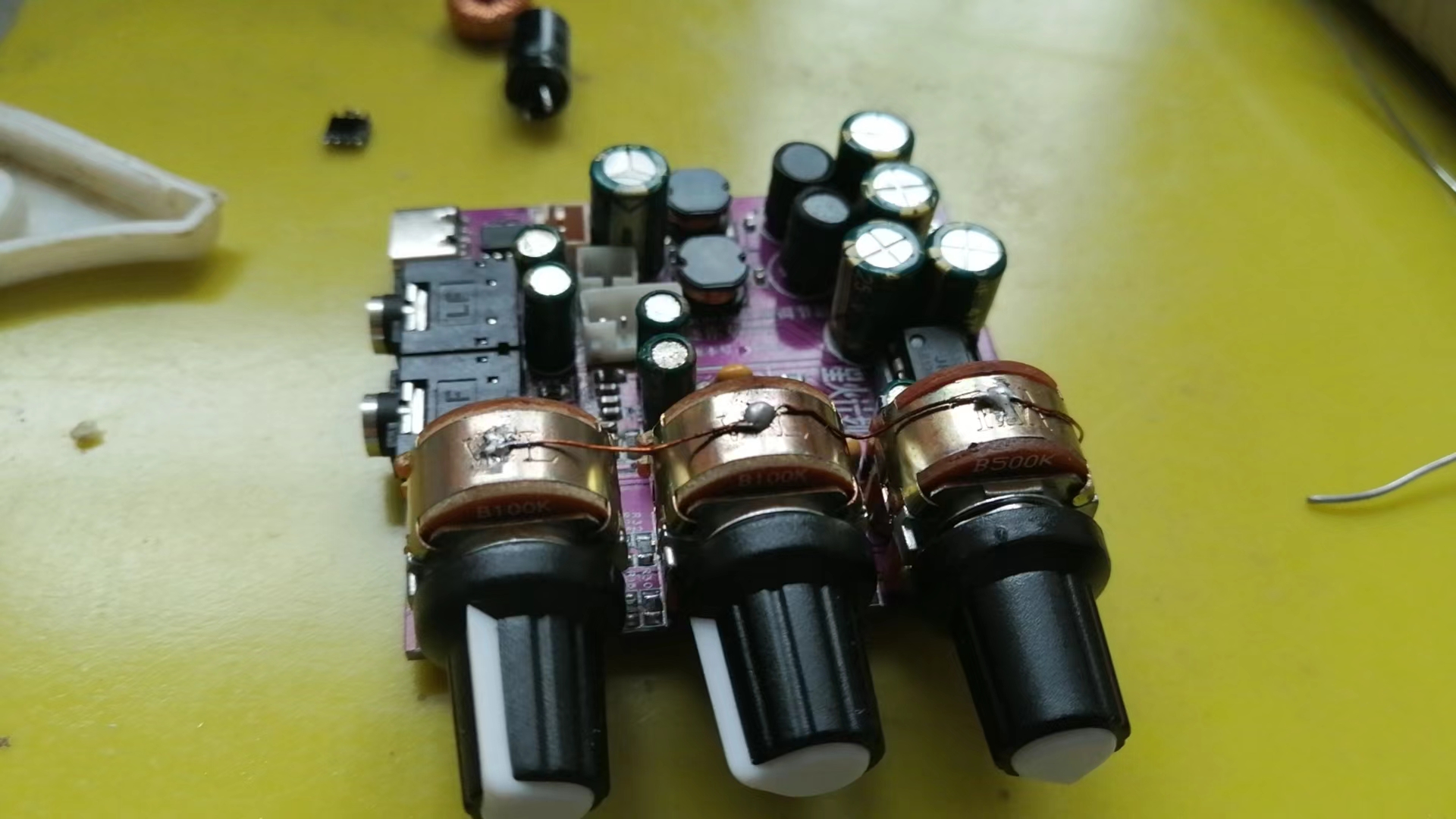
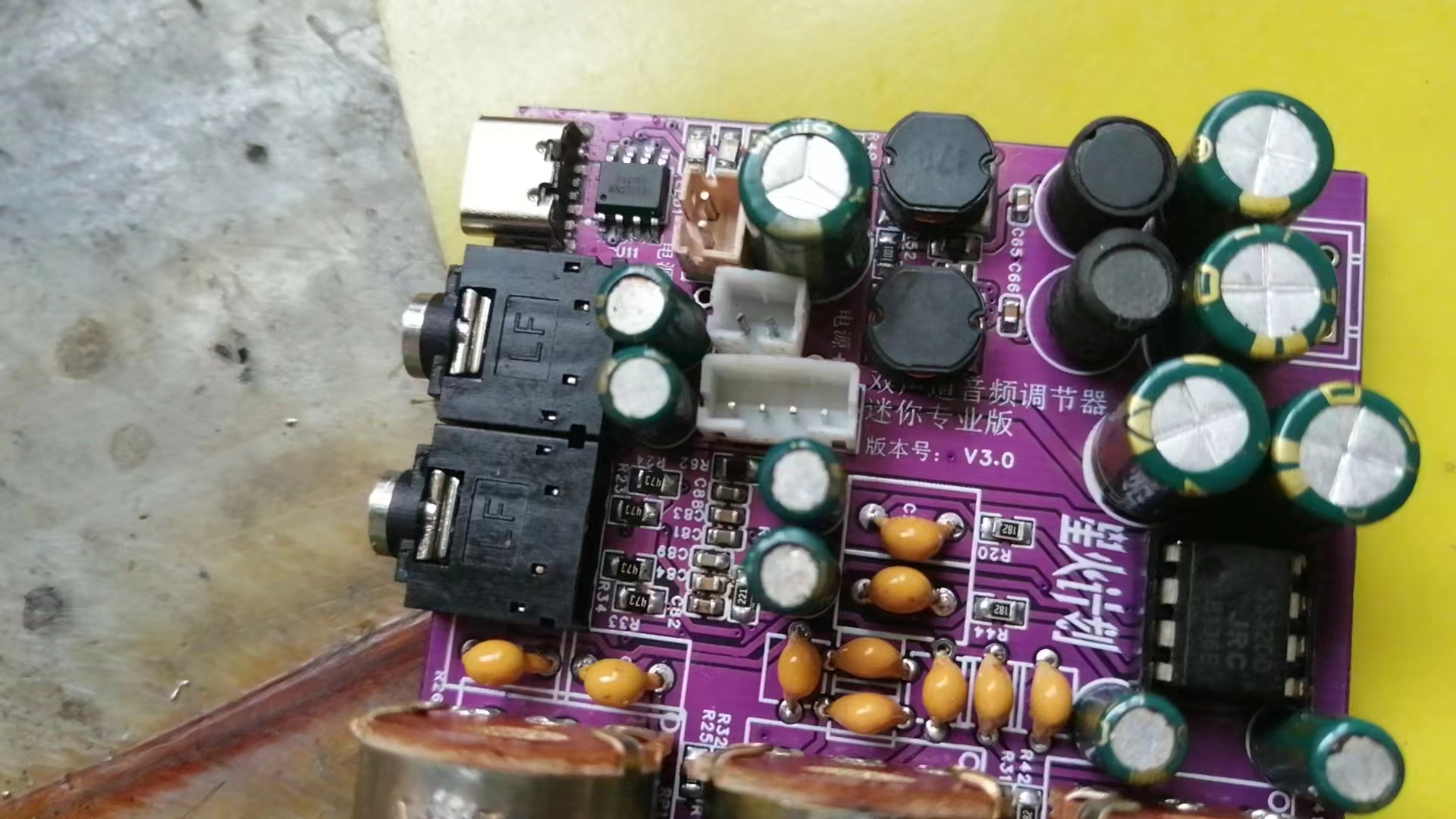
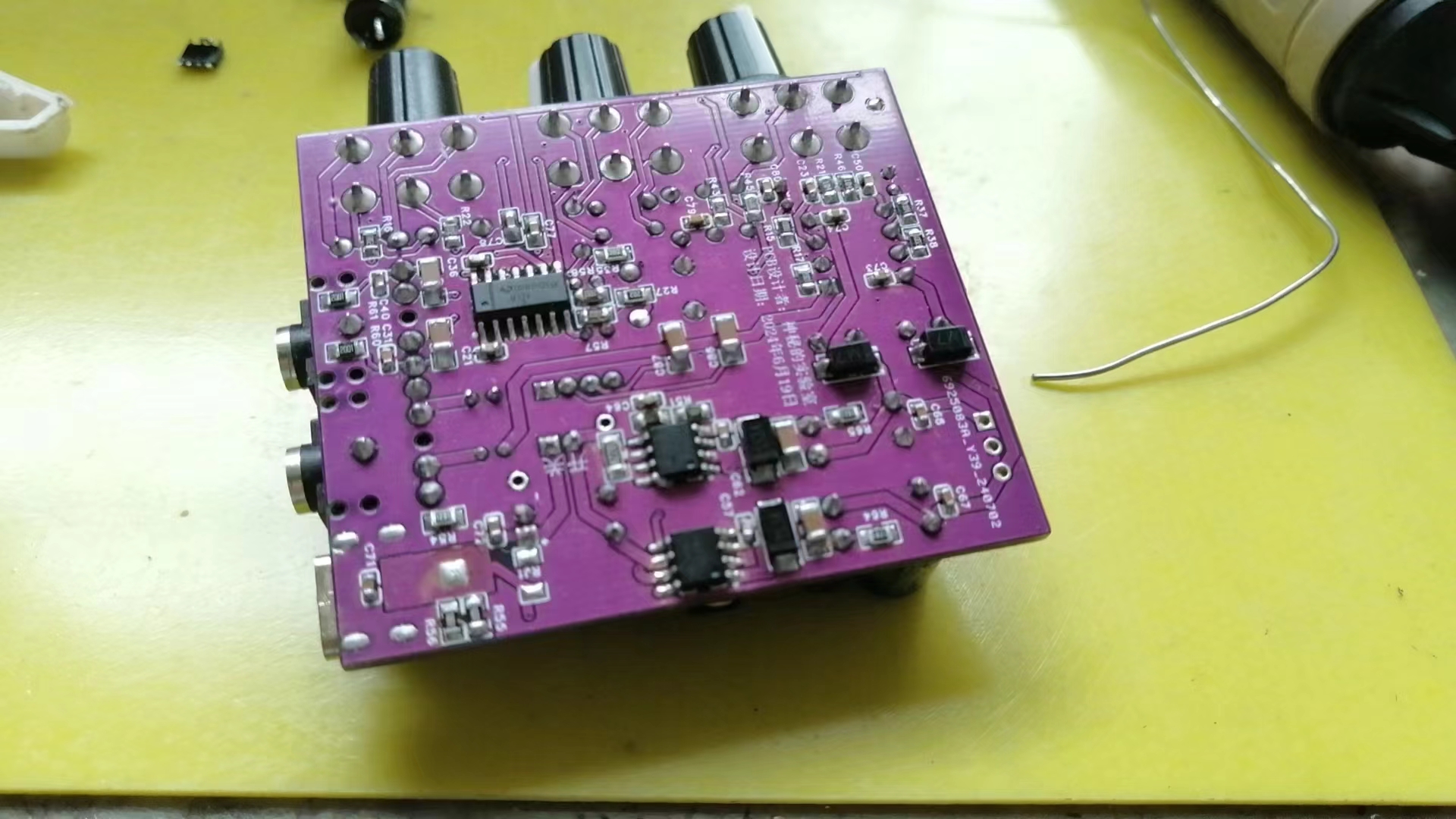
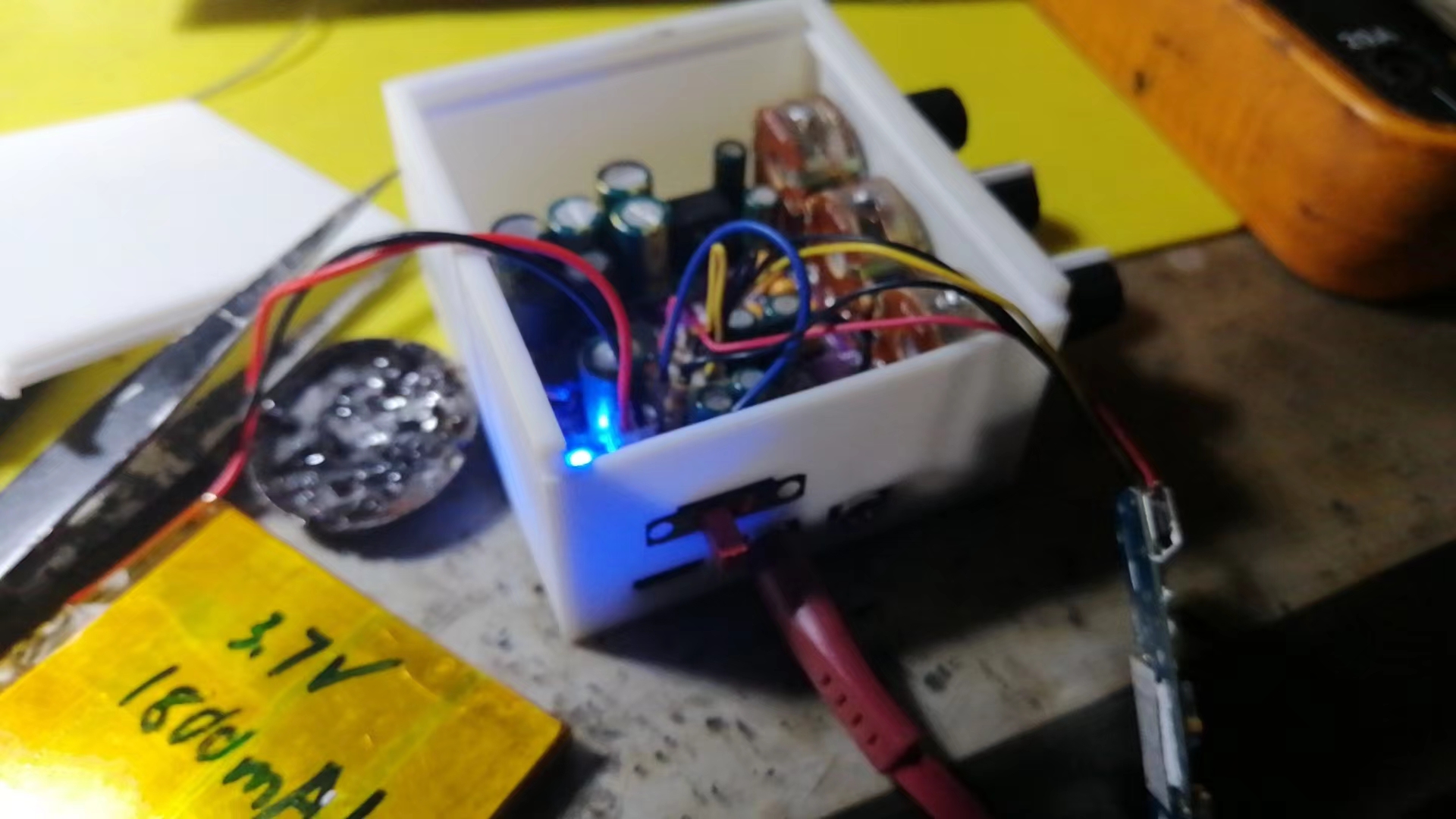
Finished product display
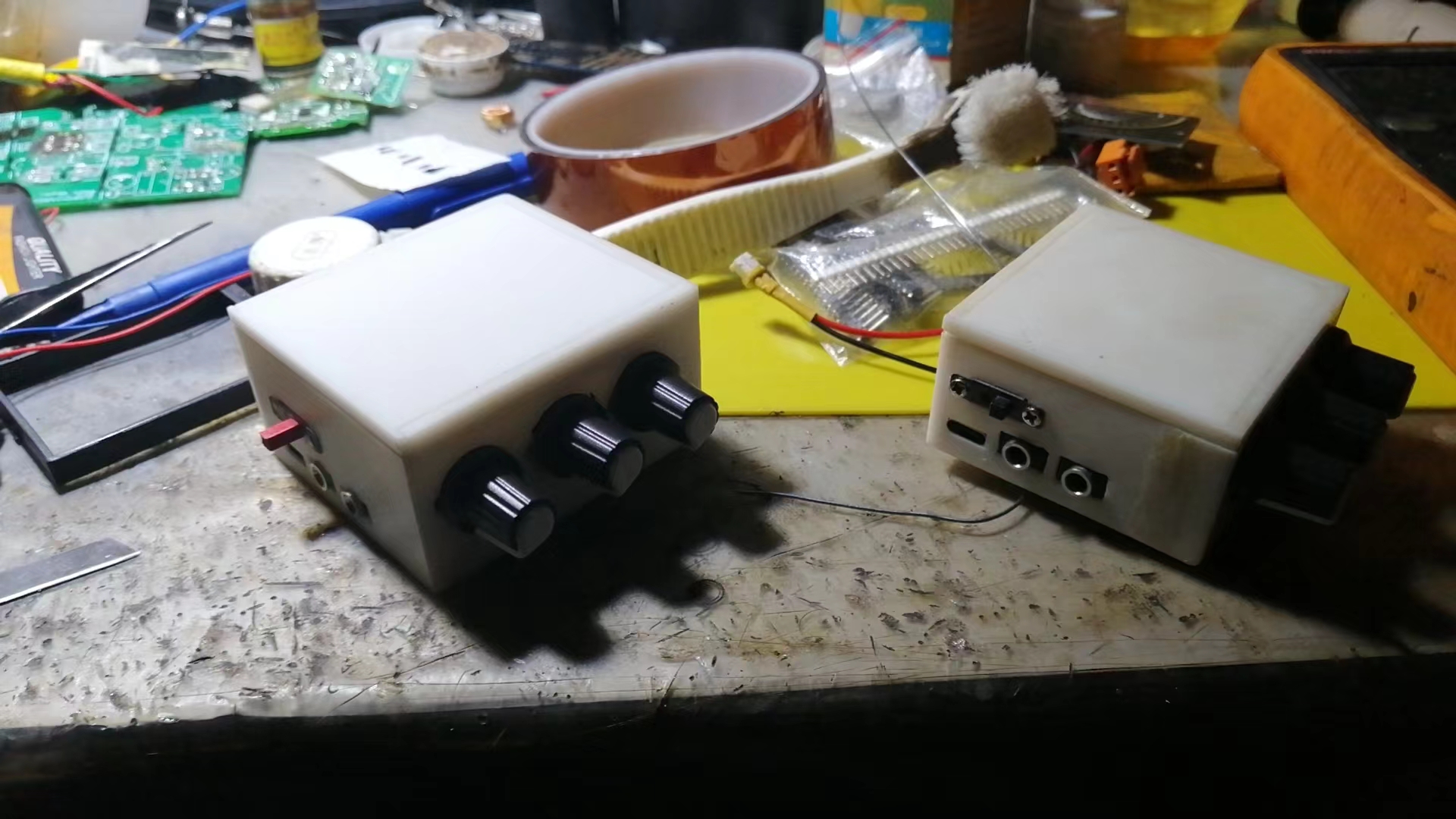
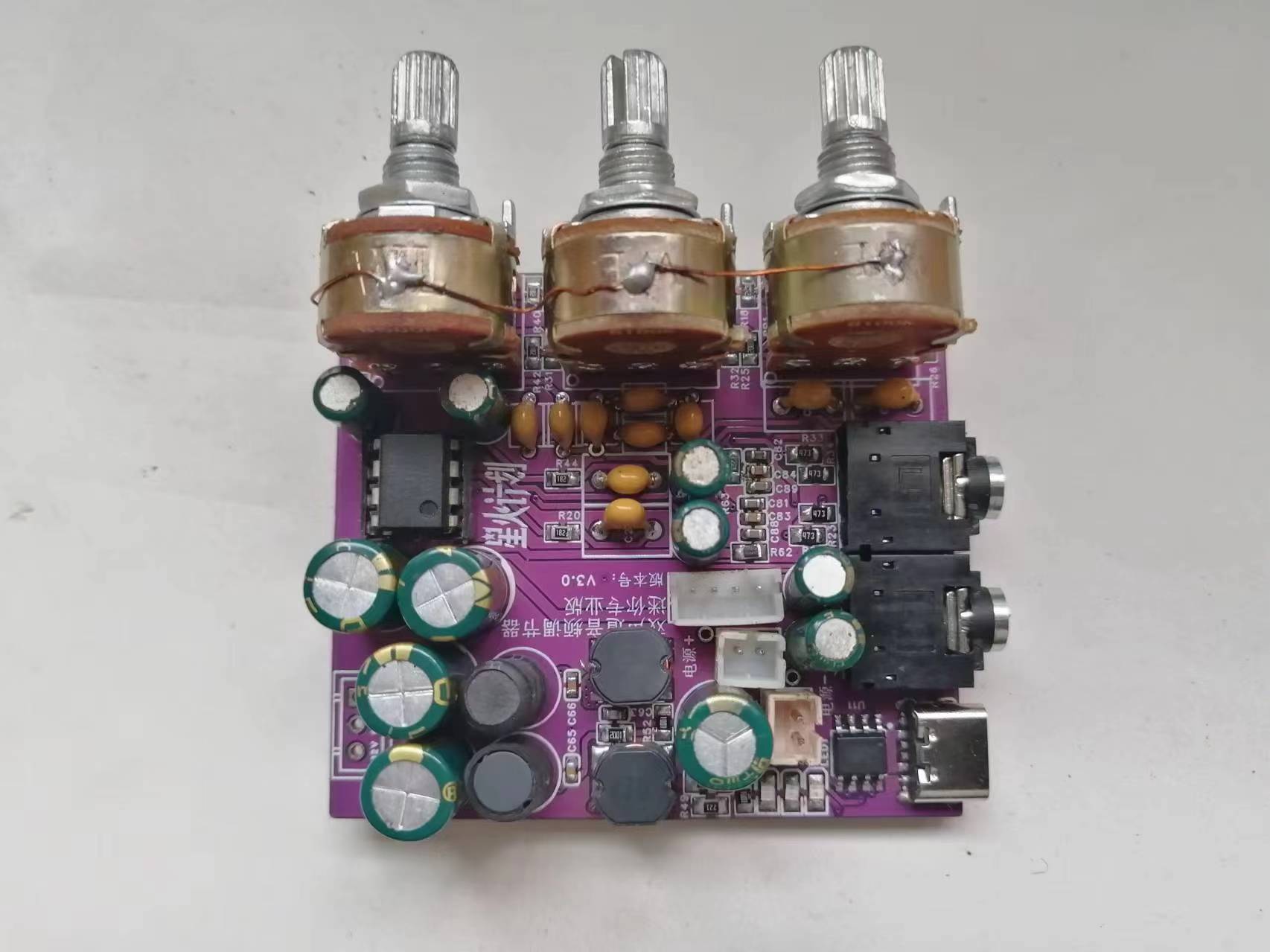
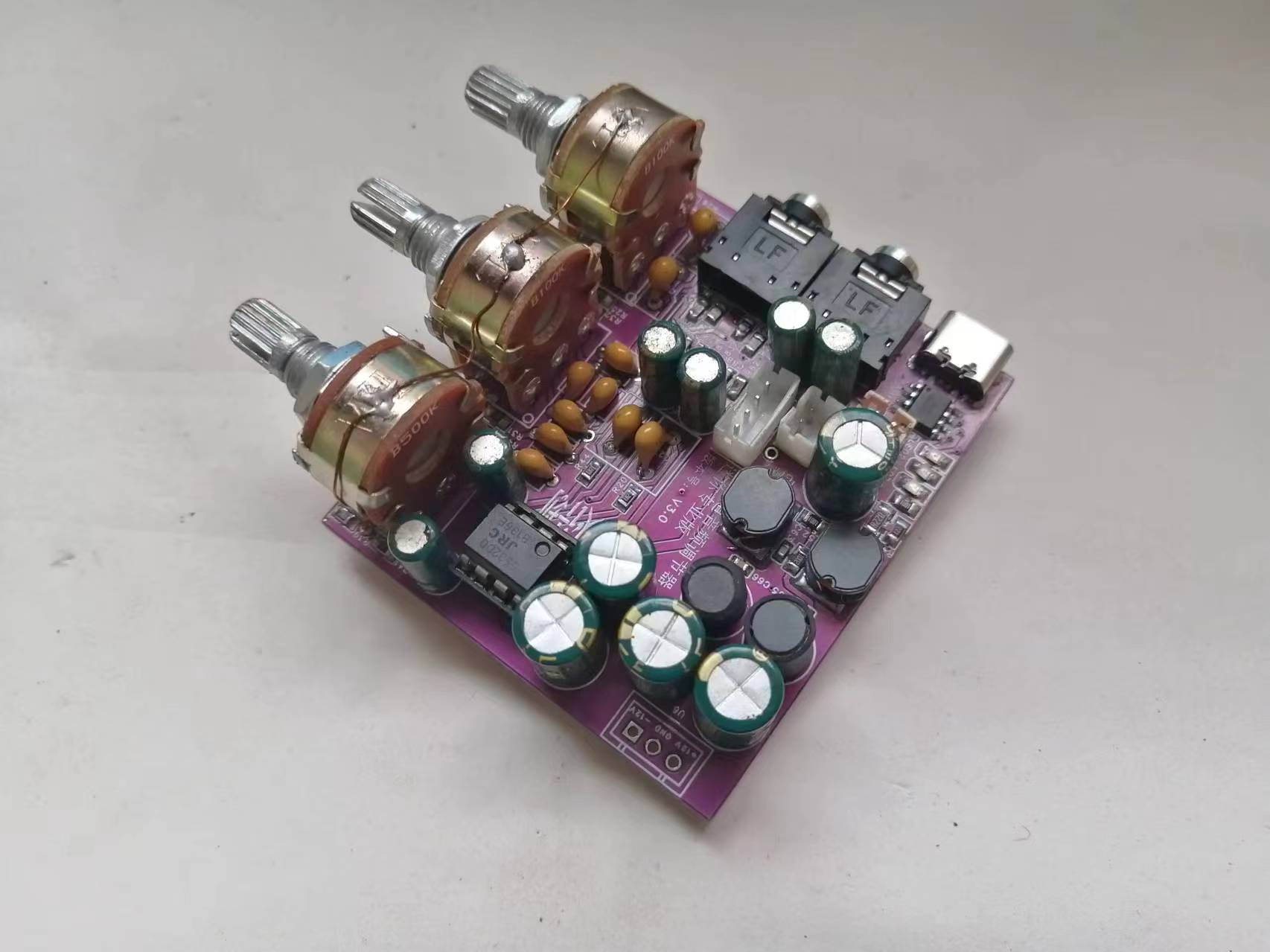
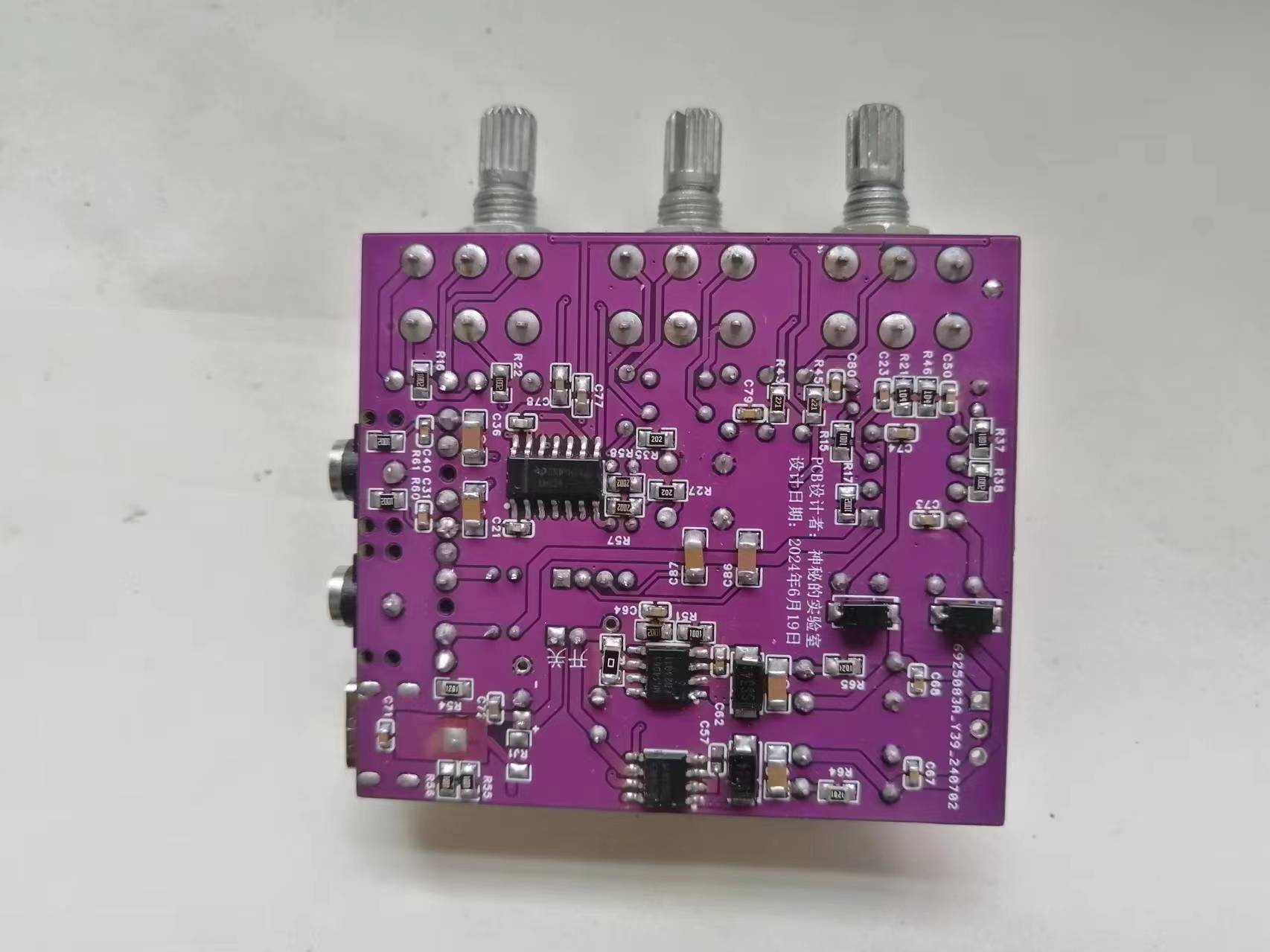
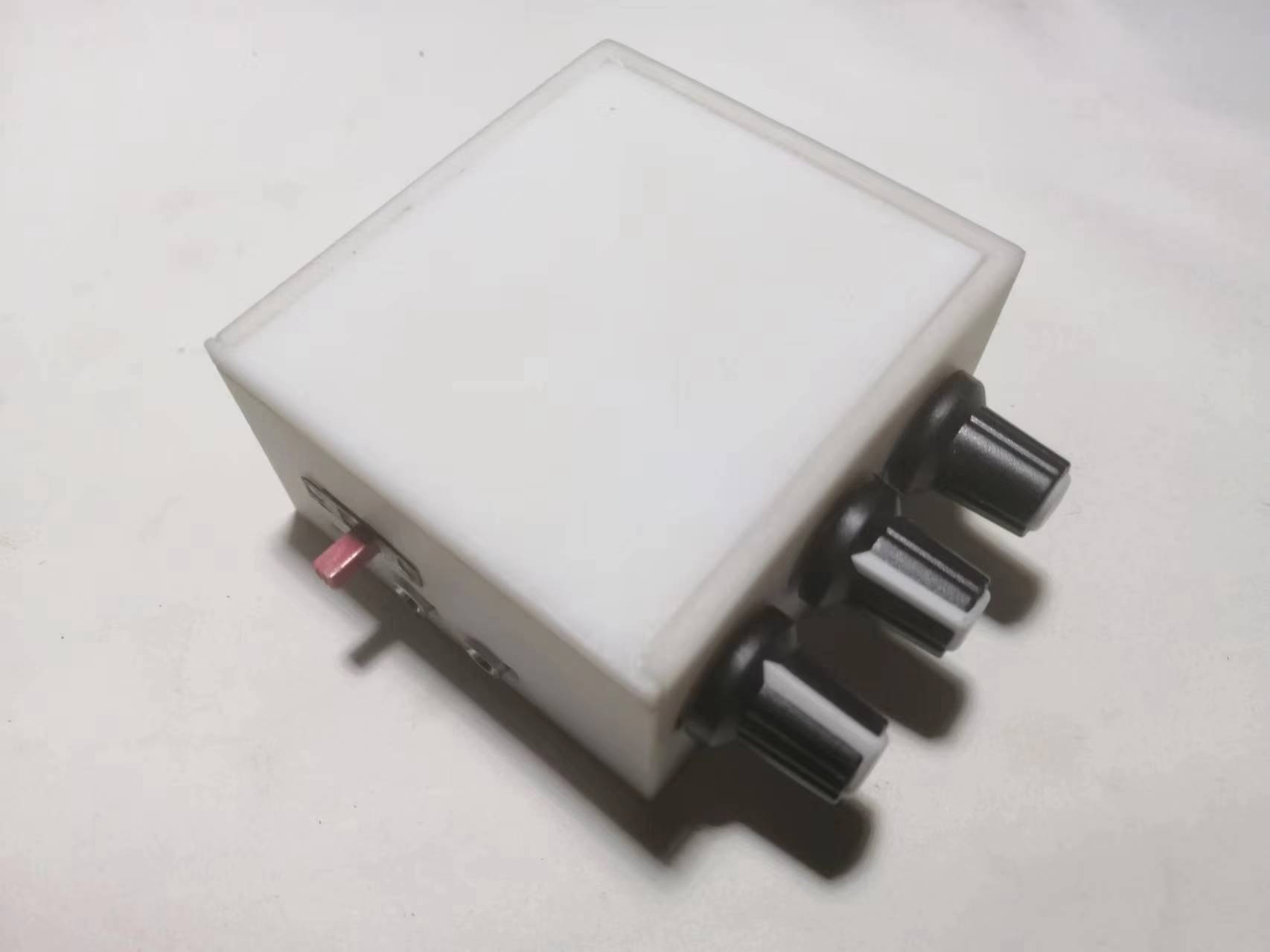
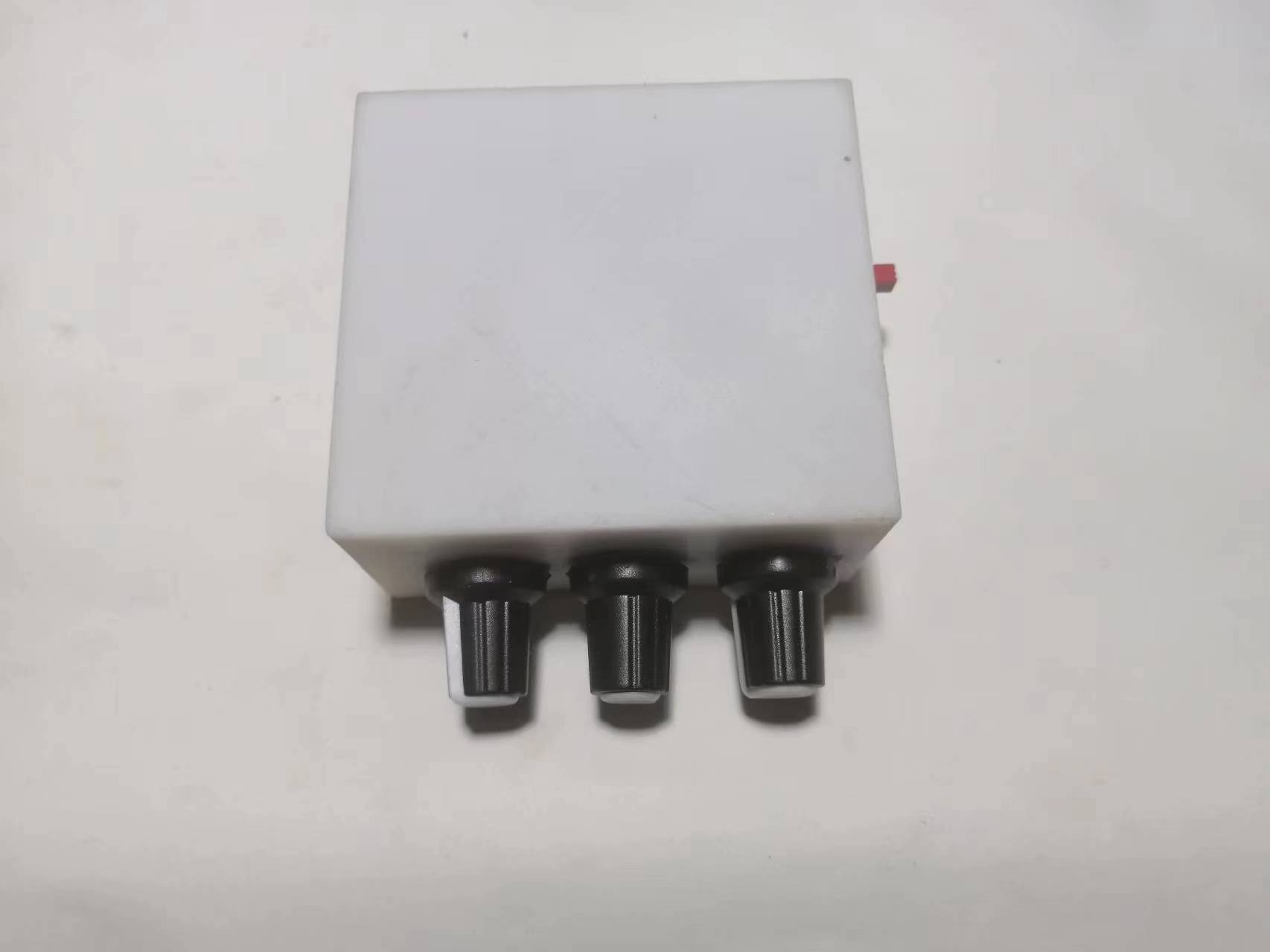
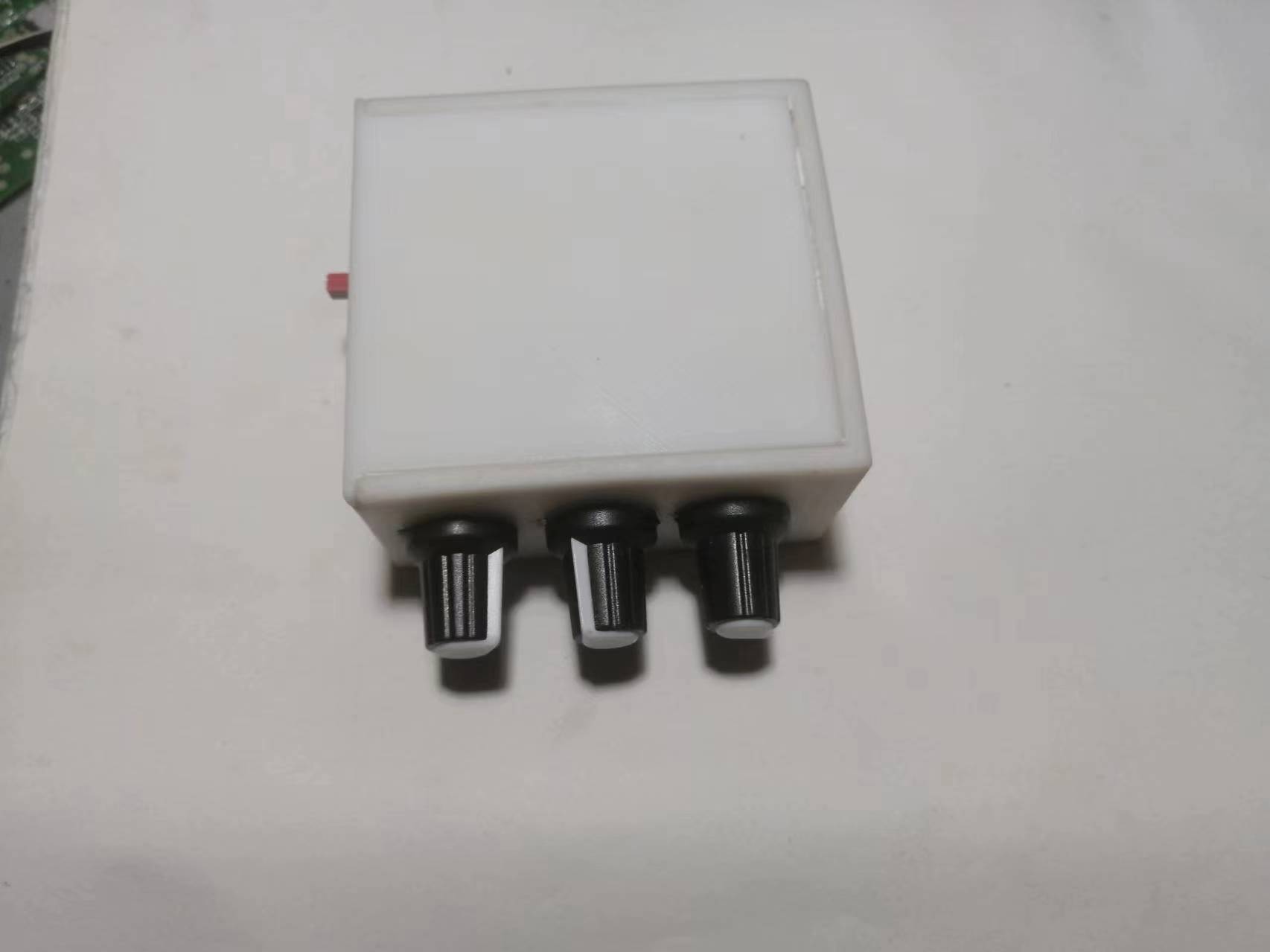
. This project recommends manual soldering, not SMT. The potentiometer casing must be grounded, otherwise there will be background noise.
Here is the PCB soldering sequence: First, solder all surface mount components, including surface mount inductors and Type-C charging sockets. Be careful not to get solder into the pads of through-hole components. If the pads are blocked, clean them thoroughly. Then clean the PCB. Note that it must be cleaned very thoroughly. Because once the potentiometer is soldered, the front cannot be cleaned, otherwise the cleaning fluid will flow into the potentiometer and cause damage.
Then solder all through-hole components. After soldering, clean the back of the circuit board as well.
Finally, install the potentiometer. Note that when cleaning the circuit board at this time, be careful not to let the cleaning fluid flow into the potentiometer!!!
Then you can power it on for testing. First, test whether the charging circuit is working properly. If it is working properly, the charging indicator light should change normally. Then power on and measure whether the dual 12V is normal. Finally, do not connect anything to the audio input terminal, and connect a pair of headphones or speakers to the audio output to listen for background noise.
Troubleshooting charging circuit malfunctions: Check for cold solder joints on the charging socket. If an RJ1 component is soldered, remove it. If the problem persists after replacing the battery, replace the charging chip and test again until the charging circuit works normally.
Troubleshooting dual 12V circuit malfunctions: If the voltage exceeds 14V, focus on checking the feedback circuit. If there is no boost or -12V, focus on checking the boost inductor and diode, and for short circuits in the dual 12V circuit. It is recommended to directly replace the boost inductors (L1, L2). If the problem persists, it is recommended to replace the chip or check if the filter inductors (L3, L4) are open.
Troubleshooting excessive background noise: Remove capacitor C57, reduce the capacitance of C63, and replace C64 with a 4.7nF capacitor.
Troubleshooting poor -12V load capacity: Reduce the resistance of R48 or replace it with a 0Ω resistor.
This circuit does not include a Bluetooth module. To expand Bluetooth functionality, you need to purchase a Bluetooth module separately, and it is essential to purchase a low-noise module. This is because the audio output of the Bluetooth module will affect the overall noise level of the device.
For the 5532DD, if you can't find an original Taiwanese-made one, buy an imported one, as this chip directly determines the final output sound quality.
Below is the wiring diagram and function description.
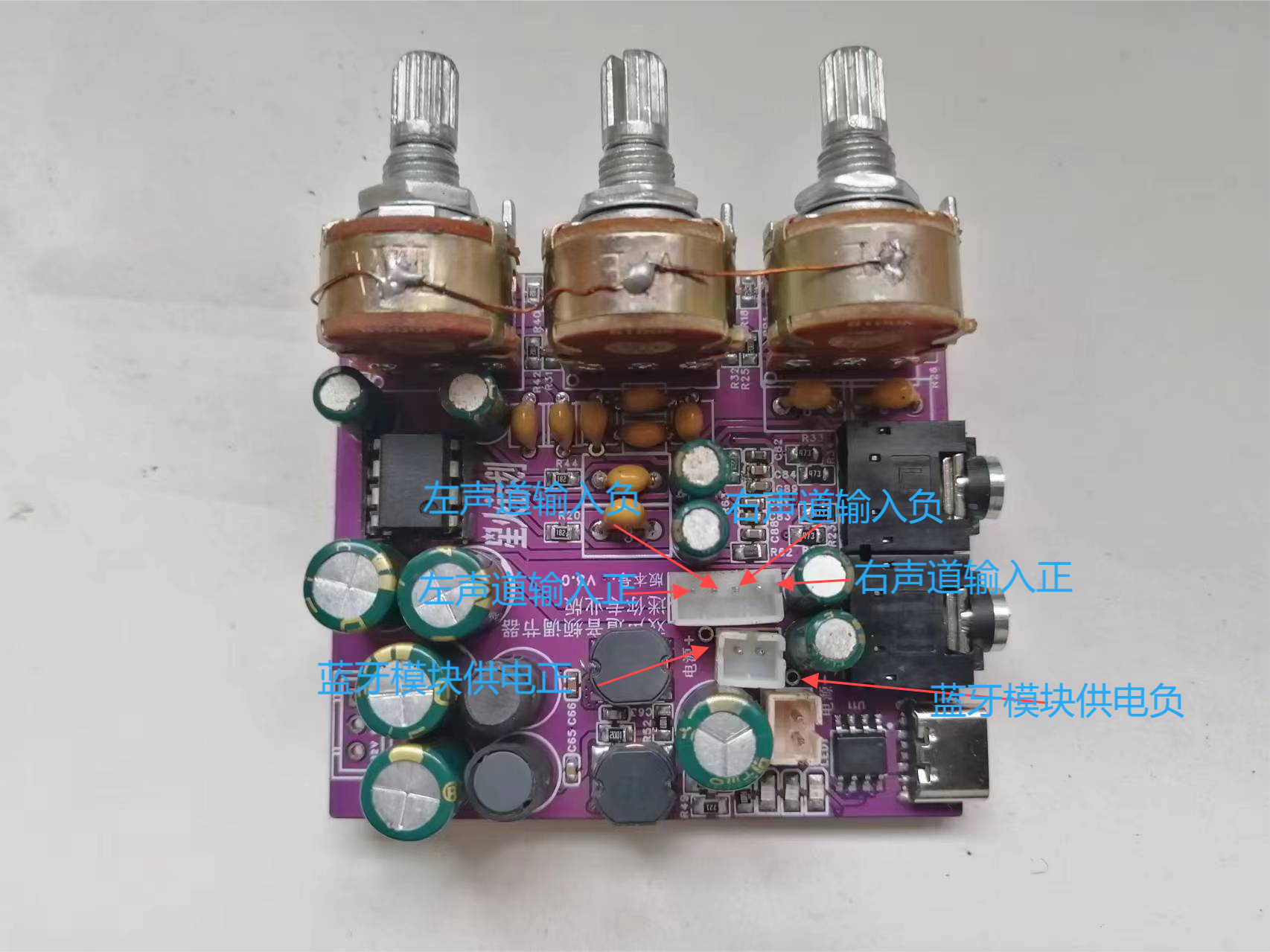
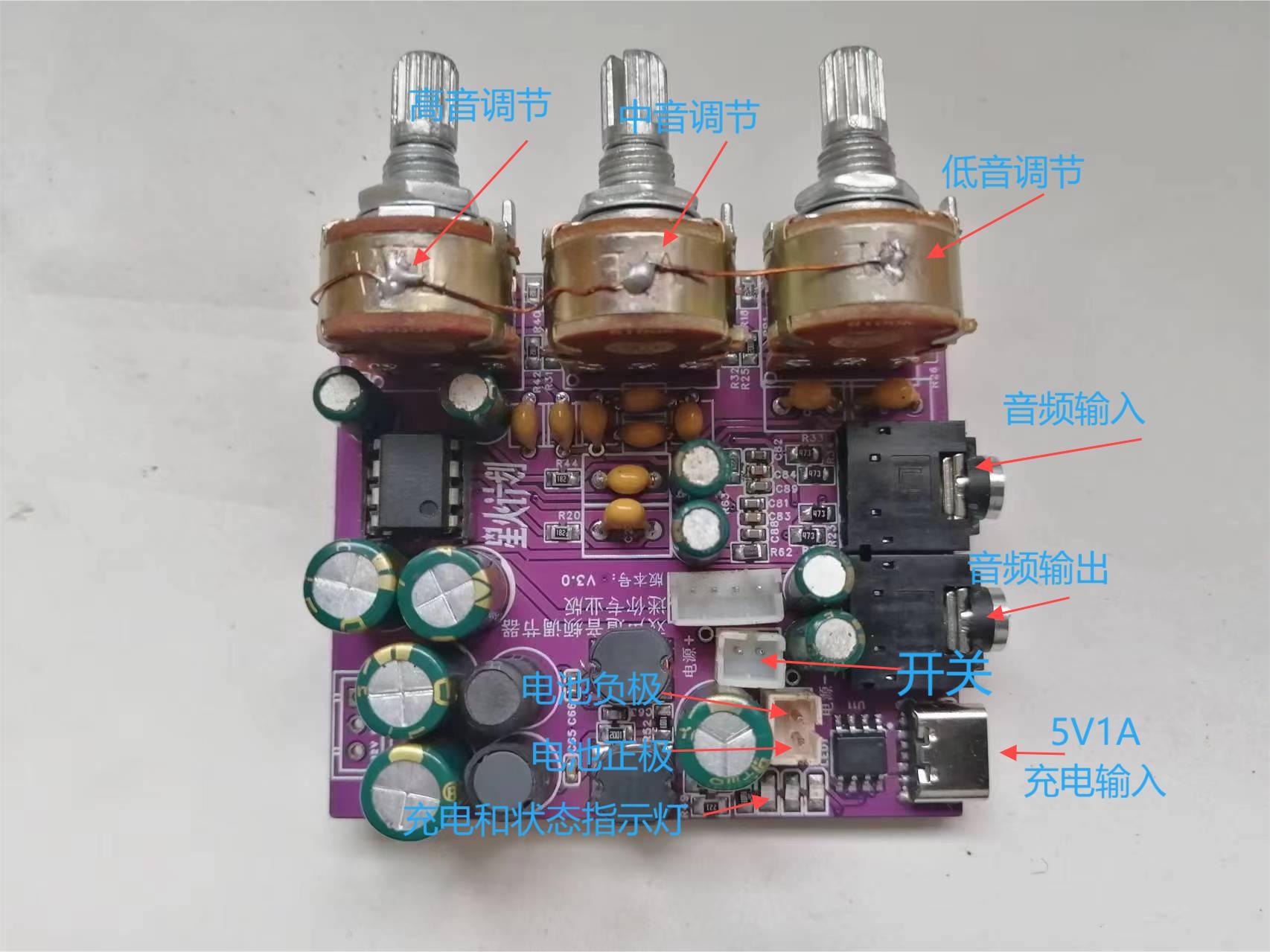
If you don't like the Bluetooth module, you can add other smart voice modules to achieve more functions.
For the 3D shell, the potentiometer adjustment knob needs to be manually measured for the opening, or you can calculate and reserve the opening yourself during 3D printing.
Below is a brief introduction to the fourth-generation model .
In addition to the original functions of the third-generation model, the fourth-generation model has optimized the power supply circuit, allowing it to be used plugged in without interfering with battery charging.
Below is a brief introduction to some of the improved interfaces of the fourth-generation model .
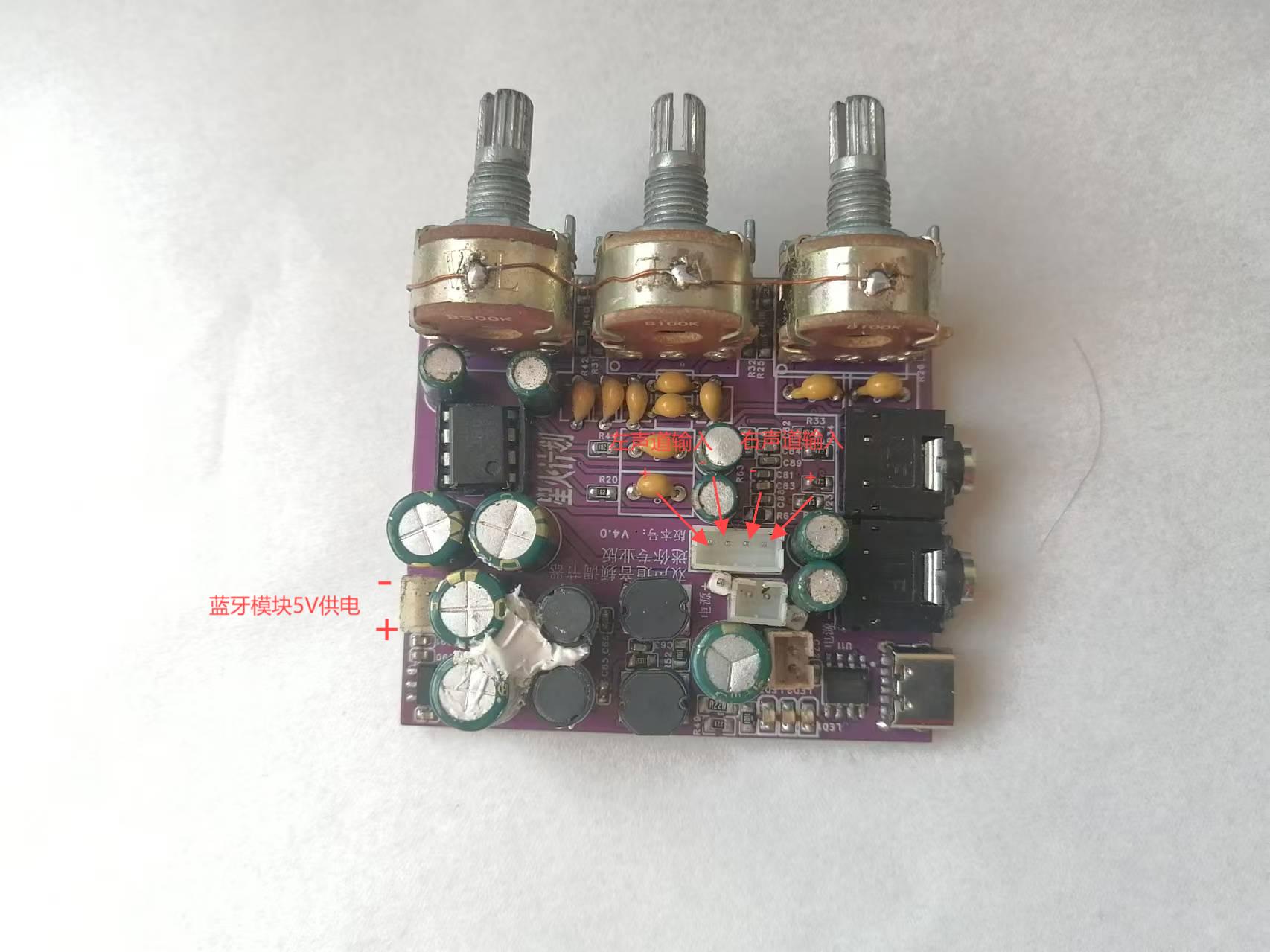
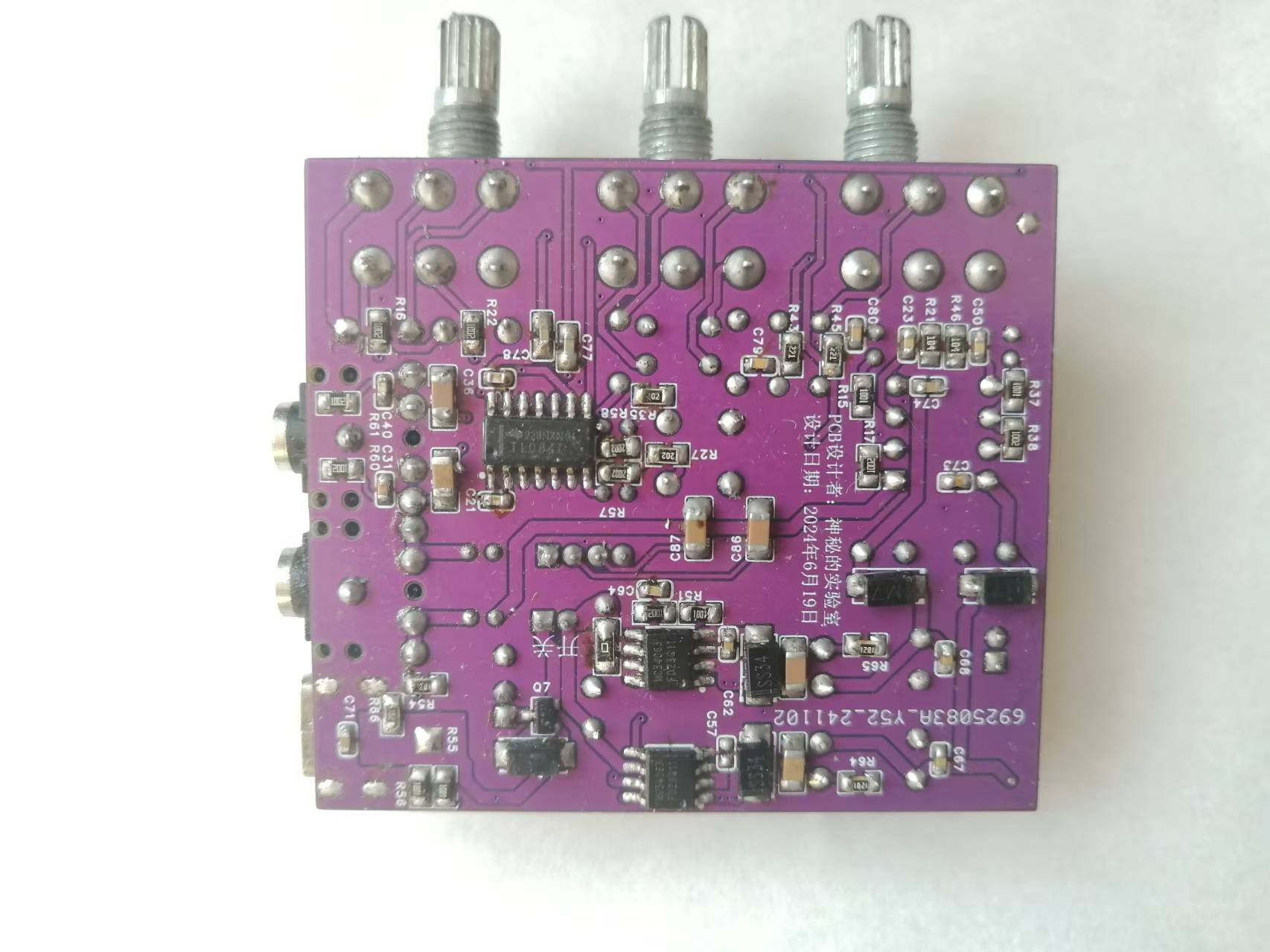
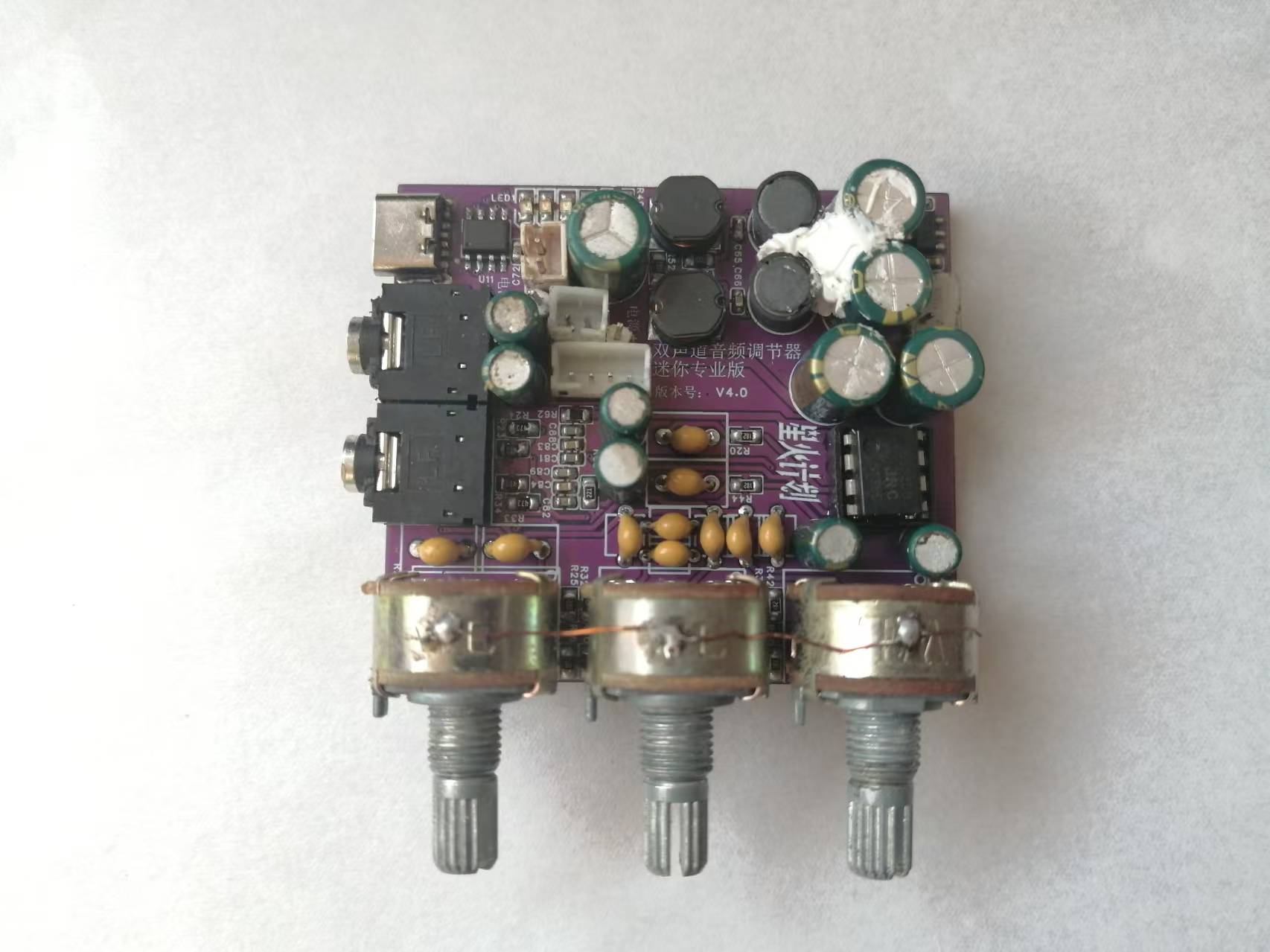
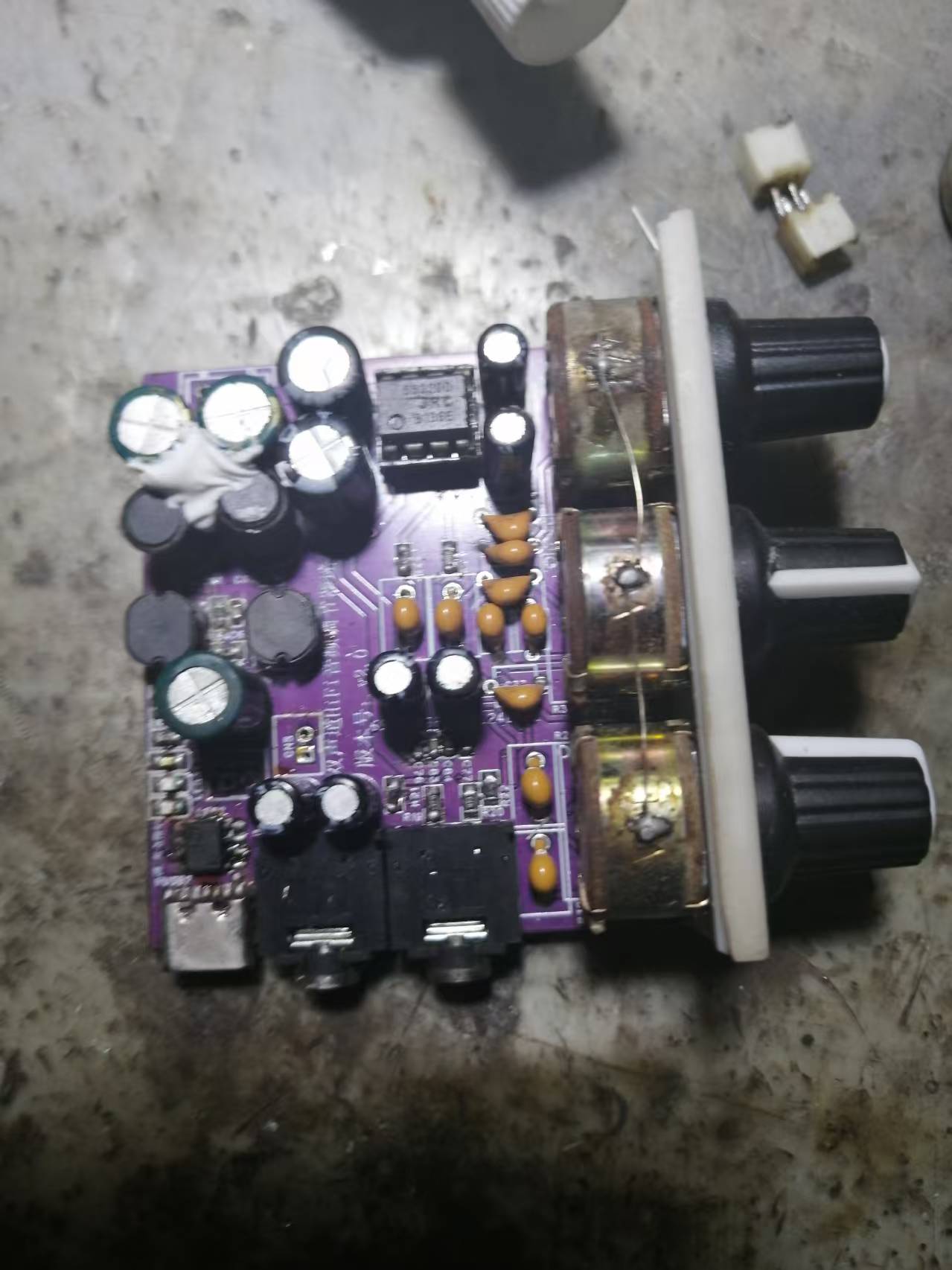
By the way, I'll also show the previous second-generation model (which is now obsolete).
Here I'm using a ready-made Bluetooth module; you can also use a salvaged Bluetooth headset.
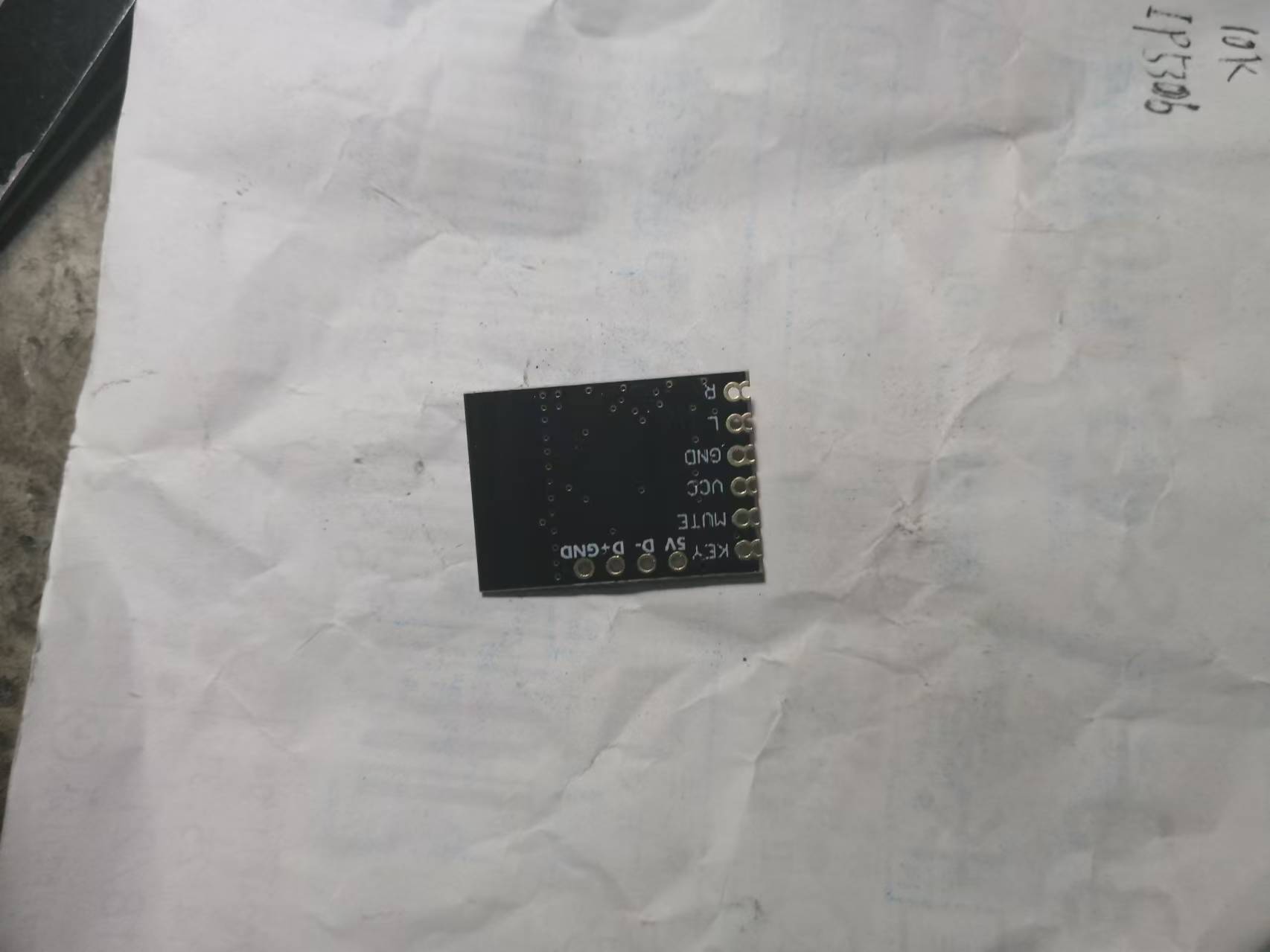
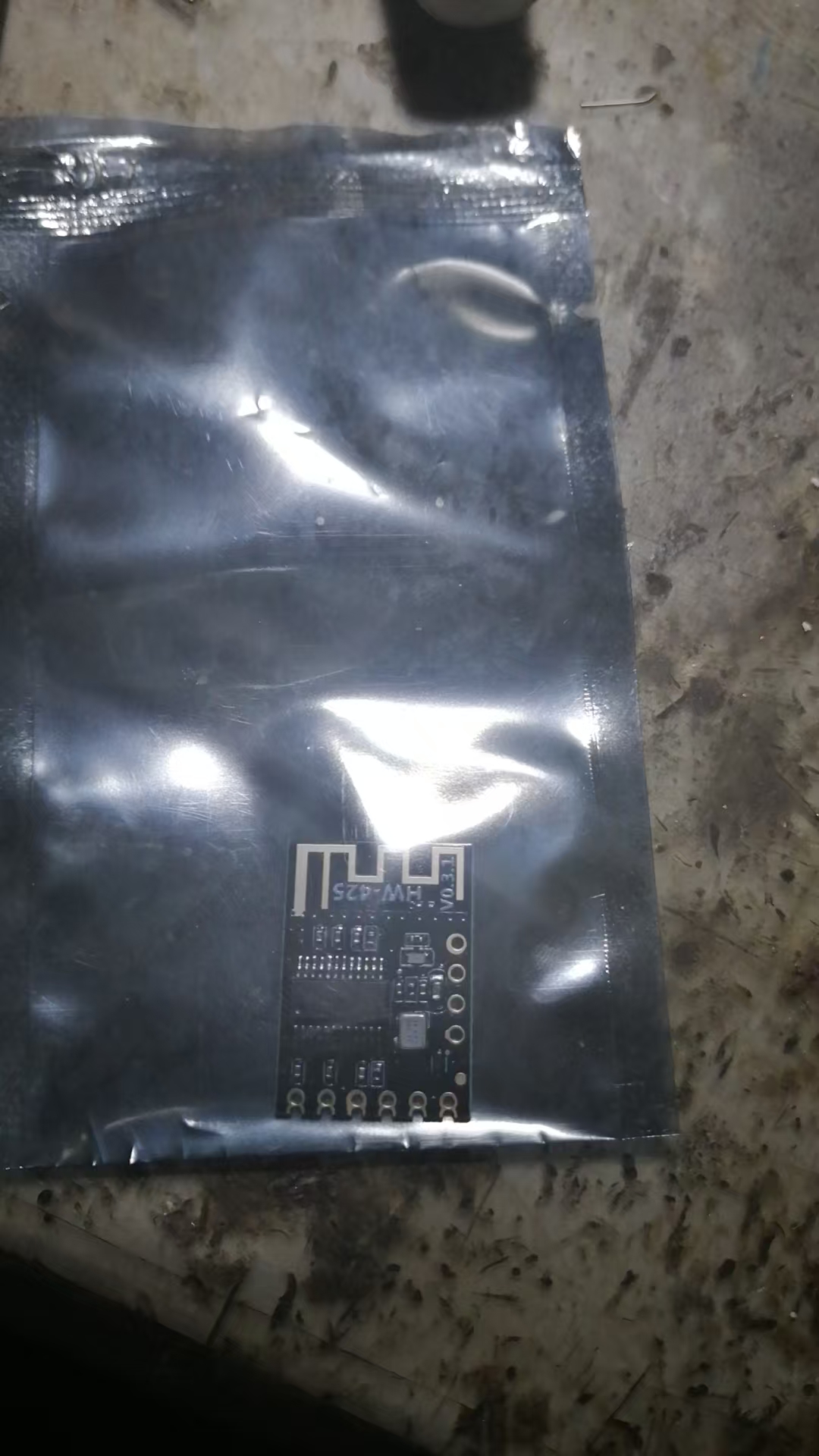
Below is what the wires look like. If you don't need the buttons, you can leave them unconnected. Similarly, if there is too much noise, you can connect a capacitor of about 4700uF in parallel at the input of the Bluetooth module to solve the problem.
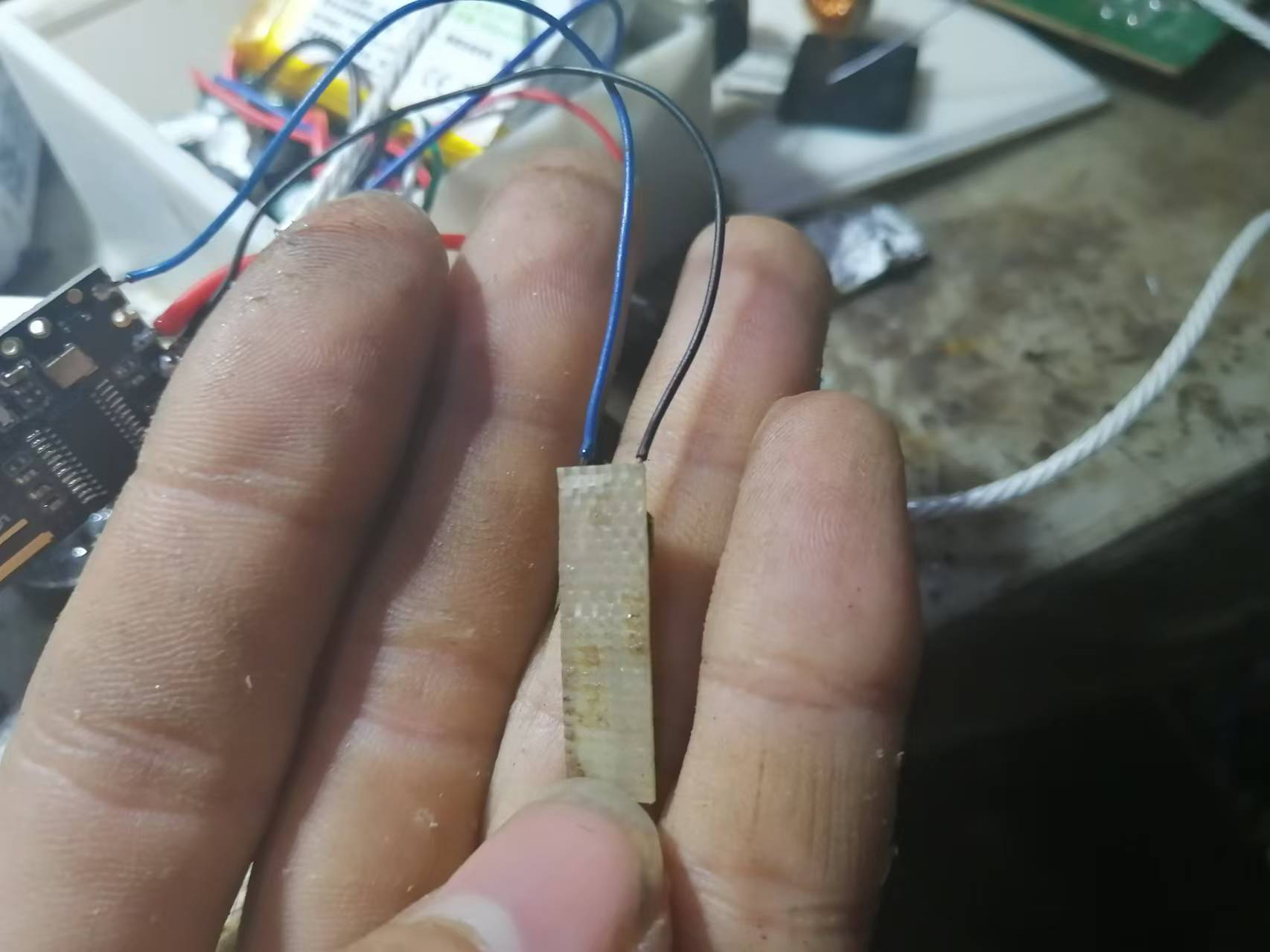
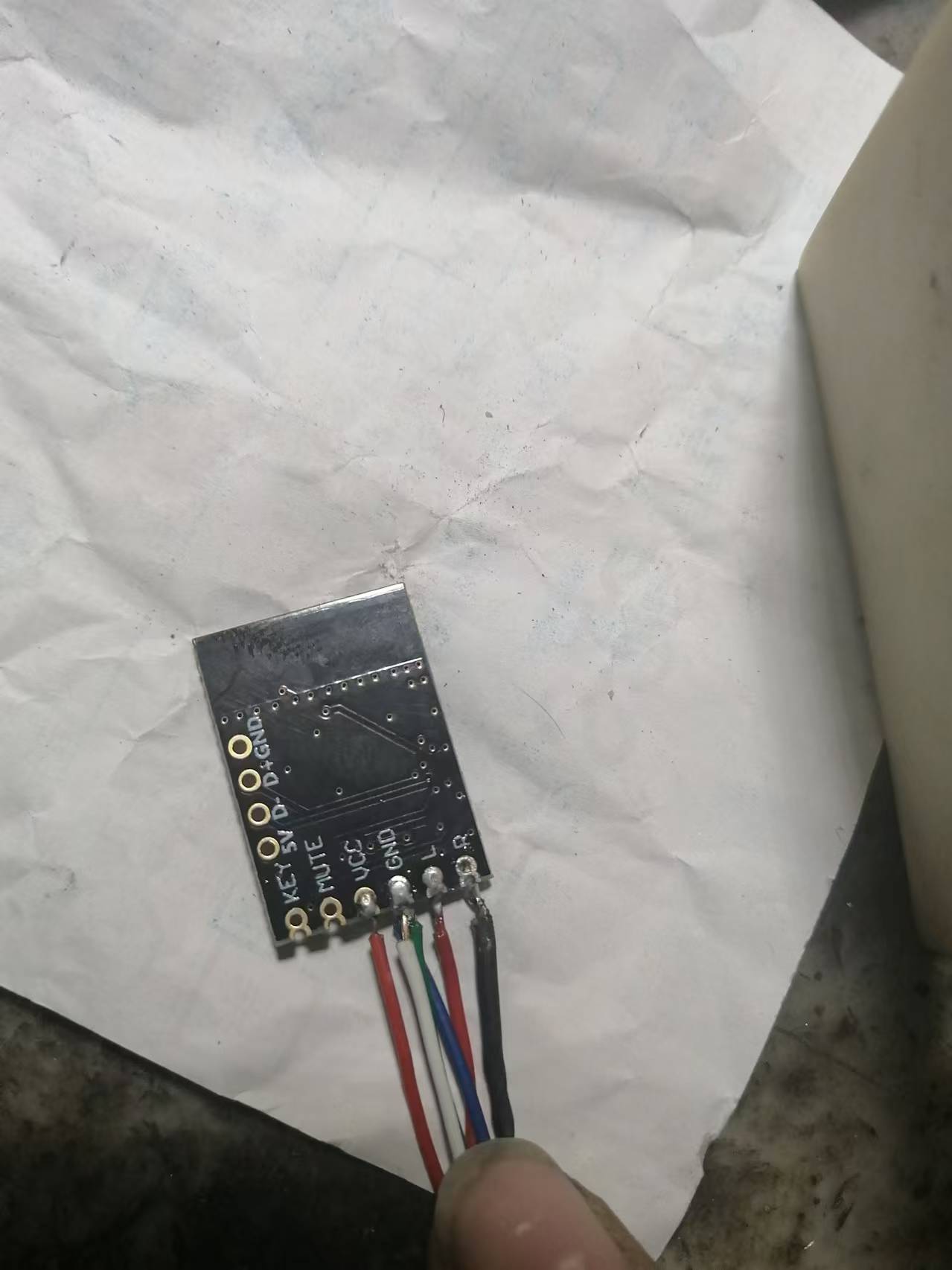
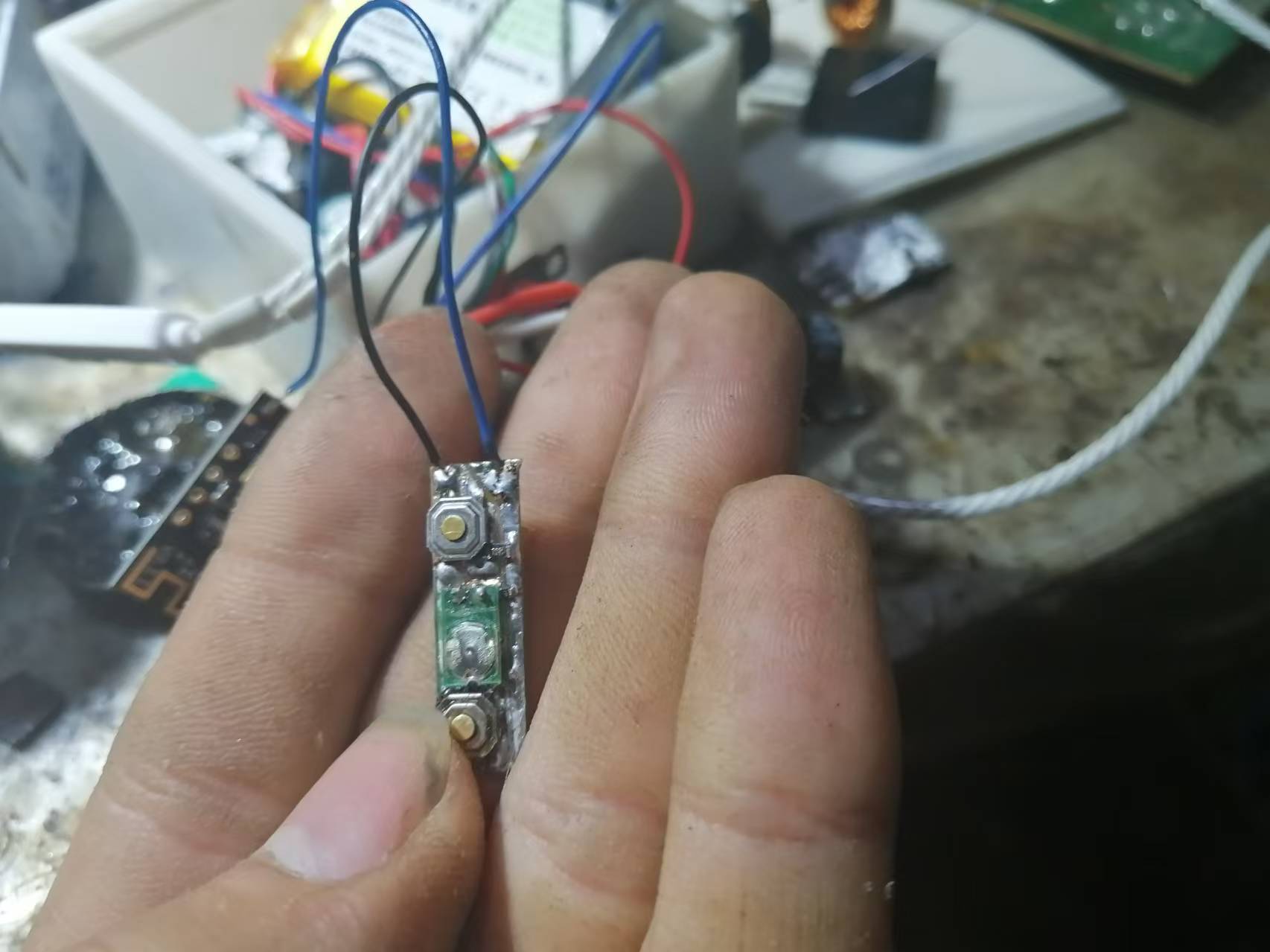
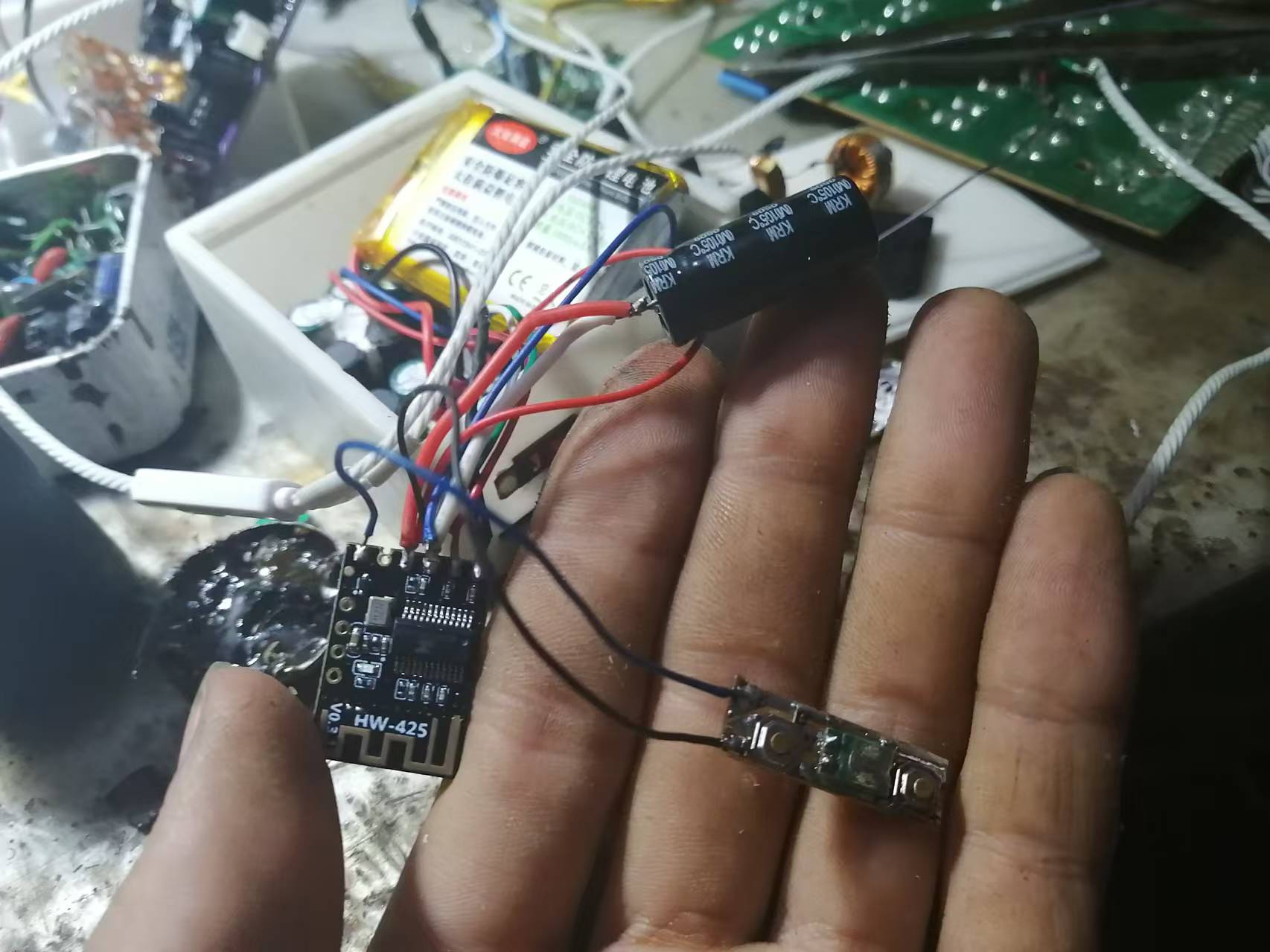
As for how to wire the Bluetooth module, just ask the seller for the wiring diagram.
Below is the link to the test video (Bilibili link):
https://www.bilibili.com/video/BV1vvmyYyEr9?t=39.3
In addition, the 3D shell uses the shell from the third-generation model, as shells are universal.
Finally, happy DIY everyone!
3DShell_Mini Audio Adjuster 3.0.zip
Gerber Mini Audio Adjuster 3.0 2024-07-09.zip
SCH_Mini Audio Adjuster 3.0_2024-07-09.pdf
BOM_Mini Audio Adjuster 3.0_Mini Audio Adjuster 3.0_2024-07-09.xlsx
Mini Audio Adjuster 3.0_v316_2024-07-02-15-59.zip
SCH_Mini Audio Adjuster 3.0_2024-07-11.pdf
Mini Audio Adjuster 4.0_v390_2024-11-02-14-45.zip
Mini Audio Adjuster 4.0.eprj
PDF_Dual-channel Mini Audio Adjuster 4.0 (Supports Bluetooth Connection, Supports Simultaneous Charging and Playback).zip
Altium Dual-Channel Mini Audio Adjuster 4.0 (Supports Bluetooth Connection, Supports Simultaneous Charging and Playback).zip
PADS Dual-Channel Mini Audio Adjuster 4.0 (Supports Bluetooth connectivity, supports simultaneous charging and playback).zip
BOM_Dual-channel Mini Audio Regulator 4.0 (Supports Bluetooth connectivity, supports simultaneous charging and playback).xlsx
90836
An IoT assistant based on HA, using STC32 and ESP8266.
Using the STC32+ESP8266 hardware platform, temperature and humidity data are acquired and uploaded to the Home Assistant platform to achieve remote data monitoring and remote control functions such as on/off switching.
My initial motivation
stemmed from over ten years of experience in electronics development. During this challenging period of learning and working, I encountered many helpful people, and I wanted to give back to them. Therefore, I've recently shared quite a few technical articles. Recently, someone asked me how to use the ESP8266 and how to control it with STC. I'll take this opportunity to explain how to achieve this process. I'll also use this project to share how to implement a simple smart home control system using the currently popular IoT technology. If you're interested, please follow along. You can also find the complete code explanation and analysis of this project on the STC forum later (I've been a bit busy with work these past few days, so I can only submit it now and improve it gradually later). If there's enough interest, I can guide everyone step-by-step through building their own complete smart home system, starting from setting up the HA server, haha. (By the way, if you want to learn more about STC microcontrollers, you can also join the QQ group: 884047237). The main functions I want to achieve in this
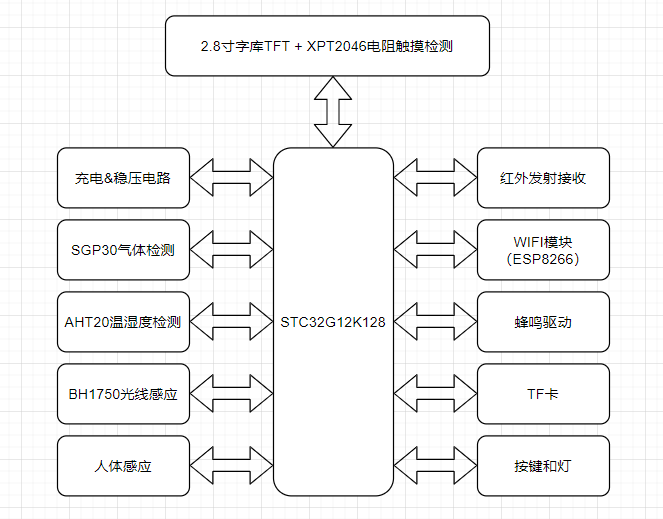
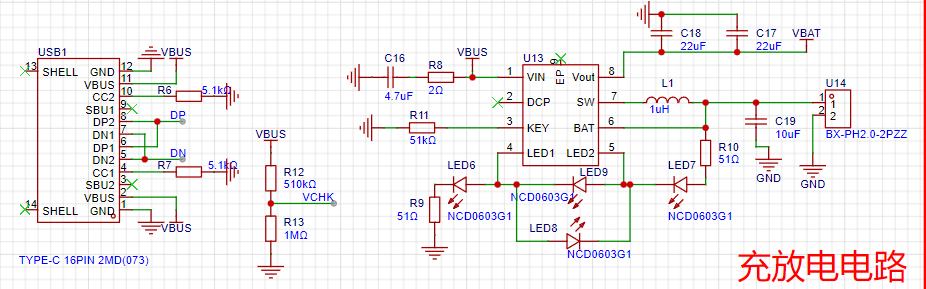
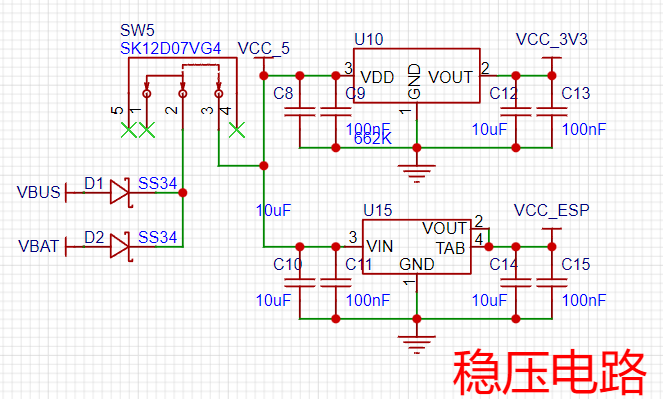
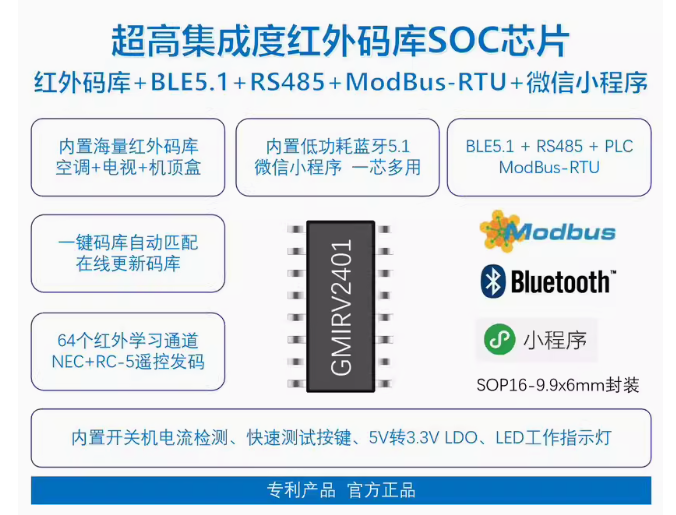
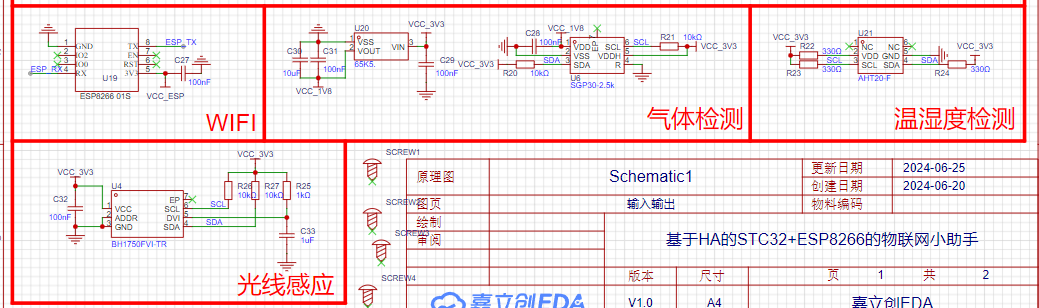
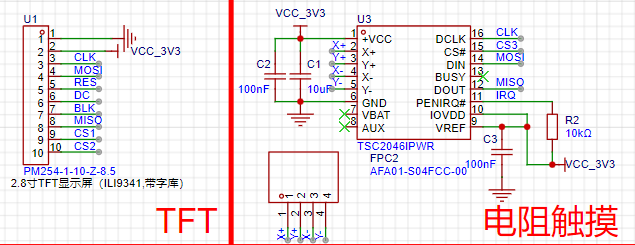
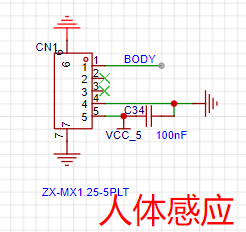
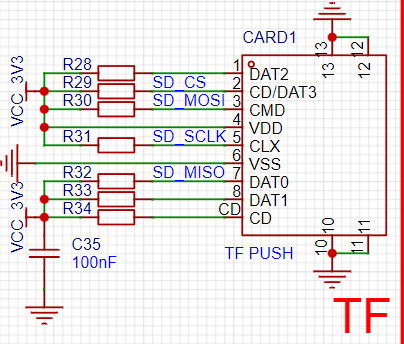
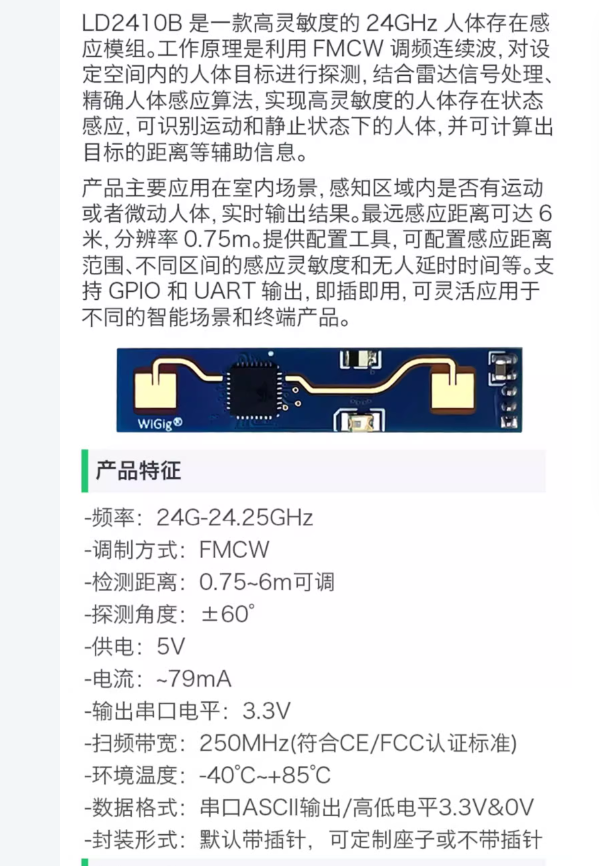
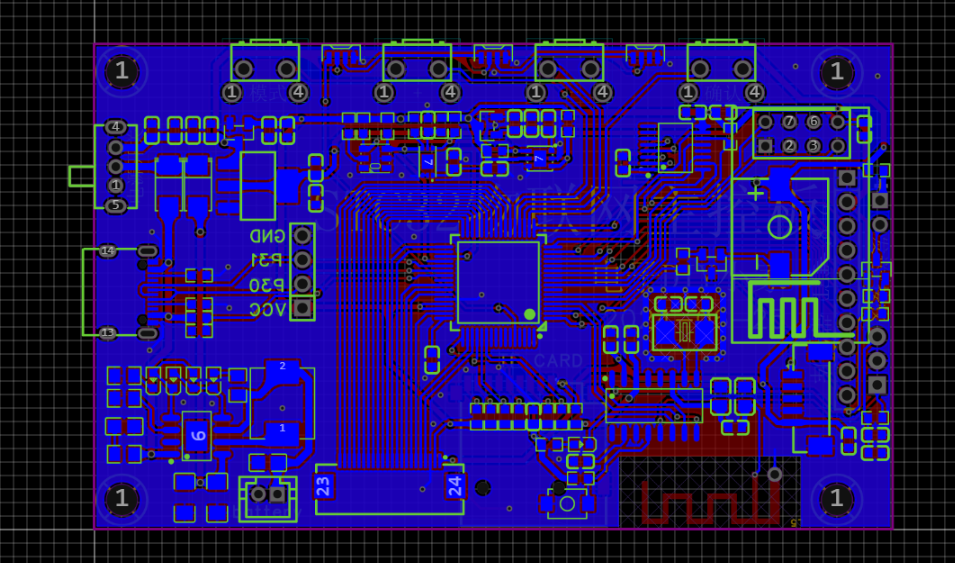
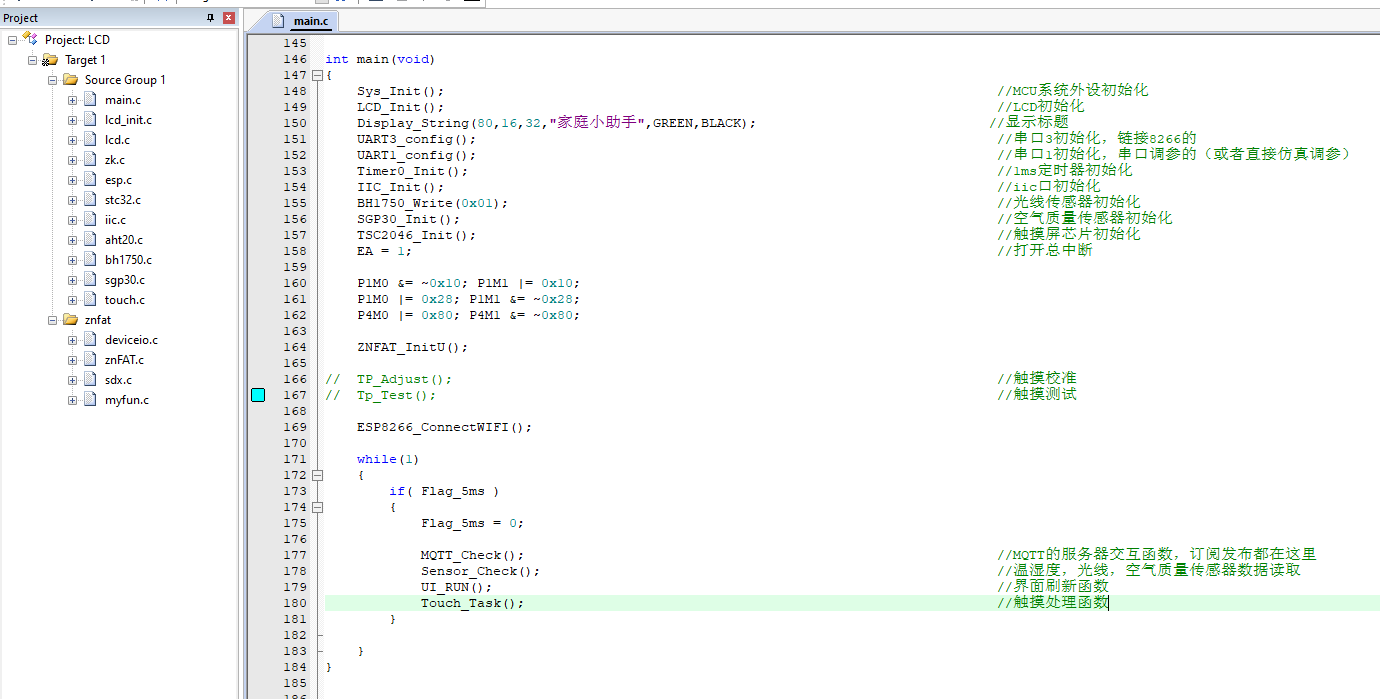
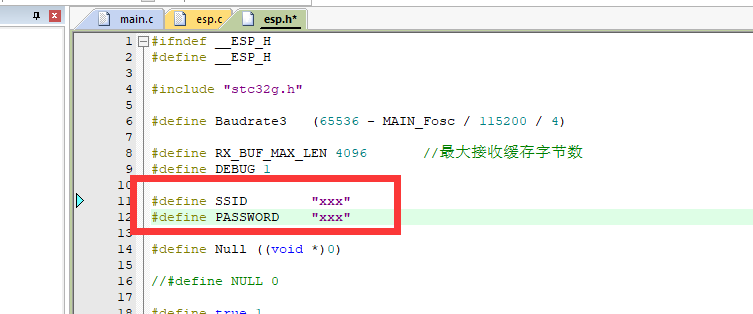
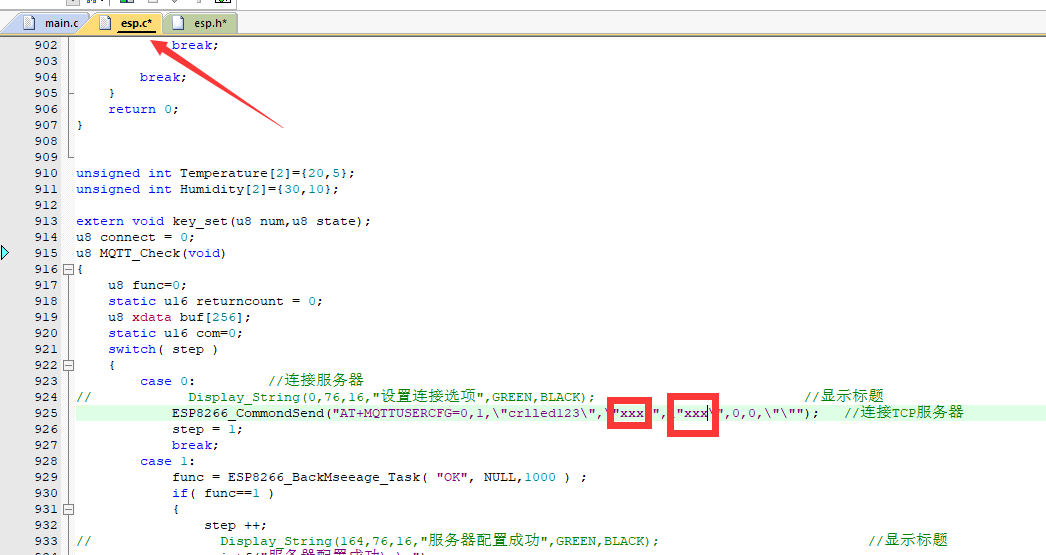
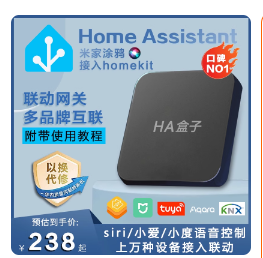
project analysis are as follows: 1. Use the STC32G12K128 as the main controller (after all, this chip is automotive-grade certified! Its performance is excellent), and control the ESP8266 to achieve data interaction with the cloud platform (tentatively Home Assistant; those interested can also build their own Home Assistant platform and play around with it). 2. Acquire temperature and humidity data through temperature and humidity sensors and upload them to the cloud, along with TVOC, CO2, light intensity, and other signals. 3. The cloud can control the local switch signals, and the local device can simultaneously control the remote switch signals. 4. Connect a TFT color screen for simple human-machine interaction; I'm considering a screen with an SPI interface! 5. Port a ZNFAT file system to directly read images from the SD card and display them on the screen. 6. Actually, the board has reserved many other functions, such as infrared transceiver, battery charging, full-color lights, etc., but unfortunately, I have to pay rent soon. I'll buy the accessories and continue testing and improving this post when I have the money. Note: Overall Design Scheme Block Diagram Schematic Design Description 1. Charging and Discharging Circuit This circuit is completely based on the chip's datasheet. Note that there is a VCHK port connected to the MCU for external power input detection. If needed, it can be used to create charging animations or access identifiers. 2. Power Circuit A switch is used to control the main power supply. Since the ESP's wireless transients can reach 500mA, a separate power supply is used to prevent screen or light flickering during communication. 3. Infrared Transmitter and Receiver This is a recently popular integrated infrared transmitter and receiver module. A picture is attached to show it. It has numerous built-in infrared protocols and can update the code library via Bluetooth. Therefore, an antenna is also placed on the board, allowing for direct online code library updates, eliminating the need for self-learning (PS: This chip is a bit expensive; I can't afford it yet, haha, it costs nearly double digits). 4. The Wi-Fi and sensor detection circuits are largely similar. Connect the power supply, then connect the serial communication to the microcontroller's serial port, and the I2C communication to the microcontroller's I2C port. Note that the SGP30 chip is quite delicate; it only requires 1.8V. Therefore, a separate 65K5 power supply is needed. Connecting it directly to 3.3V would likely cause problems, as this chip is more expensive! 5. The touchscreen uses a TFT with a built-in character library. Since the screen itself doesn't have a touchpad, an external touchpad was installed. Because I had a ready-made screen, I didn't replace it. Actually, this system could use a chip without a character library (since the character library can be stored on an SD card), and then find a screen that integrates touch and TFT functionality! Also, although the schematics indicate TSC2046, I soldered XPT2046; I had one on hand, so I didn't buy it, haha, anyway, it's a Pintopin chip. 6. The human body sensor was initially planned to use the Hailing Technology sensor, but due to budget constraints, it's not yet available. Its biggest advantage is its customizable software configuration, allowing adjustment of both detection distance and sensitivity. It's also said to detect both movement and stillness simultaneously (a previous sensor only detected movement, not stillness like sleeping). 7. The STC32 microcontroller currently only has an SPI interface, so SPI is used for reading and writing. The newer STC8051U features 4-wire QSPI, offering faster speeds and better performance. For those requiring high read/write speeds, the latest STC8051U microcontroller is recommended! PCB Design Notes: This PCB is relatively simple, with only a few minor points to note: 1. The infrared chip requires Bluetooth, so copper and traces cannot be run around the Bluetooth antenna; therefore, it's placed at the very edge. 2. Due to the need to consider the casing, the height of the buttons and interfaces must be adjusted to accommodate the board's protrusion. The side Type-C protrudes 1mm from the board edge, and the casing protrudes 2mm from the board edge, ensuring compatibility with most charging cables on the market. The buttons protrude 2mm from the board edge, preventing them from hitting the edge when pressed. Actual testing shows the buttons have a travel of only 0.3mm. Other aspects like cable width and wiring are largely irrelevant; there are no high-speed signals or power supplies here, so as long as the wiring is connected, there's a 99% chance of no problems. The software code is relatively simple, with one .C and one .H file corresponding to each peripheral driver, and a ZNFAT driver ported to another file. The main function is also relatively clear. However, due to time constraints, some user-level code is still somewhat messy. I'll refactor the user-level code after I finish this. Note that those who want to DIY this will need to modify some parts of the code to fully customize it: 1. The Wi-Fi name and password in this file ; 2. The MQTT server username and password in this file. Since my HA is built on a self-assembled NAS, if you're planning to build your own, I recommend buying an HA box, which makes it easy to create a whole-house smart network. Similar to the example below, the biggest advantage of HA is that it can connect to over 90% of smart products on the market, and it can solve the problem of platform incompatibility. For example, Tmall Genie cannot control Mi Home devices, but HA can easily achieve this! If there is enough interest, I will consider making a complete tutorial, starting from scratch and building an HA server to create a complete smart home system. I won't go into detail about the code here; you can download the attachment to see it if needed. Of course, you can leave a message or ask me in the QQ group if you have any questions. I will consider posting a detailed code explanation on the STC forum later. Physical demonstration: The default interface displays the values of 3 sensors, and the displayed content changes every 3 seconds (because temperature and humidity have two parameters, displaying temperature every 3 seconds and humidity every 3 seconds). When the button is turned on, the small green dot next to the icon lights up. Below is the data obtained from the HA server. You can see that both the on/off status and the values are consistent with the local data, thus completely connecting the device and server control. I can use this button to configure and control smart sockets, smart lights, printers, etc. in automation!

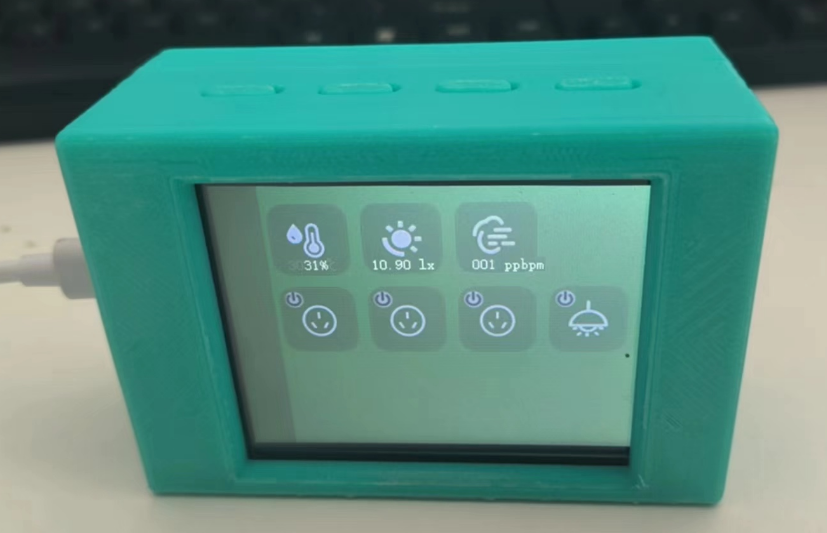
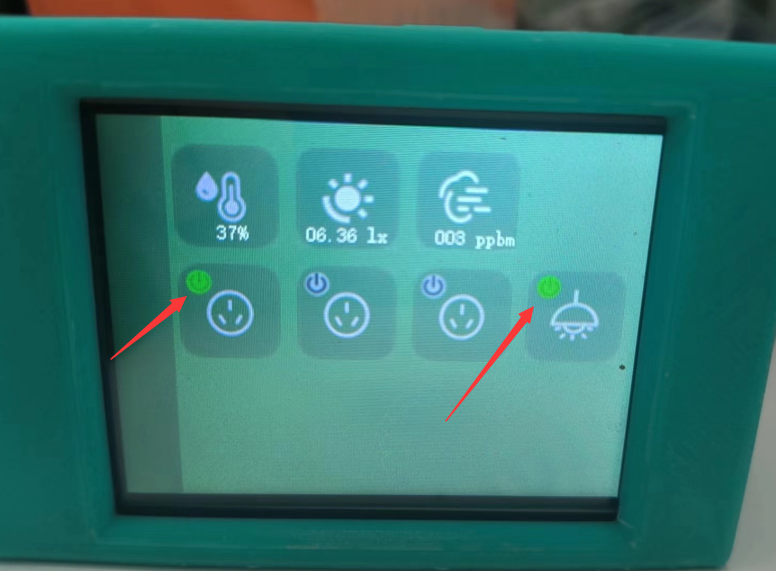
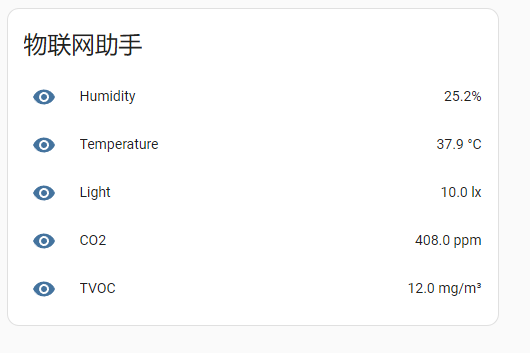
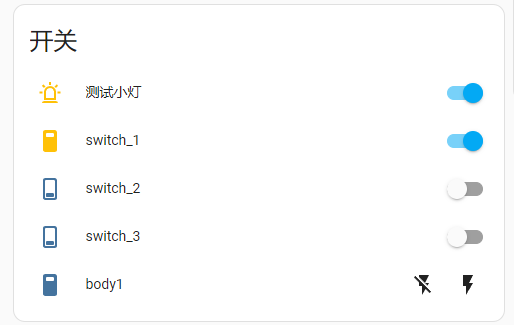
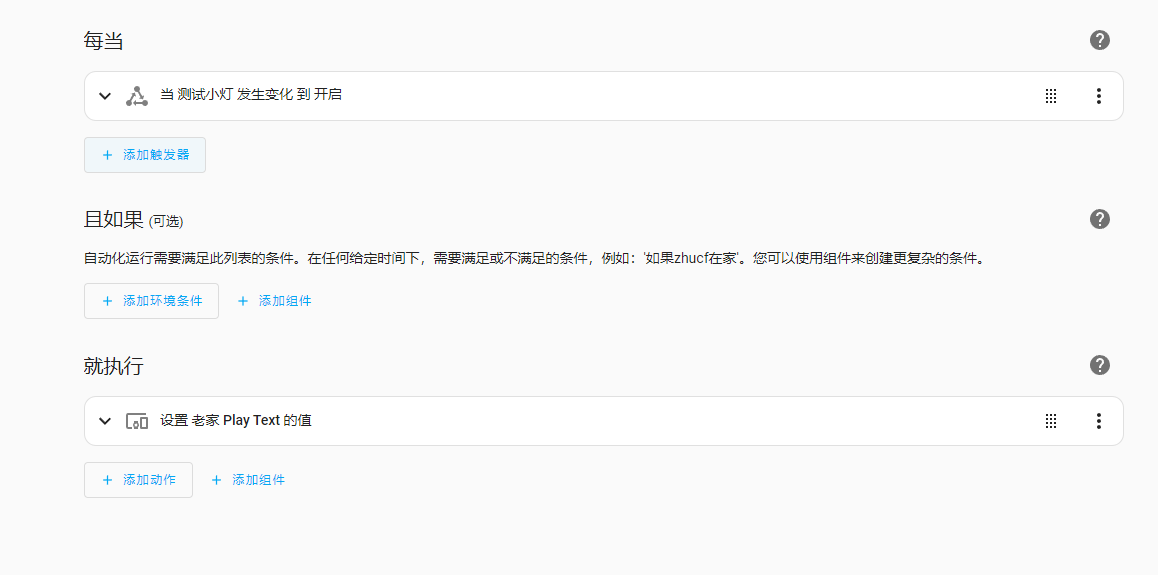
For simple testing, I've configured a very basic rule: whenever the light button on the device is turned on, Xiao Ai (my AI assistant) will announce, "Lights are on!" Doesn't it feel like whole-house smart home technology is within easy reach? All internet-connected devices in your home can be controlled with this little box. **
Important Notes: **
During the DIY process, please pay close attention to electrical and internet safety. Never use it for any illegal or unethical activities.
The demo video
will be uploaded later.
IoT Assistant with UI.rar
PDF_HA-based IoT Assistant for STC32+ESP8266.zip
Altium_HA-based IoT Assistant for STC32+ESP8266.zip
PADS - An IoT Assistant Based on HA STC32+ESP8266.zip
BOM_IoT Assistant Based on HA STC32+ESP8266.xlsx
90837
electronic








 京公网安备 11010802033920号


 74F1763



